Pêşkêş
The R-MUSIC Party Boost S speaker is designed to provide an immersive audio experience, perfect for parties and events. This high-power speaker features Bluetooth 5.3 connectivity, dynamic RGB light effects, a dedicated karaoke mode, and an impressive battery life, combining robust performance with portable design.
This manual provides essential information for setting up, operating, and maintaining your Party Boost S speaker to ensure optimal performance and longevity.
Di Box çi ye
Upon unboxing your R-MUSIC Party Boost S, please verify that all components are present:
- Party Boost S Speaker
- Mîkrofona têl
- Charging Cable
- Charger
- Manual Bikarhêner (ev belge)
Product Overview
Familiarize yourself with the key features and components of your Party Boost S speaker.

The R-MUSIC Party Boost S speaker, showcasing its integrated RGB lighting on the front grille and top control panel. The speaker is black with a textured finish on the sides and a convenient carry handle on top.
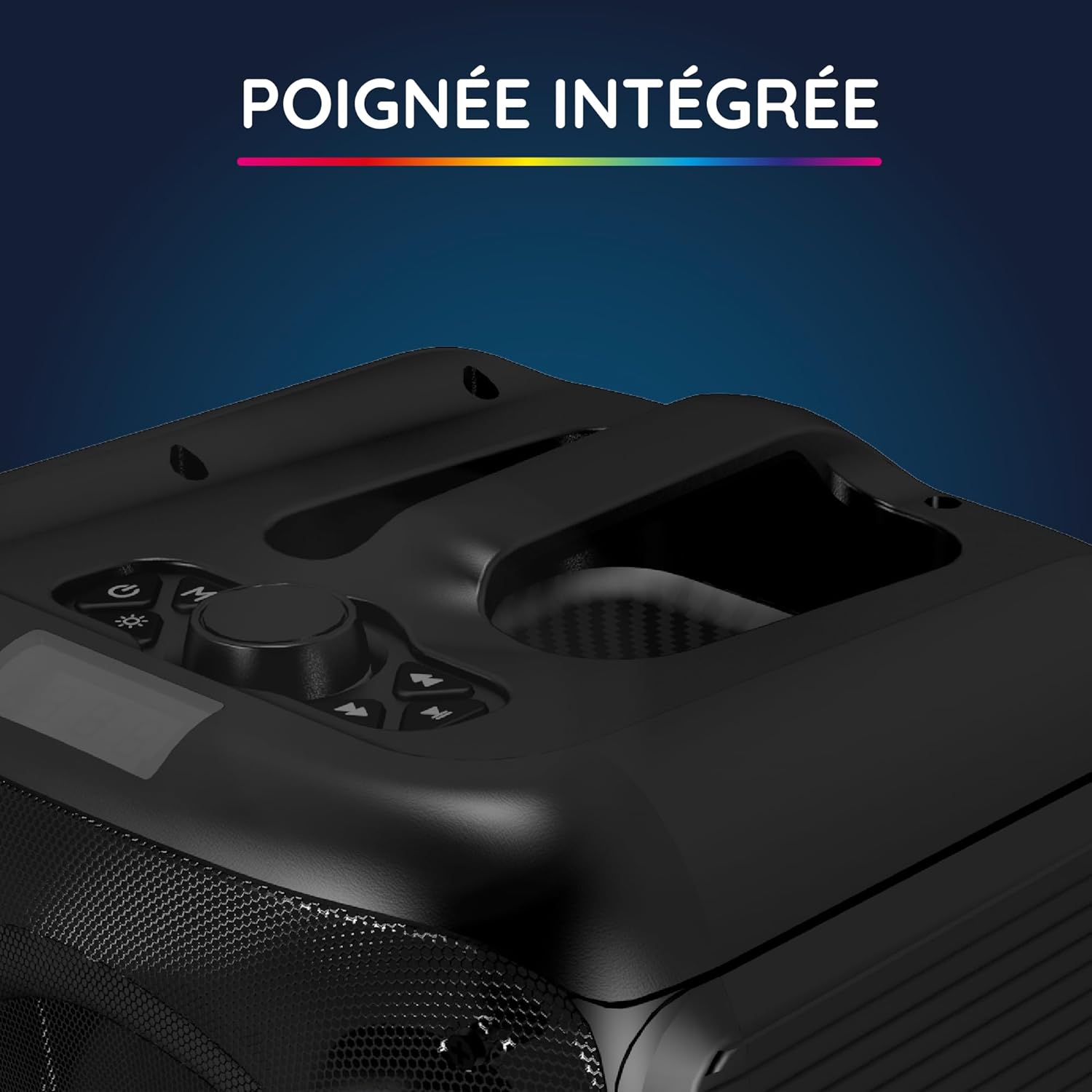
Nêzîk-up view of the integrated handle located on the top of the Party Boost S speaker, designed for easy portability and transport.

The connectivity panel of the Party Boost S speaker, featuring various input ports including USB, USB-C, AUX, and Micro-SD slots for versatile device connections.

The top control panel of the Party Boost S speaker, showing buttons for equalizer settings, volume adjustment, and echo control, along with a digital display.
Damezirandin
Charging Speaker
Before first use, fully charge the speaker. Connect the provided charging cable to the speaker's charging port and the other end to the charger. Plug the charger into a power outlet. The charging indicator will show the charging status. A full charge takes approximately 5 hours and provides up to 10 hours of continuous playback.
Hêza Destpêkê Li ser
Locate the power button on the speaker's control panel. Press and hold the power button for a few seconds until the speaker powers on and the LED lights illuminate.
Telîmatên Operating
Têkiliya Bluetooth
- Ensure the Party Boost S speaker is powered on.
- Activate Bluetooth on your smartphone, tablet, PC, or laptop.
- Search for "R-MUSIC Party Boost S" in your device's Bluetooth settings.
- Select the speaker to pair. A confirmation sound will indicate a successful connection.
- Axêver ji bo pêwendiyek domdar heta 10 metreyan Bluetooth 5.3 bikar tîne.
Using Other Connectivity Options
- Porta USB: Dê ajokerek USB ya bi deng têxin files into the USB port. The speaker will automatically detect and play the music.
- Ketina AUX: Connect an external audio device (e.g., MP3 player) using a 3.5mm AUX cable to the AUX port.
- Karta Micro SD: Karta Micro SD bi deng ve girêdin files into the Micro SD slot.
- Jack 6.35mm: This port is primarily for the wired microphone.
Karaoke Mode and Microphone Use
To use the karaoke feature:
- Connect the wired microphone to the 6.35mm jack port on the speaker.
- Play your desired instrumental track via Bluetooth or other input methods.
- Adjust the microphone volume and echo effects using the controls on the speaker's top panel for an optimal karaoke experience.

The wired microphone included with the Party Boost S speaker, featuring an on/off switch and a standard audio jack for connection.
Sound Adjustment (Bass & Treble)
Use the dedicated controls on the speaker's top panel to adjust the bass and treble levels according to your audio preferences. This allows for fine-tuning the sound output for various music genres or environments.
Bandorên Ronahiya RGB
The speaker features integrated RGB light shows that synchronize with your music. Use the light mode button on the control panel to cycle through different light animations or turn them off.
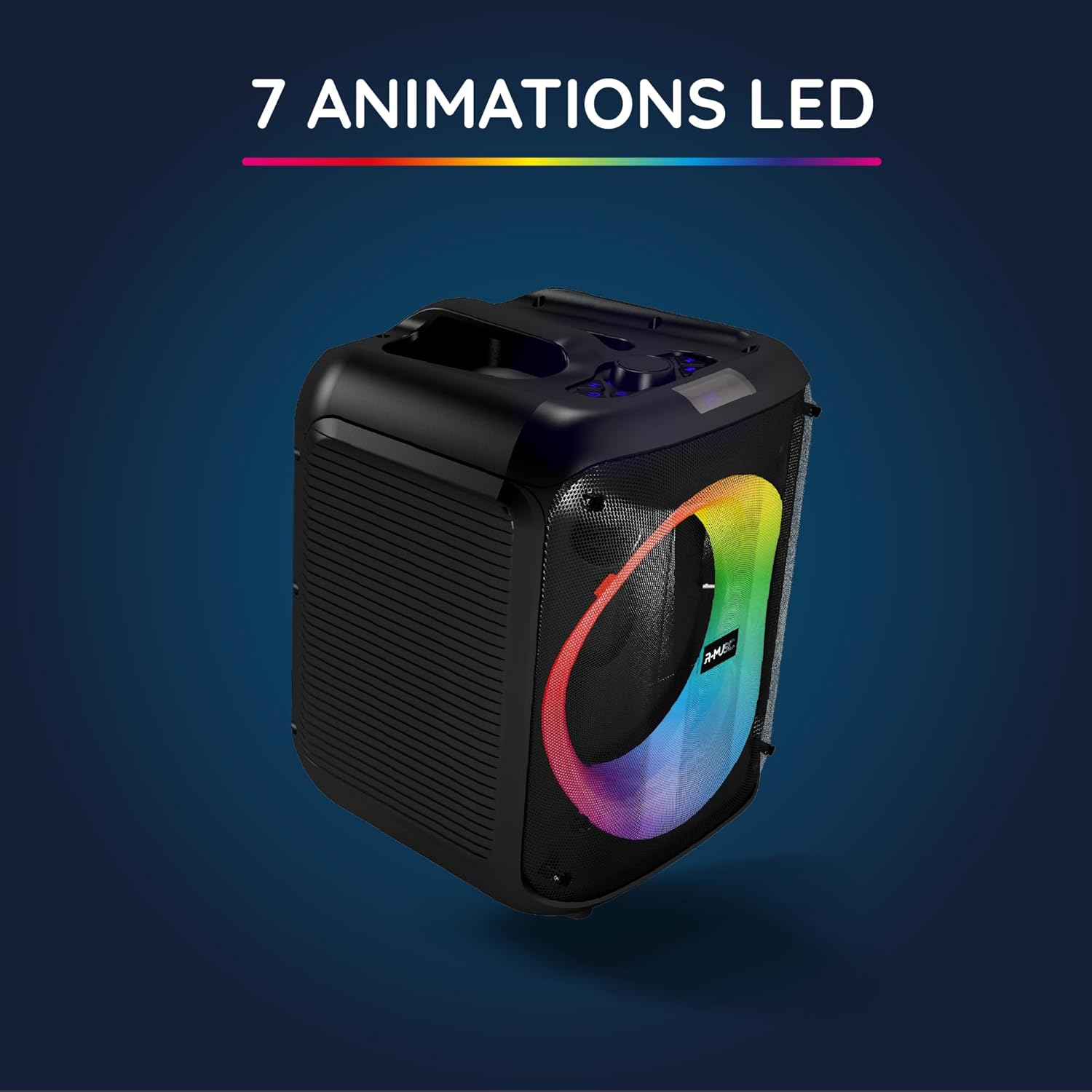
The Party Boost S speaker illuminated with vibrant RGB LED animations, showcasing its ability to create a dynamic visual experience synchronized with audio.
Girêdana Multi-Speaker
For an enhanced stereo experience, you can connect two Party Boost S speakers together. Refer to the specific instructions for TWS (True Wireless Stereo) pairing, usually initiated by a dedicated button or a long press on the Bluetooth button on both speakers. Ensure both speakers are in pairing mode before attempting to connect them to each other.
Lênerrînî
- Paqijî: Ji bo paqijkirina derveyê axaftvanê qumaşek nerm û hişk bikar bînin. Paqijkerên aşınker, mûm, an çareserkeran bikar neynin.
- Embarkirinî: Dema ku hûn ji bo demek dirêj bikar neynin, axaftvanê li cîhek sar, hişk û dûr ji tîrêjên rojê yên rasterast û germahiyên zêde hilînin.
- Lênêrîna Pîl: Ji bo dirêjkirina temenê bateriyê, ji valakirina pir caran a bateriyê dûr bisekinin. Axêverê bi rêkûpêk şarj bikin, her çend neyê bikar anîn jî.
- Berxwedana avê: This speaker is not water-resistant. Avoid exposure to liquids.
Çareserkirina pirsgirêkan
| Pirsegirêk | Sedema gengaz | Çare |
|---|---|---|
| Hêz tune | Pîl qediyaye; Kabloya elektrîkê bi rêkûpêk nehatiye girêdan. | Charge the speaker fully; Ensure power cable is securely connected. |
| Deng tune | Volume is too low; Incorrect input source selected; Device not paired correctly. | Increase volume on speaker and connected device; Select correct input (Bluetooth, AUX, USB, SD); Re-pair Bluetooth device. |
| Girêdana Bluetooth-ê bêîstîqrar | Device is out of range; Interference from other devices. | Move device closer to speaker (within 10m); Move speaker away from other wireless devices. |
| Mîkrofon naxebite | Microphone not plugged in correctly; Microphone switch is off. | Ensure microphone is fully inserted into the 6.35mm jack; Turn on the microphone switch. |
Specifications
| Hejmara Model | RM484529 |
| Nîşan | R-MUSIC |
| Têkiliya Têkiliyê | Bluetooth 5.3 |
| Inputs Audio | Bluetooth, USB, 6.35mm Jack, AUX, Micro SD |
| Bersiva Frequency | 20 Hz - 20 kHz |
| Battery Life | Up to 10 hours (3600mAh Lithium-ion) |
| Time Charging | Approx. 5 saetan |
| Pîvan (L x W x H) | 29 x 34 x 26 cm |
| Pîvan | 3.95 kg |
| Reng | Reş |
| Amûrên Lihevhatî | Smartphones, Tablets, PCs, Laptops |
| Taybetmendiyên Taybet | Integrated RGB Lights, Karaoke Mode, Wired Microphone Included, Bass & Treble Adjustment, Multi-speaker Connection (TWS), Integrated Handle |
Garantî û Piştgirî
Garantiya Manufacturer
The R-MUSIC Party Boost S speaker comes with a Garantiya çêker a 2 salî ji roja kirînê ve. Ev garantî kêmasiyên materyal û karîgeriyê di bin karanîna normal de vedihewîne. Ew zirara ku ji ber karanîna xelet, qezayan, guhertinên bêdestûr, an jî xitimandin û şikestina normal çêdibe nagire nav xwe.
Ji kerema xwe ji bo îdîayên garantiyê delîla kirîna xwe biparêzin.
Piştgiriya Mişterî
For technical assistance, warranty claims, or any questions regarding your R-MUSIC Party Boost S speaker, please contact your retailer or the manufacturer's customer support. Refer to the product packaging or the retailer's webmalpera ji bo agahdariya têkiliyê.


