Pêşkêş
Thank you for choosing the R-MUSIC KARADUO Complete Karaoke Pack. This manual provides detailed instructions for the safe and efficient use of your new karaoke system, which includes a portable RGB speaker and two wireless microphones. Please read this manual thoroughly before operation and retain it for future reference.
Naveroka pakêtê
Dema ku hûn ji pakêtê vedikin, piştrast bikin ku hemî tişt li wir in û di rewşek baş de ne:
- 1 x R-MUSIC KARADUO Portable RGB Speaker
- 2 x Mîkrofonên Wireless
- 1 x Kabloya gingarjkirina USB-C
- 1 x Rêbernameya Bikarhêner (ev belge)

Image: The R-MUSIC KARADUO portable RGB speaker and two wireless microphones, as included in the package.
Product Overview
Pêkhateyên Axaftvan û Kontrolan

Wêne: Jor view of the R-MUSIC KARADUO speaker, showing the control buttons.
- LED Animation Button: Press to cycle through 5 different LED light animations.
- Bişkoka Deng + / Strana Paşê: Short press to increase volume. Long press to skip to the next song.
- ON / OFF / Pause / Play Button: Long press to power the speaker on or off. Short press to play or pause music.
- Bişkoka Deng - / Strana Berê: Short press to decrease volume. Long press to go to the previous song.
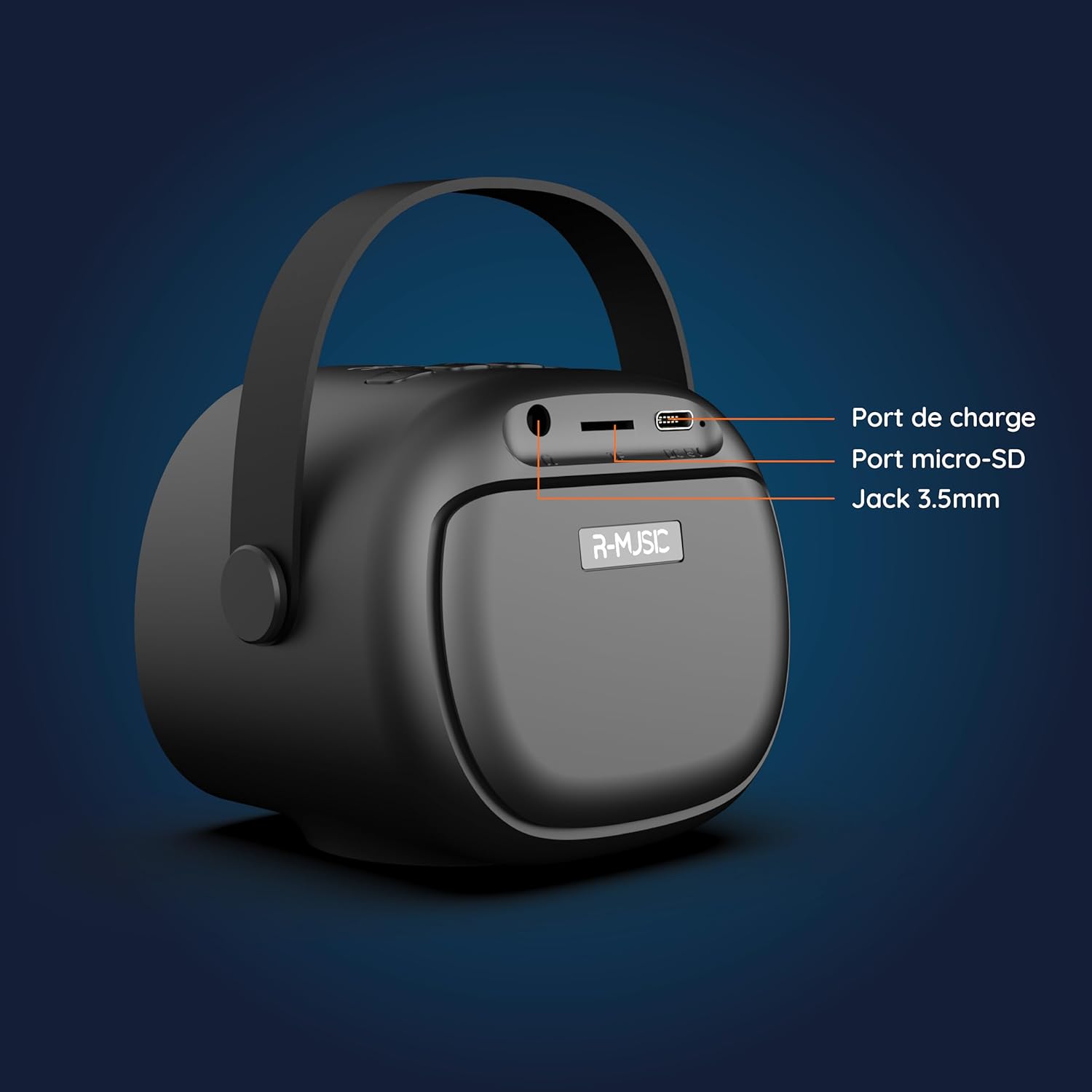
Wêne: Paşve view of the R-MUSIC KARADUO speaker, highlighting the charging port, Micro-SD card slot, and 3.5mm Jack port.
- Porta barkirinê (USB-C): Connect the provided USB-C cable for charging.
- Slota Qerta Micro-SD: Ji bo lêxistina muzîkê rasterast qerta Micro-SD têxin.
- Porta AUX ya 3.5mm: Connect external audio devices using a 3.5mm audio cable (not included).
Kontrolên Mîkrofonê

Image: Close-up of the R-MUSIC wireless microphones, illustrating the power, volume, and mode buttons.
- Bişkojka Hêzê: Long press to power the microphone on or off.
- Deng + Bişkok: Dengê mîkrofonê zêde bikin.
- Bişkoka Deng: Dengê mîkrofonê kêm bikin.
- Bişkojka Modê (M): Short press to cycle through 5 voice deformation effects and 3 karaoke modes.
Damezirandin
1. Barkirina Axaftvan û Mîkrofonan
Berî bikaranîna pêşîn, axaftvan û her du mîkrofonan bi tevahî şarj bikin.
- Gotevan: Connect the provided USB-C charging cable to the speaker's charging port and a compatible USB power adapter (not included). The charging indicator will show the charging status.
- Mîkrofon: Each microphone has its own charging port (usually Micro-USB, check the microphone itself). Connect them to a USB power source using appropriate cables (not included, or check if included with microphones).
A full charge provides approximately 14 hours of speaker playback without LED lights, or 7 hours with LED lights activated.
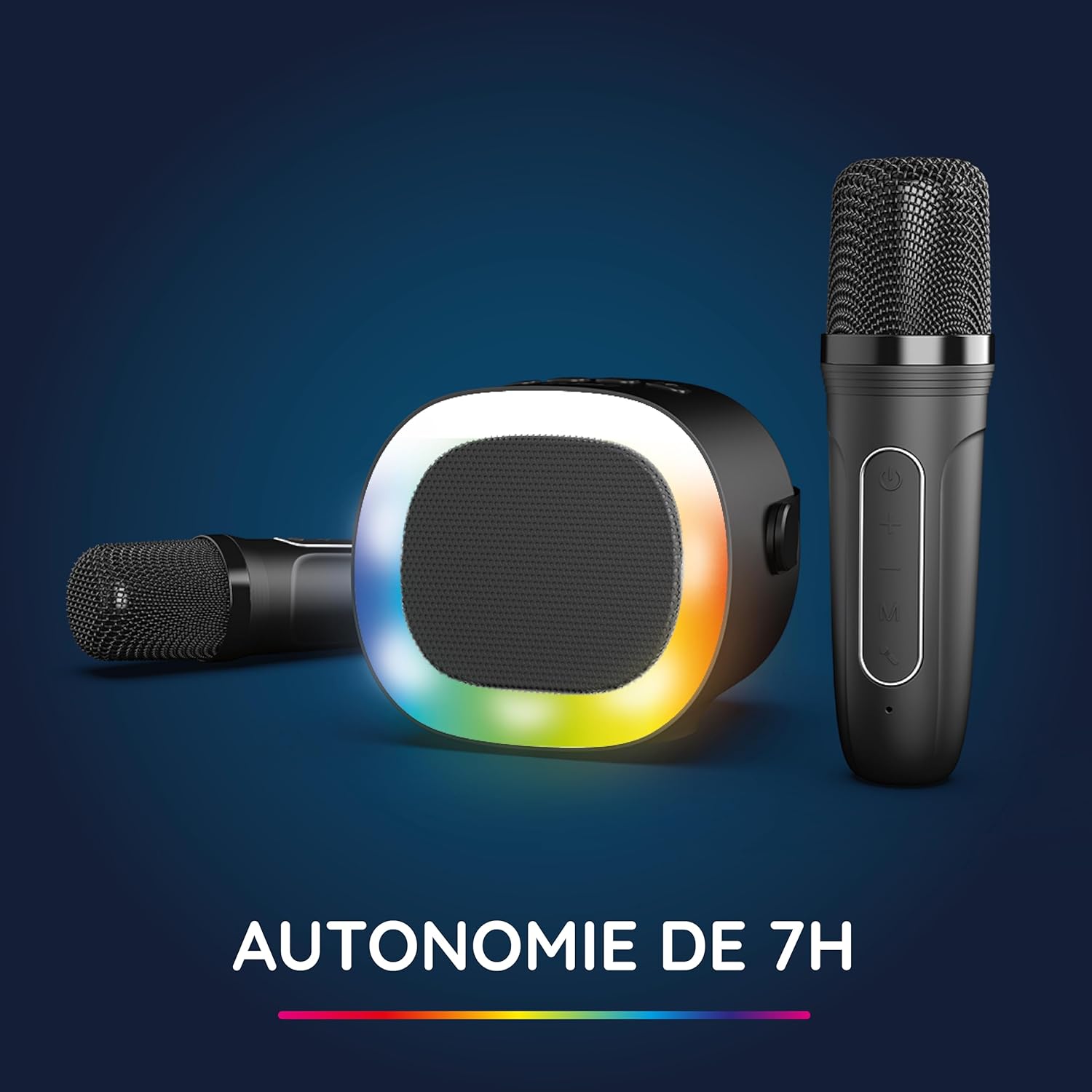
Image: The R-MUSIC speaker and microphones, illustrating the battery life with LED lights active.
2. Powering On and Pairing Microphones
- Power On Speaker: Long press the ON/OFF button on the speaker until it powers on.
- Mîkrofonan Vekin: Long press the Power button on each microphone until they power on.
- The microphones should automatically pair with the speaker. If not, ensure they are within close proximity and try powering them off and on again.
Telîmatên Operating
1. Girêdana bi Çavkaniyên Deng re
The KARADUO speaker offers multiple connectivity options:
- Bluetooth 5.0:
- Piştrast bikin ku axaftvan vekêşandî ye.
- Activate Bluetooth on your smartphone, tablet, PC, or other compatible device.
- Search for "KARADUO" in your device's Bluetooth settings and select it to pair. A confirmation sound will indicate a successful connection.
- The Bluetooth 5.0 technology ensures optimal sound quality and a stable connection up to 10 meters.
- Ketina AUX:
- Connect a 3.5mm audio cable (not included) from your audio device's headphone jack to the speaker's 3.5mm AUX port.
- Axaftvan dê bixweber biguhere moda AUX.
- Micro-SD Card Playback:
- Insert a Micro-SD card containing MP3 audio files into the Micro-SD card slot on the back of the speaker.
- Axêver dê bixweber kartê tesbît bike û dest bi lêdana muzîkê bike.
2. Speaker Operation
- Lîstik / Rawestandin: Short press the ON/OFF/Pause/Play button.
- Guhertina Volume: Short press the Volume + or Volume - buttons.
- Nextopa Pêşîn / Berê: Long press the Volume + (next) or Volume - (previous) buttons.
- Modên Ronahiya LED: Press the LED Animation button to cycle through 5 different LED light animations.

Image: The R-MUSIC speaker showcasing its dynamic LED light animations.
3. Microphone Operation
- Dengê mîkrofonê: Use the Volume + and Volume - buttons on the microphone to adjust your vocal volume.
- Voice Deformation Effects: Short press the 'M' (Mode) button on the microphone to cycle through 5 different voice deformation effects.
- Modên Karaoke: Continue pressing the 'M' button to cycle through 3 distinct karaoke modes.
Lênerrînî
To ensure the longevity and optimal performance of your R-MUSIC KARADUO system, follow these maintenance guidelines:
- Paqijî: Ji bo paqijkirina axaftvan û mîkrofonan qumaşek nerm û hişk bikar bînin. Paqijkerên aşınker, çareserker, an kîmyewiyên dijwar bikar neynin.
- Embarkirinî: Dema ku amûrê nayê bikaranîn, li cîhekî sar û hişk, dûr ji tîrêjên rojê yên rasterast û germahiyên zêde hilînin.
- Pêşkêşkirina avê: Ev berhem ne li hember avê ye. Ji ber ku ew li ber avê an jî şilbûna zêde nesekinin, dûr bisekinin.
- Barkirin: Only use the provided charging cable and a compatible USB power adapter. Do not overcharge the device.
Çareserkirina pirsgirêkan
If you encounter issues with your KARADUO system, please refer to the following common problems and solutions:
| Pirsegirêk | Sedema gengaz | Çare |
|---|---|---|
| Hêz tune | Pîla kêm e an jî cîhaz girtî ye. | Charge the speaker/microphones. Long press the power button to turn on. |
| Deng ji dengbêjê nayê | Volume too low, incorrect input mode, or device not connected. | Increase speaker volume. Ensure correct input (Bluetooth, AUX, Micro-SD). Reconnect Bluetooth or check AUX cable. |
| Mîkrofon naxebitin | Microphones off, low battery, or not paired. | Ensure microphones are charged and powered on. They should automatically pair with the speaker. If not, power cycle them. |
| Qutbûna Bluetooth | Device out of range, interference, or low battery. | Move the connected device closer to the speaker (within 10m). Ensure no major obstacles. Recharge the speaker. |
If the problem persists after trying these solutions, please contact R-MUSIC customer support.
Specifications
| Taybetî | Hûrî |
|---|---|
| Nîşan | R-MUSIC |
| Hejmara Model | RM484437 |
| Reng | Reş |
| Teknolojiya Girêdanê | Bluetooth 5.0 |
| Ports Girêdana | 3.5mm Jack, USB Type-C (charging), Micro-SD Card Slot |
| Taybetmendiyên Taybet | 2 Wireless Microphones, Universal Connectivity, 5 Voice Deformation Effects, LED Lights |
| Amûrên Lihevhatî | PC, Smartphone, Tablet, TV (via AUX) |
| Çavkaniya Hêzê | Battery Powered |
| Jîyana Pîlê ya Axaftvan | Up to 14 hours (without LED), 7 hours (with LED) |
| Rêzeya Bluetooth | Heta 10 metreyan |

Image: Technical dimensions of the R-MUSIC KARADUO speaker, showing its height, width, and depth.
Garantî û Piştgirî
Information regarding specific warranty terms and conditions for the R-MUSIC KARADUO Complete Karaoke Pack is not available in this document. Please refer to the product packaging or the retailer's webmalper ji bo hûrguliyên garantiyê.
For technical support or further assistance, please contact R-MUSIC customer service through their official webmalper an agahdariya têkiliyê ku bi kirîna we re hatî peyda kirin.


