1. Destpêk
This manual provides comprehensive instructions for the setup, operation, and maintenance of your Tibuta 15.6 Inch WiFi Digital Photo Frame. Please read this manual thoroughly before using the device to ensure proper functionality and to maximize your user experience.

Image 1.1: Tibuta 15.6 Inch WiFi Digital Photo Frame in use, showing its touchscreen capabilities and companion app integration.
2. Agahiyên Ewlekariyê
Ji bo rêgirtina li zirara li cîhazê an birîndarbûna kesane, tedbîrên ewlehiyê yên jêrîn bişopînin:
- Amûrê li ber avê an jî şilbûna zêde nehêlin.
- Amûrê ji bo demek dirêj nêzîkî çavkaniyên germê an jî di bin tîrêjên rojê yên rasterast de nehêlin.
- Tenê adapterê hêza peydakirî bikar bînin.
- Hewl nedin ku amûrê bi xwe ji hev veqetînin an tamîr bikin. Ji bo alîkariyê bi piştgiriya xerîdar re têkilî daynin.
- Amûrê ji zarok û heywanên heywanan dûr bigirin.
3. Naveroka pakêtê
Piştrast bike ku hemî tişt di pakêtê de hene:
- Tibuta 15.6 Inch WiFi Digital Photo Frame
- Power Adapter
- Manual Bikarhêner (ev belge)
- Serpêsekinîn
4. Hilbera Serîview
Familiarize yourself with the components of your digital photo frame.
4.1 Pêş View

Wêne 4.1: Pêşî view and key features of the Tibuta 15.6 Inch Digital Photo Frame.
- 15.6 Inch HD Touch Screen: High-definition display with 1280x800 resolution and IPS technology for wide viewing angles.
- Navbera ekrana destikê: Allows for direct interaction with the frame's menus and settings.
4.2 Paş View û Portan

Wêne 4.2: Paş view of the Tibuta Digital Photo Frame with labeled ports and features.
- Power Switch: Amûrê vedike an vedike.
- Li Dîwarê Siwar kirin: Mounting points for wall installation.
- Ampjînker: Axaftvanên entegre ji bo playbacka deng.
- Slota Qerta Micro SD: Supports Micro SD cards up to 128GB for expanded storage.
- Headphones Jack: Ji bo girêdana cîhazên bihîstwerî yên derveyî.
- Type-A USB Port: Ji bo girêdana ajokarên USB an cîhazên din ên derdorê.
- Porta Mini USB: For data transfer (if applicable).
- Porta Hêza DC: Bi adapterê hêzê ve girêdayî ye.
- Serpêsekinîn: Attachable stand for desktop placement.
5. Sazkirin
5.1 Hêza Destpêkê Li ser
- Attach the stand to the back of the photo frame for stable placement on a flat surface.
- Connect the power adapter to the DC Power Port on the back of the frame.
- Adaptera elektrîkê têxin hêlîneke dîwêr.
- Press the Power Switch to turn on the device.
- Ji bo hilbijartina ziman, herêma demê û girêdana bi toreke Wi-Fi, rêwerzên li ser ekranê bişopînin.
5.2 Girêdana bi Wi-Fi
- From the main menu, navigate to "Settings" and then "Wi-Fi".
- Ji navnîşê tora Wi-Fi ya xwestî hilbijêrin.
- Şîfreya Wi-Fi bi karanîna klavyeya li ser ekranê binivîse.
- Li ser "Girêdan" bitikîne. Piştî girêdanê, îkona Wi-Fi dê li ser ekranê xuya bibe.
5.3 Sazkirina Sepana Hevkar
To share photos and videos remotely, download the dedicated companion app.

Image 5.1: Download the Uhale App from Google Play or the App Store.
- On your smartphone or tablet, open the Google Play Store (for Android devices) or the Apple App Store (for iOS devices).
- Search for "Uhale App" (or the specified app name in your frame's instructions).
- Sepanê dakêşin û saz bikin.
- Follow the in-app instructions to pair your device with the digital photo frame. This typically involves entering a unique code displayed on your photo frame.
6. Telîmatên Operating
6.1 Sharing Photos and Videos via App
Once the frame is connected to Wi-Fi and paired with the app:
- Serlêdana hevalbendê li ser smartphone xwe vekin.
- Select the photos or videos you wish to share.
- Tap the "Send" or "Share" button within the app.
- The selected media will be transferred to your digital photo frame and displayed.
The frame supports various display modes, including timing, zooming, and cropping, which can often be adjusted via the app or directly on the frame's settings.
6.2 Using External Storage (Micro SD Card)
The frame has 16GB of built-in storage and supports Micro SD cards up to 128GB.
- Insert a Micro SD card into the designated slot on the back of the frame.
- The frame will automatically detect the card.
- Navigate to the "Gallery" or "Files" section on the frame to access content from the Micro SD card.
- Hûn dikarin kopî bikin files from the Micro SD card to the internal storage or play them directly.
6.3 Automatic Rotation (Gravity Sensing)
The frame features gravity sensing for automatic rotation, adjusting the display orientation based on how the frame is positioned (landscape or portrait).
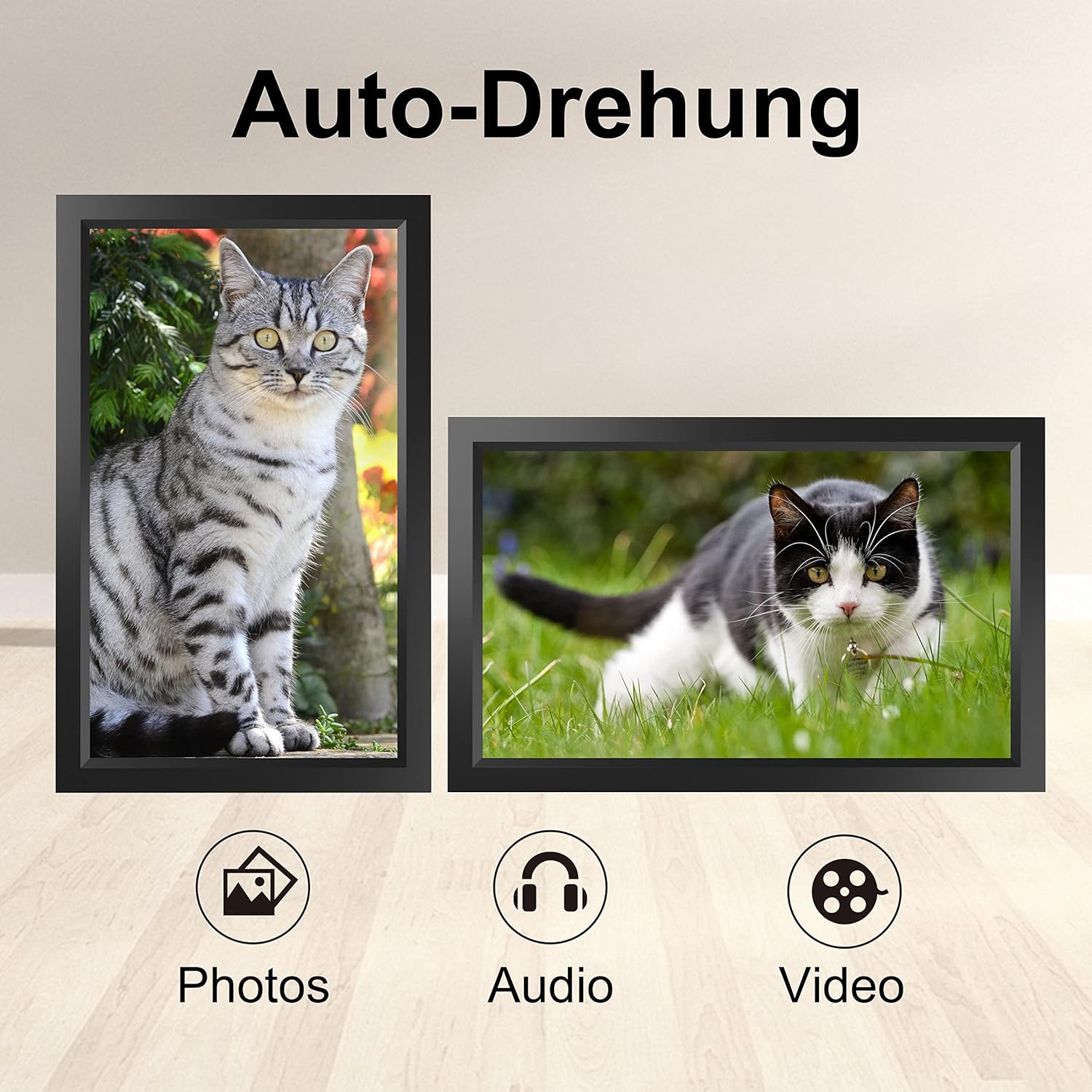
Image 6.1: Automatic display rotation based on frame orientation.
Ensure the gravity sensing feature is enabled in the frame's settings if you wish to utilize this functionality.
6.4 Mîhengên Display
Xwe xweş bikin viewing experience through the frame's settings menu:
- Navbera Slideshow: Adjust how long each photo is displayed.
- Transition Effects: Choose different effects between photos.
- Ronahî: Ronahiya ekranê eyar bikin.
- Sleep Mode/Timer: Set schedules for the frame to turn on/off automatically.
- Zoom/Crop: Options to adjust how photos fit the screen.
7. Maintenance
7.1 Paqijkirina Ekranê
Ji bo paqijkirina ekrana destavê, bi qumaşek nerm û bê lîf bi nermî paqij bikin. Ji bo lekeyên dijwar, hinekî bişon.ampQumaşê bi av an jî çareseriyeke paqijkirina ekranê bişon. Ji bikaranîna kîmyewiyên dijwar an jî madeyên aşındêr dûr bisekinin.
7.2 Lênêrîna Giştî
- Keep the frame in a dry environment.
- Protect it from dust by occasionally wiping the frame's body with a soft cloth.
- Dûr nekevin amûrê an nekeve bin bandorên xurt.
8. Destpêkirin
| Pirsegirêk | Sedema gengaz | Çare |
|---|---|---|
| Çarçove vênake. | Adaptora hêzê ne girêdayî ye an jî xera ye. | Ensure the power adapter is securely connected to both the frame and a working power outlet. Try a different outlet. |
| Nikare bi Wi-Fi ve were girêdan. | Şîfreya şaş, ji rêzê derketî, an jî pirsgirêka torê. | Verify the Wi-Fi password. Move the frame closer to the router. Restart your router. |
| Photos/videos not appearing. | App not paired, incorrect file format, or storage issue. | Ensure the app is correctly paired. Check if the media files are in a supported format. Verify sufficient storage space on the frame or SD card. |
| Ekrana destavê bersivê nade. | Xeletiya nermalava demkî. | Restart the frame by holding the power button or unplugging and replugging the power adapter. |
| Automatic rotation not working. | Feature disabled or sensor issue. | Check the frame's settings to ensure gravity sensing/auto-rotation is enabled. |
9. Specifications
| Taybetî | Hûrî |
|---|---|
| Hejmara Model | TID15.6 |
| Mezinahiya Screen | 15.6 Inches |
| Type Display | Dîmendera destikê IPS |
| Resolution | 1280x800 |
| Storage Navxweyî | 16GB (approx. 20,000 photos) |
| External Storage | Karta Micro SD heya 128 GB |
| Têkilî | Wi-Fi |
| Taybetmendiyên Taybet | Gravity Sensing Automatic Rotation, Touchscreen |
| Pîvan (L x W x H) | 39.12 x 24.64 x 2.51 cm |
| Pîvan | 1.48 kg |
| Çavkaniya Hêzê | Battery Powered (includes 1 Lithium Ion battery) |
Nîşe: Specifications bêyî agahdariya pêşîn têne guhertin.
10. Garantî û Piştgirî
10.1 Garantiya Hilberê
The Tibuta Digital Photo Frame comes with a one-year product warranty. This warranty covers manufacturing defects and operational issues arising from normal use. If any issues arise during this period, please contact our after-sales support team for assistance.
10.2 Piştgiriya Mişterî
For technical support, warranty claims, or any other inquiries, please refer to the contact information provided on the Tibuta official website or your purchase documentation. When contacting support, please have your model number (TID15.6) and purchase date available.


