1. Destpêk
Welcome to the Vivitar Kids Tech Ultimate Kids Action Camera user manual. This guide provides essential information for setting up, operating, maintaining, and troubleshooting your new action camera. Designed for young adventurers, this camera allows for capturing high-definition photos and videos, even in challenging environments, thanks to its waterproof case and durable design.
Please read this manual thoroughly before using your camera to ensure proper operation and to maximize your experience.
2. Hilbera Serîview
2.1 Taybetmendiyên sereke
- 5 Megapixel HD Photo and Video: Capture crisp, clear images and high-definition videos.
- Ekrana rengîn a 2-inch: Easily frame shots and review naveroka girtin.
- Case Waterproof: Protects the camera from water, dust, and impacts, allowing use in various environments.
- Jiyana Pîlê dirêj: Built-in battery supports over 100 minutes of continuous recording on a full charge.
- Included Mounts: Comes with bike and helmet mounts for versatile attachment options.
2.2 Pêkhateyên Kamerayê
Familiarize yourself with the camera and its accessories:

Wêne 1: Pêşî view of the Vivitar Kids Tech Action Camera within its waterproof housing.

Wêne 2: Pêş û paş views of the camera inside the waterproof case, highlighting the screen and buttons.

Wêne 3: Berfireh view of the camera's rear, indicating the Photo, Video, Power On/Off, Select, OK, Previous, and Next buttons around the display.

Figure 4: All items included in the product package: camera, waterproof case, 5 mounts, 4 bandages, and a USB charging cable.
3. Sazkirin
3.1 Barkirina Pîlê
The camera includes a built-in Lithium Ion battery. Before first use, fully charge the camera using the provided USB cable. Connect the small end of the USB cable to the camera's USB port and the larger end to a standard USB power adapter (not included) or a computer's USB port. The charging indicator will show the charging status.
3.2 Danîna Karta MicroSD
Important: A MicroSD card (not included) is required to save photos and videos. The camera supports SDHC and SDXC flash memory types.
- Open the camera's MicroSD card slot cover.
- Insert a MicroSD card (Class 10 or higher recommended) with the metal contacts facing down, until it clicks into place.
- Close the MicroSD card slot cover securely.
3.3 Using the Waterproof Case
The waterproof case protects your camera from water, dust, and impacts. Ensure the camera is properly seated and the case is sealed before use in wet or dusty conditions.
- Open the latch on the waterproof case.
- Carefully place the camera inside the case, ensuring it fits snugly.
- Close the latch firmly until it clicks, creating a watertight seal.
- Before submerging the camera, perform a test by closing the empty case and submerging it in water to check for leaks.
3.4 Attaching Mounts
The camera comes with various mounts, including bike and helmet mounts, to secure it during activities.

Figure 5: The action camera securely mounted on a bicycle handlebar.
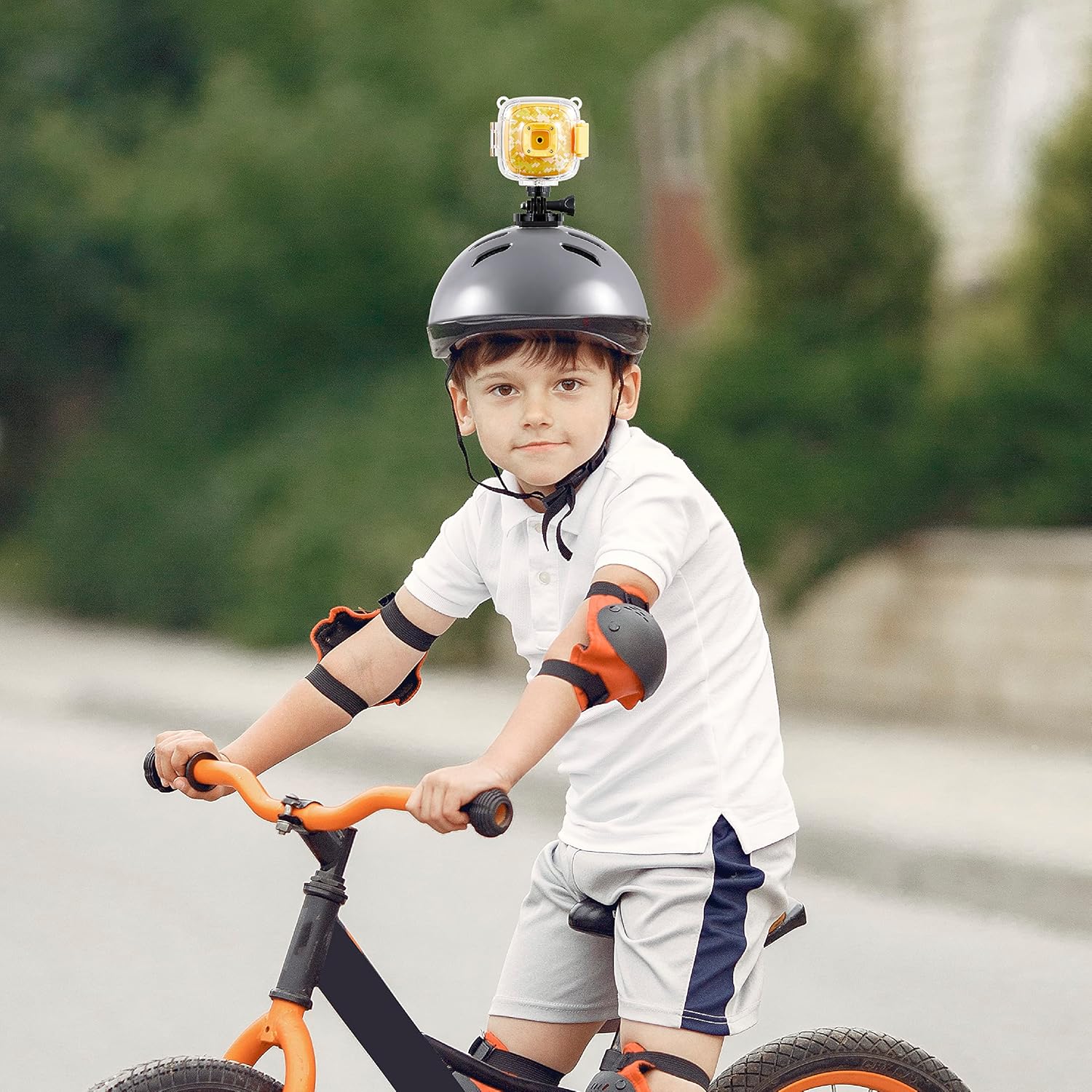
Figure 6: The action camera attached to a child's helmet, ready for recording.
- Select the appropriate mount for your activity (e.g., bike mount for cycling, helmet mount for head-mounted recording).
- Attach the camera to the chosen mount using the provided screws and adapters. Ensure all connections are tight and secure.
- Secure the mount to your desired location (e.g., bike handlebars, helmet) using the straps or clamps.
4. Telîmatên Operating
4.1 Power On / Off
- Hêzdarkirin: Press and hold the Power On/Off button (refer to Figure 3) for a few seconds until the screen illuminates.
- Ji bo Veqetandinê: Press and hold the Power On/Off button again until the screen turns off.
4.2 Modes Guhestina
The camera typically has Photo and Video modes. Use the dedicated Photo and Video buttons (refer to Figure 3) to switch between these modes.
- Bitikîne Bişkojka wêneyê to enter Photo mode.
- Bitikîne Bişkojka vîdyoyê to enter Video recording mode.
4.3 Wênegirtin
- Piştrast bikin ku kamera di moda Wêneyê de ye.
- Frame your shot using the 2-inch screen.
- Bitikîne Bişkojka OK (refer to Figure 3) to capture a photo.
4.4 Tomarkirina Vîdyoyan
- Piştrast bikin ku kamera di moda vîdyoyê de ye.
- Bitikîne Bişkojka OK to start recording. A recording indicator (e.g., a red dot or timer) will appear on the screen.
- Bitikîne Bişkojka OK again to stop recording. The video file dê li ser karta MicroSD-ê were tomarkirin.
4.5 Playback
Ji nû veview wêne û vîdyoyên ku te tomar kirine:
- Enter Playback mode (if available as a separate mode, otherwise navigate through the menu).
- Bi kar tînin Pêşî û Piştî buttons (refer to Figure 3) to browse through your files.
- Bitikîne Bişkojka OK ber view wêneyek an vîdyoyek bilîze.
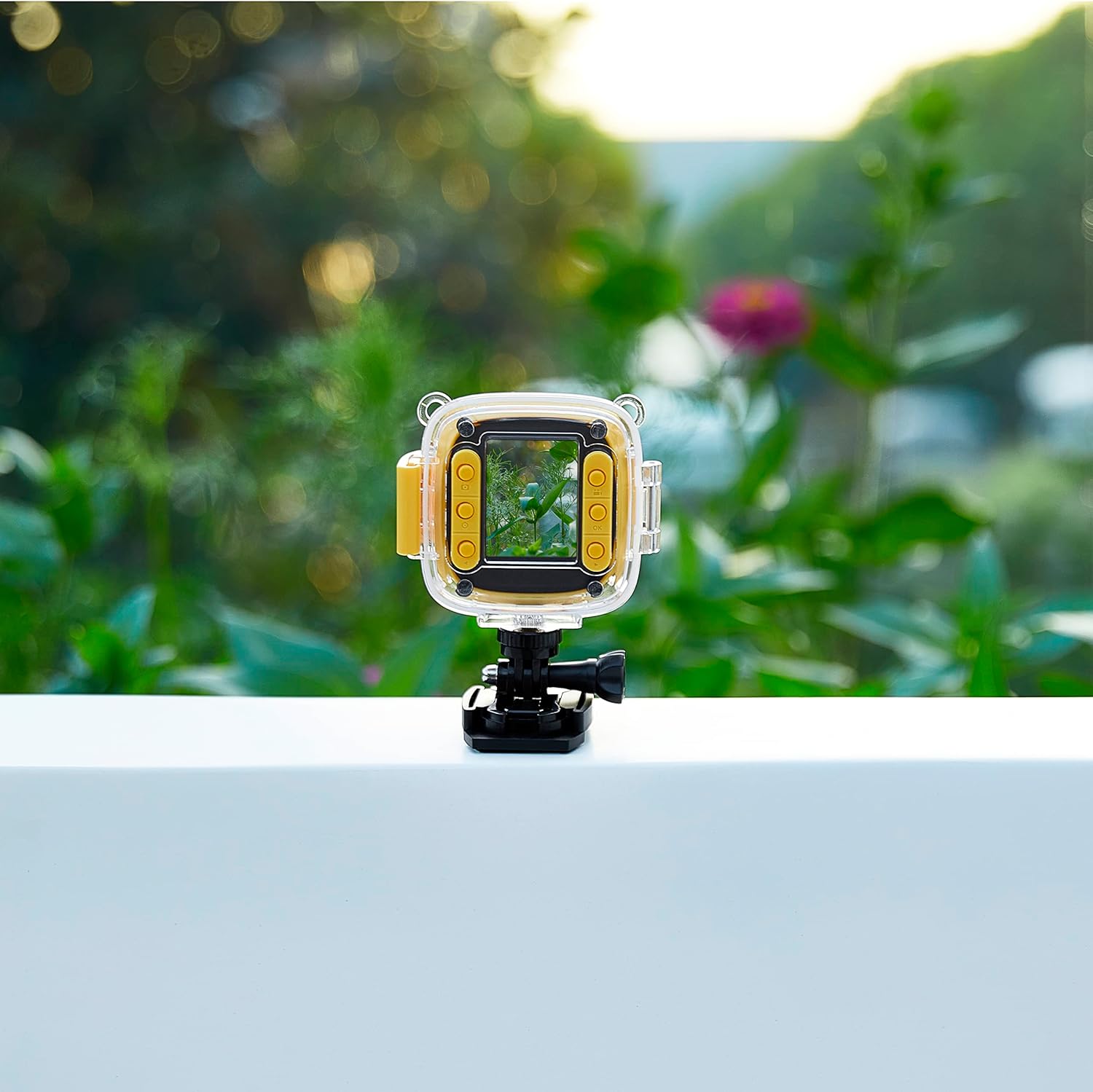
Figure 7: The camera in use, displaying an image on its screen.
5. Maintenance
5.1 Paqijkirin
- Laşê kamerayê: Ji bo paqijkirina laşê kamerayê qumaşek nerm û hişk bikar bînin. Ji bo qirêjiya dijwar, hinekî hişk bikin.ampen qumaşê bi avê.
- Nîsk: Use a lens cleaning cloth or a soft, lint-free cloth specifically designed for optics. Avoid touching the lens with your fingers.
- Case Waterproof: Rinse the case with fresh water after use in saltwater or chlorinated water. Ensure the seals are clean and free of debris.
5.2 Storage
- Kamera li cîhekî sar, hişk û dûr ji tîrêjên rojê yên rasterast û germahiyên zêde hilînin.
- Ger hûn ji bo demek dirêj hilînin, pê ewle bin ku pîl bi qismî şarj bûye (bi qasî %50) da ku temenê wê dirêj bibe.
- Remove the MicroSD card if not in regular use.
6. Destpêkirin
If you encounter issues with your Vivitar Kids Tech Action Camera, refer to the following common problems and solutions:
| Pirsegirêk | Sedema gengaz | Çare |
|---|---|---|
| Kamera vênake. | Pîlê kêm an jî vala. | Charge the camera fully using the USB cable. |
| Nikare wêne/vîdyo tomar bike. | No MicroSD card inserted or card is full/corrupted. | Insert a MicroSD card. If one is inserted, check if it's full and delete files, or try formatting the card (this will erase all data). Replace with a new card if corrupted. |
| Kalîteya wêne/vîdyoyê nebaş e. | Dirty lens; insufficient lighting. | Clean the camera lens. Ensure adequate lighting for your shots. |
| Water inside the waterproof case. | Case not properly sealed; damaged seal. | Ensure the case latch is firmly closed. Check the rubber seal for any debris or damage. Do not use the case if the seal is compromised. |
7. Specifications
- Hejmara Model: 99379-YEL-STK-6
- Teknolojiya Sensora Wêne: CMOS
- Çareserkirina Girtina Vîdyoyê: HD
- Tîpa Bîra Flash: SDHC, SDXC (MicroSD card required, not included)
- Forma Girtina Vîdyoyê: MP4
- Formata Dengê Piştgirî: MP3, AAC
- Mezinahiya ekranê: 2 Inches
- Teknolojiya Têkiliyê: USB
- Taybetmendiya Taybet: Waterproof (with included case)
- Pîl: 1 Battery Lithium Ion (tevî)
- Giraniya Babetê: 12.6 onsan
- Mezinahiya pakêtê: 12.44 x 7.17 x 2.44 inches
8. Garantî û Piştgirî
For warranty information or technical support, please refer to the documentation included with your purchase or visit the official Vivitar webmalper. Delîla kirîna xwe ji bo her îdîaya garantiyê biparêzin.


