Pêşkêş
Spas ji bo kirînêasing the Helix True Wireless Earbuds. This manual provides essential information for setting up, operating, and maintaining your earbuds. Please read it carefully before use and retain it for future reference.

Image: Helix True Wireless Earbuds, black and white, resting inside their open black charging case. One earbud is also shown outside the case, indicating its design.
Di Box çi ye
- True Wireless Earbuds (Left and Right)
- Doza barkirinê
- Cable Charging USB
- Manual Bikarhêner
Damezirandin
1. Barkirina Destpêkê
Before first use, fully charge the earbuds and the charging case. Connect the USB charging cable to the charging case and a power source. The LED indicators on the case will show charging status.

Image: An open charging case with two earbuds inside. Three blue LED lights are visible on the case, indicating power status. Text overlays highlight "Superior HD Audio", "Hands-Free Calling", and "Power LED Indicators".
2. Power On/Off and Auto-Pairing
The earbuds feature auto on/off and pairing. Simply remove the earbuds from the charging case to power them on. They will automatically enter pairing mode or reconnect to the last paired device. Place them back into the case to power off and begin charging.
3. Hevgirtina Bluetooth
- Ensure the earbuds are charged and removed from the charging case.
- Li ser cîhaza xwe (smartphone, tablet, hwd.), biçin mîhengên Bluetooth-ê.
- Search for new devices and select "Helix TW" from the list.
- Once connected, your device will indicate successful pairing.
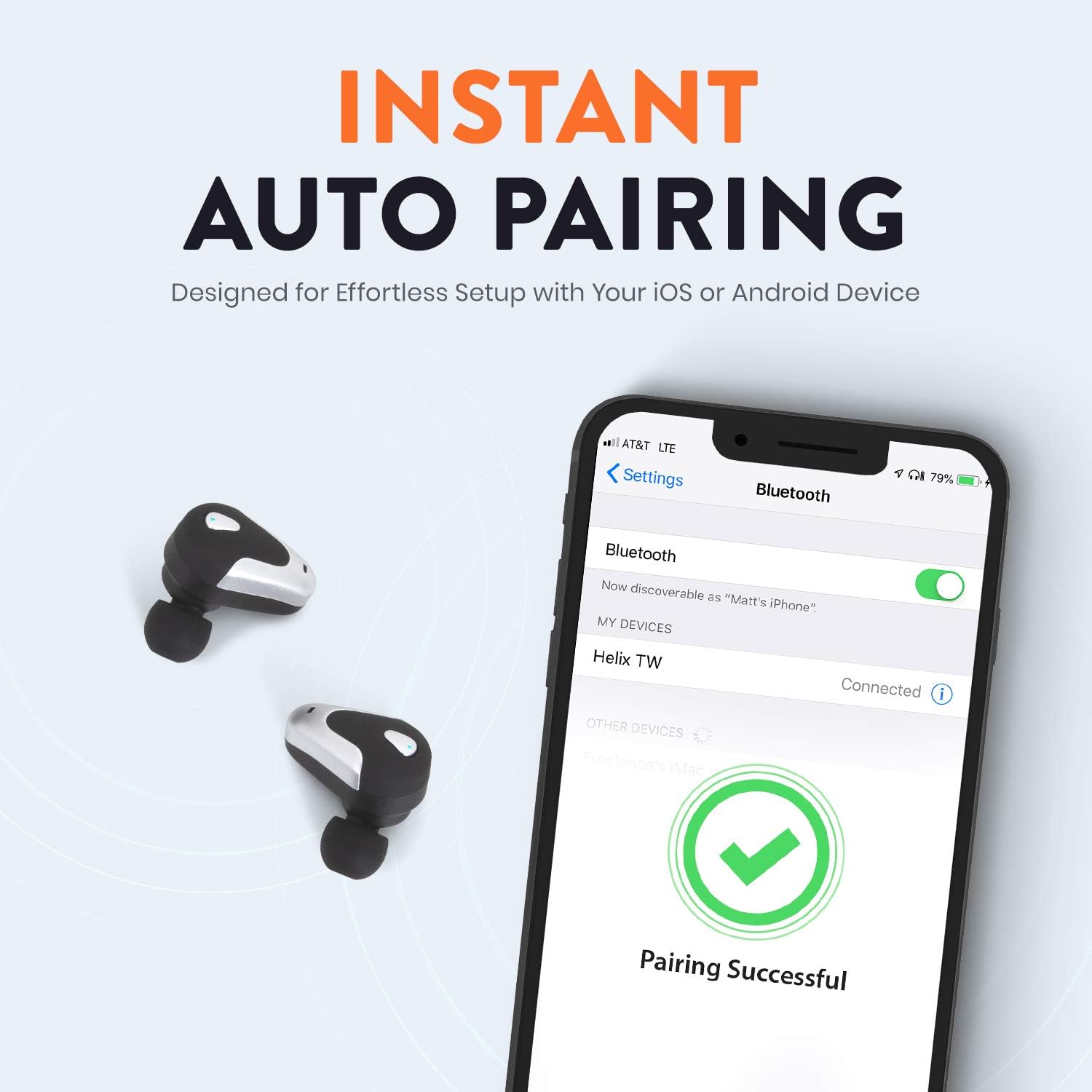
Image: A smartphone screen displaying Bluetooth settings, showing "Helix TW" as a connected device and a "Pairing Successful" message with a green checkmark. Two Helix earbuds are shown next to the phone.
4. SecureLock Fit
The Helix True Wireless Earbuds are designed with an ergonomic SecureLock Fit for comfort and stability during various activities. Gently insert the earbuds into your ears and twist slightly to secure them.

Image: A diagram illustrating the ergonomic SecureLock Fit of the earbuds, showing how they twist into the ear for a secure hold. In the background, people are exercising, suggesting the earbuds' suitability for active use.
Telîmatên Operating
Playback Audio
- Lîstik / Rawestandin: Tap the control area on either earbud once.
- Tracka Piştre: Double-tap the control area on the right earbud.
- Traopa Berê: Double-tap the control area on the left earbud.
Banga Hands-Free
- Bersiv/Dawiya Bangê: Tap the control area on either earbud once.
- Bang red kirin: Press and hold the control area on either earbud for 2 seconds.
Kontrola Alîkarê Deng
Triple-tap the control area on either earbud to activate your device's voice assistant (e.g., Siri, Google Assistant).
Battery Life
The earbuds provide up to 4 hours of run time on a single charge. The charging case extends total listening time to approximately 16 hours.

Image: A graphic illustrating the battery life of the Helix earbuds. It shows "4 HOURS" for a single charge of the earbuds and "16 HOURS" when combined with the charging case.
HD Audio
Experience HD audio with unrivaled bass, midtones, and treble frequencies for a rich listening experience.

Image: A graphic titled "NEXT-LEVEL HD AUDIO" with sound wave patterns in blue, representing high-definition audio quality. Two Helix earbuds are depicted in the foreground.
Lênerrînî
- Paqijî: Use a soft, dry cloth to clean the earbuds and charging case. Do not use abrasive cleaners or immerse in water.
- Embarkirinî: Dema ku hûn neyên bikaranîn, guhguhkan di qutiya şarjê de bihêlin da ku ew werin parastin û şarj kirin.
- Berxwedana avê: The earbuds are water resistant, but not waterproof. Avoid prolonged exposure to water or submersion.
Çareserkirina pirsgirêkan
| Pirsegirêk | Çare |
|---|---|
| Guhguhkên guhê bi cîhazê re nayên hevber kirin. |
|
| Deng ji yek guhê nayê. |
|
| Guhguhkên wê nayên şarjkirin. |
|
| Kalîteya dengî ya xerab. |
|
Specifications
| Taybetî | Hûrî |
|---|---|
| Navê Model | Helix |
| Hejmara Model | ETHTWB |
| Teknolojiya Girêdanê | Bluetooth |
| Guhertoya Bluetooth | 5.0 |
| Rêzeya Bluetooth | 10 Metre |
| Jîyana Bateriyê (Guhguhk) | Heta 4 saetan |
| Jiyana Giştî ya Bateriyê (bi Qutîkê re) | Heta 16 saetan |
| Type Driver Audio | Driver Armature Balanced |
| Range Frequency | 20 Hz heta 20,000 Hz |
| Tîpa Kontrolê | Media Control, Voice Assistant |
| Mîkrofon | Included for Hands-Free Calling |
| Asta Berxwedana Avê | Water Resistant |
| Earpiece Shape | Di nav guh de |
| Mal | Pîlastîk |
| Reng | Reş |
| Babetê Weight | 3.2 onsan |
| Çêker | Helix |
| UPC | 816983019126 |
Agahî Garantî
Specific warranty details are typically provided with your product packaging or available on the manufacturer's official webmalper. Ji bo şert û mercên garantiyê yên berfireh, ji kerema xwe li belgeyên ku bi kirîna we re hene binêrin.
Alîkarî
For further assistance, technical support, or customer service inquiries, please visit the official Helix website or contact their customer support channels as listed in your product documentation.
Her weha hûn dikarin serdana Helix Store on Amazon ji bo bêtir agahdariya hilberê.


