Pêşkêş
This manual provides essential instructions for the safe and effective use of your Panasonic DMC-ZS9 14.1MP Digital Camera. Please read this manual thoroughly before using the camera and keep it for future reference.
The Panasonic DMC-ZS9 is a compact digital camera featuring a 14.1-megapixel sensor, a 16x optical zoom LEICA DC VARIO-ELMAR lens, and a 3-inch LCD screen. It is designed for capturing high-quality still images and HD videos with ease.
Taybetmendiyên sereke
- 14.1-megapixel resolution with a 1/2.33-inch CCD sensor for high-resolution images.
- 16x optical zoom and 21x Intelligent Zoom function for versatile telephoto capabilities.
- 24mm wide-angle Leica DC Vario-Elmar lens system.
- POWER O.I.S. (Optical Image Stabilizer) for reduced blur from camera shake.
- 3.0-inch, 230,000-dot TFT-LCD screen for clear viewing û playback.
- iA (Intelligent Auto) Mode for automatic scene detection and optimal settings.
- AF Tracking for continuous focus on moving subjects.
- HD video recording capability.
- Compatibility with SD/SDHC memory cards (not included).
Di Box çi ye
Piştrast bike ku hemî tişt di pakêtê de hene:
- Panasonic DMC-ZS9 Digital Camera
- Battery Charger
- Battery Pack
- Cable AV
- Cable USB
- Hand Strap
- CD-ROM (containing full user manual and software)
Damezirandin
1. Barkirina Pîl
Insert the supplied battery pack into the battery charger. Connect the charger to a power outlet. The charging indicator will illuminate during charging and turn off when charging is complete. Ensure the battery is fully charged before first use.
2. Danîna Pîl û Karta Bîrê
Qapaxa beşê pîl/kartê ya li binê kamerayê vekin.
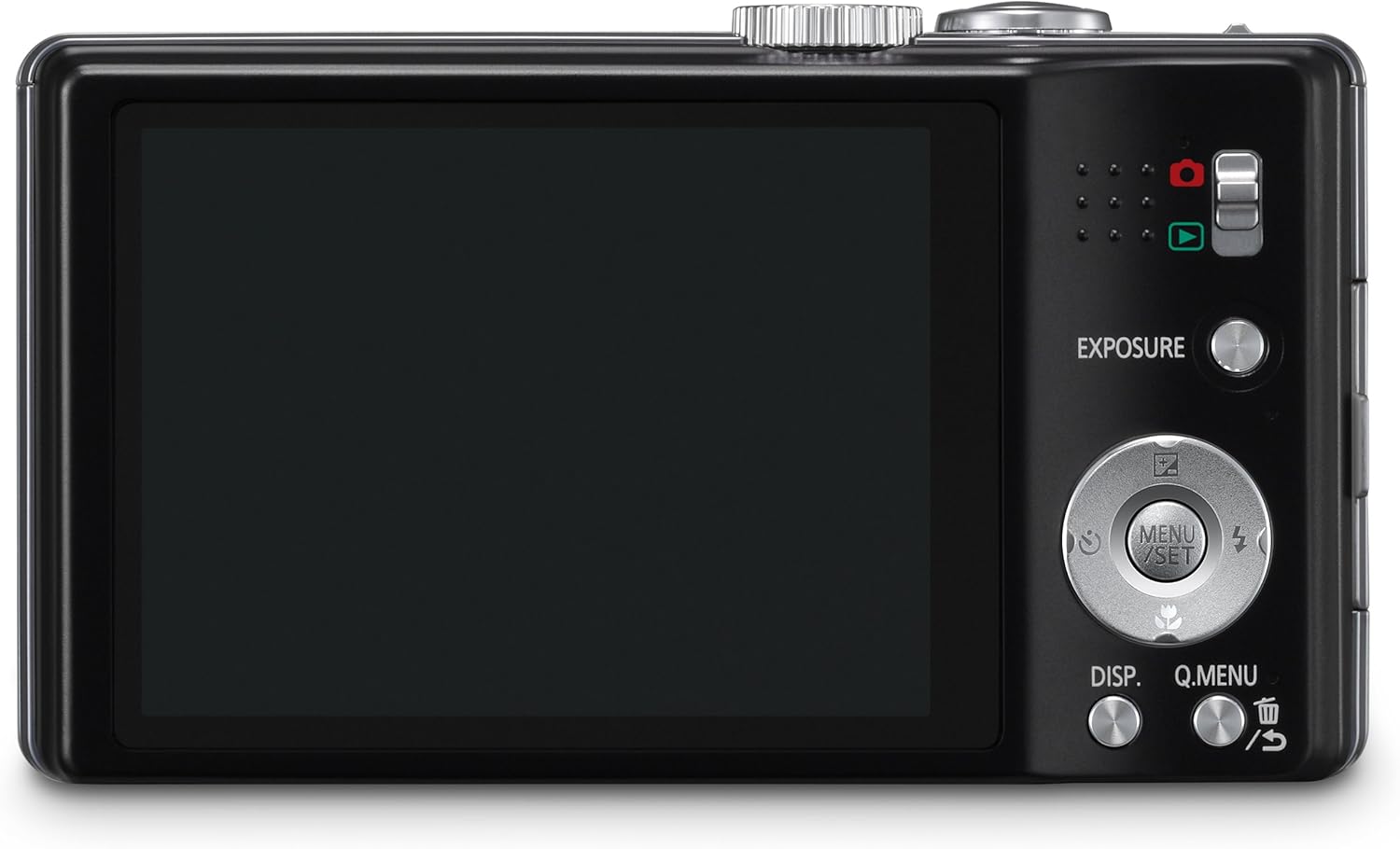
Wêne: Paş view of the camera, illustrating the LCD screen and control layout.
- Insert the charged battery pack into the battery compartment with the correct orientation, ensuring it clicks into place.
- Insert an SD/SDHC/SDXC memory card into the card slot until it clicks. Ensure the card is inserted correctly to avoid damage.
- Close the battery/card compartment cover securely.
3. Girêdana Kembera Destan
Thread the hand strap through the strap eyelet on the side of the camera to prevent accidental drops.
Kamera xebitîne
1. Hêzdarkirina / Off
Slide the ON/OFF switch located on the top of the camera to power on or off.
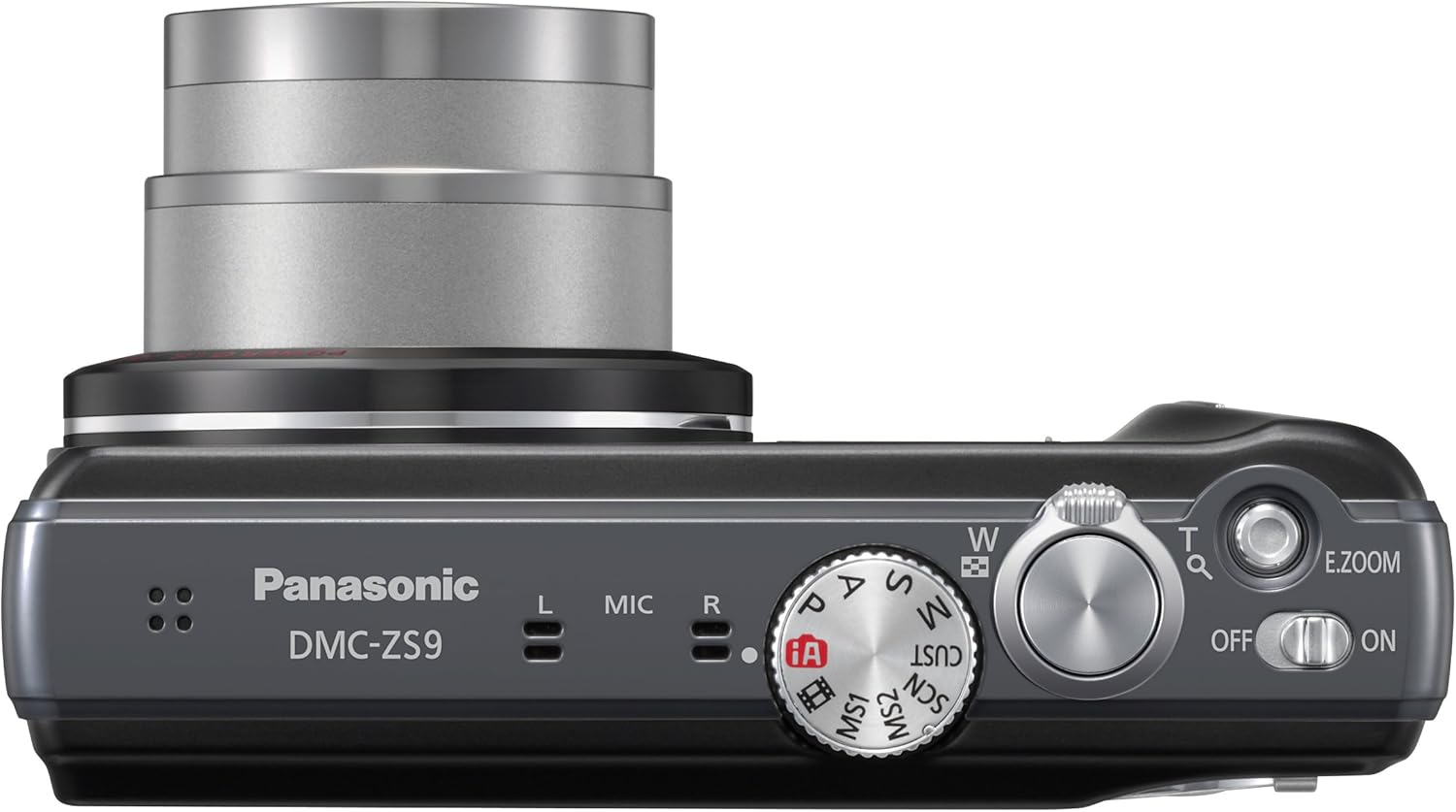
Wêne: Jor view of the camera, highlighting the power switch and mode dial.
2. Mode Dial Selection
Ji bo hilbijartina moda kişandina wêneyan a xwestî, dîmendera modê bizivirînin:
- iA (Intelligent Auto) Mode: The camera automatically detects the scene and optimizes settings for best results. Recommended for beginners.
- P (Program AE) Mode: Allows more control over settings while the camera sets exposure.
- A (Aperture Priority AE) Mode: Hûn diafragmê datînin, û kamera jî leza deklanşorê datîne.
- S (Shutter Priority AE) Mode: Hûn leza deklanşorê datînin, û kamera jî diyafragmê datîne.
- M (Manual Exposure) Mode: Kontrolkirina destan a tevahî li ser vebûn û leza shutterê.
- SCN (Scene Mode): Choose from various preset scene modes like Portrait, Scenery, Macro, etc.
- MS1/MS2 (My Scene Mode): Custom modes for frequently used settings.
3. Wêne kişandin
Fokuskirin: Ji bo fokuskirinê bi nermî bişkoja deklanşorê heta nîvê pêl bike. Dema ku fokus pêk were, çarçoveya fokusê dê kesk bibe.
Guleşandin: Ji bo kişandina wêneyê bişkoja dikşînerê bi temamî bikirtînin.
4. Fonksiyona Zoomê
Use the zoom lever around the shutter button to adjust the zoom. Push towards 'W' for wide-angle and 'T' for telephoto.

Wêne: Pêş bi goşeyî view of the camera, illustrating the lens and zoom capabilities.
- Zoomkirina Optîkî (16x): Provides high-quality magnification without loss of detail.
- Intelligent Zoom (21x): Extends the zoom range beyond optical zoom with minimal image degradation, especially in iA Mode.
5. Tomarkirina Vîdyoyan
To start recording a video, press the dedicated video record button. Press it again to stop recording. The camera supports HD video recording.
6. Mode Playback
Press the playback button (usually indicated by a triangle icon) to view your captured photos and videos on the LCD screen.
7. LUMIX Image Uploader
The LUMIX Image Uploader software, found on the supplied CD-ROM, facilitates sharing photos and videos to social media platforms like Facebook and YouTube. Connect the camera or memory card to your computer, and follow the on-screen instructions after installing the software.
Lênerrînî
1. Paqijkirina Kamerayê
- Laşê kamerayê: Bi qumaşê nerm û hişk paqij bikin. Ji bo qirêjiya dijwar, qumaşê sivik bikar bînin.ampened with water, then wipe dry.
- Nîsk: Use a lens brush or a soft, clean cloth specifically designed for camera lenses. Avoid touching the lens surface with your fingers.
- Ekrana LCD: Gently wipe with a soft, dry cloth. Do not apply pressure.
2. Lênêrîna Pîl
- Dema ku neyên bikar anîn bataryayên li cîhek sar û zuwa hilînin.
- Ji germahiyên zêde dûr bisekinin ku bataryayan berdin.
- Termînalên bataryayê kurt nekin.
3. Storage
When storing the camera for an extended period, remove the battery and memory card. Store the camera in a dry, well-ventilated area, away from direct sunlight and high humidity.
Çareserkirina pirsgirêkan
If you encounter issues with your camera, refer to the following common solutions. For more detailed troubleshooting, consult the full user manual provided on the CD-ROM.
- Kamera vêna nade: Piştrast bike ku pîl bi tevahî şarj bûye û bi rêkûpêk hatiye danîn.
- Nikare wêneyan bigire: Check if the memory card is inserted and has sufficient free space. Ensure the lens cap is removed.
- Wêne nezelal in: Check if the POWER O.I.S. is active. Ensure proper focus before shooting. Clean the lens if necessary.
- Flash is too bright/dark: Adjust flash settings in the camera menu or use a different shooting mode.
- Noisy photos (grainy): This can occur in low light or at high ISO settings. Try shooting in better light or using a lower ISO if possible.
- Kamera diqelişe an jî bersivê nade: Ji bo vesazkirina kamerayê, pîlê derxînin û ji nû ve têxinê.
Specifications
| Taybetî | Hûrî |
|---|---|
| Nîşan | Panasonic |
| Navê Model | Panasonic DMC-ZS9 |
| Resolution Sensor Wêne | 14.1 MP |
| Teknolojiya Sensora Wêne | CCD |
| Zoom Optîk | 16x |
| Length Focal herî zêde | 384mm (35mm equivalent) |
| Kêmtirîn Length Focal | 24mm (35mm equivalent) |
| Stabilization Image | Optîkî (POWER OIS) |
| Mezinahiya Screen | 3 Inches |
| Type Display | LCD |
| Piştgirî kirin File Çap | JPEG, RAW |
| Çareserkirina Vîdyoyê | FHD 1080p |
| Forma Girtina Vîdyoyê | MP4 |
| Cureya Bîra Flash | SD / SDHC / SDXC |
| Teknolojiya Girêdanê | USB, HDMI |
| Cureyê Pîl | Lithium Ion |
| Reng | Reş |
Garantî û Piştgirî
Agahî Garantî
The Panasonic DMC-ZS9 Digital Camera comes with a lifetime warranty. Please refer to the warranty card included in your package or the full user manual on the CD-ROM for complete terms and conditions.
Piştgiriya Mişterî
For technical assistance, service, or further inquiries, please contact Panasonic customer support. Contact information can typically be found on the Panasonic official webmalper an jî di rêbernameya bikarhêner a tevahî de.


