Pêşkêş
Spas ji bo kirînêasing the GPX DH300B 1080p Upconversion DVD Player with HDMI. This device is designed to enhance your viewing experience by upconverting standard definition DVDs to near high-definition resolutions (720p, 1080i, or 1080p) for compatible HDTVs. It supports a variety of disc formats, including DVD, DVD+/-R/RW, CD, CD-R/RW, and JPEG CDs, and features multiple audio and video output options for versatile connectivity.
Naveroka pakêtê
Ji kerema xwe piştrast bikin ku hemî tiştên ku li jêr hatine navnîş kirin di pakêta we de ne:
- GPX DH300B DVD Player with built-in AC power cable
- Full-function Remote Control (requires 2 AAA batteries - not included)
- Kabloya Deng/Vîdyoyê ya RCA
- Rêbernameya Bikarhêner (ev belge)
- Karta Garantiyê
Product Overview
Control Panel Eniya
The front panel of your GPX DH300B DVD Player provides essential controls for basic operation:

Wêne 1: Pêşî view of the GPX DH300B DVD Player, showing the disc tray, control buttons, and USB port.
- Tray Dîskê: Insert DVDs or CDs here.
- Bişkoka Vekirin/Girtinê: Tepsiya dîskê vedike û digire.
- Bişkojka Play/Pause: Lêxistina dîskê dest pê dike an jî radiwestîne.
- Bişkojka Rawestandinê: Lîstina dîskê radiwestîne.
- Bişkojka Hêzê: Yekîneyê vedike an vedike.
- Porta USB: For playing media from a USB flash drive.
Têkiliyên Panela Paşê
The rear panel offers various ports for connecting the DVD player to your television or audio system:

jimar 2: Paş view of the GPX DH300B DVD Player, highlighting the HDMI, S-video, composite video, coaxial digital audio, and RCA stereo audio outputs.
- Derketina HDMI: For digital audio and video connection to an HDTV. Supports 720p, 1080i, 1080p upconversion.
- S-Video Output: For video connection to a TV.
- Composite Video Output (Yellow RCA): For standard definition video connection.
- Derketina Dengê Dîjîtal a Coaxial: For digital audio connection to a compatible audio receiver.
- RCA Stereo Audio Output (Red/White): For analog stereo audio connection.
Damezirandin
1. Girêdana bi Televîzyonekê re
Choose the appropriate connection method based on your television's available inputs:
HDMI Connection (Recommended for HDTVs)
- Ensure both the DVD player and your TV are powered off.
- Yek dawiya kabloyek HDMI (ne tê de) ve girêdin HDMI OUT port on the back of the DVD player.
- Connect the other end of the HDMI cable to an HDMI-IN portê li ser televîzyona xwe.
- Power on your TV and select the corresponding HDMI input using your TV's remote control.
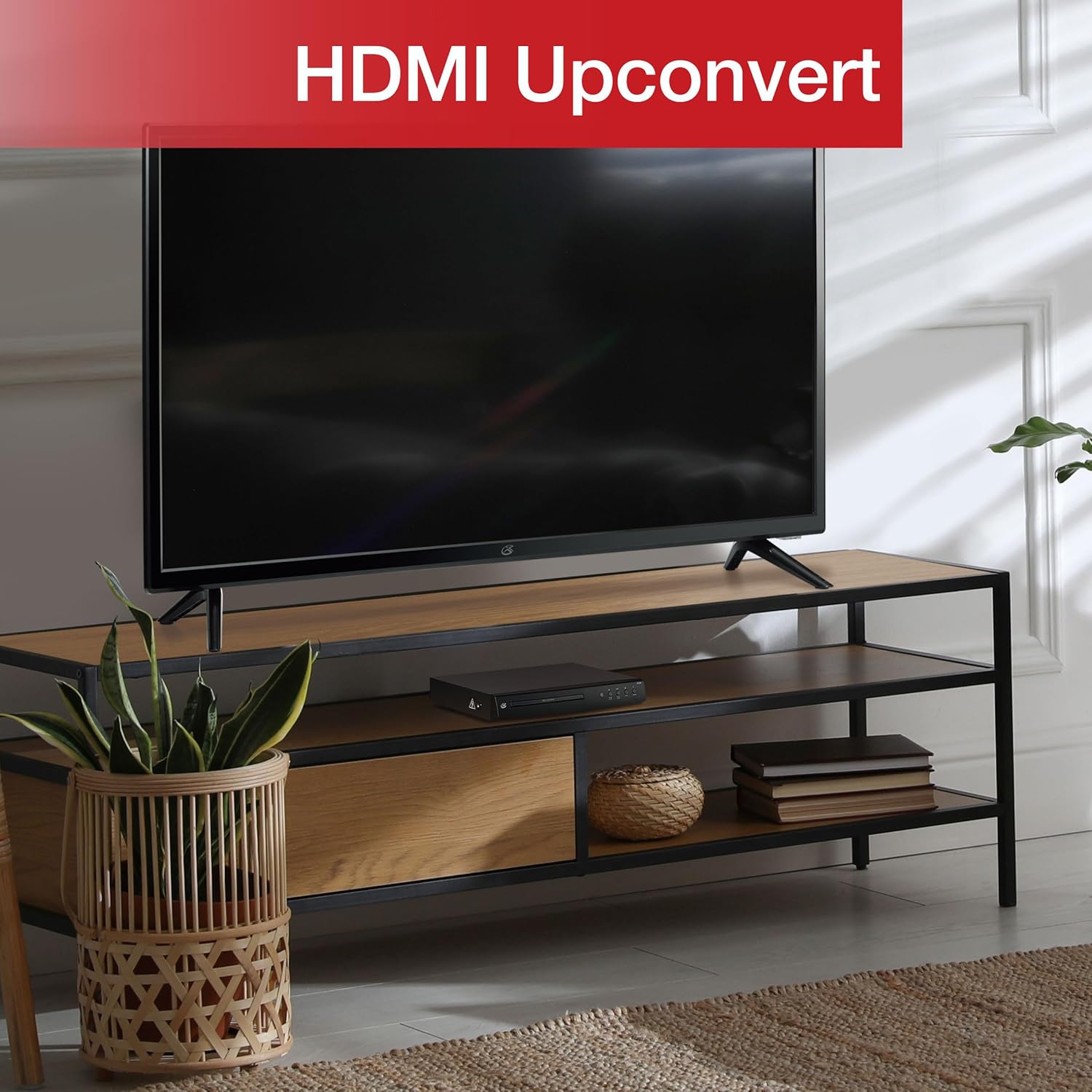
Figure 3: The GPX DH300B DVD Player connected to a television, demonstrating HDMI upconversion capabilities.
RCA Composite Video Connection
- Ensure both the DVD player and your TV are powered off.
- Connect the yellow plug of the RCA audio/video cable to the VIDDEO DERKET (yellow) port on the DVD player.
- Connect the red and white plugs of the RCA audio/video cable to the DENGÊ R (sor) û AUDIO DERKET L (white) ports on the DVD player.
- Connect the other ends of the RCA cables to the corresponding VÎDEO IN û AUDIO IN (R/L) ports on your television.
- Power on your TV and select the corresponding AV input.
2. Girêdana Hêzê
The DVD player has a built-in AC power cable. Plug this cable into a standard 120V AC wall outlet.
3. Sazkirina Pîlê Control Remote
The remote control requires two AAA batteries (not included). Open the battery compartment on the back of the remote and insert the batteries, ensuring correct polarity (+/-).
Telîmatên Operating
1. Hêzdarkirina / Off
Bitikîne Erk button on the front panel of the DVD player or on the remote control to turn the unit on or off.
2. Lîstina Dîskê
- Power on the DVD player and your television.
- Bitikîne Vekirin/Girtin bişkoja li ser panela pêşiyê an jî li ser kontrola dûr ji bo vekirina tepsiya dîskê bikirtînin.
- DVD an CDyekê bi aliyê etîketê ber bi jor ve deynin ser tepsiya dîskê.
- Bitikîne Vekirin/Girtin button again to close the disc tray. The player will begin loading the disc.
- Playback should start automatically. If a menu appears, use the arrow buttons on the remote to navigate and the OK bişkojka hilbijêre.
- Bi kar tînin Play/Pause û Rawestan bişkokên ji bo kontrol playback.

Figure 4: The GPX DH300B DVD Player, indicating its DVD playback capability.

Figure 5: The GPX DH300B DVD Player, indicating its CD playback capability.
3. Playback USB
The GPX DH300B supports media playback from a USB flash drive. Insert your USB drive into the USB port on the front panel. Use the remote control to navigate the on-screen menu and select your desired media files (e.g., JPEG images).
4. On-Screen Display (OSD) and Settings
The multi-language on-screen display allows you to adjust various video and audio settings. Press the DAMEZIRANDIN button on the remote control to access the setup menu. Use the arrow buttons to navigate and OK ji bo piştrastkirina hilbijartinan.
5. Fonksiyonên Kontrola Dûr
The included full-function remote control provides comprehensive control over the DVD player. Key functions include:

Figure 6: A user operating the GPX DH300B DVD Player with its remote control.
- Power On / Off
- Vekirina/Girtina Dîska Dîskê
- Play, Pause, Stop, Fast Forward, Rewind
- Chapter Skip (Next/Previous)
- Volume Control
- Setup Menu Access
- Navigation (Arrow buttons, OK)
- Subtitle, Audio, Angle selection
Lênerrînî
Paqijkirina Yekîneyê
Wipe the exterior of the DVD player with a soft, dry cloth. Do not use liquid cleaners or abrasive materials, as they may damage the finish.
Paqijkirina Dîskên
Wipe discs from the center outwards with a soft, lint-free cloth. Avoid touching the playback surface of the disc. Do not use solvents such as benzene, thinners, or commercially available cleaners, as they may damage the disc.
Çareserkirina pirsgirêkan
| Pirsegirêk | Sedema gengaz | Çare |
|---|---|---|
| Hêz tune | Power cable not connected; outlet not active. | Ensure power cable is securely plugged into a working outlet. |
| Wêneyek tune | Video cable not connected; incorrect TV input selected. | Check video cable connections (HDMI or RCA). Select the correct input source on your TV. |
| Deng tune | Audio cable not connected; TV/receiver volume too low or muted. | Check audio cable connections (HDMI or RCA). Adjust volume on TV/receiver. Ensure not muted. |
| Dîsk nayê lîstin | Dîsk qirêj, xêzkirî ye, an jî formata wê ne lihevhatî ye. | Clean the disc. Try a different disc. Ensure the disc format is supported (DVD, CD, JPEG CD). |
| Kontrola ji dûr ve naxebite | Batteries are dead or incorrectly inserted; obstruction between remote and player. | Replace batteries, ensuring correct polarity. Remove any obstructions. Ensure remote is pointed at the player. |
Specifications
- Cins: DH300B
- Çapemeniya piştgirî: DVD, DVD+/-R/RW, CD, CD-R/RW, JPEG CD
- Derketina Vîdyoyê: HDMI (720p, 1080i, 1080p upconversion), S-Video, Composite Video
- Derketina Deng: Coaxial Digital Audio, RCA Stereo Audio (2-channel)
- Rêjeyên Aliyê: 16:9, 4:3LB, 4:3PS
- Taybetmendiyên Taybet: Progressive Scan, Multi-language On-Screen Display
- Pêdiviyên Hêzê: 120V AC
- Pîvan: Nêzîkî 10.24 x 8.07 x 1.85 inches
- Pîvan: Nêzîkî 2.38 lîreyan
Garantî û Piştgirî
For detailed warranty information and customer support, please refer to the warranty card included in your product packaging or visit the official GPX webmalper. Delîla kirîna xwe ji bo her îdîaya garantiyê biparêzin.


