Pêşkêş
This manual provides detailed instructions for the safe and effective use of your Pentax K20D Digital SLR Camera. Please read this manual thoroughly before using the camera and keep it in a safe place for future reference.
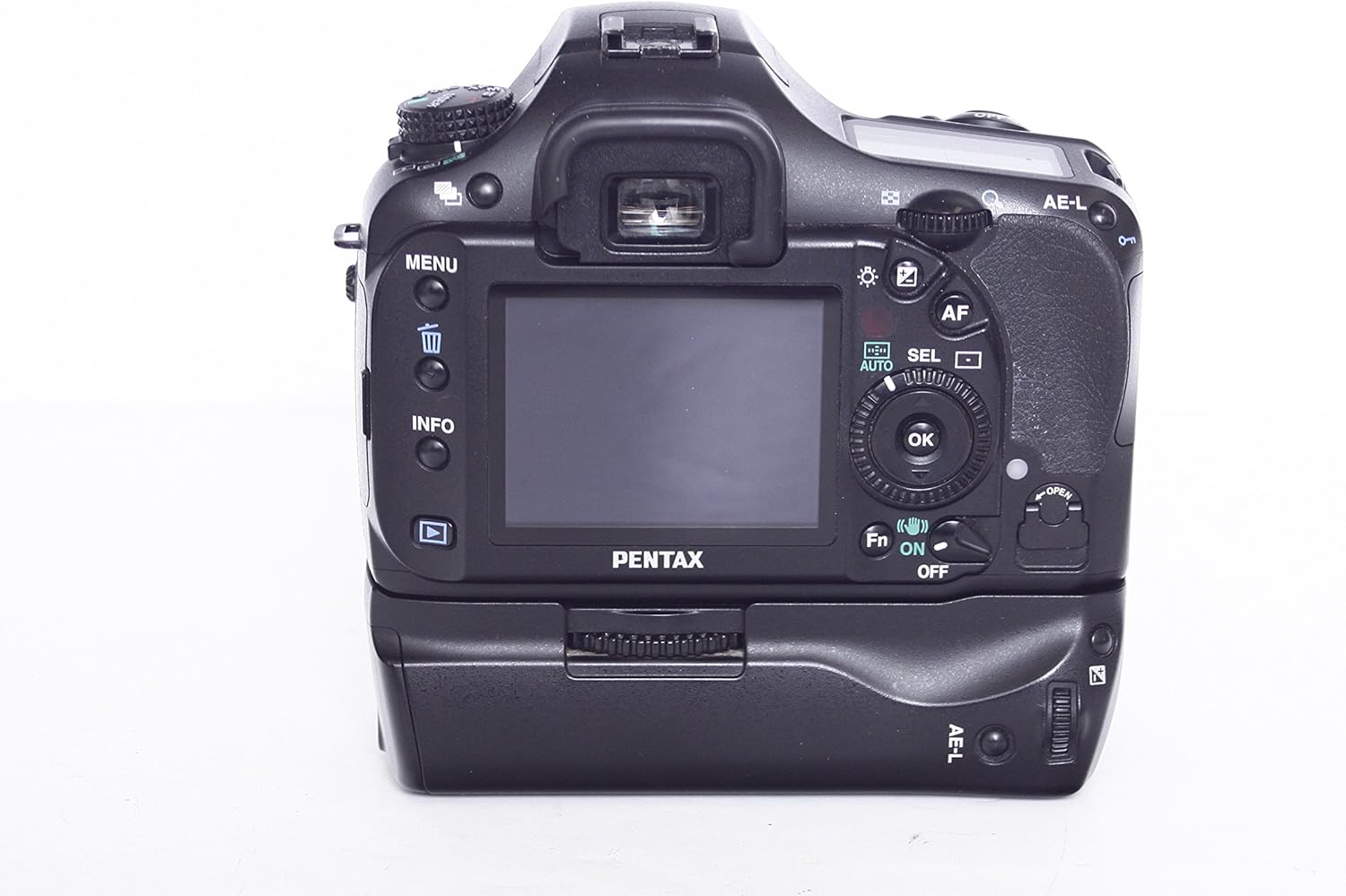
Wêne 1: Pêşî view of the Pentax K20D camera body, showing the lens mount and grip.
1. Sazkirin
1.1 Vekirin
Hemû pêkhateyan bi baldarî ji pakêtê derxînin. Piştrast bikin ku tiştên jêrîn li wir in:
- Pentax K20D Camera Body
- Battery Lithium-ion Rechargeable
- Battery Charger
- Cable USB
- Shoulder Strap
- Body Mount Cap
- Çavê çavê
- CD-ROM ya nivîsbariyê
1.2 Sazkirin û Şarjkirina Pîlê
Insert the provided Lithium-ion battery into the battery compartment located at the bottom of the camera. Ensure correct orientation. Charge the battery fully before first use using the supplied charger.
The K20D features large capacity Lithium-ion rechargeable batteries, capable of capturing approximately 740 images when fully charged. The improved battery capacity is due to an energy-saving design.
1.3 Danîna Karta Bîrê
The camera uses SD/SDHC memory cards (not included). Open the memory card slot cover and insert the card with the label facing the front of the camera until it clicks into place. Close the cover securely.
1.4 Girêdana Lensê
Align the red dot on the lens with the red dot on the camera body's lens mount. Rotate the lens clockwise until it locks into place. To remove, press the lens release button and rotate counter-clockwise.
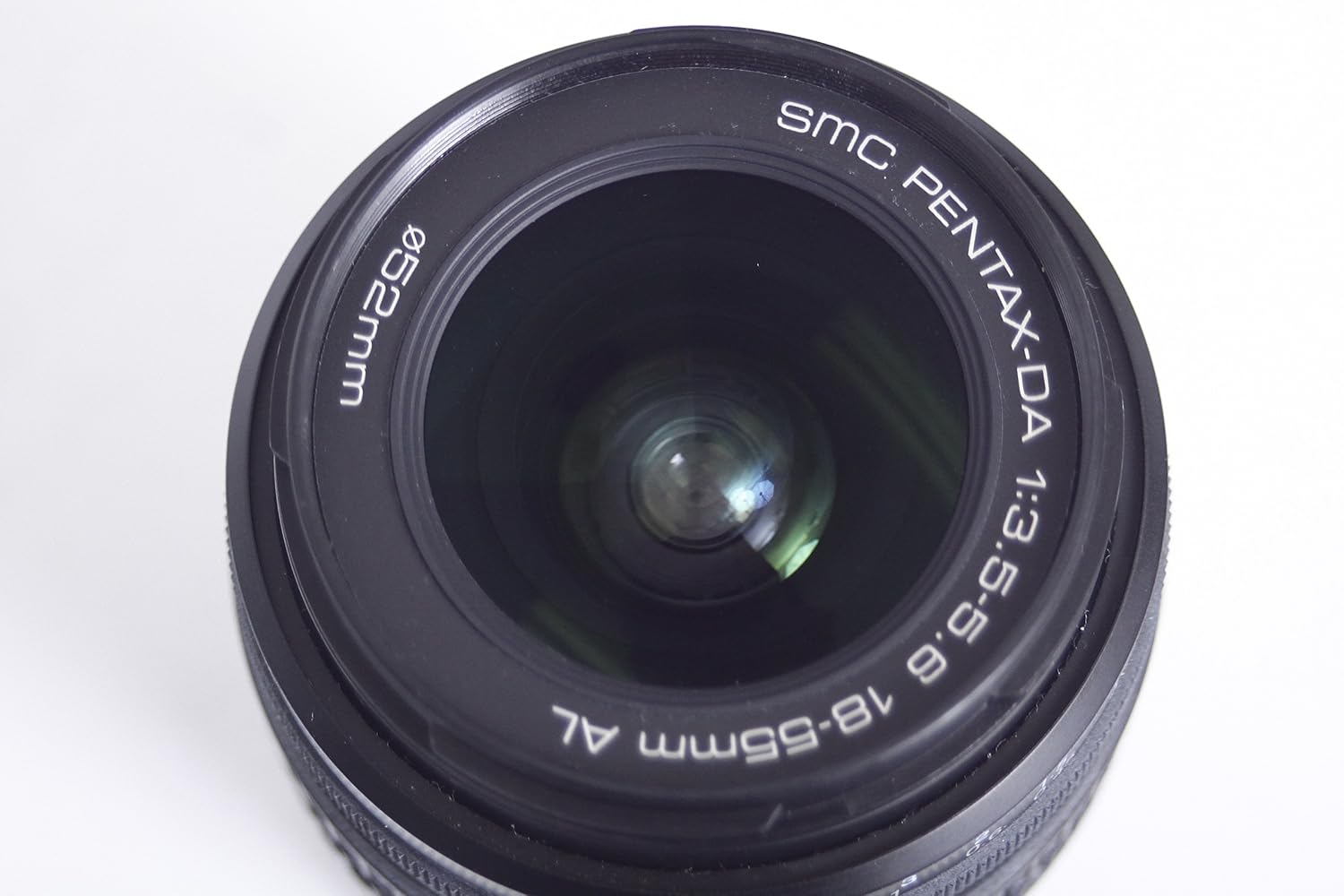
Wêne 2: Mînakample of a compatible Pentax DA 18-55mm lens.
2. Karkirina Kamera
2.1 Power On / Off
To power on the camera, rotate the power switch located around the shutter button to the 'ON' position. To power off, rotate it to 'OFF'.
2.2 Modên kişandina bingehîn
Bişkoka modê ya li jorê kamerayê dihêle hûn modên kişandinê yên cûrbecûr hilbijêrin:
- Programmed AE (P): Camera automatically sets aperture and shutter speed.
- Shutter-Priority AE (Tv): Hûn leza perdeya şaneyê datînin, kamera jî diyafragmê datîne.
- Aperture-Priority AE (Av): Hûn diafragmê datînin, kamera leza deklanşorê jî destnîşan dike.
- Manual (M): Hûn hem vebûna dîfragmê û hem jî leza perdeya defragmê datînin.
- Sensitivity-Priority (Sv): Camera automatically selects optimum aperture and shutter speed for a user-selected sensitivity.
- Shutter/Aperture-Priority (TAv): Camera automatically selects the most appropriate sensitivity for a user-selected shutter-speed/aperture combination.
2.3 Image Sensor and Quality
The Pentax K20D features a newly developed 14.6 effective megapixel CMOS image sensor (23.4 mm x 15.6 mm) for superb image quality and fine detail. It incorporates the latest noise-reduction technology.
Custom Image Functions: Select from six preset options (Natural, Bright, Portrait, Landscape, Vibrant, B&W) and further adjust image processing parameters such as saturation, hue, contrast, and sharpness. The effect on primary colors is shown on the LCD panel.
Expanded Dynamic Range Function: This function expands the dynamic range while retaining proper contrast, preventing white-washed areas. It offers an approximately 1EV expansion effect for rich-gradation images.
2.4 Shake Reduction (SR) System
The K20D is equipped with a Pentax-developed Shake Reduction mechanism. This system reduces camera shake for sharp, blur-free images, especially useful with telephoto lenses, in low light, or during extended exposures. It offers compensation equivalent to approximately 2.5 to 4 shutter-speed steps. The lighter image sensor unit and refined data-control algorithm improve image stabilization over previous models. Pentax Shake Reduction is compatible with existing Pentax interchangeable lenses (K-, KA-, KAF-, KAF2-mount lenses, screw-mount lenses with adapter, and 645- and 67-system lenses with adapter).
2.5 LCD Monitor and Live View
The camera features a large 2.7-inch color LCD monitor with a wide-view design (approximately 160 degrees both vertically and horizontally). This facilitates low- and high-angle shooting.
Jîyan View Karkirin: Destûrê dide bikarhêneran view an image on the LCD monitor during shooting, beneficial for composition, focus status, and lighting confirmation. A grid display can be engaged. Autofocus can be activated by pressing the AF button. The 4x or 8x zoom option allows fine-tuning of the image. The Shake-Reduction effect can also be confirmed on the monitor.

jimar 3: Paş view of the Pentax K20D showing the 2.7-inch LCD monitor and control buttons.
2.6 PRIME Imaging Engine
The Pentax-original PRIME (Pentax Real IMage Engine) ensures well-balanced, true-to-life images with faithful color reproduction. It efficiently controls digital signals from the CMOS image sensor and allows control over white balance and Custom Image functions. This engine features Double Data Rate 2 (DDR2) memory for speedy image processing and high-speed data transfer.
2.7 Viewfinder
The K20D's viewfinder, featuring a glass pentaprism, offers approximately 95 percent field of view and approximately 0.95x magnification. It includes the Natural-Bright-Matte II focusing screen for a large, bright subject image and effortless confirmation of focus and composition.
2.8 Teqandina Berdewam
The continuous shooting mode allows capturing up to 38 images in succession (JPEG) at a maximum speed of approximately three images per second. A high-speed advance mode can capture up to approximately 115 images at 21 images per second (image size fixed at 1.6 megapixels in Burst Shooting mode).
2.9 Sîstema Otofokusê
The SAFOX VIII autofocus system features 11 sensor points (nine cross-type sensors) for precise focusing, even on off-center subjects. The in-focus sensor point is superimposed in red in the viewfinder for confirmation.
2.10 Exposure System Functions
- Hyper Program Function: Instantly switch to Shutter-Priority or Aperture-Priority AE mode from Programmed AE mode by turning the electronic dials. Press the green button to return to Programmed AE.
- Hyper Manual Function: In Manual mode, one push of the green button sets the proper exposure for the subject.
2.11 Taybetmendiyên din
- PC Sync Socket: For shooting with studio lights. The camera remains weather and dust sealed even with the cap removed.
- Metering: Choice of 16-segment multi-pattern metering, center-weighted metering, and spot metering.
- Shutter Unit: Reliable, durable shutter unit assuring more than 100,000 shutter releases.
- Fonksiyonên Xweser: 36 custom functions to personalize camera operations.
- RAW Button: For single-action image-file guherandin.
- Digital Preview: For verifying camera settings.
- Optional Battery Grip (D-BG2): For extended shooting sessions.
- Parzûnên dîjîtal: Nine digital filters for creative and artistic touches.
- In-body RAW Data Development: For image filing in JPEG and TIFF formats.
- SDM Lenses: Compatibility with SDM equipped lenses for quiet, extra-smooth autofocus operation.
- Software: Pentax PHOTO Laboratory 3 (RAW data processing), Pentax PHOTO Browser 3 (browser software), and Pentax REMOTE Assistant 3 (camera control software) included on the accompanying CD-ROM.

Wêne 4: Binî view of the Pentax K20D with the D-BG2 battery grip attached, showing the tripod mount and battery grip connection.
3. Maintenance
3.1 Dust Removal System
The K20D features a comprehensive Dust Removal system to prevent dust from adhering to the CMOS image sensor surface:
- Bergirtinî: The Pentax-original Super Protect (SP) coating, a fluorine compound applied to the image sensor surface, effectively prevents dust from sticking.
- Rakirin: Any remaining dust is shaken off by high-speed shifting of the image sensor.
- Berhevkirî: Shaken-off dust falls onto an adhesive strip at the bottom of the unit, preventing it from returning to the sensor surface.
- Dust Alert: A new function shows the exact location of dust particles on the sensor surface, aiding manual cleaning if necessary.
3.2 Cleaning the Camera Body and Lens
- Use a soft, dry cloth to clean the camera body. For stubborn dirt, slightly dampen qumaşê bi avê.
- For lenses, use a lens brush to remove dust, then a lens cleaning solution and a microfiber cloth. Avoid touching the lens surface with bare fingers.
- Do not use organic solvents like alcohol or paint thinner, as they may damage the camera finish.
3.3 Weather and Dust-Resistant Construction
The K20D boasts a weather-resistant and dust-proof construction with special seals applied to 72 different parts of the camera body, including the shutter release button, switches, levers, and dials. This design allows for use in rain or dusty conditions.
4. Destpêkirin
This section addresses common issues you might encounter with your Pentax K20D camera.
4.1 Image Noise at High ISO
Pirs: Images appear noisy or grainy, especially at ISO settings of 1600 or higher.
Çare: The K20D's CMOS sensor may exhibit increased noise at higher ISO sensitivities. To minimize noise, try to shoot at lower ISO settings (e.g., ISO 800 or below) whenever possible. Utilize the camera's Shake Reduction system to allow for slower shutter speeds in low light without increasing ISO. Post-processing software can also help reduce noise.
4.2 Slow Autofocus Performance
Pirs: The camera's autofocus is slow, particularly in low-light conditions.
Çare: The SAFOX VIII autofocus system, while precise, may be slower compared to some other systems, especially in challenging light. Ensure your lens is clean. In low light, use the AF assist lamp if available on your flash or lens. Consider using manual focus for stationary subjects in very dim environments. For critical focus, use the Live View function with its 4x or 8x zoom to manually confirm focus.
4.3 Long Exposure Issues (Forced Dark Frame Subtraction)
Pirs: When taking long exposures (e.g., Bulb mode or exposures greater than 15 seconds), the camera takes an equal amount of time to process the image after the exposure, effectively doubling the total time.
Daxûyanî: This is due to the camera's automatic Dark Frame Subtraction (DFS) feature, which is designed to reduce noise (hot pixels) generated during long exposures by the CMOS sensor. The camera takes a second "dark frame" exposure with the shutter closed for the same duration as your original shot, then subtracts this dark frame from your image to remove noise. This is a built-in function and cannot be disabled for exposures over 15 seconds.
Ponijîn: If long exposure astrophotography or similar applications are a primary use, be aware of this operational characteristic and plan your shooting time accordingly.
4.4 Baterî Zû Diqede
Pirs: The battery life seems shorter than expected.
Çare: Ensure the battery is fully charged before use. Factors like frequent use of Live View, continuous shooting, image playback, and cold temperatures can reduce battery life. Turn off the camera when not in use. Consider purchasing an optional D-BG2 battery grip for extended shooting sessions, which allows for additional batteries.
5. Specifications
Below are the key technical specifications for the Pentax K20D Digital SLR Camera.
| Taybetî | Specification |
|---|---|
| Navê Model | K20D |
| Çareseriya Hê jî bi bandor | 14.6 MP |
| Teknolojiya Sensora Wêne | CMOS |
| Mezinahiya Sensora Wêne | APS-C |
| Stabilization Image | Sensor-guheztina |
| Mountings Compatible | Pentax KAF2, Pentax KAF3 |
| Mezinahiya Screen | 2.7 Inches |
| Type Display | LCD |
| Xalên Autofokusê | 11 (SAFOX VIII) |
| Kêmtirîn Leza Shutter | 30 seconds |
| Leza Shutterê ya herî zêde | 1/4000 Çirke |
| Gulebarana Berdewam | Approx. 3 images/sec (JPEG), Approx. 21 images/sec (1.6MP Burst Mode) |
| Kêmtirîn ISO-yê berfireh kirin | 100 (up to 6400 in expanded mode) |
| Piştgirî kirin File Çap | JPEG, RAW (PEF, DNG) |
| Cureya Bîra Flash | SD/SDHC card |
| Teknolojiya Girêdanê | USB |
| Babetê Weight | 1.76 Pounds (Tenê Laş) |
| Taybetmendiya Taybet | Jîyan View, Dust-proof, Water-resistant construction |
6. Agahdariya Garantiyê
For detailed warranty information regarding your Pentax K20D Digital SLR Camera, please refer to the warranty card included with your product or visit the official Pentax webmalper. Merc û şertên garantiyê dikarin li gorî herêm û cihê kirînê cûda bibin.
7. Piştgiriya Mişterî
If you require further assistance or have questions not covered in this manual, please visit the official Pentax support website or contact their customer service department. Contact information can typically be found on the Pentax webmalper an jî di belgeyên ku bi kameraya we re hatine peyda kirin de.


