
Pêşkêş
The Roku Hiro 32-inch 720p HD Smart TV offers an integrated Roku streaming experience. This television features an HD display for clear picture quality and speakers with enhanced audio. It supports Bluetooth for private listening with headphones and includes Wi-Fi for internet connectivity. The Roku operating system provides a customizable home screen, access to numerous streaming channels, and automatic updates, making it suitable for various living spaces.
Di Box çi ye
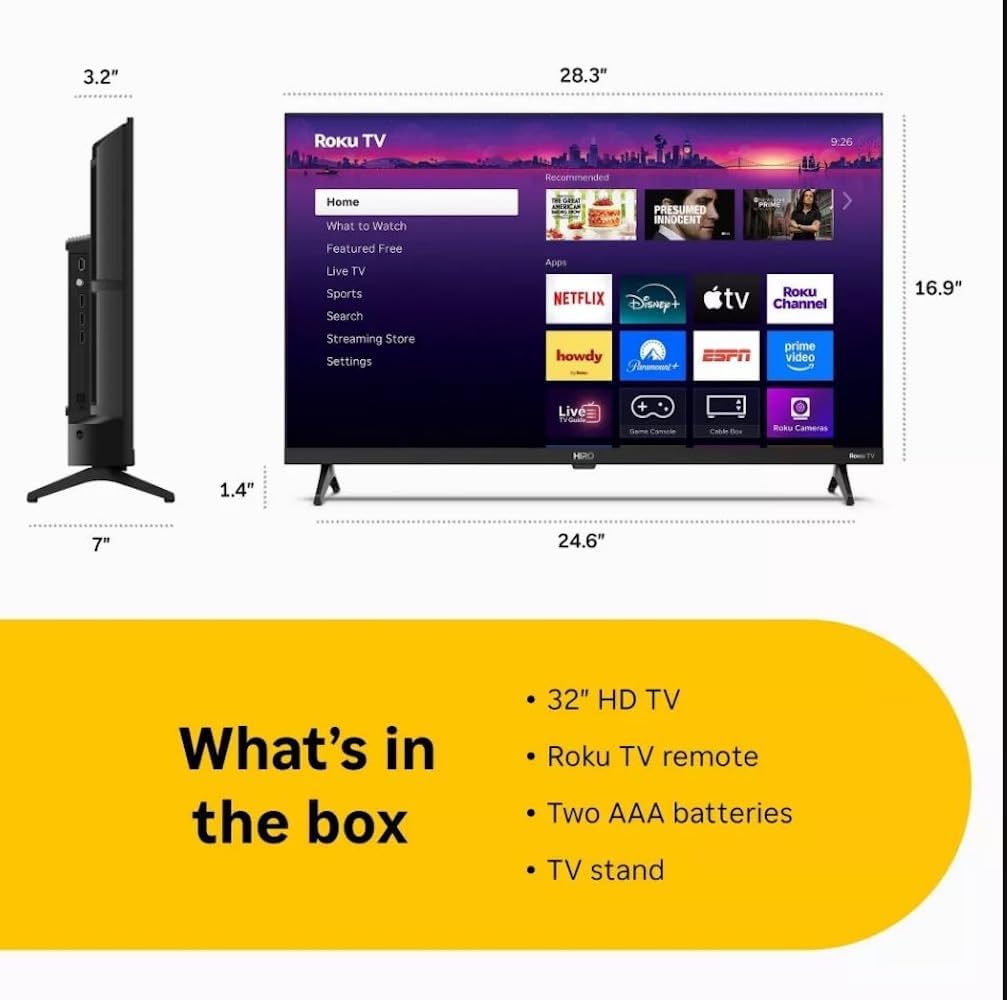
Diagram showing the dimensions of the Roku Hiro 32-inch TV and a list of included accessories: 32-inch HD TV, Roku TV remote, two AAA batteries, and TV stand.
- Hiro 32" 720p HD Smart TV Flat Screen LED Television with Roku TV
- Remote Control
- Stand TV
- Cable Power
- Rehbera bikaranînê
Damezirandin
1. Sazkirina Stand
Carefully place the TV screen-down on a soft, clean surface to prevent damage. Align the TV stand with the designated slots on the bottom of the TV. Secure the stand using the provided screws. Ensure the stand is firmly attached before proceeding.
2. Amûrên Girêdanê

Mezinkirin view of the Roku Hiro TV, showing the input/output ports including USB, HDMI, and antenna connections.
- Erk: Kabloya elektrîkê bi têketina elektrîkê ya TV-yê ve girêde û paşê jî bi priza dîwar ve girêde.
- HDMI: Connect external devices such as Blu-ray players, game consoles, or cable boxes to the HDMI ports. This TV features 3 HDMI ports.
- USB: Use the USB port for media playback from a USB drive.
- Dengê Optîk: Connect an external sound system using an optical audio cable for enhanced sound.
- Antenna/Cable: Connect an antenna or cable TV feed to the RF input for over-the-air or cable channels.
3. Setup Destpêk
After connecting all necessary cables, power on the TV. Follow the on-screen instructions to:
- Zimanê xwe hilbijêre.
- Bi tora Wi-Fi-ya xwe ve girêdin.
- Hesabê xwe yê Roku çalak bike (an jî yeka nû biafirîne).
- Scan for available channels if an antenna is connected.
Telîmatên Operating
Fonksiyonên Kontrola Dûr

Close-up of the Roku TV remote control, highlighting buttons for TV power, volume, mute, sleep timer, instant replay, options, and app shortcuts.
- Bişkojka Hêzê: Televizyonê vedike an qut dike.
- Pada Rêberî (D-Pad): Di nav menuyan de digere û hêmanan hildibijêre.
- Bişkojka OK: Hilbijartinan piştrast dike.
- Bişkojka Malê: Vegere ser ekrana sereke ya Roku.
- Bişkojka Vegerê: Vedigere dîmendera berê.
- Volume Zêde/Kêmkirin: Dengê TV eyar dike.
- Bişkojka Bêdeng: Dengê TV-yê bêdeng dike an jî vedike.
- Bişkokên Kurterêyên Serlêdanê: Direct access to popular streaming services (e.g., Netflix, Disney+, Apple TV+, Prime Video).
- Demjimêrê Xewê: Ji bo girtina otomatîkî ya TV-yê demjimêrekê destnîşan dike.
- Veguhastina tavilê: Jumps back a few seconds in supported content.
- Vebijêrk: Accesses additional settings or information for the current content.
Navigating the Roku OS

The Roku TV home screen interface, showing recommended content and various streaming applications.
The Roku home screen provides access to all your streaming channels, inputs, and settings. Use the D-Pad on your remote to navigate through the menu options on the left and the app grid on the right. You can customize the order of your channels by highlighting an app, pressing the * (Options) button, and selecting 'Move channel'.
Weşana Naverokê
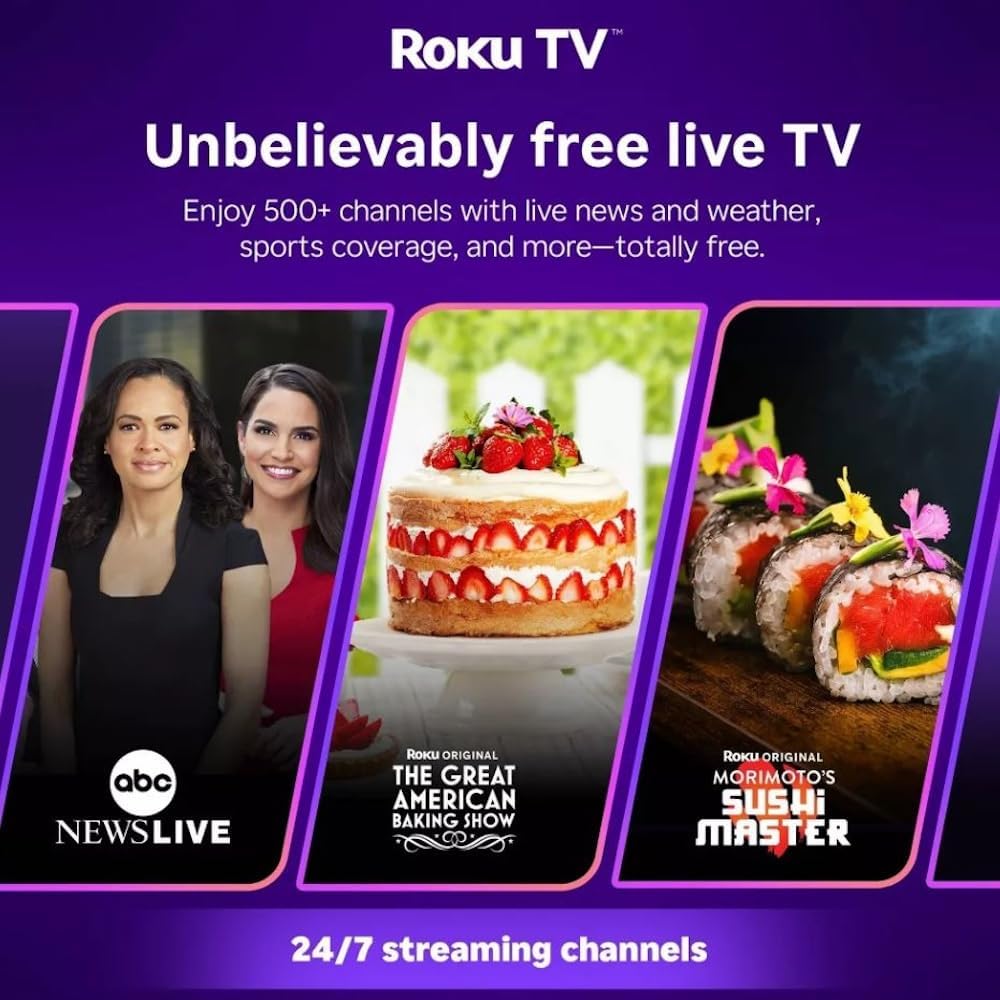
Roku TV interface promoting free live TV channels, featuring examples like ABC News Live, The Great American Baking Show, and Morimoto's Sushi Master.
Access a wide range of streaming services and free content through the Roku Channel Store. The Roku platform offers over 500 free channels, including live television, movies, and news. Use the 'Search' function on the home screen to find specific titles or channels.
Taybetmendiyên Deng

Roku Hiro TV displaying the home screen with various streaming apps, emphasizing enhanced audio quality.
The TV features enhanced audio quality. For private listening, you can pair Bluetooth headphones directly with the TV. Navigate to Settings > Remotes & devices > Bluetooth devices > Pair new device to connect your headphones.
Lênerrînî
Paqijkirina TV
- Berî paqijkirinê, her tim TV-yê ji ceryanê veqetînin.
- Ji bo paqijkirina ekran û kabîneyê bi nermî qumaşek nerm û bêlîf bikar bînin.
- Ji bo nîşanên serhişk, bi sivikî dampQumaşê bi av an jî bi paqijkerek ekranê ya nerm û neaşêrîn bişon. Paqijkerê rasterast li ser ekranê nerijînin.
- Ji bikaranîna kîmyewiyên dijwar, pedên aşındar, an çareseran dûr bisekinin.
Nûvekirinên Nermalavê
The Roku TV automatically checks for and installs software updates when connected to the internet. To manually check for updates, go to Mîheng > Sîstem > Nûvekirina nermalavê.
Çareserkirina pirsgirêkan
| Pirsegirêk | Çare |
|---|---|
| Hêz tune | Piştrast bike ku kabloya elektrîkê bi ewlehî hem bi TV-yê û hem jî bi prizek elektrîkê ya dixebite ve girêdayî ye. Prizek cûda biceribîne. |
| Wêne tune ye, lê deng heye | Çavkaniya têketinê kontrol bike. Bişkojka Xane button on the remote and select the correct input. Ensure all HDMI cables are securely connected. |
| Deng tune ye lê wêne heye | Check the volume level and ensure the TV is not muted. If using external audio, verify connections and settings. |
| Nikare bi Wi-Fi ve were girêdan | Verify your Wi-Fi password. Restart your router and modem. Go to Settings > Network > Set up connection to reconfigure. |
| Kontrola ji dûr ve naxebite | Pîlên dûrdesteyê biguherînin. Piştrast bikin ku di navbera dûrdesteyê û sensora IR ya TV-yê de ti astengî tune ne. |
Specifications
| Navê Model | H32C2C4 |
| Mezinahiya Screen | 32 Inches |
| Display Technology | LED |
| Resolution | 720p |
| Refresh Rate | 60 Hz |
| Operating System | Roku OS |
| Teknolojiya Girêdanê | Bluetooth, HDMI, Optical Audio, USB, Wi-Fi |
| Total Number of HDMI Ports | 3 |
| Tevahiya Portên USB | 1 |
| Mezinahiyên hilberê (D x W x H) | 3.2"D x 28.3"W x 16.9"B |
| Babetê Weight | 7.5 Pound |
| Voltage | 120 Volt (AC) |
| Mounting Type | Table Mount |
| Reng | Reş |
Agahî Garantî
This Roku Hiro TV is covered by a 90-day Replacement Warranty. Please retain your proof of purchase for any warranty claims. For detailed terms and conditions, refer to the warranty documentation included with your product or visit the official Roku support website.
Alîkarî
For further assistance, troubleshooting guides, or to contact customer support, please visit the official Roku support website. You can find comprehensive FAQs and contact information there.