
Pêşkêş
Thank you for choosing the Vention Open Ear Openbeat O12 Wireless Sport Headphones. These headphones are designed to provide a comfortable and secure audio experience during physical activities, allowing you to stay aware of your surroundings. This manual provides essential information for setting up, operating, maintaining, and troubleshooting your device.
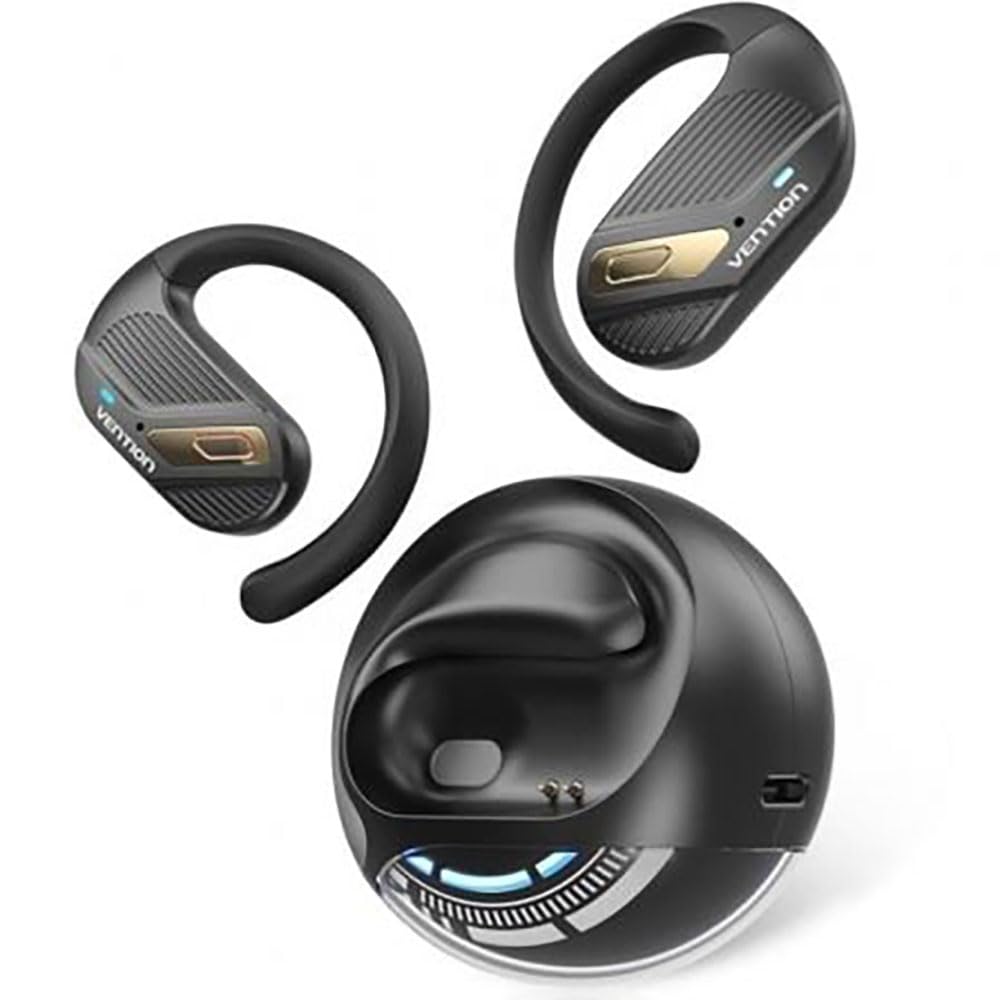
Image: Vention Open Ear Openbeat O12 Wireless Sport Headphones, showcasing the open-ear design and ergonomic fit.
Damezirandin
1. Naveroka pakêtê
Ji kerema xwe pakêtê ji bo tiştên jêrîn kontrol bikin:
- Vention Open Ear Openbeat O12 Wireless Sport Headphones
- Kabloya barkirinê ya USB-C
- Manual Bikarhêner
2. Barkirina Headphones
- Kabloya şarjê ya USB-C bi porta şarjê ya li ser guhguhkan ve girêdin.
- Connect the other end of the cable to a USB power adapter (5V/1A recommended) or a computer's USB port.
- The LED indicator will glow red during charging and turn blue or off when fully charged.
- Barkirina tevahî bi gelemperî nêzîkî 1.5 heta 2 demjimêran digire.
3. Hevgirtina Bluetooth
- Ensure the headphones are fully charged before initial use.
- Hêzdarkirin: Press and hold the Multi-function Button (MFB) for 3-5 seconds until the LED indicator flashes blue and red alternately, indicating pairing mode.
- Bluetooth-ê çalak bikin: Li ser smartphone an cîhaza xweya deng, Bluetooth-ê çalak bike.
- Amûra Hilbijêre: Search for "Vention Openbeat O12" in the list of available Bluetooth devices and select it.
- Tesdîq: Once successfully paired, the LED indicator will flash blue slowly, and you will hear an audible confirmation.
- The headphones will automatically reconnect to the last paired device when powered on, if the device's Bluetooth is active and within range.
Telîmatên Operating
1. Power On / Off
- Hêzdarkirin: MFB-ê 3 çirkeyan pêl bikin û bigirin.
- Hêzdarkirin: MFB-ê 5 çirkeyan pêl bikin û bigirin.
2. Playback Music
- Lîstik / Rawestandin: MFB-ê carekê çap bikin.
- Tracka Piştre: Bişkojka Volume + 2 saniyeyan bigire û bigire.
- Traopa Berê: Bişkojka Deng (Volume -) 2 saniyeyan bigire û bigire.
- Volume Up: Carekê bişkoja Volume + bikirtînin.
- Volume Down: Carekê bişkoja Volume-ê bikirtînin.
3. Rêvebiriya Bangê
- Bersiv/Dawiya Bangê: MFB-ê carekê çap bikin.
- Bang red kirin: MFB-ê 2 çirkeyan pêl bikin û bigirin.
- Alîkarê Deng: Triple-press the MFB to activate your device's voice assistant (e.g., Siri, Google Assistant).
4. Lixwekirina Guhderkan
Position the headphones so that the ear hooks rest comfortably over your ears and the transducers sit just outside your ear canal. Adjust the band for a secure and stable fit during activity. The open-ear design ensures ambient sound awareness.
Lênerrînî
1. Paqijkirin
- Wipe the headphones with a soft, dry, or slightly damp çît.
- Paqijkerên aşınker, alkol, an çareserkerên kîmyewî bikar neynin.
- Berî barkirinê pê ewle bin ku porta barkirinê zuwa ye.
2. Storage
- Guhguhkan li cîhekî sar û hişk, dûr ji tîrêjên rojê yên rasterast û germahiyên zêde hilînin.
- Ji danîna tiştên giran li ser guhguhkan dûr bisekinin.
3. Lênêrîna Pîl
- Ji bo parastina rewşa bateriyê, guhguhkan bi rêkûpêk şarj bikin, her çend neyên bikar anîn jî.
- Ji valakirina tevahî ya bateriyê pir caran dûr bisekinin.
Çareserkirina pirsgirêkan
| Pirsegirêk | Çare |
|---|---|
| Guhguhkan vêna nakin. |
|
| Nikare bi cîhazê re were hevber kirin. |
|
| Deng tune ye an jî dengê wê kêm e. |
|
| Girêdana navberî. |
|
Specifications
- Cins: Openbeat O12
- Guhertoya Bluetooth: 5.3
- Rêzeya Wireless: Heta 10 metre (33 ling)
- Kapasîteya Pîl: 150 mAh
- Dema lîstikê: Heya 8 demjimêran (bi rêjeya% 60)
- Dema barkirinê: Approximately 1.5 - 2 hours
- Porta barkirinê: USB-C
- Bersiva Frequency: 20Hz - 20kHz
- Berxwedana avê: IPX4 (Li hember xwêdan û şilbûnê berxwedêr)
- Pîvan: Nêzîkî 25 g
Garantî û Piştgirî
Vention products are designed and manufactured to the highest quality standards. For detailed warranty information and customer support, please refer to the warranty card included in your product packaging or visit the official Vention webmalper. Ji kerema xwe delîla kirîna xwe ji bo îdiayên garantiyê biparêzin.
For technical assistance or inquiries, please contact Vention customer support through the channels provided on our official website.