
Pêşkêş
Thank you for choosing the Yigars Y580 Robot Vacuum Cleaner. This manual provides essential information for the safe operation, maintenance, and troubleshooting of your device. Please read it thoroughly before use and retain it for future reference.
The Yigars Y580 is designed to provide efficient and intelligent cleaning for various floor types, featuring advanced laser navigation, smart mapping capabilities, and a 3-in-1 vacuuming, sweeping, and mopping function.
Telîmatên Ewlekariya Girîng
Berî bikaranîna vê berhemê, ji kerema xwe hemû rêwerzên ewlehiyê bixwînin. Neşopandina van rêwerzan dikare bibe sedema şoka elektrîkê, agir, an birîndarbûna giran.
- Ev amûr dikare ji hêla zarokên 8 salî û bi jor ve û kesên xwedî kapasîteyên laşî, hestî an derûnî yên kêm an kêmbûna ezmûn û zanînê ve were bikar anîn, heke çavdêrî an rêwerzek derbarê karanîna amûrê bi awayek ewle were dayîn û xetereyên têkildar fam bikin. .
- Divê zarok bi amûrê nelîzin. Paqijkirin û lênihêrîna bikarhêner bêyî çavdêriyê ji hêla zarokan ve nayê kirin.
- Do not use the robot in environments with open flames or explosive materials.
- Ensure the charging dock is placed on a level surface against a wall, with adequate space around it.
- Robot an jî doka wê ya şarjkirinê di nav av an şilekên din de nehêlin.
- Unplug the charging dock during lightning storms or when not in use for extended periods.
- Only use the original power adapter and charging dock provided by the manufacturer.
- Before cleaning, remove any loose cables, small objects, or fragile items from the floor to prevent entanglement or damage.
- Robotê li ser rûberên şil an jî li deverên ku ava rawestayî lê heye nexebitînin.
- Por, cil û bergên berbelav, tiliyên xwe û hemû beşên laş ji vebûn û beşên tevgerê dûr bigirin.
- Do not use the robot to pick up large debris, broken glass, or hazardous materials.
- Ji bo parastina performansa çêtirîn firçe û fîlteran bi rêkûpêk paqij bikin.
Naveroka pakêtê
Dema ku hûn ji pakêtê vedikin, piştrast bikin ku hemî pêkhate li wir in û di rewşek baş de ne.
- Yigars Y580 Robot Vacuum Cleaner
- Charging Dock
- Power Adapter
- Firçeyên Alî (2 cot)
- High-Efficiency Filter (1 extra)
- Cleaning Tool
- Manual Bikarhêner

Diagram Hilber
Familiarize yourself with the main components of your Yigars Y580 Robot Vacuum Cleaner.
Kop View
- LDS Laser Navigation Sensor: For precise mapping and navigation.
- Power/Clean Button: Press to start/pause cleaning, hold to power on/off.
- Recharge Button: Press to send the robot back to the charging dock.
- Dustbin Release Button: To remove the dustbin.
Erd View
- Side Brushes: For sweeping edges and corners.
- Main Brush: For deep cleaning carpets and hard floors.
- Driving Wheels: For movement.
- Universal Wheel: For directional changes.
- Charging Contacts: For connecting to the charging dock.
- Cliff Sensors: To detect drops and prevent falls.
- Water Tank/Mop Pad Slot: For mopping function.

Setup Guide
1. Vekirin û Bicîhkirin
- Remove all packaging materials and protective films from the robot and charging dock.
- Place the charging dock against a wall on a hard, level surface. Ensure there is at least 0.5 meters (1.6 feet) of clear space on both sides and 1.5 meters (4.9 feet) in front of the dock.
- Adaptora hêzê bi doka şarjê ve girêde û wê bixe priza dîwar. Piştrast bike ku nîşana hêzê ya li ser dokê ronî dibe.
2. Sazkirina Firçeyên Alî
Press the side brushes onto the square posts on the bottom of the robot until they click into place. Ensure the L and R markings on the brushes match the corresponding markings on the robot.
3. Barkirina Destpêkê
Place the robot onto the charging dock, ensuring the charging contacts on the robot align with those on the dock. The robot will automatically begin charging. For first-time use, fully charge the robot for approximately 6 hours.
4. Dakêşana Serlêdanê û Girêdan
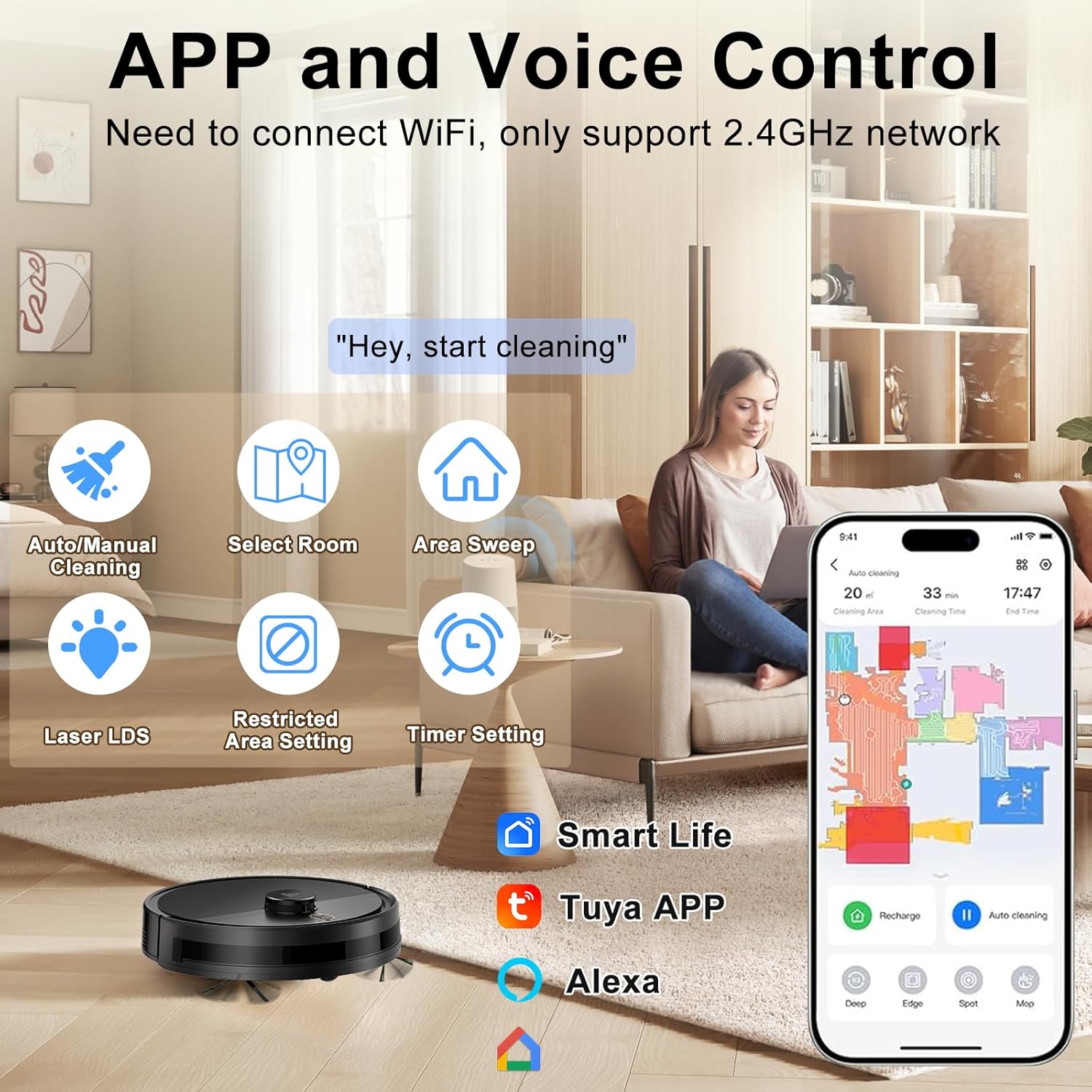
The Yigars Y580 can be controlled via a mobile application. Search for "Smart Life" or "Tuya Smart" in your app store (iOS/Android) or scan the QR code provided in the quick start guide.
- Sepanê dakêşin û saz bikin.
- Hesabek qeyd bikin û têkevinê.
- Ensure your mobile device is connected to a 2.4GHz Wi-Fi network. The robot does not support 5GHz networks.
- Follow the in-app instructions to add your Yigars Y580 robot vacuum. This typically involves resetting the robot's Wi-Fi (hold both buttons for 3 seconds until voice prompt) and connecting to its temporary Wi-Fi hotspot.
Telîmatên Operating
Destpêkirina Çerxekî Paqijkirinê
Destpêkirina Manual
Press the Power/Clean button on the robot once. The robot will start cleaning in Auto mode.
Kontrola App
Open the mobile app and select your Yigars Y580. You can choose from various cleaning modes:
- Paqijkirina Xweser: Ev robot bi aqilane tevahiya mala we nexşe dike û paqij dike.
- Paqijkirina Herêmê: Li ser nexşeyê deverên taybetî ji bo paqijkirina robot destnîşan bikin.
- Sectional Cleaning: Clean specific rooms or sections of your home.
- Paqijkirina cîh: Direct the robot to clean a concentrated area.
- Paqijkirina qiraxa: Robot li dîwaran û qiraxên mobîlyayan paqij dike.
Pausing/Resuming Cleaning
Press the Power/Clean button on the robot or use the app to pause a cleaning cycle. Press again to resume.
Returning to Charging Dock
Press the Recharge button on the robot or use the app to send the robot back to its charging dock. The robot will automatically return to charge when its battery is low.

Taybetmendiyên Smart
- Rapid Mapping: The robot quickly maps your home environment and can store up to 5 distinct maps.
- Paqijkirina plansazkirî: Demên taybetî ji bo paqijkirina otomatîkî ya robotê bi rêya sepanê destnîşan bikin.
- Herêmên Qedexekirî/Dîwarên Virtual: Use the app to define areas the robot should avoid.
- Dûrgirtina Astengî: Equipped with 360° LiDAR laser technology, the robot intelligently navigates around obstacles and can cross thresholds up to 18mm and climb inclines up to 15°.
- Barkirina Otomatîk: When the battery level drops to 20%, the robot automatically returns to its charging dock. Once fully charged, it resumes cleaning from where it left off.


Bikaranîna Fonksiyona Mopping
Ji bo bikaranîna fonksiyona smopingê:
- Fill the water tank with clean water. Do not use cleaning solutions that are not approved for robot vacuums.
- Pêça mopê bi ewlehî bi depoya avê ve girêdin.
- Tanka avê ya tijîkirî bixin nav qulika taybet a li ser robotê.
- Select a mopping mode or a combined vacuum/mop mode via the app. You can adjust the water output (3 humidity settings) in the app.
Note: Remove the water tank and mop pad when cleaning carpets or when the robot is not in use to prevent damage to floors or the robot.
Lênerrînî
Regular maintenance ensures optimal performance and extends the lifespan of your Yigars Y580 Robot Vacuum Cleaner.
Dustbin û Parzûna
Empty the dustbin after each use. Clean the high-efficiency filter weekly (or more often depending on usage) by tapping it gently to remove dust. Do not wash the high-efficiency filter with water. Replace the filter every 3-6 months.
Water Tank and Mop Pad
Empty any remaining water from the tank after each mopping cycle. Wash the mop pad with water and allow it to air dry completely before reattaching or storing.
Brush Main
Remove the main brush cover and lift out the main brush. Use the provided cleaning tool to remove hair and debris tangled around the brush. It is recommended to clean the main brush weekly.
Firçeyên alî
Check the side brushes weekly for tangled hair or debris. If they are bent or damaged, replace them. It is recommended to replace side brushes every 3-6 months.
Sensor û Têkiliyên Barkirinê
Wipe the cliff sensors, charging contacts on the robot and charging dock, and the LDS laser sensor window with a clean, dry cloth monthly to ensure proper function.
Çareserkirina pirsgirêkan
If your Yigars Y580 encounters an issue, refer to the following common problems and solutions.
| Pirsegirêk | Sedema gengaz | Çare |
|---|---|---|
| Robot elektrîkê nade. | Pîla bataryayê kêm e; Bişkoka hêzê bi rêkûpêk nehatiye pêlkirin. | Place robot on charging dock to charge. Press and hold Power button for 3 seconds. |
| Robot cannot find charging dock. | Charging dock obstructed; Robot too far from dock. | Ensure clear space around dock. Manually place robot near dock or guide it via app. |
| Cleaning performance is poor. | Qutîka çopê tijî ye; Fîlter girtî ye; Firçe tevlihev bûne. | Empty dustbin. Clean/replace filter. Clean main and side brushes. |
| Robot gelek caran tê girtin. | Loose cables; Small objects on floor; High thresholds. | Clear obstacles before cleaning. Use No-Go Zones in app for problematic areas. |
| Pirsgirêkên girêdana sepanê. | Incorrect Wi-Fi band (5GHz); Incorrect password; Robot not in pairing mode. | Ensure 2.4GHz Wi-Fi. Re-enter password. Reset robot Wi-Fi and re-pair. |
Specifications
| Taybetî | Hûrî |
|---|---|
| Nîşan | Yigars |
| Navê Model | Y580 |
| Cureyê Navîgasyon | LiDAR Laser Navigation |
| Karên Paqijkirinê | Vacuum, Sweep, Mop (3-in-1) |
| Suction Power | 2700Pa (3 adjustable levels) |
| Kapasîteya Dustbin | 350 ml |
| Kapasîteya Tank a Avê | 250ml (3 humidity settings) |
| Battery Life | Heta 120 hûrdem |
| Paqijkirina Astengiyê | 18mm |
| Climbing Capability | 15° |
| Pêşniyara Rûyê | Hardwood, Carpet, Tile, Laminate |
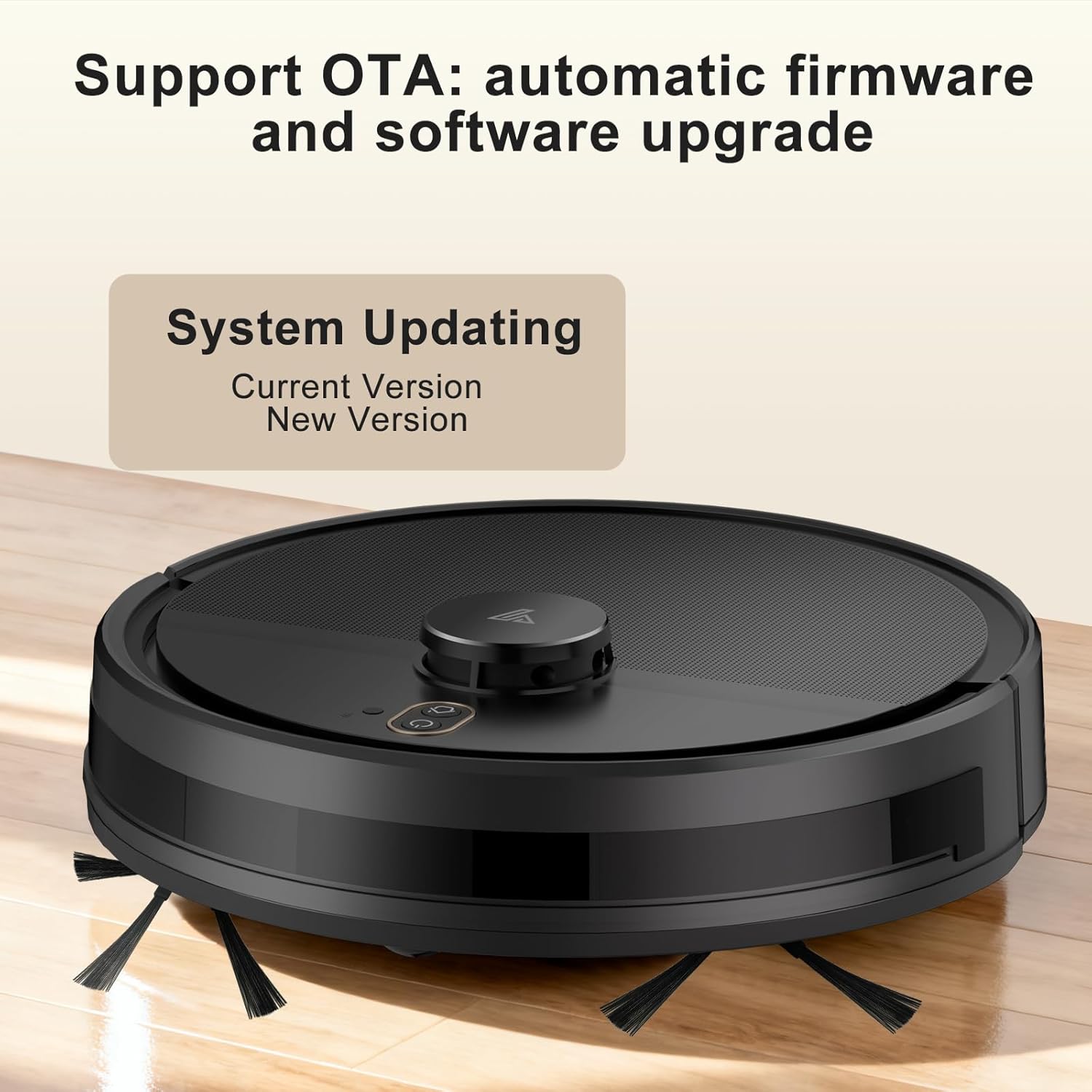
| Taybetmendiyên Taybet | Anti-Fall, Multi-Floor Mapping (up to 5 maps), No-Go Zone, Wet/Dry, OTA Updates, App Control, Voice Control (Alexa, Google Assistant) |
| Reng | Reş |

Garantî û Piştgirî
Yigars provides a standard manufacturer's warranty for this product. Please refer to the warranty card included in your package for specific terms and conditions, including warranty period and coverage details.
For technical support, troubleshooting assistance, or warranty claims, please contact Yigars customer service through the contact information provided on the official Yigars webmalper an platforma kirîna we.
When contacting support, please have your model number (Y580) and purchase receipt ready.