
Pêşkêş
This manual provides essential information for setting up, operating, and maintaining your Roku 32-Inch Select Series 1080p Full HD Smart TV. Designed for a delightful streaming experience, this TV offers excellent picture quality, clear sound, and automatic updates. Please read this manual thoroughly before using your television.
Di Box çi ye
Piştrast bikin ku hemî pêkhate di pakêtê de hene:
- Roku 32-Inch Select Series 1080p Full HD Smart TV
- Remote Control
- Stand (2 parçe)
- Stand Screws (4 pieces)
- Cable Power
- Manual Bikarhêner (ev belge)

Image: Contents of the Roku TV box, showing the television, remote control, two stand pieces, and four screws.
Talîmatên Setup
1. Girêdana Standê TV-yê
- Carefully place your TV face-down on a soft, clean surface to prevent damage to the screen.
- Parçeyên standê bi kunên pêçan ên li binê TV-yê re hevrêz bikin.
- Secure each stand piece with two screws using a Phillips head screwdriver. Do not overtighten.
2. Girêdana Hêz û Amûran
- Kabloya elektrîkê bi têketina elektrîkê ya TV-yê ve girêde û paşê jî bi priza dîwar ve girêde.
- Connect your external devices (e.g., cable box, gaming console, Blu-ray player) to the available HDMI ports on the back of the TV. This model features 3 HDMI ports.
- For older devices, use the AV input ports (yellow, white, red).
- An optical audio output is available for connecting to soundbars or home theater systems.
- A USB port is provided for media playback.

Wêne: Paş view of the Roku TV displaying HDMI, AV, Antenna, USB, Optical, and Headphone ports.
3. Vekirina Destpêkê û Girêdana Torê
- Bişkoka hêzê ya li ser dûrveyî an TV-yê bikirtînin.
- Follow the on-screen instructions to select your language and connect to your Wi-Fi network.
- Activate your Roku account or create a new one. This is required to access streaming channels and features.
Telîmatên Operating
1. Roku OS Interface
The Roku OS provides a simple and intuitive home screen for accessing all your entertainment. Easily navigate between streaming apps, live TV, and connected devices.

Image: The Roku TV home screen with a menu on the left and app icons on the right, including Netflix, Disney+, Apple TV, and Roku Channel.
2. Voice Remote
Your Roku TV comes with a voice remote for convenient control. Use your voice to search for content, launch apps, and control playback.
- Lêgerîna Deng: Press the voice button and speak your command (e.g., "Find comedies," "Open Netflix").
- Kurteyên Appê: Dedicated buttons provide quick access to popular streaming services.
- Kontrolkirina Volume: Adjust volume using the side buttons.
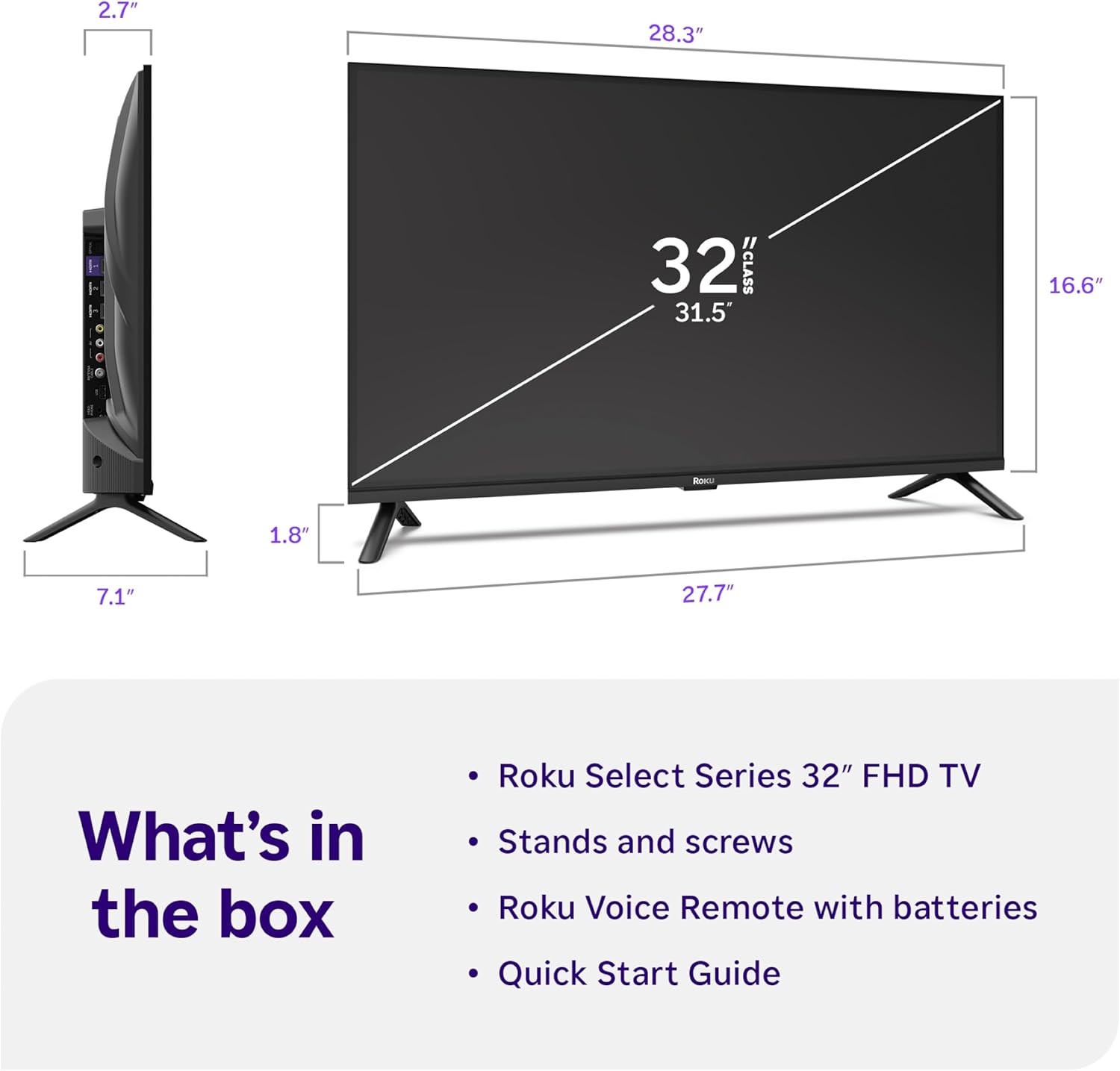
Image: Close-up of the Roku Voice Remote, highlighting buttons for TV power, volume, mute, voice search, instant replay, options, and dedicated app shortcuts.
3. Streaming Apps and Live TV
Access thousands of streaming channels, including Netflix, Disney+, Hulu, Prime Video, and Apple TV+. The Roku Channel also offers free live TV and on-demand content.

Image: A vibrant Roku TV home screen displaying a selection of popular streaming applications and recommended shows.
4. Mîhengên Wêne
Xwe xweştir bikin viewing experience with various picture settings:
- Roku Smart Picture: Automatically adjusts picture mode for optimal viewing.
- Modên Wêne: Choose from presets like Movie, Sports, Vivid, Standard, or Low Power.
- Xweserkirin: Adjust brightness, contrast, sharpness, color, and tint for a personalized picture.
5. Mîhengên Deng
Ezmûna xwe ya dengî baştir bikin:
- Dolby Audio: Enjoy clear speech and louder sound.
- Modên Deng: Select from Standard, Dialogue, Movie, Music, or Night mode.
- Moda Guhdariya Bluetooth: Connect your wireless headphones to listen without disturbing others.

Image: A child wearing wireless headphones while watching the Roku TV, demonstrating the Bluetooth Headphone Mode.
6. Smart Home Integration
Your Roku TV is compatible with various smart home ecosystems:
- Kontrola Deng: Use Roku Voice, Siri, Alexa, or Google Assistant for hands-free control.
- Apple AirPlay: Effortlessly share videos, photos, and music from your Apple devices.
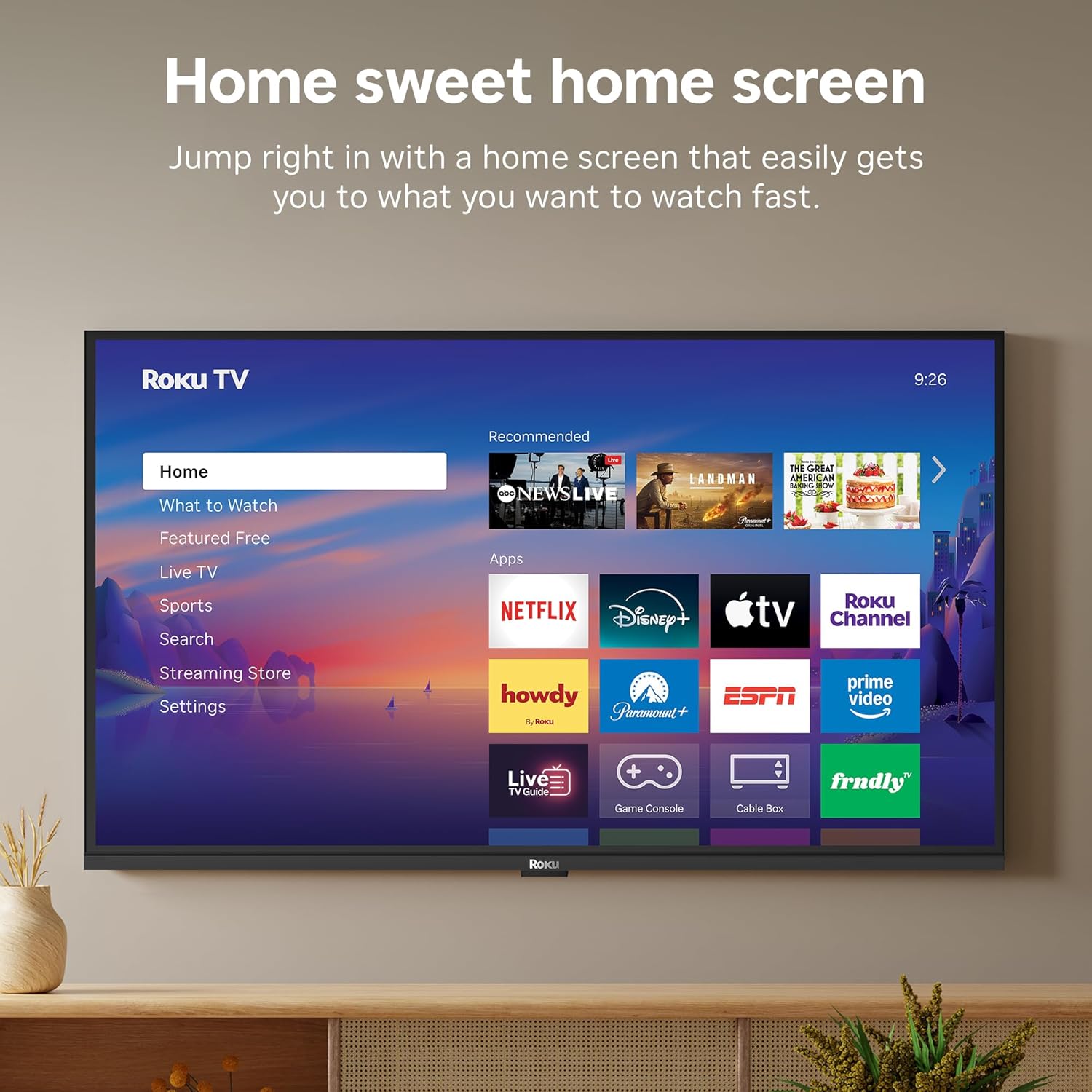
Image: The Roku TV screen displaying smart home compatibility logos for Roku Smart Home, Apple AirPlay, Apple Home, Alexa, and Google Home, with a smart speaker nearby.
7. Kontrolên dêûbav
Manage content access with built-in parental controls, including V-Chip technology, to ensure a safe viewjîngeha ji bo zarokan.
Vîdyoya Fermî ya Berhemê
Vîdyo: Serkeftinekview of the Roku TV OS, demonstrating its user-friendly interface, app selection, and smart features. This video is provided by Roku, Inc.
Specifications
- Mezinahiya ekranê:
- 32 Inches
- Çareserkirin:
- 1080p full HD
- Teknolojiya Nîşandanê:
- LED
- Rêjeya Nûvekirinê:
- 60 Hz
- Taybetmendiyên Taybet:
- Bluetooth Headphone Mode, Dolby Audio, Voice Remote, Roku Smart Picture
- Teknolojiya Têkiliyê:
- Bluetooth, WiFi
- Navbera Hardware:
- 3 HDMI Ports, 1 USB Port, S/PDIF (Optical Audio Out)
- Pergala Xebatê:
- Roku OS
- Pîvanên Berhemê (D x F x B):
- 7.1"D x 28.3"W x 18.4"B
- Giraniya Babetê:
- 7.7 Pounds (with stand)
- VESA Mount Standard:
- 200 x 200 mm
- Hejmara Model:
- 32R3E5
- UPC:
- 829610009469
Çareserkirina pirsgirêkan
If you encounter issues with your Roku TV, please refer to the following common solutions:
- Hêz tune: Piştrast bike ku kabloya elektrîkê bi ewlehî hem bi TV-yê û hem jî bi prizek elektrîkê ya dixebite ve girêdayî ye. Prizek cûda biceribîne.
- Wêne/Deng tune ye: Verify that the correct input source is selected on your TV. Check all cable connections (HDMI, AV, etc.) for looseness.
- Ji dûr ve bersiv nade: Replace the batteries in your remote control. Ensure there are no obstructions between the remote and the TV.
- Pirsgirêkên Girêdana Torê: Restart your Wi-Fi router and modem. Go to the TV's Settings > Network > Check connection to diagnose and reconnect.
- App Not Loading: Restart the app. If the issue persists, try removing and reinstalling the app from the Roku Channel Store.
For more detailed troubleshooting, visit the official Roku support website.
Lênerrînî
To ensure the longevity and optimal performance of your Roku TV, follow these maintenance guidelines:
- Paqijkirina ekranê: Ekranê bi qumaşê mîkrofîberê yê nerm û hişk bi nermî paqij bikin. Ji bo lekeyên dijwar, bi sivikî paqij bikin.ampDestmalê bi av an jî bi çareseriyeke paqijkirina ekranê ya ku bi taybetî ji bo elektronîkan hatiye çêkirin bişon. Şileyê rasterast li ser ekranê nerijînin.
- Cleaning the TV Body: Use a soft, dry cloth to wipe the exterior of the TV. Avoid abrasive cleaners or solvents.
- Perwanekirin: Ensure the TV's ventilation openings are not blocked to prevent overheating. Maintain adequate space around the TV for air circulation.
- Nûvekirinên Nermalavê: Your Roku TV automatically receives software updates. Ensure your TV is connected to the internet to receive the latest features and performance improvements.
- Rêveberiya Hêzê: Di dema bahozên birûskê de an jî dema ku hûn ê ji bo demek dirêj bê çavdêr bimînin, TV-yê ji priza elektrîkê veqetînin.
Garantî û Piştgirî
Agahî Garantî
Roku warrants the hardware of this device against defects in materials and workmanship under normal use for a period of one (1) year from the date of purchase ("Warranty Period"). If Roku determines that the device’s hardware is defective during the Warranty Period, Roku’s sole obligation, and your exclusive remedy, will be to either repair or replace the unit with either a new or rebuilt device, at its option. This warranty applies if the device is used in accordance with the provided documentation.
Important information about warranty returns and replacements is available on the Roku support site. You may also return a device for any reason, subject to the terms of the applicable return policy: 1) Within thirty (30) days from the date of purchase from Roku; or 2) within the applicable return period if purchased from an authorized reseller or distributor. Additional details regarding product returns can be found on the Roku support site.
Piştgiriya Mişterî
For further assistance, technical support, or to access the full range of support resources, please visit the official Roku support webmalper. Hûn dikarin li wir FAQs, rêbernameyên çareserkirina pirsgirêkan, û agahdariya têkiliyê ya karûbarê xerîdar bibînin.