1. Hilbera Serîview
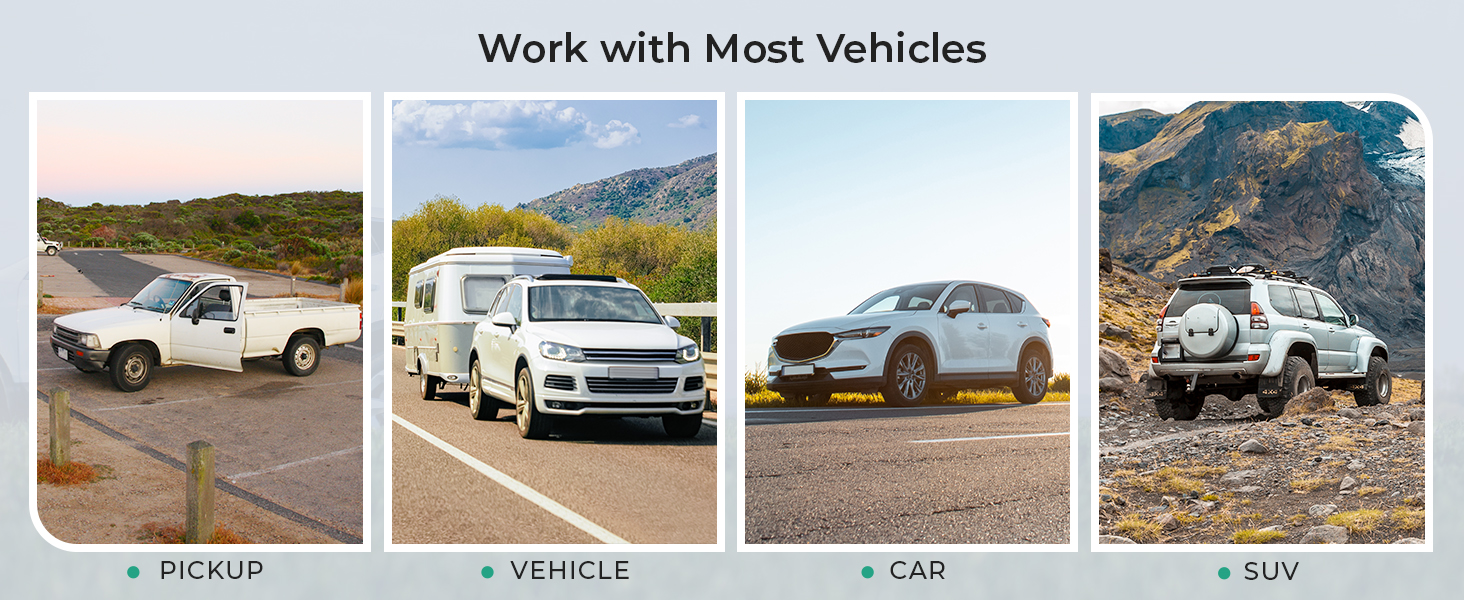
The Atcall C5 Vehicle Cell Phone Signal Booster is designed to enhance 5G and 4G LTE cellular signals within your car or SUV. It supports all major U.S. carriers, including AT&T, Verizon, T-Mobile, Sprint, and U.S. Cellular. This device aims to provide more reliable calls, fewer dropped connections, and faster data speeds for multiple users and devices simultaneously.
Taybetmendiyên sereke hene:
- Universal Carrier Compatibility: Works with all U.S. carriers on bands 12/17, 13, 5, 2/25, and 4/66.
- Omni-Directional Signal Reception: The outdoor magnetic antenna receives signals from all directions, eliminating the need for manual adjustment.
- Intuitive LED Indicator: Provides visual feedback on the operational status of each frequency band.
- FCC Pejirandî: Certified for safe and compliant operation.


2. Naveroka pakêtê
Piştrast bike ku hemî pêkhate di pakêta te de hene:
- Signal Booster Unit
- Outdoor Magnetic Antenna
- Indoor Patch Antenna
- Power Supply (Car Charger)
3. Telîmatên Sazkirinê
Follow these steps for a successful installation. No specialized technical experience is required.
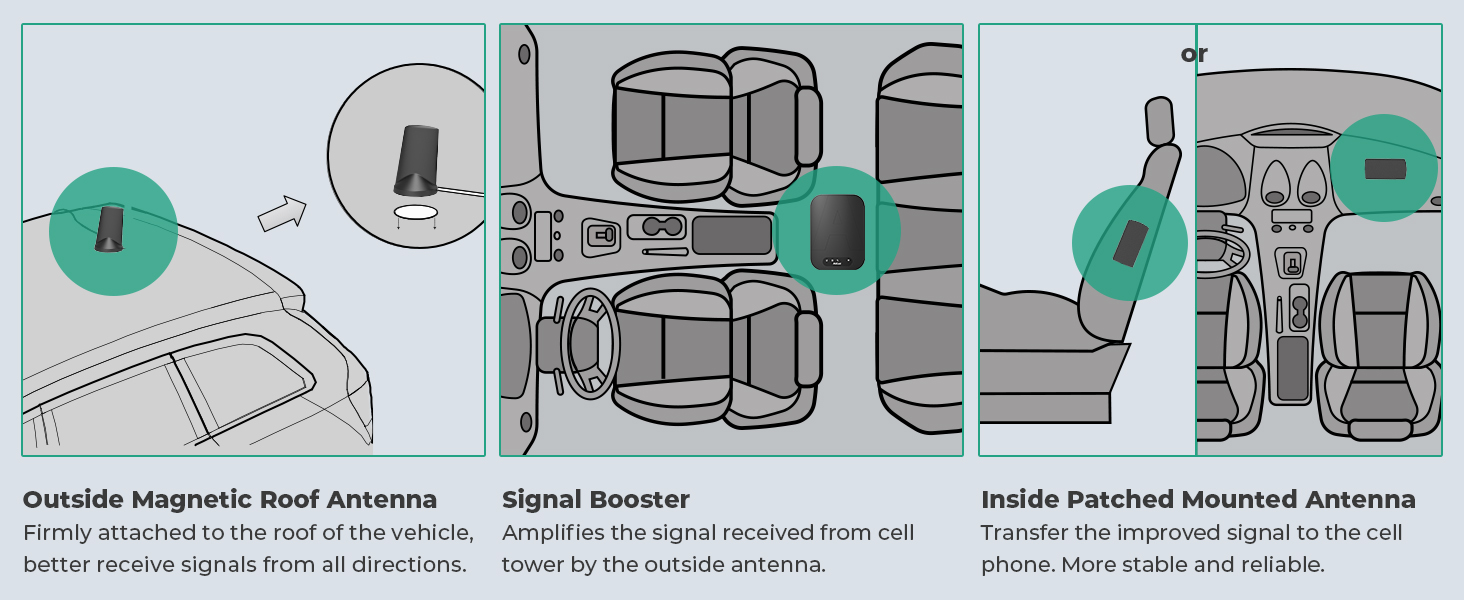
- Antena derve saz bike: Attach the magnetic outdoor antenna to the roof of your vehicle. Ensure it is positioned to receive signals from all directions.
- Rêça kabloyê bişopînin: Carefully route the cable from the outdoor antenna into the vehicle, ensuring it does not interfere with doors or windows.
- Position the Booster: Place the signal booster unit in a suitable location inside the vehicle, such as under a seat or in the console.
- Antena Hundirîn Saz Bike: Attach the indoor patch antenna inside the vehicle. It should be positioned where you typically use your cell phone, ensuring it is not pointing directly at the outdoor antenna.
- Kabloyên Girêdanê: Connect the outdoor antenna cable to the designated port on the booster. Connect the indoor antenna cable to its designated port.
- Hêza girêdanê: Plug the power supply (car charger) into your vehicle's 12V power outlet and connect it to the booster unit.
Important Separation Guidelines: For optimal performance and to prevent signal interference, maintain the following distances between the outdoor and indoor antennas:
- Veqetandina Horizontal: Greater than 3 feet (0.9 meters).
- Veqetandina Vertîkal: Greater than 2 feet (0.6 meters).

4. Operasyon
Once installed and powered on, the Atcall C5 booster will automatically begin to amplify the available cellular signal. The system requires at least one bar of existing outdoor signal to function effectively. It is designed to work with smartphones, tablets, and other cellular devices from all supported U.S. carriers.
The booster operates by receiving weak signals from nearby cell towers via the outdoor antenna, amplifying them, and then rebroadcasting the stronger signal inside your vehicle through the indoor antenna. This process improves voice call clarity, reduces dropped calls, and increases data transfer speeds.

5. Rêbernameya nîşana LED
The Atcall C5 booster features LED indicators that display the operational status of each frequency band. Understanding these indicators is crucial for monitoring performance and troubleshooting.
| Rengê LED | Cî | Terîf |
|---|---|---|
| Kesk | Functional | The corresponding band is operating correctly. |
| Porteqalî | Self-Test and Signal Interference | The booster is performing a self-test or detecting signal interference. Adjust antenna separation if this persists. |
| Sor | Nenormal | An issue is detected with the corresponding band. Refer to the troubleshooting section. |
Note on Band Inclusion:
- Band 17 is included in Band 12.
- Band 25 is included in Band 2.
- Band 66 is included in Band 4.

6. Destpêkirin
If you experience issues with your Atcall C5 signal booster, refer to the following common problems and solutions:
- Başkirina Sînyal Tune ye:
- Ensure there is at least one bar of existing cellular signal outside your vehicle. The booster amplifies existing signal; it does not create it.
- Verify all cable connections are secure between the antennas and the booster.
- Check the LED indicators. If any are red or orange, proceed to the next steps.
- Orange LED Indicator (Signal Interference):
- This indicates that the outdoor and indoor antennas are too close or are pointing towards each other, causing oscillation.
- Increase the physical separation between the outdoor and indoor antennas, adhering to the recommended horizontal (greater than 3 ft) and vertical (greater than 2 ft) distances.
- Ensure the indoor antenna is not directly facing the outdoor antenna.
- Red LED Indicator (Abnormal Operation):
- A red light suggests a significant issue with the corresponding band.
- Power cycle the booster by disconnecting and reconnecting the power supply.
- Inspect cables for any damage or kinks.
- If the issue persists, contact Atcall customer support for assistance.
- Testing Frequency Band:
To identify the specific frequency band your phone is using, you can perform the following:
- Ji bo iPhone: Helbijartin *3001#12345#* then press the call button. Select 'All Metrics', then 'Serving Cell Info', and check 'Band Info'.
- Ji bo têlefonê Android: Download a network cell info application (e.g., "Network Cell Info Lite"). Open the app, choose 'GAUGE', and then check 'BAND'.
7. Specifications
| Taybetî | Hûrî |
|---|---|
| Cins | C5 |
| Bandên piştgirî kirin | 12/17, 13, 5, 2/25, 4/66 |
| Max Gain | 50dB |
| ID FCC | 2A34B-SFZN002 |
| Mezinahiyên pakêtê | 9.33 x 7.28 x 2.6 inches |
| Babetê Weight | 2.01 lîre |
| Çêker | Atcall |
| Amûrên Lihevhatî | Smartphones, tablets, and other cellular devices from AT&T, Verizon, T-Mobile, Sprint, U.S. Cellular and more. |
8. Garantî û Piştgirî
The Atcall C5 Vehicle Cell Phone Signal Booster is FCC approved, ensuring compliance with regulatory standards. It comes with a 3-year warranty.
For any questions or technical assistance, please contact our professional online tech support team. We are available to assist you.