
Pêşkêş
Ev rêbername rêwerzên berfireh ji bo sazkirin, xebitandin û parastina EMEET C60E 4K-ya we peyda dike. Webcam and EMEET HS50 Wired Headset. Please read this manual thoroughly before using the devices to ensure optimal performance and longevity.
Product Overview
EMEET C60E 4K Webcam
The EMEET C60E is a high-performance 4K webcam designed for clear video communication. It features advanced imaging and audio capabilities for professional and personal use.
- Çareserkirina 4K Ultra HD: Delivers crisp 3840x2160 video at 30 frames per second.
- PDAF Autofocus: Ensures sharp focus even with movement.
- Rastkirina Ronahiya Otomatîk: Adjusts to various lighting conditions for optimal image quality.
- Mîkrofonên Du Deng-Bêbandorker: Captures clear audio up to 8 feet, reducing background noise.
- 73° Qada ji View (FOV): Provides a balanced perspective for individual or small group use.
- USB Plug & Play: Ji bo sazkirinê ne hewceyî ajokaran e.
- Veşartina Nepenîtiyê: Integrated cover for enhanced privacy when not in use.

Image: The EMEET C60E 4K Webcam provides superior image quality, as shown by the clear 4K resolution compared to a blurred standard image.
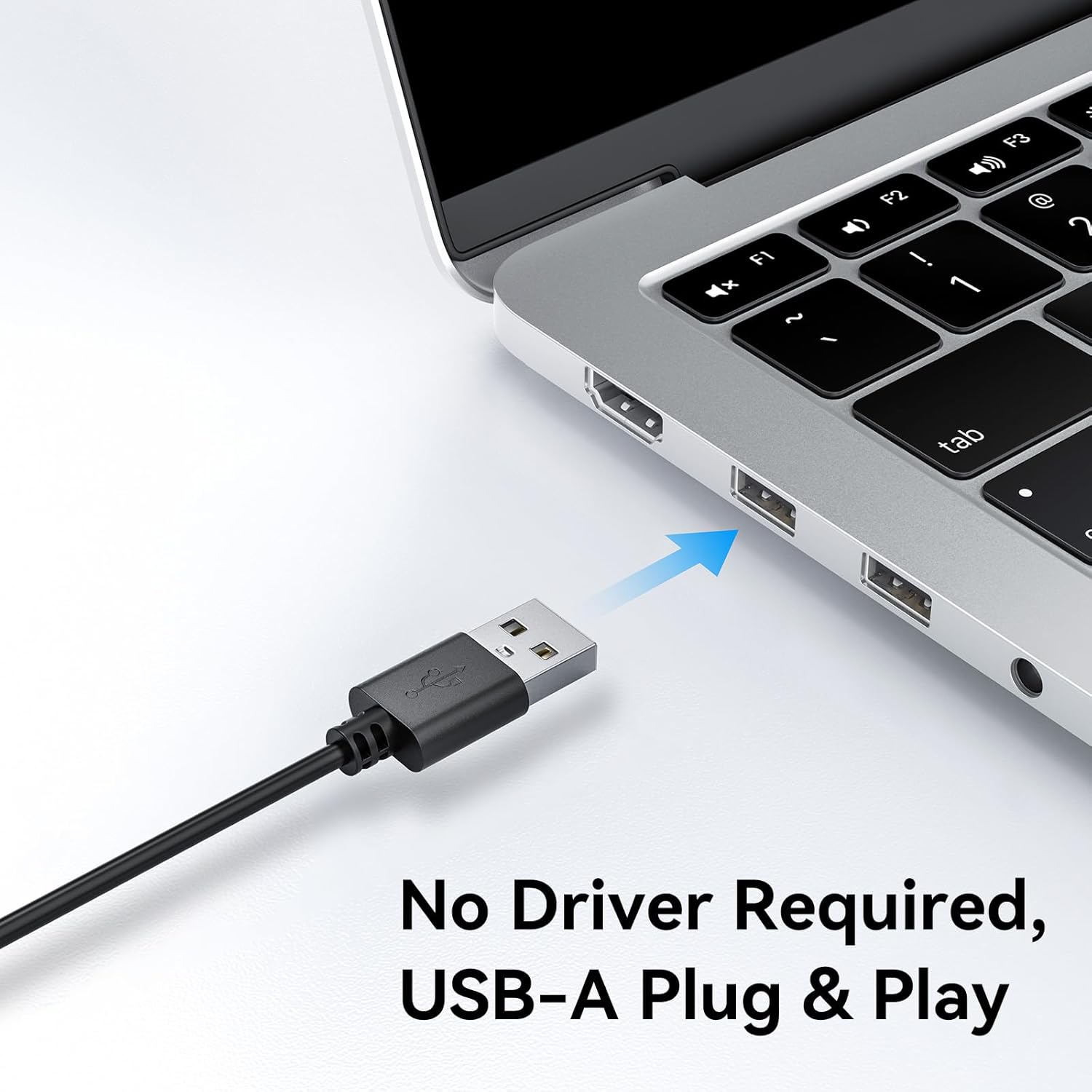
Image: A user on a video call demonstrating the effectiveness of the dual noise-cancelling microphones on the EMEET C60E webcam, showing a waveform before and after noise cancellation.
EMEET HS50 Wired Headset
The EMEET HS50 is a comfortable and versatile wired headset designed for extended use in various communication environments.
- Sêwirana sivik: Weighs approximately 0.27 lb for all-day comfort.
- Adjustable Headband and Earpads: Customizable fit for various head sizes with 10° earpad adjustment.
- 270° Flexible Microphone: Allows for precise positioning and can be rotated out of the way.
- Kontrolên Navxweyî: Easy access to volume adjustment, microphone mute, and speaker mute.
- Têkiliya USB: Simple plug-and-play connection.

Image: The EMEET HS50 Wired Headset, highlighting its lightweight and comfortable design with feather illustrations.

Wêne: Bi hûrgilî view of the EMEET HS50 headset's adjustable headband and the 10-degree swivel capability of its earpads for a customized fit.

Image: The EMEET HS50 headset's microphone demonstrating its 270-degree flexible rotation for optimal positioning.
Setup Guide
EMEET C60E 4K Webcam Setup
- Girêdan bike Webcam: Plug the USB-A cable from the EMEET C60E webcam bikeve portek USB-ya berdest a li ser komputera we.
- Sazkirina Otomatîk: Ew webcam is plug-and-play. Your operating system (Windows, macOS) will automatically detect and install the necessary drivers. No manual driver installation is typically required.
- Pozîsyona Webcam: Çiyayê webcam securely on top of your monitor or place it on a flat surface. Adjust the angle as needed.
- Têkiliyê verast bikin: Open a video conferencing application (e.g., Zoom, Skype, Google Meet) or your computer's camera application to confirm the webKamera tê naskirin û vîdyoyê nîşan dide.
- Adjust Resolution (Optional): The default video resolution may be 1080P. To switch to 4K, use your built-in camera software or applications like PotPlayer/OBS.

Wêne: EMEET C60E webcam's USB-A cable being connected to a laptop, illustrating its plug-and-play functionality.
EMEET HS50 Wired Headset Setup
- Guhdarokan girêde: Plug the USB cable from the EMEET HS50 headset into an available USB port on your computer.
- Sazkirina Otomatîk: The headset is plug-and-play. Your operating system will automatically detect and configure the audio device.
- Ji bo Rehetiyê eyar bikin:
- Serê xwe eyar bikin da ku bi rihetî li serê we be.
- Rotate the earpads up to 10° to ensure a snug fit over your ears.
- Mîkrofonê bi cih bikin: Rotate the flexible microphone boom to position the microphone near your mouth for optimal voice pickup. It can rotate 270° to be used on either side or moved out of the way when not needed.
- Mîhengên Dengî piştrast bike: In your computer's sound settings or communication application, ensure the EMEET HS50 is selected as the input (microphone) and output (speaker) device.
Telîmatên Operating
EMEET C60E 4K Webcam Operation
- Bikaranîna bi Serlêdan: Select the EMEET C60E as your video and audio device within your preferred video conferencing software (e.g., Zoom, Microsoft Teams, Google Meet, Skype).
- Nermalava EMEETLINK: Download and install the EMEETLINK software from the official EMEET website for advanced settings. This software allows you to:
- Adjust brightness, contrast, and saturation.
- Activate backlight compensation for improved visibility in challenging lighting.
- Firmware nûve bikin.
- Veşartina Nepenîtiyê: Slide the integrated privacy cover over the lens when the webcam is not in use to ensure your privacy.
EMEET HS50 Wired Headset Operation
The HS50 headset features convenient in-line controls for managing your audio during calls or media playback.
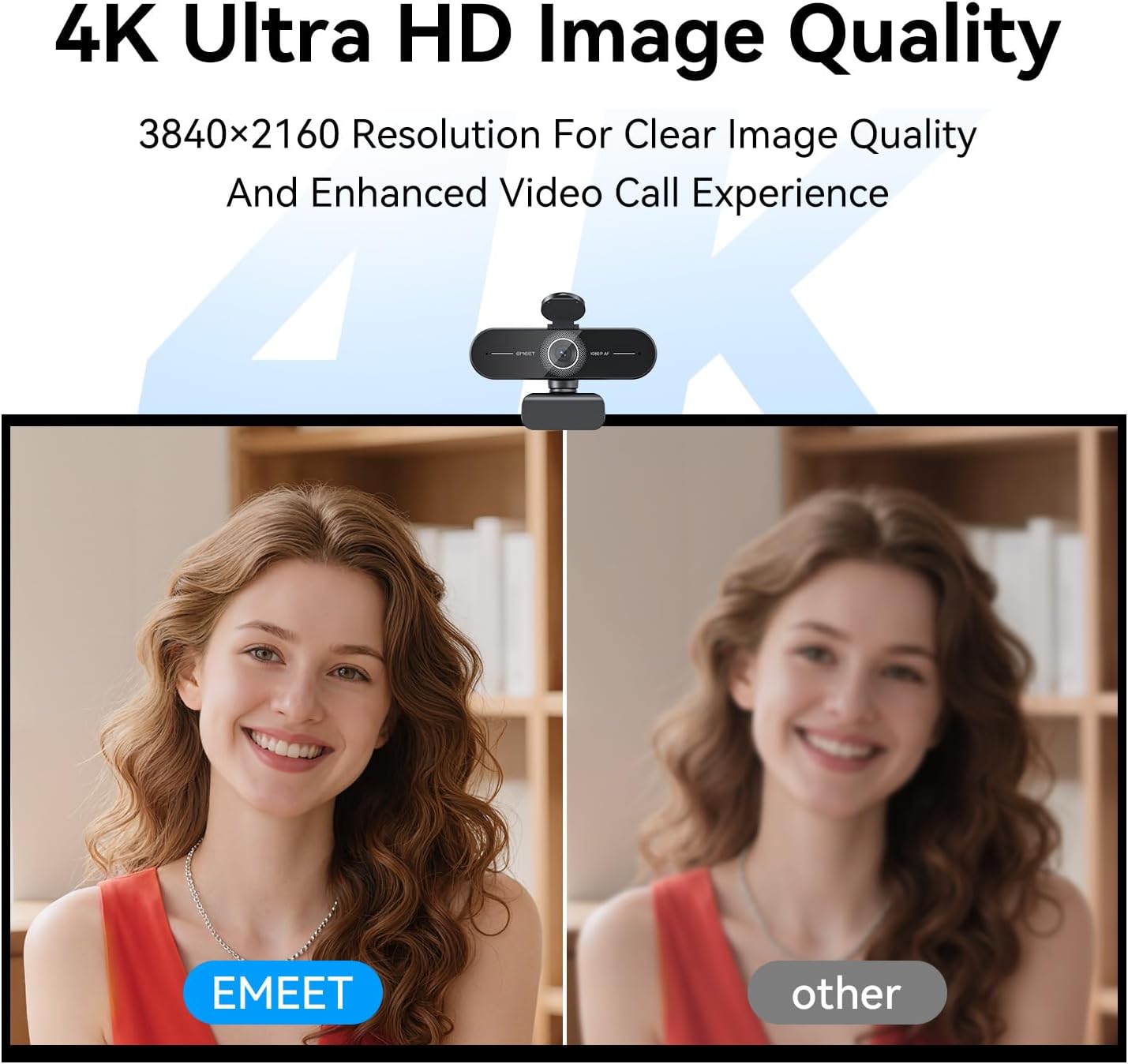
Image: Close-up of the EMEET HS50 headset's in-line control unit, showing buttons for microphone mute, volume up/down, and speaker on/off, along with LED indicators.
- Kontrolkirina Volume: Bi kar tînin + û - buttons on the in-line control unit to adjust the speaker volume.
- Bêdengkirina mîkrofonê: Bitikîne microphone icon button to mute or unmute your microphone. An LED indicator will show the mute status.
- Speaker Mute/On-Off: Bitikîne îkonê axaftvan button to turn the speaker audio on or off. An LED indicator will show the speaker status.
- Positioning Microphone: Adjust the 270° flexible microphone boom to ensure the microphone is optimally positioned for your voice.
Lênerrînî
- Paqijî: Use a soft, dry cloth to clean the exterior surfaces of both the webcam and headset. For the webcam lens, use a lens cleaning cloth.
- Ji Şîlan dûr Bixin: Do not use liquid cleaners or aerosols directly on the devices.
- Embarkirinî: When not in use, store the devices in a clean, dry place away from extreme temperatures.
- Lênêrîna Kabloyê: Ji bo rêgirtina li zirarê, ji xwarbûna tûj an kişandina zêde ya kabloyên USB dûr bisekinin.
Çareserkirina pirsgirêkan
Webcam Troubleshooting
- Webcam Not Detected:
- Piştrast bike ku kabloya USB bi ewlehî bi her du cîhazan ve girêdayî ye webkamerayê û komputera te.
- Vebijêrin webcam nav port USB cuda.
- Komputera xwe ji nû ve bidin destpêkirin.
- Gerînendeyê cîhazê yê pergala xebitandinê ya xwe kontrol bike da ku bibînî ka webcam tê navnîş kirin.
- No Video or Poor Video Quality:
- Piştrast bike ku bergê nepenîtiyê vekirî ye.
- Check lighting conditions; ensure adequate front lighting.
- Piştrast bikin ku rast e webcam is selected in your application's settings.
- Use EMEETLINK software to adjust video settings like brightness and contrast.
- Ensure your computer meets the system requirements for 4K video streaming.
- No Audio from Webcam Microphones:
- Ensure the EMEET C60E is selected as the microphone input device in your computer's sound settings and your application.
- Check application-specific mute settings.
Headset Troubleshooting
- Headset Not Detected:
- Ensure the USB cable is securely connected to both the headset and your computer.
- Biceribînin ku guhguhkê bi porta USB-ya cûda ve girêdin.
- Komputera xwe ji nû ve bidin destpêkirin.
- No Audio from Headset Speakers:
- Check the in-line control unit to ensure the speaker is not muted and volume is turned up.
- Verify that the EMEET HS50 is selected as the audio output device in your computer's sound settings and your application.
- Adjust the volume on your computer.
- Microphone Not Working on Headset:
- Check the in-line control unit to ensure the microphone is not muted.
- Verify that the EMEET HS50 is selected as the microphone input device in your computer's sound settings and your application.
- Ensure the microphone boom is positioned correctly.
Specifications
EMEET C60E 4K Webcam
| Resolution | 4K Ultra HD (3840x2160) |
| Rêjeya Çarçoveyê | 30 FPS |
| Type Sensor | CMOS |
| Type Focus | PDAF Autofocus |
| Qada ji View (FOV) | 73° |
| Mîkrofon | Dual Noise-Cancelling Mics (up to 8 ft range) |
| Têkilî | USB-A Plug & Play |
| Compatibility | Windows, macOS, Android TV, major conferencing platforms |
EMEET HS50 Wired Headset
| Pîvan | Approx. 0.27 lb (122 g) |
| Mîkrofon | 270° Flexible Microphone |
| Controls | In-line: Volume +, Volume -, Mic Mute, Speaker Mute |
| Têkilî | USB-A |
| Earpad Adjustment | 10 ° eyarkirina goşeyê |
Garantî û Piştgirî
EMEET products are designed for reliability and performance. For detailed warranty information, please refer to the warranty card included with your product or visit the official EMEET website. If you encounter any issues or require technical assistance, please contact EMEET customer support through their official channels. You can typically find support contact information on the EMEET webmalperê an jî di nav pakkirina hilberê we de.
Official EMEET Webmalper: www.emeet.com