1. Destpêk
Welcome to the CHUBORY A77 4K HD Drone instruction manual. This guide provides essential information for setting up, operating, and maintaining your drone to ensure a safe and enjoyable flight experience. The CHUBORY A77 features a brushless motor, 4K HD camera, extended flight time, and a long control range, making it suitable for both beginners and experienced users.
2. Çi di Qutîkê de ye
Your CHUBORY A77 drone package includes the following components:
- CHUBORY A77 Drone
- Remote Control
- 3 Lithium Ion Batteries (providing up to 84 minutes total flight time)
- Carrying Case
- Kabloyên barkirinê yên USB
- Propellers Extra
- Screwdriver for maintenance
- User Manual and Warning Labels

Image: The CHUBORY A77 drone, remote control, batteries, and various accessories neatly organized within its protective carrying case.
Video: An unboxing video demonstrating the contents of the CHUBORY A77 drone package, including the drone, remote, batteries, and accessories.
3. Sazkirin
3.1 Sazkirin û Şarjkirina Pîlê
The CHUBORY A77 drone comes with three Lithium Ion batteries. Each battery provides approximately 28 minutes of flight time, totaling up to 84 minutes with all three. The remote control is also rechargeable via USB-C.
- Insert a charged battery into the drone's battery slot located at the rear.
- To charge, connect the battery or remote control to a USB power source using the provided USB charging cables.
- The battery indicator lights will show charging status. Ensure full charge before flight.

Image: The CHUBORY A77 drone alongside its three rechargeable batteries, highlighting the power source.
3.2 Controller Assembly & Phone Connection
Assemble the remote control by attaching the joysticks and extending the phone holder. Download the dedicated flight app to connect your smartphone for live view û kontrolên pêşkeftî.
- Attach the joysticks to the remote control.
- Extend the phone holder from the top of the remote control.
- Download the official flight app (refer to the user manual for specific app name and QR code).
- Connect your smartphone to the drone's Wi-Fi network (details in app/manual).
- Place your smartphone securely in the remote control's phone holder.
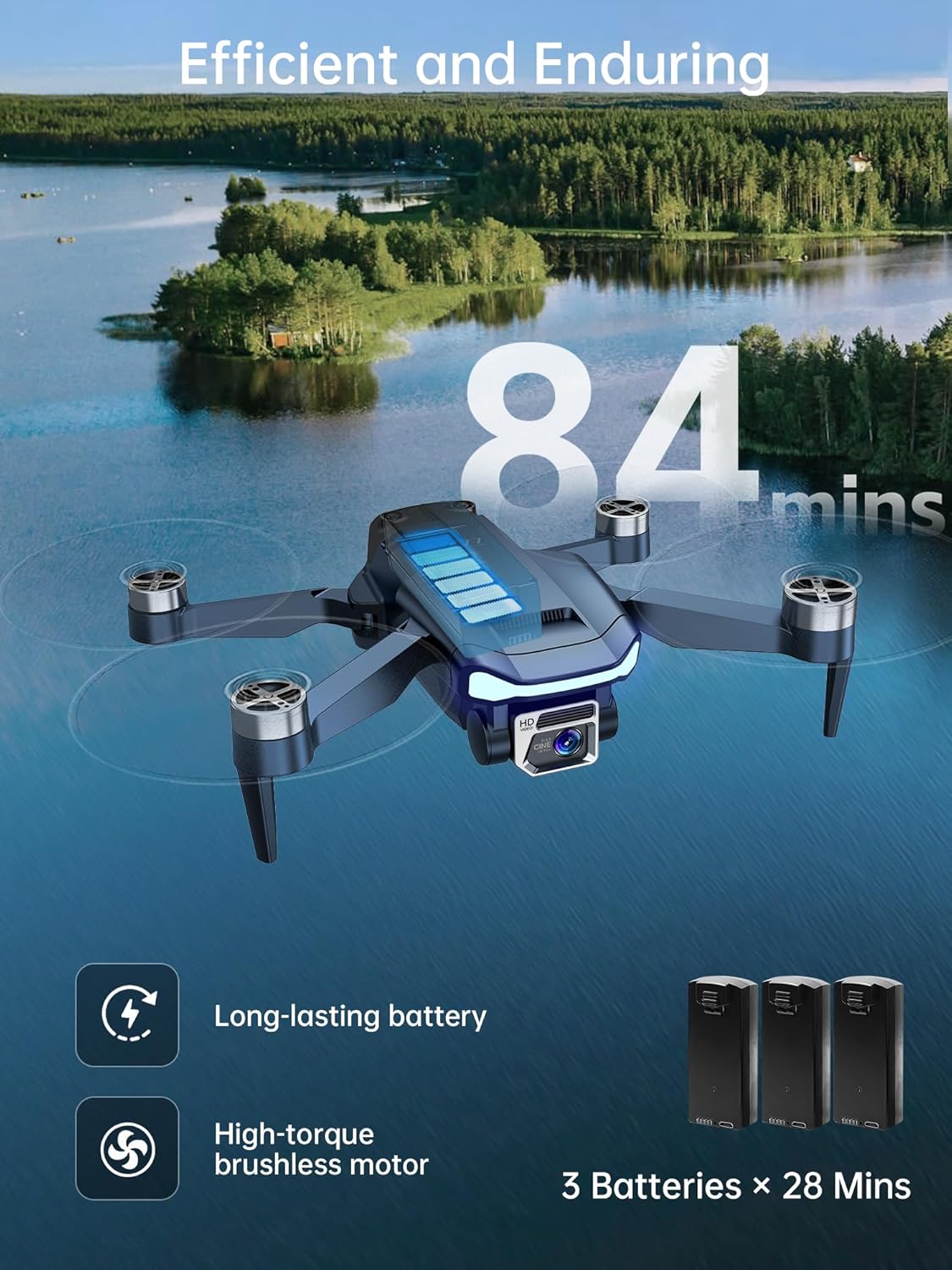
Image: The CHUBORY A77 remote control with a smartphone mounted, displaying the live camera feed from the drone.
3.3 Pre-Flight Preparation & Calibration
Before your first flight, ensure the drone is properly unfolded and calibrated for stable operation.
- Unfold the drone arms carefully until they lock into place.
- Place the drone on a flat, level surface outdoors in an open area, away from obstacles and crowds.
- Hêza li ser drone û kontrola dûr.
- Follow the on-screen instructions in the app to calibrate the drone's compass and gyroscope. This is crucial for stable flight.

Image: The CHUBORY A77 drone fully unfolded, showcasing its propellers and camera, ready for flight.
Video: A detailed operation guide for the CHUBORY A77 drone, covering initial setup and basic controls.
4. Bikarhanîna Droneyê
4.1 Kontrolên Firînê yên Bingehîn
The CHUBORY A77 offers intuitive controls for easy flying. Use the joysticks on the remote control or the virtual joysticks in the app for precise movements.
- One-Touch Takeoff/Landing: Press the dedicated button on the remote or app for automatic takeoff and landing.
- Altitude Lock: Maintains a stable altitude, allowing you to focus on direction and camera control.
- Kontrola Lezê: Adjust flight speed between low, medium, and high modes via the remote or app.
- Moda Bê Serî: Simplifies controls by eliminating the need to orient the drone's front. The drone will move relative to the pilot's position.
Video: A flight test of the CHUBORY A77 drone, showcasing its stability and responsiveness during operation.
4.2 Taybetmendiyên Firînê yên Pêşketî
Explore the advanced capabilities of your CHUBORY A77 drone for dynamic aerial photography and videography.
- Follow Me Feature: The drone automatically tracks and follows a designated subject, keeping them in the frame.
- Guhertinên 3D: Execute impressive acrobatic flips with a single button press.
- Gesture Photos/Videos: Use specific hand gestures to trigger photo capture or video recording.
- Path Navigation: Draw a custom flight path on your smartphone screen, and the drone will follow it automatically.
- Optical Flow Stabilization: Provides enhanced stability, especially during indoor flights or in areas with weak GPS signals.

Image: The CHUBORY A77 drone demonstrating its 'All-in-one Design' features, including Master mode, Gesture shooting, and Trajectory fly.
4.3 4K HD Camera Operation
Capture stunning aerial footage with the drone's 4K HD camera, featuring a 130-degree wide-angle lens and 90-degree adjustable tilt.
- Goşeya Kamera ya Birêkûpêk: Tilt the camera up to 90 degrees using the remote control or the app to get the perfect shot.
- Photo/Video Modes: Switch between 4K/30fps video and 8.3 MP still photos via the app.
- Live FPV Feed: View dema rast-footage directly on your smartphone through the app.

Wêne: Nêzîkbûn view of the CHUBORY A77 drone's 4K Ultra HD camera, highlighting its adjustable tilt and wide-angle lens capabilities.
Vîdyo: Vîdyoyek danasînê ya ji bo reklamêasing the 4K camera capabilities and various flight features of the CHUBORY A77 drone.
5. Maintenance
5.1 Replacement Propeller
In case of damage, replace propellers using the provided screwdriver and extra propellers. Ensure correct installation of 'A' and 'B' blades on their respective arms.
5.2 Protective Guards
For indoor flights or beginner use, attach the protective guards to prevent damage to the propellers and drone.
6. Destpêkirin
If you encounter issues with your CHUBORY A77 drone, please refer to the following common troubleshooting tips:
- Dron vênaxe: Piştrast bike ku pîl bi tevahî hatine şarj kirin û bi rêkûpêk hatine danîn.
- Firîna nearam: Perform compass and gyroscope calibration as instructed in the setup section. Ensure flight in an open area away from magnetic interference.
- No live video feed: Check your smartphone's Wi-Fi connection to the drone and ensure the flight app is open and connected.
- Loss of control range: Ensure no obstructions between the remote control and the drone. Avoid areas with strong signal interference.
- Propeller issues: Check for damaged or bent propellers and replace them if necessary. Ensure all propellers are securely attached.
For further assistance, please contact CHUBORY customer support.
7. Specifications
| Nîşan | CHUBORY |
| Navê Model | A77 |
| Babetê Weight | 180 Gram (6.3 onsan) |
| Çareserkirina Girtina Vîdyoyê | 4K |
| Çareseriya Hê jî bi bandor | 8.3 MP |
| Teknolojiya Girêdanê | Wi-Fi |
| Rêzeya herî zêde | 2650 Feet |
| Flight Time | Heta 84 deqîqeyan (bi 3 bataryayan) |
| Pêkhatina Hucreya Pîlê | Lithium Ion |
| Taybetmendiyên Taybet | 4K HD Camera, Extended Flight Time, Long Control Range, Advanced Flight Modes, Optical Flow Stabilization |
8. Garantî & Piştgirî
Your CHUBORY A77 drone comes with a standard return policy allowing returns within 30 days. For any product-related inquiries, technical support, or warranty claims, please reach out to CHUBORY customer support. Dedicated customer support is available to ensure a worry-free experience.
For additional information or to explore more products, visit the CHUBORY Store on Amazon.