
CRUA CR340AU
CRUA 34-inch Ultrawide Gaming Monitor User Manual
Model: CR340AU
1. Agahiyên Ewlekariyê
Please read all instructions carefully before using this monitor. Keep this manual for future reference.
- Ji bo rêgirtina li agir an şoka elektrîkê, monîtorê nexin ber baran an şilbûnê.
- Monîtorê c venekinasing. Di hundir de ti parçeyên ku ji hêla bikarhêner ve werin tamîrkirin nînin. Hemû tamîrkirin ji karmendên pispor re bişînin.
- Ji bo ku monîtor nekeve, li ser rûyekî sabît û dûz deynin.
- Li dora monîtorê hewakirineke guncaw peyda bikin. Deriyên hewakirinê negirin.
- Tenê adaptora hêzê ya ku bi monîtorê re tê bikar bînin.
- Ger monîtor ji bo demek dirêj neyê bikaranîn, pêveka elektrîkê ji prizê veqetînin.
2. Naveroka pakêtê
Piştrast bike ku hemî tişt di pakêta te de hene:
- CRUA 34-inch Ultrawide Gaming Monitor
- Standê Monîtorê (Bingeh û Stû)
- Adapter û Cable Power
- Cable HDMI
- Kabloya DisplayPort (DP)
- Manual Bikarhêner
- Vîde ji bo Montajkirina Standê
3. Sazkirin
3.1 Civîna Stand
- Monîtorê bi baldarî ji pakêta wê derxin, li ser rûyekî nerm bihêlin.
- Attach the stand neck to the monitor's rear panel using the provided screws.
- Connect the stand base to the stand neck and secure it with the designated screw.
- Monîtorê ku hatiye komkirin li ser maseyeke sabît deyne.
The monitor stand allows for tilt adjustment to find your optimal viewAngle.
3.2 Çêkirina Dîwar (Vebijarkî)
This monitor supports VESA wall mounting (75x75mm). To wall mount:
- Remove the stand from the monitor if it is already attached.
- Attach a compatible VESA 75x75mm wall mount bracket (not included) to the monitor's rear panel using appropriate screws.
- Follow the instructions provided with your wall mount for secure installation.

Wêne: Paş view of the monitor highlighting the 75x75mm wall mount area and various input ports.
3.3 Girêdana bi Amûrekê
Connect your computer or gaming console to the monitor using one of the available ports:
- DisplayPort (DP 1.4): For optimal performance, especially for high refresh rates and FreeSync.
- HDMI (HDMI 1.4 x2): Compatible with most devices.
Connect the power adapter to the monitor's DC input and then plug it into a power outlet.
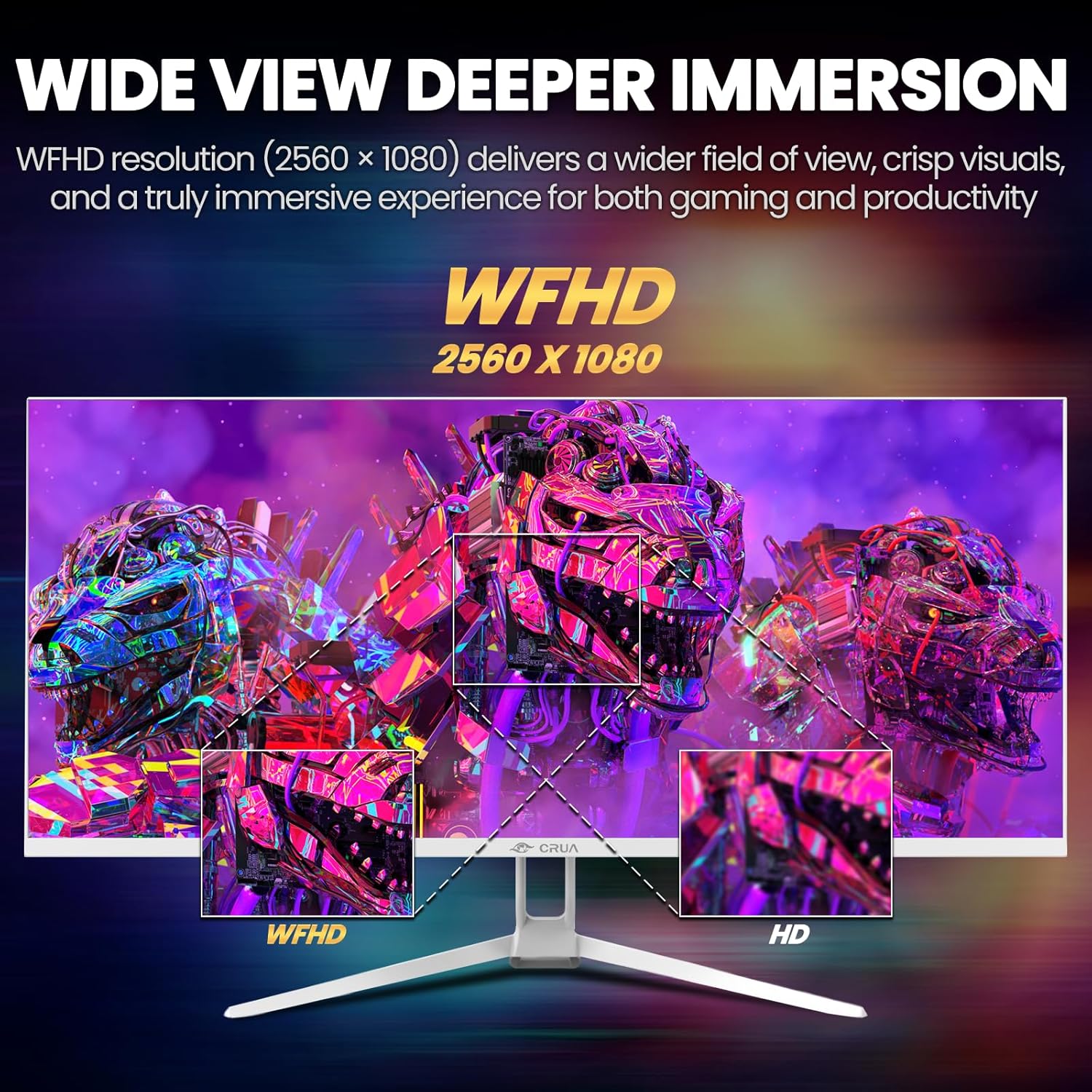
Image: A detailed diagram illustrating the monitor's connectivity options, including two HDMI 1.4 ports, one DisplayPort 1.4, an audio output, a USB charging port, and the DC power input.
4. Telîmatên Operating
4.1 Power On / Off
Press the power button, typically located on the bottom or rear of the monitor, to turn it on or off. The power indicator light will illuminate when the monitor is on.
4.2 Menûya Nîşandana Li Ser Ekranê (OSD)
The OSD menu allows you to adjust various monitor settings. Access it by pressing the OSD menu button (often a joystick-like button or a set of dedicated buttons) on the monitor.
- Rêserbirinî: Use the OSD buttons or joystick to navigate through the menu options.
- Neqînî: Ji bo ketina bin-menuyekê an piştrastkirina mîhengekê bişkoja hilbijartinê bikirtînin.
- Derî: Use the exit button to go back or close the OSD menu.
4.3 Mîhengên Wêne
Adjust visual parameters for optimal viewing:
- Ronahî: Ronahiya giştî ya ekranê kontrol dike.
- Dijîtî: Cûdahiya di navbera deverên ronahî û tarî de eyar dike.
- Germahiya Rengê: Selects preset color modes (e.g., Warm, Cool, User).
- Parzûna Ronahiya Şîn: Ji bo kêmkirina westandina çavan di dema karanîna dirêj de, emîsyona ronahiya şîn kêm dike.
- Rêjeya Aliyê: Set to 21:9 for ultrawide content or other options as needed.

Image: The CRUA ultrawide monitor showcasing its 21:9 aspect ratio, demonstrating how it provides more horizontal screen space compared to a standard 16:9 display.
4.4 Mîhengên Audio
The monitor includes built-in speakers. Adjust volume through the OSD menu or your connected device. An external audio output port is also available for headphones or external speakers.
4.5 AMD FreeSync
To enable AMD FreeSync for tear-free gaming, ensure your graphics card supports FreeSync and that it is enabled in your graphics card's control panel. Then, activate FreeSync within the monitor's OSD menu.

Image: A visual comparison demonstrating the effect of AMD FreeSync, showing a torn image when FreeSync is off and a smooth image when FreeSync is on, highlighting the 120Hz refresh rate.
5. Maintenance
5.1 Paqijkirina Ekranê
- Monitorê vemirînin û têleya elektrîkê jê derxin.
- Bi sivikî qumaşekî nerm û bê perz bi kar bînin dampbi avê an paqijkerek taybetî ya ekranê were paqijkirin.
- Wipe the screen gently. Do not press hard or use abrasive cleaners.
5.2 Lênêrîna Giştî
- Monîtorê ji tîrêjên rojê yên rasterast, çavkaniyên germê û toza zêde dûr bigirin.
- Ji danîna tiştên giran li ser monîtorê an kabloyên wê dûr bisekinin.
- Do not spray cleaning liquids directly onto the monitor.
6. Destpêkirin
Heke hûn bi çavdêriya xwe re rastî pirsgirêkan werin, li pirsgirêk û çareseriyên hevpar ên jêrîn binêrin:
| Pirsegirêk | Çareseriya gengaz |
|---|---|
| Li ser dîmenderê wêneyek tune | Ensure power cable is securely connected and the monitor is turned on. Check video cable (HDMI/DP) connections to both monitor and computer. Select the correct input source via the OSD menu. |
| Image is flickering or unstable | Check video cable connections. Ensure your graphics card drivers are up to date. If using FreeSync, try disabling it temporarily to see if the issue persists. Adjust refresh rate in your computer's display settings. |
| Deng ji axaftvanên çêkirî tune | Increase volume via the OSD menu and your computer's sound settings. Ensure the correct audio output device is selected on your computer. Check if the audio cable (if used) is properly connected. |
| Reng xelet xuya dikin | Reset picture settings to factory defaults via the OSD menu. Adjust color temperature and individual RGB values if available. |
If the problem persists after trying these solutions, please contact CRUA customer support.
7. Specifications
Key technical specifications for the CRUA 34-inch Ultrawide Gaming Monitor (Model CR340AU):
| Taybetî | Specification |
|---|---|
| Mezinahiya Screen | 34 Inches |
| Tîpa Panelê | IPS |
| Resolution | 2560 x 1080 (WFHD) |
| Aspect Ratio | 21:9 |
| Refresh Rate | 120Hz |
| Dema bersivê | (Not specified in provided data, typical for IPS is 1-5ms GTG) |
| Brightness | 350 cd/m² |
| Gamut Reng | 120% sRGB |
| Kûrahiya Rengê | 8-bit (16.7 Million Colors) |
| Viewing Angles | 178° (Horîzontal/Vertîkî) |
| Syncê Adaptive | AMD FreeSync |
| Têkilî | 2x HDMI 1.4, 1x DisplayPort 1.4, Audio Out, USB Charging, DC Power Input |
| Axaftvanên çêkirî | Erê |
| Çiyayê dîwar | VESA 75x75mm |
| Mezinahiya Hilberê | 9.4 x 24.13 x 17.47 inches |
| Babetê Weight | 14.92 lîre |
8. Garantî û Piştgirî
CRUA provides high-quality computer monitors and customer service. For any questions or support needs regarding your CRUA 34-inch Ultrawide Gaming Monitor, please contact CRUA customer support.
Refer to your purchase documentation or the official CRUA webmalper ji bo şert û mercên garantiyê yên taybetî û agahdariya têkiliyê.