
1. Destpêk
Thank you for choosing the HONOR Choice Over-Ear Bluetooth Headset. This manual provides essential information for setting up, operating, and maintaining your headphones to ensure optimal performance and longevity. Please read this manual thoroughly before use.
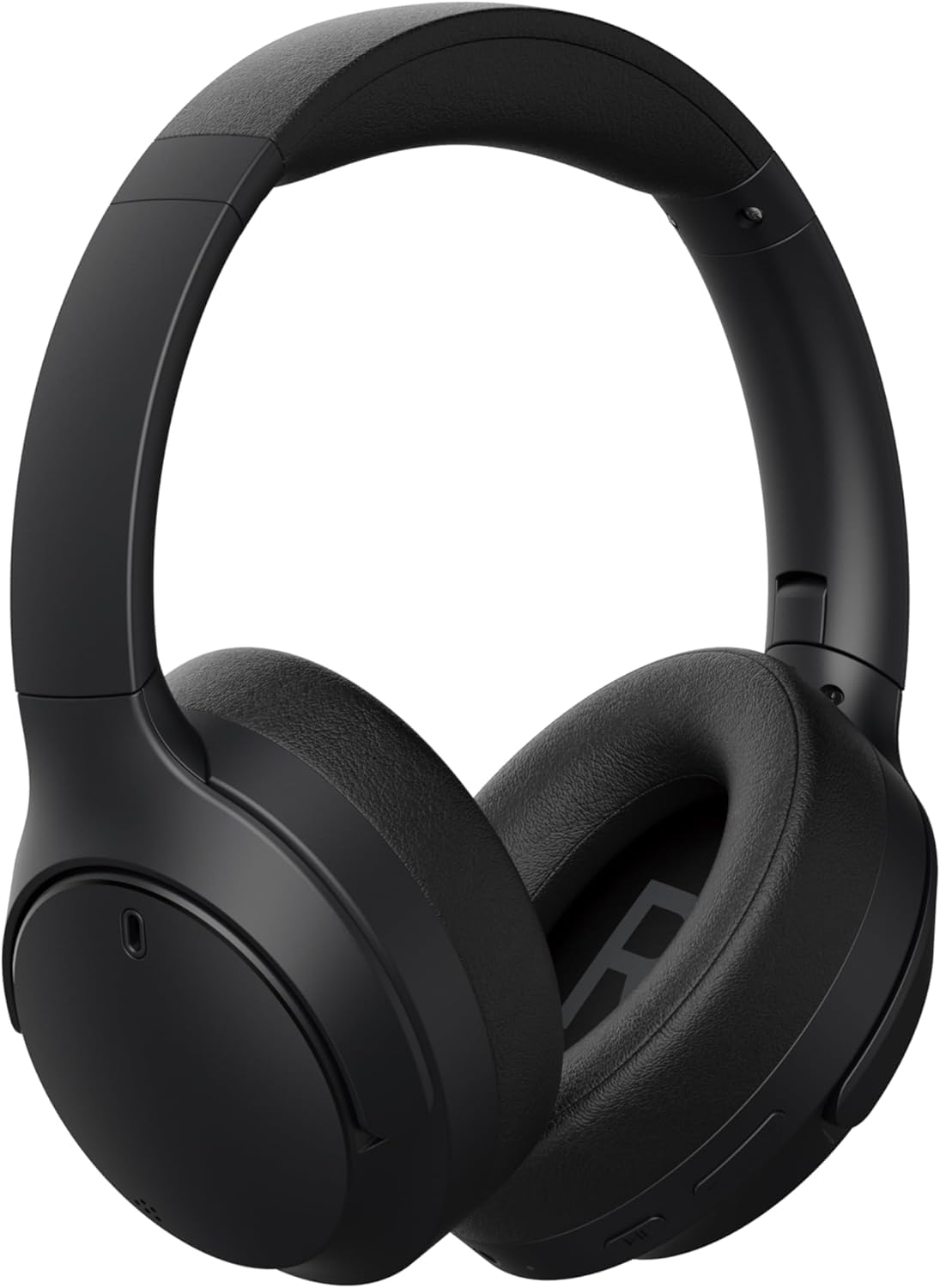
Wêne 1.1: Pêşî view of the HONOR Choice Headphone.
Taybetmendiyên sereke:
- Hi-Res Audio Certified 40mm Drivers: Delivers high-resolution audio with deep bass and clear vocals.
- Massive 80-Hour Battery Life: Extended listening time on a single charge.
- ENC for Crystal-Clear Calls: Environmental Noise Cancellation reduces background noise for clear voice communication.
- Bluetooth 5.4 & Wired Connectivity: Offers stable wireless connection and a 3.5mm jack for wired use.
- Sêwirana sivik û rehet: Weighs 219g for extended wear comfort.
2. Çi di Qutîkê de ye
Ji kerema xwe naveroka pakêta xwe kontrol bikin. Ger tiştek wenda be an jî zirar dîtibe, bi firoşkarê xwe re têkilî daynin.
- HONOR Choice Headphone
- Sling Bag
- Kabloya AUX (kabloya dengî ya 3.5 mm)
- Kabloya gingarjkirina Type-C
- Manual Bikarhêner (ev belge)
3. Hilbera Serîview
Familiarize yourself with the different parts of your HONOR Choice Headphone.

Wêne 3.1: Nêzîkbûn view of the headphone controls, including power button, volume buttons, and playback controls.

Wêne 3.2: Nêzîkbûn view of the charging port (USB-C) and 3.5mm audio jack.

Wêne 3.3: Jor view of the headphones, showing the headband and earcups.
4. Sazkirin
4.1 Barkirina Guhguhkan
Before first use, fully charge your headphones. Use the provided Type-C charging cable.
- Connect the Type-C end of the charging cable to the charging port on the headphone.
- Connect the USB-A end to a compatible USB power adapter (not included) or a computer's USB port.
- The LED indicator will show charging status (e.g., red for charging, blue/green for fully charged).
- Barkirina tevahî bi qasî 2-3 demjimêran digire.
4.2 Power On / Off
- Hêzdarkirin: Press and hold the Power button for approximately 3 seconds until the LED indicator lights up and you hear a power-on prompt.
- Ji bo Veqetandinê: Press and hold the Power button for approximately 5 seconds until the LED indicator turns off and you hear a power-off prompt.
4.3 Pairkirina Bluetooth
Pair your headphones with a Bluetooth-enabled device (e.g., smartphone, tablet, laptop).
- Piştrast bikin ku guhên jêhatî ne.
- Bişkoja Hêzê bi qasî 5-7 saniyeyan bigire û bigire heta ku nîşana LED bi dorê şîn û sor bibiriqe, ku moda cotkirinê nîşan dide.
- Li ser cîhaza xwe, Bluetooth-ê çalak bikin û li cîhazên berdest bigerin.
- Select "HONOR Choice Headphone" from the list of found devices.
- Once connected, the LED indicator will flash blue slowly, and you will hear a connection prompt.
4.4 Têkiliya Wired (Moda AUX)
Use the provided 3.5mm AUX cable for a wired connection, which does not require battery power.
- Plug one end of the 3.5mm AUX cable into the audio jack on the headphone.
- Serê din bi derana dengî ya 3.5 mm ya cîhaza xwe ve girêdin.
- Guhguhk dê bixweber biguherin moda têlkirî.
5. Telîmatên Operating
The HONOR Choice Headphone features intuitive touch controls and physical buttons for various functions.
5.1 Kontrolên Lêxistina Muzîkê
- Lîstik / Rawestandin: Bişkojka Pir-fonksiyonê carekê bikirtînin.
- Tracka Piştre: Bişkojka Bilindkirina Dengê 2 saniyan bigire û bigire.
- Traopa Berê: Bişkojka Volume Down 2 saniyan bigire û bigire.
- Volume Up: Bişkojka Volume Up bi kurtî bikirtînin.
- Volume Down: Bişkojka Volume Down bi kurtî bikirtînin.
5.2 Rêveberiya Bangan
- Bersiv/Dawiya Bangê: Bişkojka Pir-fonksiyonê carekê bikirtînin.
- Bang red kirin: Bişkojka Pir-fonksîyonê 2 çirkeyan pêl bike û bigire.
- Alîkarê Deng çalak bike: Bişkojka Pir-fonksiyonê du caran bikirtînin.
5.3 Environmental Noise Cancellation (ENC)
The ENC feature is automatically active during calls to reduce ambient noise for clearer communication.
6. Maintenance
6.1 Paqijkirin
- Guhguhkan bi qumaşek nerm, hişk û bêlîf paqij bikin.
- Kîmyewîyên hişk, solavên paqijkirinê, an deterjanên xurt bikar neynin.
- Ji ketina nav devê şilbûnê dûr bisekinin.
6.2 Storage
When not in use, store the headphones in the provided sling bag to protect them from dust and scratches.

Image 6.1: Headphones folded for compact storage in the sling bag.
- Li cîhekî sar û hişk, dûr ji germahiyên zêde û tîrêjên rasterast ên rojê hilînin.
- Ji danîna tiştên giran li ser guhguhkan dûr bisekinin.
7. Destpêkirin
Heke hûn bi guhguhkên xwe re rastî pirsgirêkan werin, li pirsgirêk û çareseriyên hevpar ên jêrîn binêrin.
| Pirsegirêk | Çareseriya gengaz |
|---|---|
| Guhguhkan vêna nakin. | Ensure the headphones are charged. Connect to a power source using the Type-C cable. |
| Bi rêya Bluetooth-ê nayê hevberkirin. |
|
| Deng tune ye an jî dengê wê kêm e. |
|
| Kalîteya bangê xirab e. |
|
8. Specifications
| Taybetî | Hûrî |
|---|---|
| Nîşan | NAMÛS |
| Hejmara Model | 5504ABSJ |
| Reng | Reş |
| Cihkirina Guh | Ser guhê |
| Impedance | 32 Ohm |
| Teknolojiya Girêdanê | Wired, Wireless |
| Teknolojiya Wireless | Bluetooth |
| Guhertoya Bluetooth | 5.4 |
| Headphone Jack | 3.5 mm Jack |
| Babetê Weight | 219 gram |
| Noise Control | Betalkirina Dengê Jîngehê (ENC) |
| Range Frequency | 20Hz - 40,000Hz |
| Type Driver Audio | Ajokera dînamîk |
| Mezinahiya ajokara Audio | 40 Mîlîmetre |
| Tîpa Kontrolê | Control Control |
| Battery Average Life | 80 Saet |
| Materyalên dorpêçê | Pîlastîk |
| Amûrên Lihevhatî | Cellphones, Laptops |
9. Agahdariya Garantiyê
This HONOR Choice Headphone comes with a 1-Year Seller Warranty ji roja kirînê ve. Ev garantî kêmasiyên çêkirinê û karê di bin karanîna normal de vedihewîne.
Garantî nagire:
- Damage caused by misuse, accident, abuse, negligence, or improper operation.
- Zirara ji ber guhertin an tamîrkirina bê destûr çêbûye.
- Normal wear and tear, including cosmetic damage.
- Damage caused by exposure to extreme temperatures or liquids.
Ji kerema xwe ji bo îdîayên garantiyê delîla kirîna xwe biparêzin.
10. Piştgirî
For further assistance, technical support, or warranty inquiries, please contact your retailer or visit the official HONOR support website.
You may find additional resources and FAQs online by searching for "HONOR Choice Headphone support" or visiting the HONOR official website.