
Pêşkêş
Thank you for choosing the pTron Studio Evo Wireless Over-Ear Headphones. This manual provides essential information for setting up, operating, and maintaining your headphones to ensure optimal performance and longevity. Please read these instructions carefully before use.
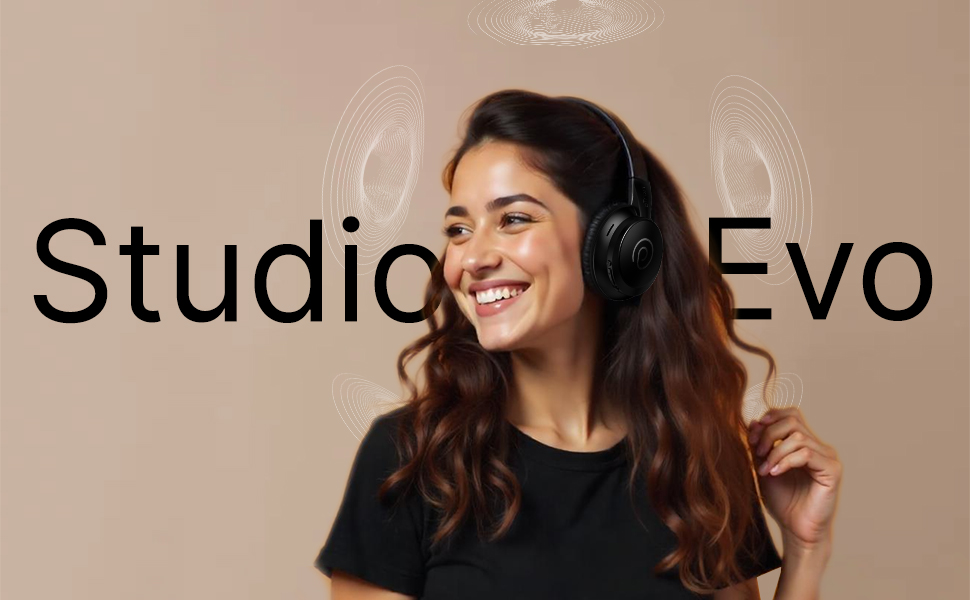
Wêne: Serview of pTron Studio Evo features including sound quality, battery life, driver size, controls, charging, and connectivity modes.
Damezirandin
1. Vekirina Qutî û Pêkhate
Hemû tiştan bi baldarî ji pakêtê derxînin. Divê qutî van tiştan tê de hebe:
- pTron Studio Evo Wireless Over-Ear Headphones
- Kabloya gingarjkirina USB Type-C
- Kabloya Dengî ya 3.5mm (Aux-in)
- Manual Bikarhêner (ev belge)
2. Barkirina Headphones
Before first use, fully charge your headphones. Connect the provided USB Type-C cable to the charging port on the headphones and the other end to a compatible USB power source (e.g., wall adapter, computer USB port).
- Dema barkirinê: Nêzîkî 2 saetan ji bo barkirina tevahî.
- Jiyana Pîlê: Up to 70 hours of playtime on a single full charge.

Image: pTron Studio Evo headphones highlighting 70 hours of playtime and Type-C fast charging.
3. Hêzdarkirina / Off
- Hêzdarkirin: Bişkoja Hêzê bi qasî 3 saniyeyan bigire û bigire heta ku nîşana LED ronî bibe.
- Ji bo Veqetandinê: Bişkoja Hêzê bi qasî 3 saniyeyan bigire û bigire heta ku nîşana LED vemire.
4. Hevgirtina Bluetooth
The pTron Studio Evo headphones utilize Bluetooth 5.3 for stable wireless connectivity.
- Piştrast bikin ku guhên jêhatî ne.
- Bişkoja Hêzê 5-7 saniyeyan bigire û bigire heta ku nîşana LED bi dorê sor û şîn bibiriqe, ku moda cotkirinê nîşan dide.
- Li ser cîhaza xwe (smartphone, laptop, hwd.), Bluetooth-ê çalak bike û li cîhazên berdest bigere.
- Select "pTron Studio Evo" from the list of found devices.
- Dema ku were girêdan, nîşana LED dê şînê yekpare bibe an jî hêdî hêdî şîn bibiriqe.
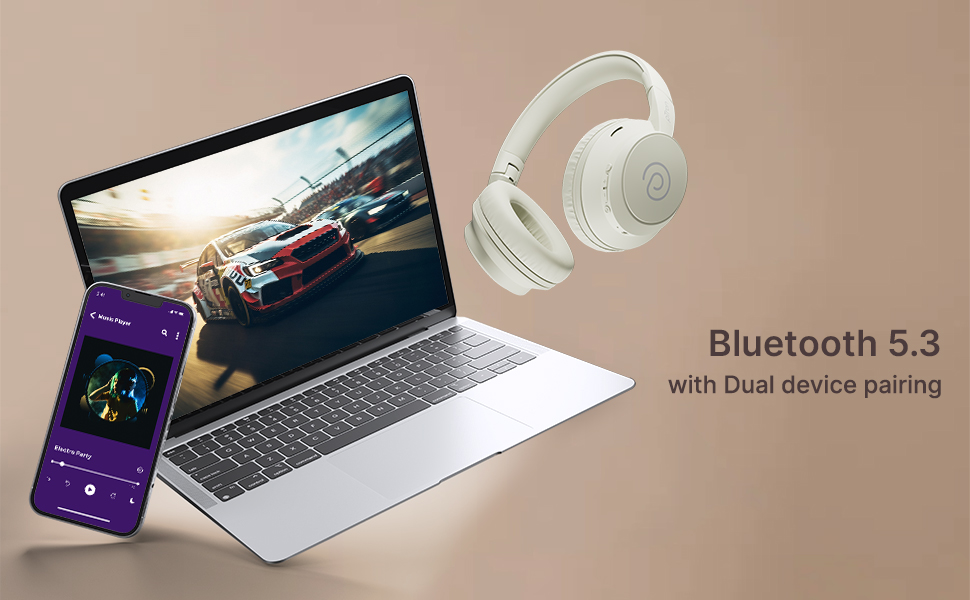
Hevberkirina Du Amûran: These headphones support connecting to two devices simultaneously. After pairing with the first device, disable Bluetooth on that device, then pair with the second device. Re-enable Bluetooth on the first device, and the headphones should connect to both. You can then switch audio playback between the two devices.

Image: Headphones connected to both a phone and a laptop, demonstrating Bluetooth 5.3 dual device pairing.
5. Wired Connection (Aux-in)
For a wired connection, use the provided 3.5mm audio cable. Plug one end into the headphone's 3.5mm jack and the other end into your audio source's auxiliary output. The headphones will automatically switch to wired mode when the cable is connected.
Telîmatên Operating
1. Controls Overview
The headphones feature integrated buttons for easy control of music, calls, and modes.
Wêne: Bi hûrgilî view of the integrated control buttons on the pTron Studio Evo headphones.
- Bişkojka Hêzê: Ji bo vekirin/girtinê bikirtînin û bigirin. Ji bo lêxistin/rawestandina muzîkê an jî bersivdan/dawîkirina bangan bi kurtî bikirtînin.
- Volume Up (+): Ji bo zêdekirina deng bi kurtî bikirtînin. Ji bo strana din bikirtînin û dirêj bikin.
- Volume Down (-): Ji bo kêmkirina deng bi kurtî bikirtînin. Ji bo strana berê bikirtînin û dirêj bikin.
- Bişkoja EQ: Short press to cycle through EQ modes (Bass, Movie, Pop, Vocal).
2. Modên EQ
The pTron Studio Evo headphones offer multiple low-latency EQ modes optimized for different audio experiences:
- Moda lîstikê: Ji bo ezmûnek lîstikê ya senkronîzetir derengiya deng kêm dike.
- Moda Fîlimê: Enhances dialogue clarity and cinematic sound effects.
- Moda Muzîkê: Dengekî profesyonel ê hevseng peyda dikefile ji bo guhdarîkirina muzîkê ya giştî.
- Moda Bass: Boosts low frequencies for a deeper bass response.
- Moda Popê: Optimized for pop music genres.
- Moda Dengê: Enhances vocal clarity, ideal for podcasts or audiobooks.
Ji bo guhertina di navbera van modan de, bişkoja EQ bikirtînin.
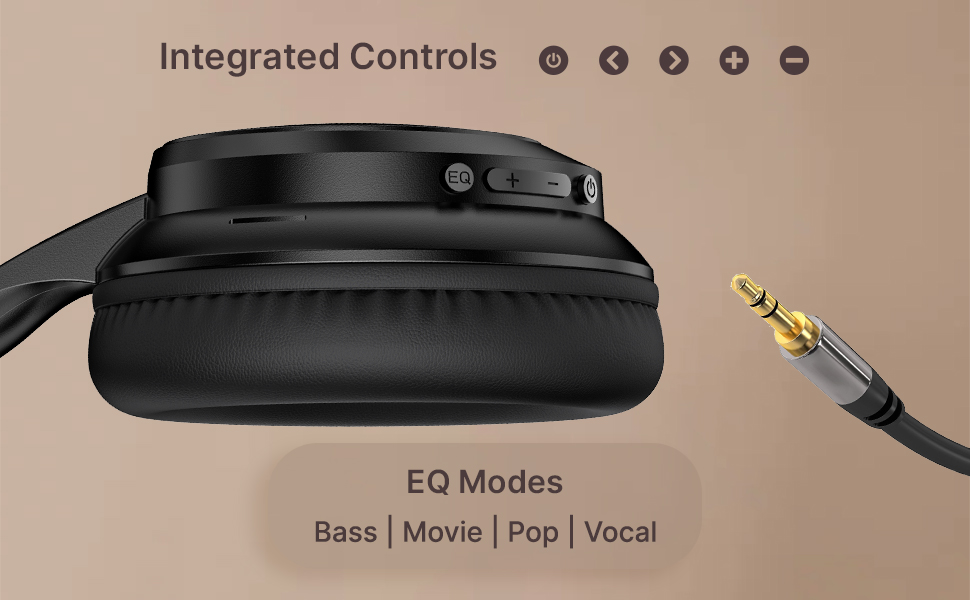
Image: User engaging in gaming with headphones, demonstrating low-latency sync for game mode.
3. Çêkirin û wergirtina bangan
The headphones include a built-in HD microphone for hands-free calls.
- Bersiv/Dawiya Bangê: Bişkojka Hêzê bikirtînin.
- Bang red kirin: Bişkojka Hêzê 2 çirkeyan pêl bike û bigire.
4. Alîkarê Deng
Access your device's voice assistant (e.g., Siri, Google Assistant) by double-pressing the Power button.
5. Lixwekirina Guhderkan
The pTron Studio Evo headphones feature an ergonomic design with soft earcups and an adjustable head beam for comfortable all-day listening. Adjust the head beam to position the earcups exactly over your ears for the best fit and sound isolation.
Lênerrînî
1. Paqijkirin
Regularly clean your headphones to maintain hygiene and performance.
- Use a soft, dry cloth to wipe the earcups and headband.
- Paqijkerên abrasive an solvanan bikar neynin.
- Avoid getting moisture into the charging port or audio jack.
2. Berxwedana Avê
The headphones are IPX5 water-resistant, meaning they can withstand splashes and sweat. Do not submerge them in water or expose them to heavy rain.
3. Storage
The foldable design allows for easy storage. Fold the headphones when not in use to protect them from damage and save space. Store them in a cool, dry place away from direct sunlight and extreme temperatures.
Çareserkirina pirsgirêkan
- Hêz tune: Piştrast bike ku guhguhk bi tevahî şarj bûne. Bi çavkaniyek hêzê ve girêbide û dîsa biceribîne.
- Nikare hevber bike: Make sure Bluetooth is enabled on your device and the headphones are in pairing mode (flashing red and blue LED). Try restarting both devices.
- Deng tune: Check the volume levels on both the headphones and your connected device. Ensure the correct audio output is selected on your device. If using a wired connection, ensure the 3.5mm cable is fully inserted.
- Qalîteya Dengê Nebaş: Ensure the headphones are within the Bluetooth range (up to 10 meters) of your device. Avoid obstacles that may interfere with the signal. Try switching EQ modes.
- Mîkrofon Nexebite: Ensure the headphones are properly connected and selected as the input device on your call application.
Specifications
| Taybetî | Specification |
|---|---|
| Navê Model | Studio |
| Teknolojiya Girêdanê | Wireless (Bluetooth) |
| Teknolojiya Ragihandinê ya Wireless | Bluetooth 5.3 |
| Rêzeya Bluetooth | 10 Metre |
| Mezinahiya ajokara Audio | 40 Mîlîmetre |
| Battery Life | 70 Saet |
| Time Charging | 2 Saet |
| Headphones Jack | 3.5 mm Jack |
| Asta Berxwedana Avê | IPX5 Water Resistant |
| Rêbaza Kontrolê | Bişkojka Bişkojkê, Deng |
| Noise Control | Tecrîda Deng |
| Mal | Acrylonitrile Butadiene Styrene (ABS) |
| Babetê Weight | 157 gram |
| Mezinahiya Hilberê | 19.2 x 15.8 x 7.9 cm |
Garantî û Piştgirî
1. Garantiya Manufacturer
The pTron Studio Evo headphones come with a Garantiya 1-Year Manufacturer from the date of purchase. This warranty covers manufacturing defects only. Please retain your proof of purchase for warranty claims.
2. Piştgiriya Mişterî
For any queries, technical assistance, or warranty claims, please contact pTron customer support:
- Email: support@ptron.in
- Telefon: 040-67138888