
1. Destpêk
Thank you for choosing the HUANUO 63x28 Inch Electric Standing Desk. This desk is designed to provide a versatile and ergonomic workspace, allowing you to easily switch between sitting and standing positions throughout your day. Featuring a wide height adjustment range, programmable memory presets, and a durable construction, this desk aims to enhance your comfort and productivity. Please read this manual carefully before assembly and operation to ensure safe and efficient use.
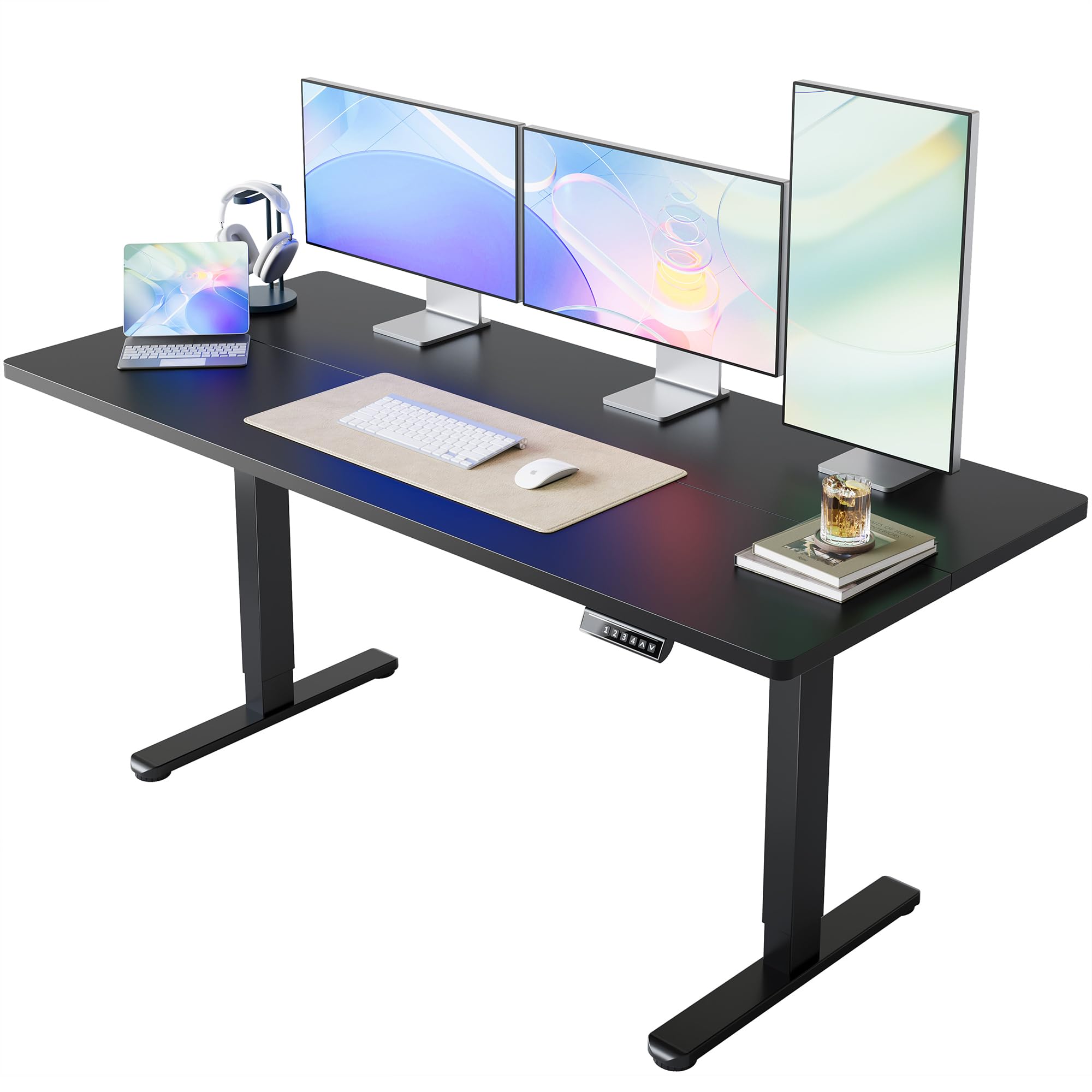
Image 1.1: The HUANUO 63x28 Inch Electric Standing Desk in a home office environment.
2. Agahiyên Ewlekariyê
To ensure your safety and prolong the lifespan of your electric standing desk, please observe the following guidelines:
- Di dema xebatê de, zarok û heywanên malê ji maseyê dûr bigirin.
- Ensure all cables are properly managed and secured to prevent tripping hazards or damage during height adjustments.
- Do not overload the desk. The maximum weight recommendation is 176 pound (80 kg).
- Nehêlin ku şilekan rasterast li ser panela kontrolê an nêzîkî pêkhateyên elektrîkê werin danîn.
- Do not attempt to disassemble or repair the motor or control system yourself. Contact qualified service personnel if issues arise.
- The desk features rounded corners for added safety and includes an anti-collision system to prevent damage or injury during movement.
3. Naveroka pakêtê
Before beginning assembly, please verify that all components are present and undamaged. The package should include:
- High-performance carbon steel frame (legs and crossbeam)
- Environmentally friendly spliced table top (63" x 28")
- Electric lifting mechanism and motor
- Control panel with LED display and memory presets
- All necessary assembly tools and hardware (screws, Allen wrench)
- Adapter û kabloyên hêzê
4. Talîmatên Civînê
The HUANUO Electric Standing Desk is designed for quick and easy assembly with a streamlined process. Follow the steps below for proper setup. An assembly video is also provided for visual guidance.
4.1. Rêbera Vîdyoyê ya Montajê
Video 4.1: Official HUANUO Electric Standing Desk Assembly Guide. This video demonstrates the step-by-step process for assembling the desk frame and desktop.
4.2. Civîna gav-bi-gav
- Çarçoveyê kom bikin: Attach the motor to the designated table legs. Secure the crossbeam between the two legs using the provided screws and Allen wrench. Ensure all connections are firm.
- Komkirina sermaseyê: The desktop comes in two pieces. Use the wooden dowels and connecting plates to securely join the two desktop halves.
- Attach the Frame to the Desktop: Carefully place the assembled desktop upside down on a soft, clean surface. Position the assembled frame onto the desktop, aligning the pre-drilled holes. Secure the frame to the desktop using the provided screws.
- Install Control Panel and Cable Management: Attach the control panel to the underside of the desktop on your preferred side. Connect the control panel and motor cables to the main control box. Use the included cable ties and clips to manage and secure all wires neatly.
- Cihê Dawî: With assistance, carefully flip the desk upright and place it in its desired location. Adjust the leveling feet if necessary to ensure stability.
Note: The control panel design may vary slightly by version, but functions and operating stability remain consistent.
5. Telîmatên Operating
Your HUANUO Electric Standing Desk features intuitive controls for effortless height adjustment and personalized settings.
5.1. Panela Kontrolê Serview

Image 5.1: The desk's control panel features an LED display, up/down arrows, and four memory preset buttons.
5.2. Eyarkirina Bilind
- Rêzkirina Jor/Jêr: Bi kar tînin ^ (Her) û v (Down) arrow buttons on the control panel to manually raise or lower the desk to your desired height. The LED display will show the current height.
- The desk offers a wide height adjustment range from 28.3 inches ber 46.5 inches.

Image 5.2: Visual representation of the desk's height adjustment capabilities.
5.3. Danîna Mîhengên Pêşwext ên Bîrê
The desk features four programmable height settings for quick and convenient adjustments:
- Bi karanîna bişkokên Jor/Jêr, maseyê li gorî bilindahiya xwestinê eyar bikin.
- Press and hold one of the numbered memory buttons (1, 2, 3, an 4) until the LED display flashes or beeps, indicating the height has been saved.
- To recall a saved height, simply press the corresponding numbered button. The desk will automatically move to that preset position.
Video 5.3: Demonstration of setting and using the 4 memory height presets on the HUANUO Electric Standing Desk.
5.4. Xebata Bêdeng
The desk is designed for ultra-quiet performance, operating at less than 50dB, ensuring minimal distraction in your workspace.

Image 5.4: Noise level comparison for the desk's operation.
6. Maintenance
Regular maintenance will help keep your HUANUO Electric Standing Desk in optimal condition:
- Paqijî: Maseya sermaseyê û çarçovê bi nermî paqij bikin,amp qumaş. Ji bikaranîna kîmyewiyên dijwar an paqijkerên aşınker dûr bisekinin ku dikarin zirarê bidin boyaxê.
- Kontrola kabloyê: Periodically inspect all cables and connections to ensure they are secure and free from damage.
- Kontrolkirina îstiqrarê: Occasionally check that all screws and bolts are tightened to maintain desk stability.
7. Destpêkirin
If you encounter any issues with your electric standing desk, please refer to the following common solutions:
- Desk Nagere: Check if the power cord is securely plugged into both the desk and a working electrical outlet. Ensure no cables are pinched or obstructing movement.
- Bilindahiya nehevseng: If the desk appears uneven, perform a reset procedure (refer to the full manual or contact support for specific instructions). Ensure the desk is placed on a level surface.
- Kodên çewtiyê: If the LED display shows an error code, consult the detailed troubleshooting section in the complete product manual or contact customer support for assistance.
8. Specifications
| Taybetî | Hûrî |
|---|---|
| Nîşan | HUANUO |
| Hejmara Model | MSESD202B-160A-US |
| Mezinahiyên hilberê (D x W x H) | 28"D x 63"W x 28.3"B |
| Mezinahiya Sermaseyê | 63" x 28" |
| Range Adjustment Bilindahî | 28.3" heta 46.5" |
| Maximum Weight Capacity | 176 Pound (80 kg) |
| Number of Memory Presets | 4 |
| Mekanîzmaya Hilgirtinê | Elatrîkî |
| Madeya bingehîn | Alloy Steel |
| Tîpa materyalê ya jorîn | Darê Endezyarî (Laminekirî) |
| Taybetmendiyên Taybet | Adjustable Height, Electric, Ergonomic, Scratch Resistant, Anti-collision System |
| Civîna Pêdivî ye | Erê |
| UPC | 840478806984 |
9. Garantî û Piştgirî
Your HUANUO Electric Standing Desk comes with a Garantiya Limited. For specific details regarding coverage and duration, please refer to the warranty documentation included with your purchase.
For any product-related questions, technical assistance, or warranty claims, please contact HUANUO customer service:
- E-nameya Piştgiriyê: support@huanuo.com
- Piştgiriya Serhêl: Serdan bikin HUANUO Store on Amazon ji bo çavkaniyên zêdetir û vebijarkên têkiliyê.
Please have your model number (MSESD202B-160A-US) and purchase information ready when contacting support.