
1. Hilbera Serîview
The FLEXISPOT 36" Sit-Stand Desk Converter is designed to transform your existing desk into an active sit-stand workstation. This unit features a two-tier design, providing a spacious upper desktop for monitors and a lower keyboard tray for a keyboard and mouse. It allows for seamless transitions between sitting and standing positions to promote a healthy work routine.

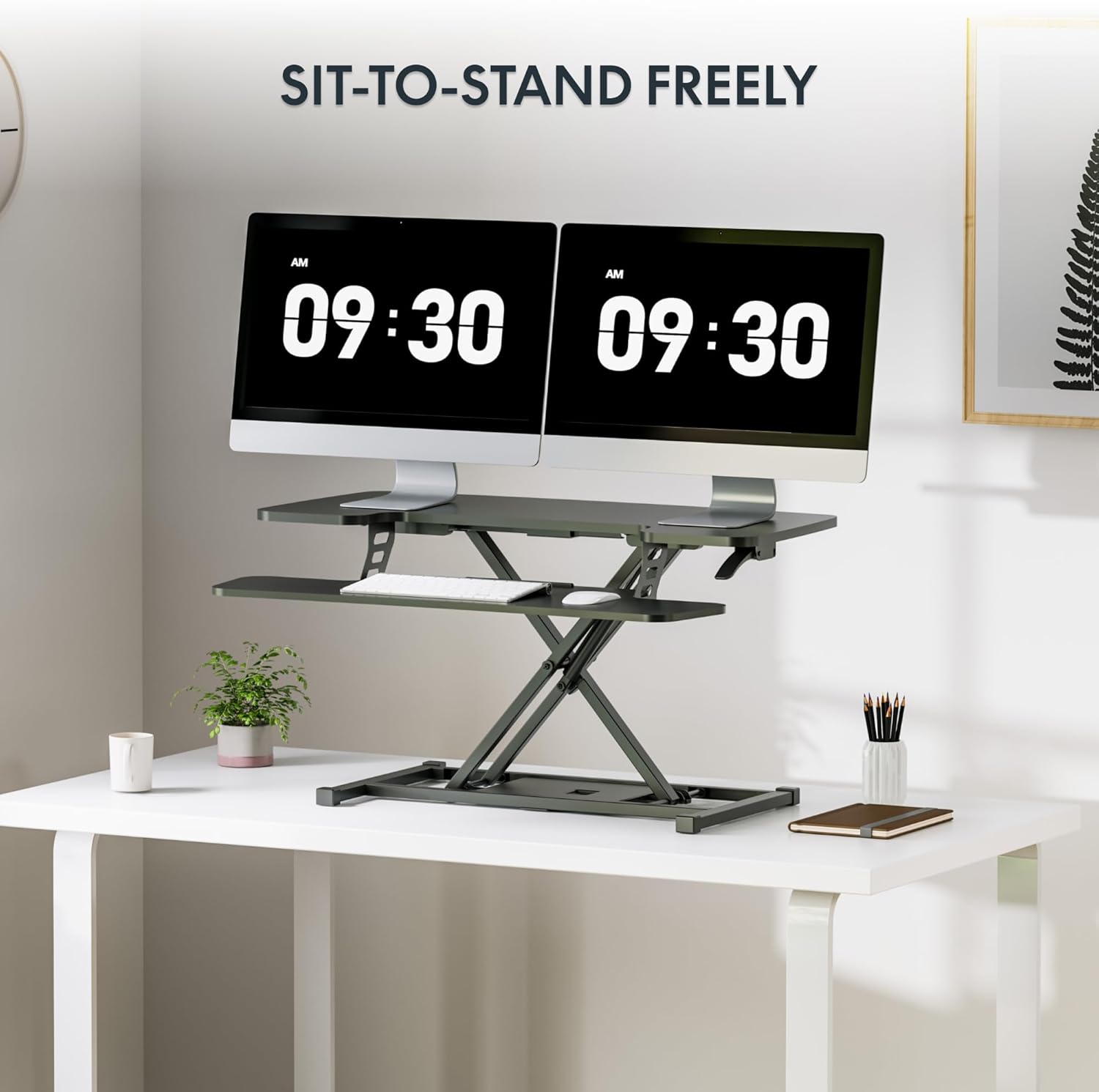
Image: The FLEXISPOT 36" Sit-Stand Desk Converter shown in a typical office environment, demonstrating its two-tier design and how it integrates with an existing desk setup.
Taybetmendiyên sereke:
- Ergonomic 2-Tier Design: Provides separate surfaces for monitors and keyboard/mouse, optimizing ergonomic posture.
- Cihê Karê Berfireh: Upper desktop (36" x 16.3") accommodates monitors up to 27 inches. Lower keyboard tray (34.6" x 12.2") fits a standard keyboard and mouse or a 13-inch laptop.
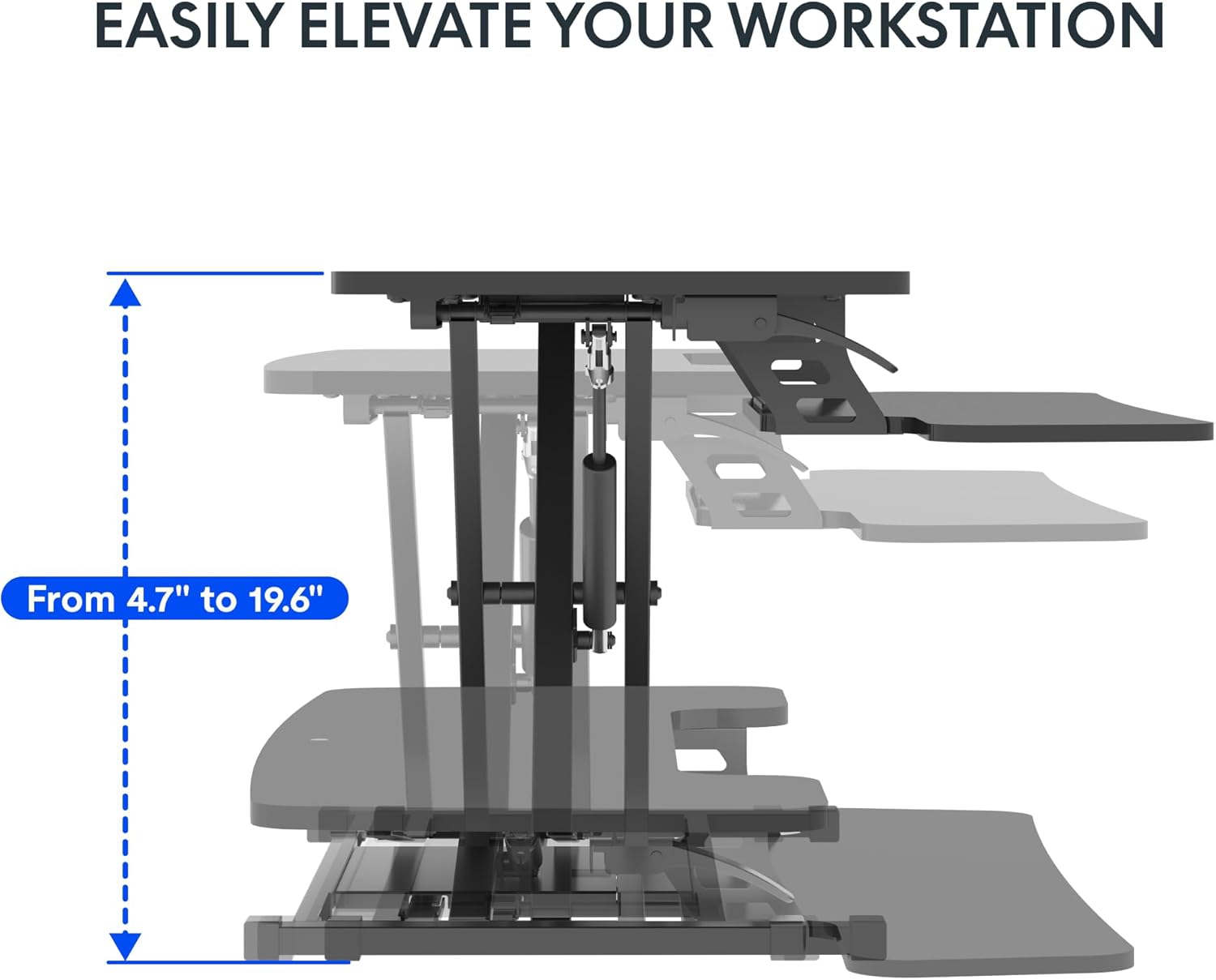
- Rêzkirina Bilindî: Smoothly transitions between 4.7 inches and 19.6 inches.
- Avakirina Stûr: Supports up to 33 lbs on the desktop and 6.6 lbs on the keyboard tray.
Wêne: Ji jor ber bi jêr ve view illustrating the spacious two-tier design of the desk converter, highlighting the dimensions of the upper desktop and lower keyboard tray.
2. Rêwerzên Sazkirinê
The FLEXISPOT Sit-Stand Desk Converter requires minimal assembly. Follow these steps to prepare your workstation.
- Parçeyên pakkirinê: Carefully remove all components from the packaging. Verify that all parts are present according to the packing list (not provided in this manual, refer to your product box).
- Bingehê bicîh bikin: Place the main base unit of the converter onto your existing desk in the desired location. Ensure it is stable and centered.
- Tepsiya Klavyeyê Bigire: The keyboard tray typically attaches to the main unit with a few screws. Align the tray with the designated attachment points and secure it using the provided hardware. (Note: Specific screw types and locations may vary; refer to the quick start guide included in your product packaging for detailed diagrams.)
- Place Monitors/Laptop: Position your monitors or laptop on the upper desktop surface. Ensure they are stable and do not exceed the weight capacity of 33 lbs.
- Kabloyan organîze bikin: Route all cables (monitor, keyboard, mouse, power) to prevent interference with the height adjustment mechanism.
Your FLEXISPOT desk converter is now ready for use.
3. Telîmatên Operating
The desk converter features a quick-adjust mechanism for effortless height changes.
- To Raise the Workstation:
- Locate the height adjustment lever, usually on the side of the upper desktop.
- Grasp the lever firmly and squeeze it to release the locking mechanism.
- While holding the lever, gently lift the desktop to your desired standing height. The internal spring system will assist in the lift.
- Release the lever to lock the workstation securely in place. Ensure it is fully locked before placing weight on it.
- To Lower the Workstation:
- Grasp the height adjustment lever firmly and squeeze it to release the locking mechanism.
- While holding the lever, gently push down on the desktop to lower it to your desired sitting height. Control the descent to prevent sudden drops.
- Release the lever to lock the workstation securely in place.
Wêne: Pisporekî alîfile of the desk converter illustrating its height adjustment range, showing the mechanism for raising and lowering the workstation.
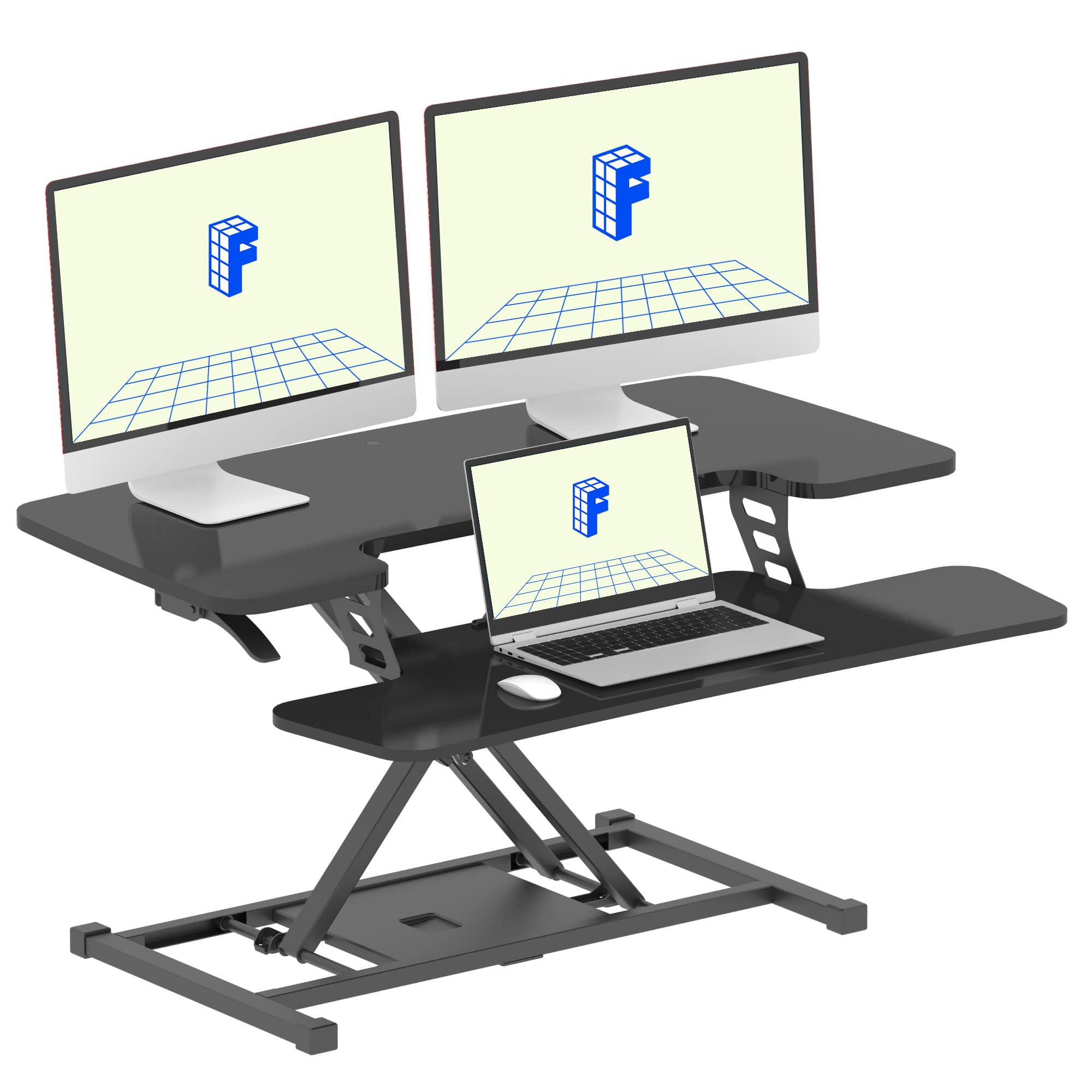
Image: The FLEXISPOT desk converter fully extended to a standing position, set up with dual monitors, a keyboard, and a mouse, demonstrating its use for sit-to-stand transitions.
4. Maintenance
Proper maintenance ensures the longevity and smooth operation of your FLEXISPOT desk converter.
- Paqijî: Rûberên bi nermî paqij bikin, damp çît. Ji paqijkerên abrasive an kîmyewiyên hişk ên ku dibe ku zirarê bidin qedandinê dûr bikin.
- Kontrolkirina Mekanîzmê: Periodically inspect the height adjustment mechanism for any signs of wear or loose components.
- Kapasîteya giran: Do not exceed the specified weight capacities (33 lbs for desktop, 6.6 lbs for keyboard tray) to prevent damage and ensure safe operation.
- Rêveberiya Cable: Regularly check that cables are not pinched or obstructing the movement of the desk converter.
5. Destpêkirin
If you encounter issues with your desk converter, refer to the following common solutions.
| Pirsegirêk | Sedema gengaz | Çare |
|---|---|---|
| Workstation is difficult to raise. | Excessive weight on the desktop; internal spring mechanism requires more force. | Ensure the total weight on the desktop does not exceed 33 lbs. Apply steady, upward force while engaging the lever. If the issue persists, contact customer support. |
| Workstation does not lock at desired height. | Lever not fully released; mechanism obstruction. | Release the height adjustment lever completely. Check for any obstructions around the locking mechanism. |
| Workstation wobbles. | Rûyê nehevseng; girêdanên sist. | Ensure the desk converter is placed on a flat, stable surface. Check all assembly screws to ensure they are tightened. |
6. Specifications
Detailed specifications for the FLEXISPOT 36" Sit-Stand Desk Converter.
- Cins: B0DMSK6RF8
- Nîşan: FLEXISPOT
- Reng: Classic Black
- Mal: Metal, Dar
- Pîvanên Sermaseyê: 36" (W) x 16.3" (K)
- Keyboard Tray Dimensions: 34.6" (W) x 12.2" (K)
- Pîvanên bingehîn: 27.4" (W) x 15.5" (K)
- Rêjeya Rêzkirina Bilindî: 4.7" - 19.6"
- Kapasîteya Giraniya Maseyê: 33 lîre
- Keyboard Tray Weight Capacity: 6.6 lîre
- Giraniya Babetê: Nêzîkî 25.57 lbs
- Overall Item Dimensions (L x W x H): 24.9 x 36 x 19.6 inches (at max height)
- Civîna Pêdivî ye: Erê (Kêmtirîn)
- UPC: 840460420150

Image: A diagram showing the precise measurements of the desk converter, including desktop, keyboard tray, base dimensions, and height adjustment range, along with weight capacities.
7. Garantî û Piştgirî
For warranty information, technical support, or to inquire about replacement parts, please contact FLEXISPOT customer service directly. Refer to the contact information provided in your product packaging or visit the official FLEXISPOT website.
FLEXISPOT Official Webmalper: www.flexispot.com