
1. Destpêk
Thank you for choosing the FOFUN T-Fun NC95 Hybrid Active Noise Cancelling Headphones. This manual provides essential information for the safe and efficient use of your headphones. Please read it thoroughly before use and retain it for future reference.

Image 1.1: T-Fun NC95 Hybrid Active Noise Cancelling Headphones.
2. Naveroka pakêtê
Piştrast bike ku hemî tişt di pakêtê de hene:
- NC95 ANC Headphones
- Cable Audio 3.5mm
- Type A-C Charging Cable
- PU Bag (Carrying Case)
- Rêbernameya Destpêka Zû
- Digital Manual (Downloadable)

Image 2.1: Included accessories and headphones.
3. Hilbera Serîview
3.1 Pêkhateyên Guhdaran

Wêne 3.1: Serview of headphone ports and buttons.
3.2 Fit and Adjustability
- Girêdana Serê Birêkûpêk: The headband can be extended or retracted to fit various head sizes, ensuring a personalized and comfortable fit.
- 90° Rotatable Earcups: The earcups rotate more than 90 degrees, allowing for a comfortable fit and easy storage when not in use.
- Balîfên Guh ên Nerm: Made with quality protein memory foam for extended comfort.
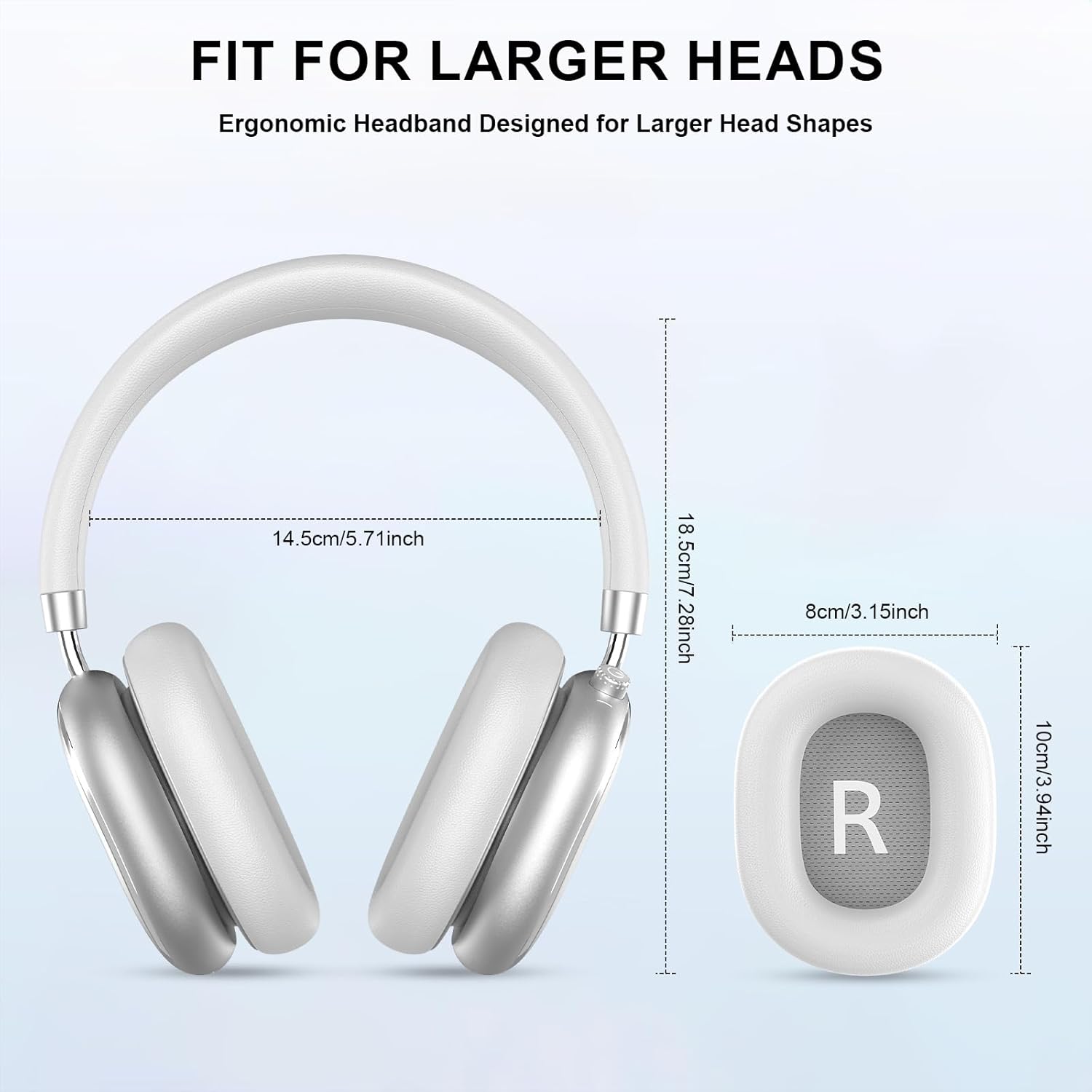
Image 3.2: Headphone dimensions for fit reference.
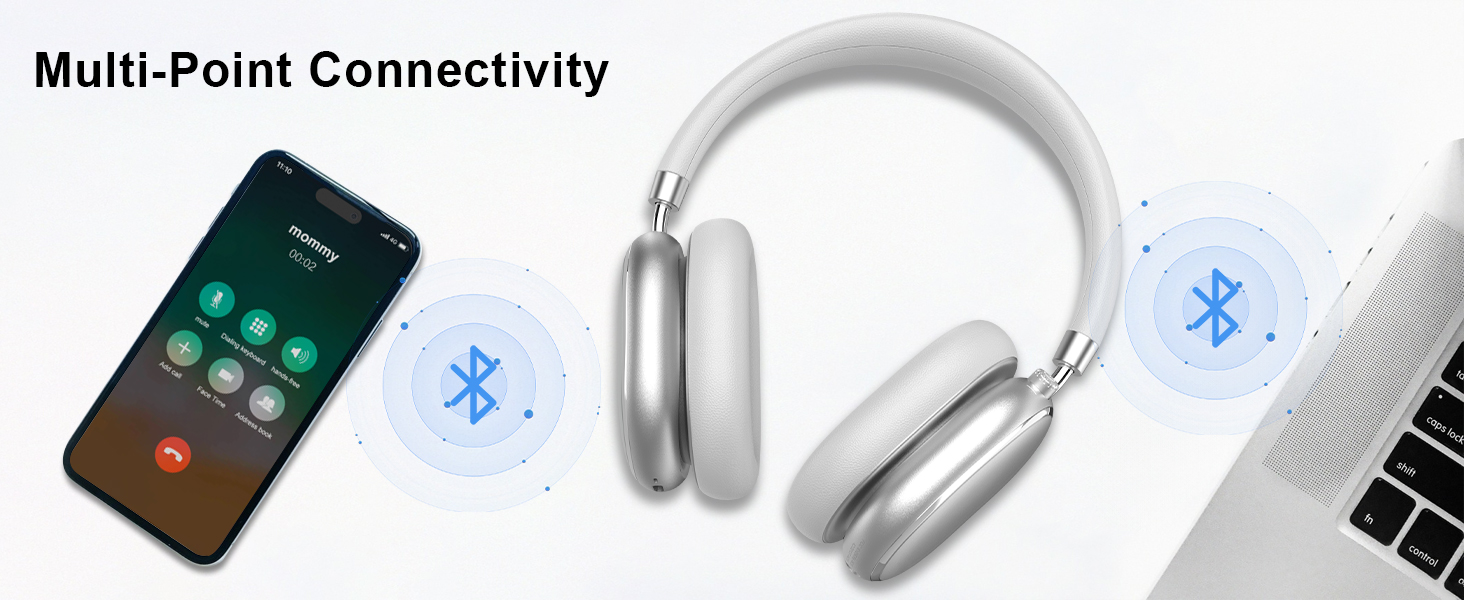
Image 3.3: Adjustable headband for personalized comfort.
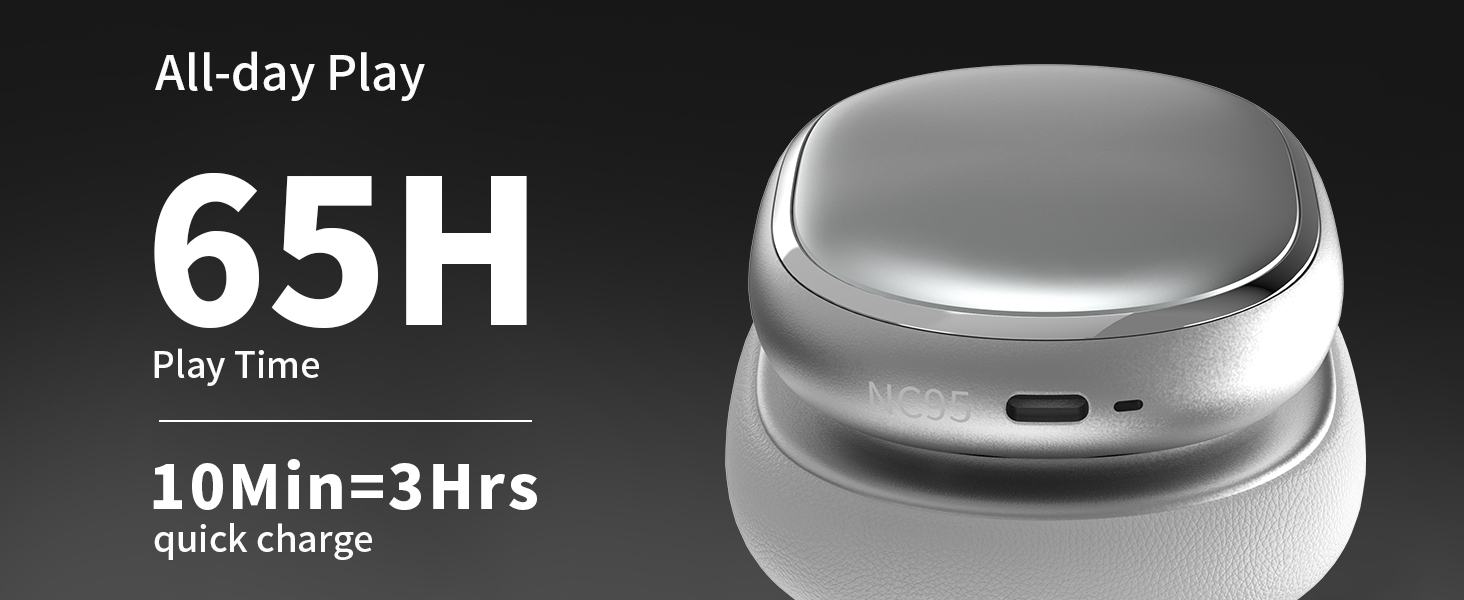
Image 3.4: Earcups rotate for comfort and storage.

Image 3.5: Ultra-soft protein leather ear cushions for comfort.
4. Sazkirin
4.1 Amadekirina Destpêkê
- Remove Protective Sticker: Before first use, gently remove the protective sticker from the sides of the headphones. You may warm the area with a hairdryer (low heat) for easier removal. Peel slowly and remove any sticky residue with warm water or rubbing alcohol.

Image 4.1: Steps for removing the protective sticker.
4.2 Barkirina Guhguhkan
Before initial use, fully charge the headphones. Use the provided Type A-C charging cable.
- Connect the USB-C end of the cable to the charging port on the headphones.
- Connect the USB-A end to a compatible USB power source (e.g., wall adapter, computer USB port).
- Nîşaneya LED rewşa şarjkirinê nîşan dide. Şarjkirineke tevahî bi qasî 2.5 saetan digire.
- A 10-minute quick charge provides approximately 3 hours of playback.

Image 4.2: Battery life and charging information.
4.3 Pairkirina Bluetooth
- Piştrast bike ku guhguhk têne şarj kirin û qut kirin.
- Press and hold the power button (located on the knob control) for 3-5 seconds until the LED indicator flashes, indicating pairing mode.
- Li ser cîhaza xwe (smartphone, tablet, laptop), Bluetooth-ê çalak bike û li cîhazên berdest bigere.
- Select "T-Fun NC95" from the list of devices.
- Once connected, the LED indicator will change to a steady light or flash slowly.
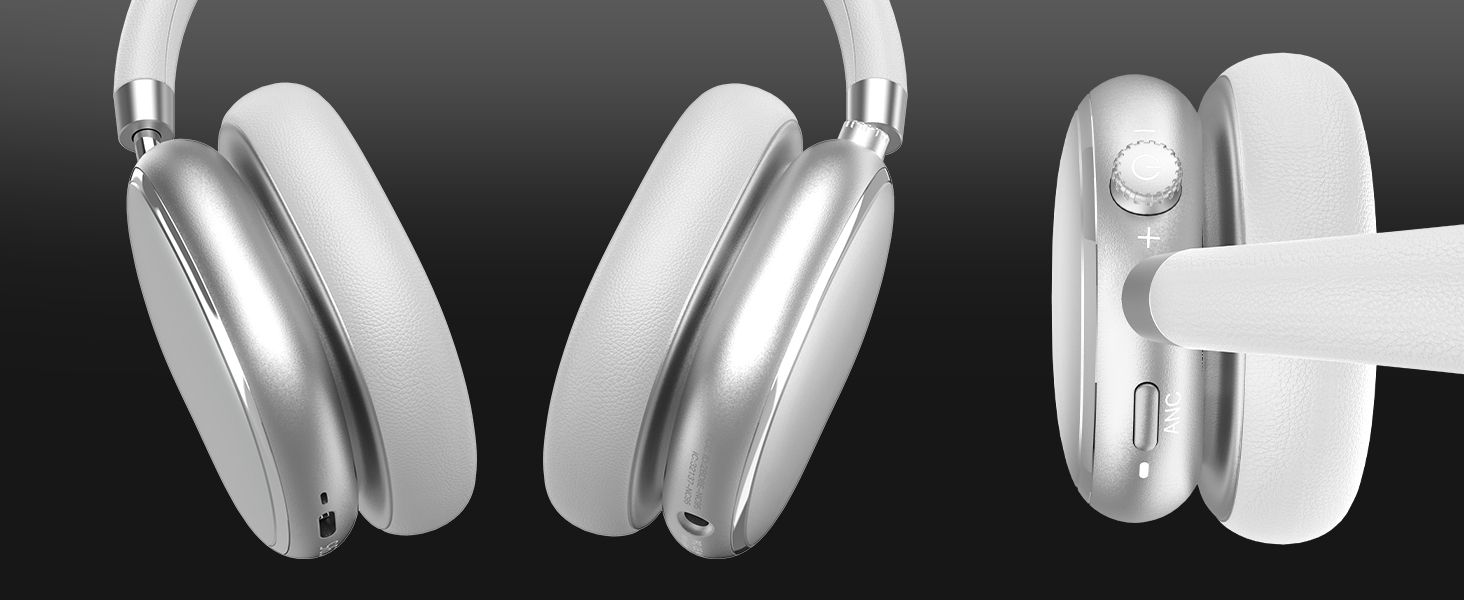
Image 4.3: Multipoint Bluetooth connectivity.
4.4 T-Fun App Installation
For enhanced control and customization, download the official "T-fun" app.
- Search for "T-fun" on the Apple App Store or Google Play Store.
- Sepanê dakêşin û saz bikin.
- Open the app and follow the on-screen instructions to connect your NC95 headphones.

Image 4.4: T-Fun app customization features.

Image 4.5: App download and connection process.
5. Telîmatên Operating
5.1 Power On / Off
- Hêzdarkirin: Press and hold the power button (on the knob) for 3-5 seconds.
- Hêzdarkirin: Press and hold the power button (on the knob) for 3-5 seconds.
5.2 Knob Control Functions
The multi-functional knob control allows for intuitive operation:
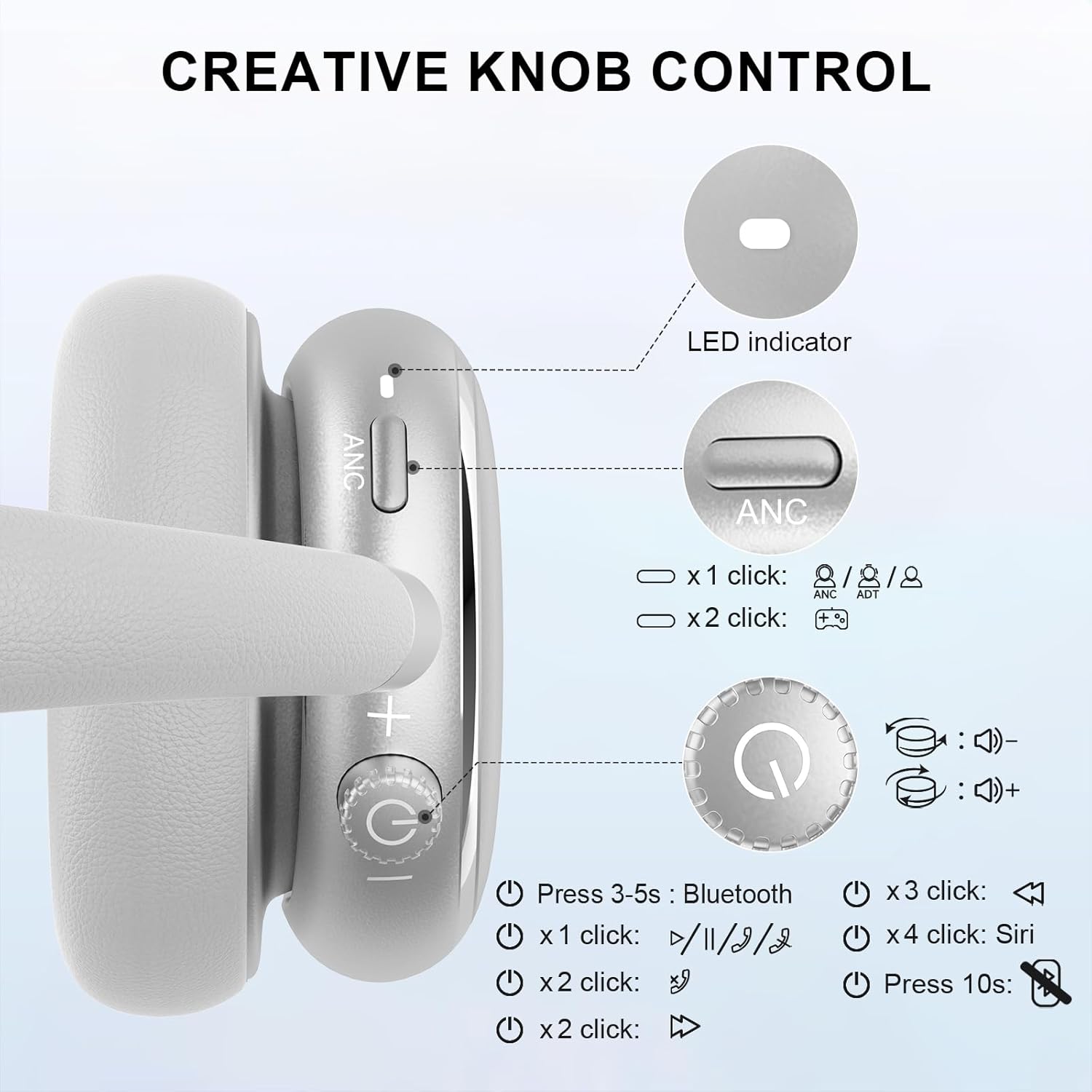
Image 5.1: Creative Knob Control functions.
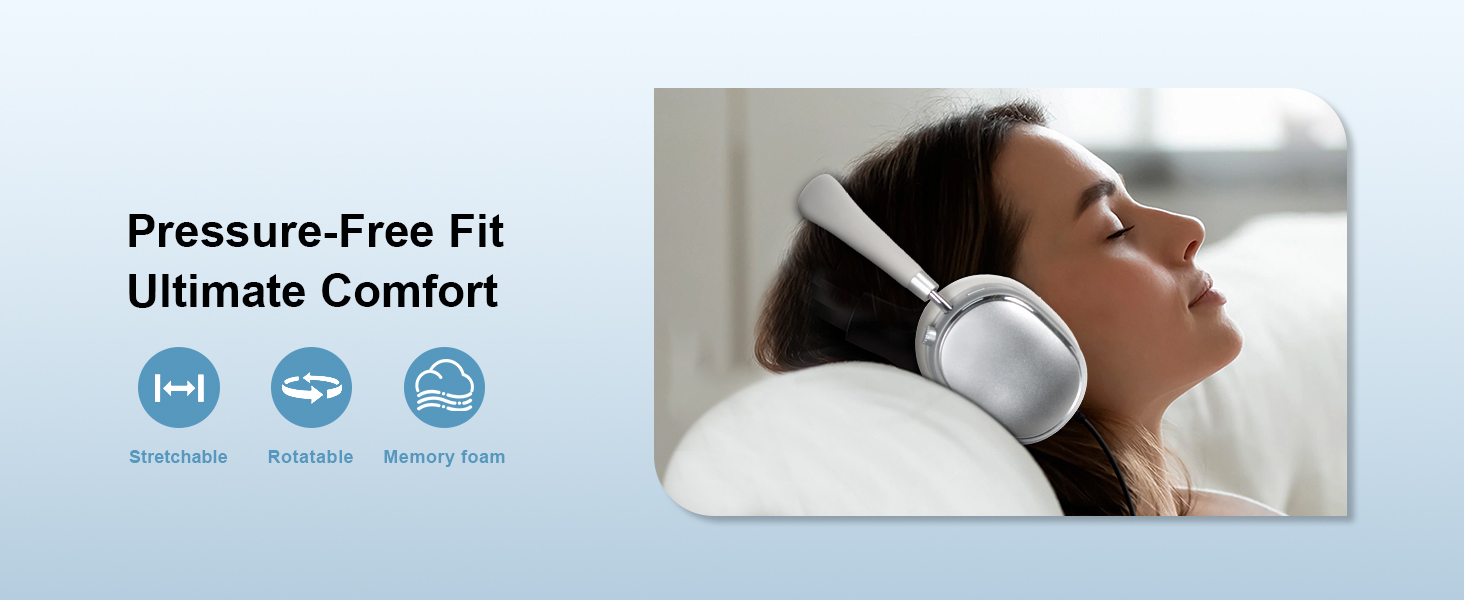
Image 5.2: Multi-functional Knob Control for volume adjustment.
- Guhertina Volume: Ji bo zêdekirina deng bişkokê li gorî saetê bizivirînin, ji bo kêmkirina deng jî li dijî saetê bizivirînin.
- Lîstik / Rawestandin: Carekê bişkokê bikirtînin.
- Bersiv/Dawiya Bangê: Carekê bişkokê bikirtînin.
- Tracka Piştre: Du caran bişkokê bikirtînin.
- Traopa Berê: Sê caran bişkokê bikirtînin.
- Alîkarê Dengî (Siri) çalak bike: Press the knob four times.
- Reset: Bişkojka 10 saniyeyan pêl bike û bigire.
Note: Knob functions are only available in wireless connection mode.
5.3 Betalkirina Dengê Çalak (ANC) û Moda Şefafiyetê
The NC95 headphones feature Hybrid Active Noise Cancellation and Transparency Mode, controlled by a dedicated button.
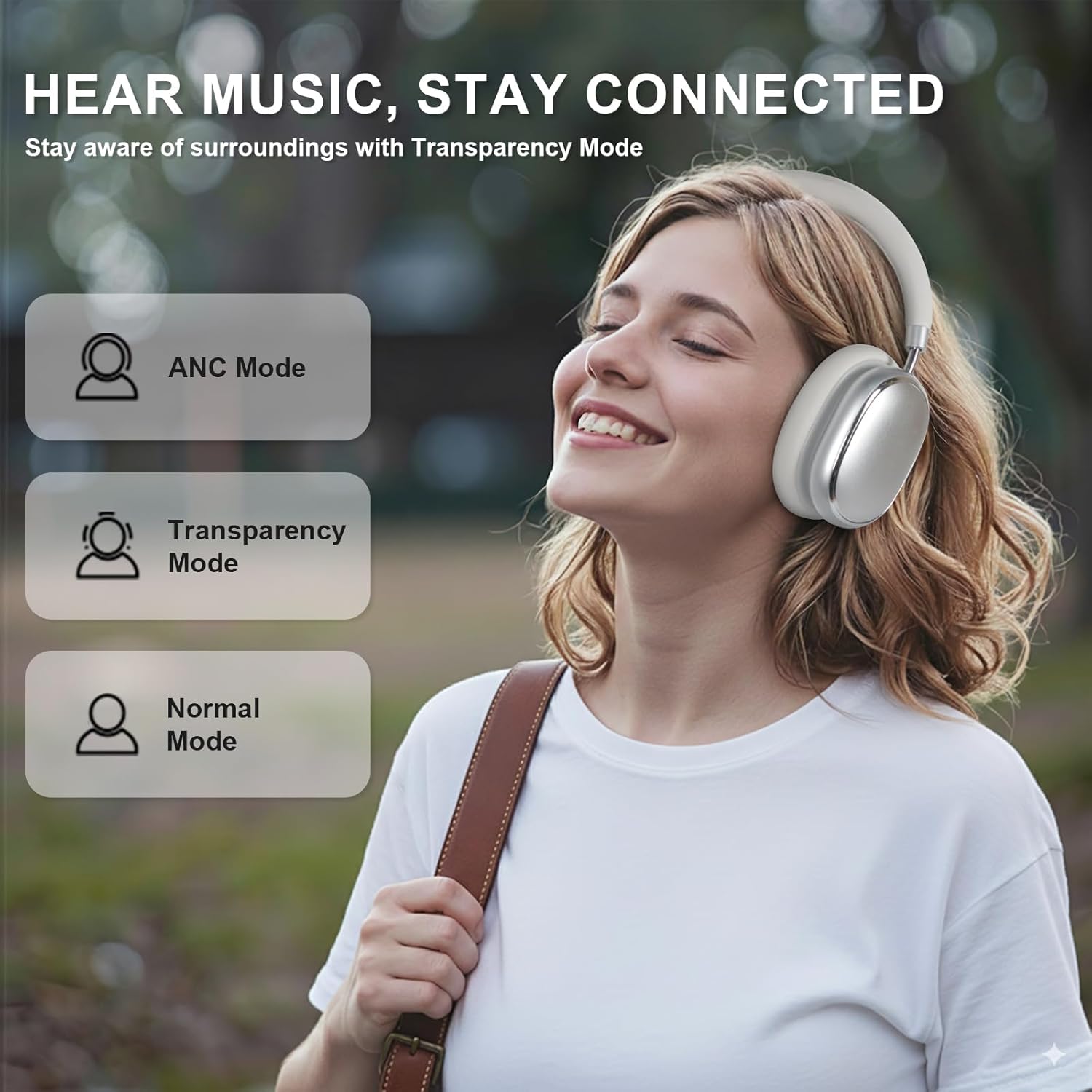
Image 5.3: ANC, Transparency, and Normal modes.

Image 5.4: Noise reduction effectiveness.
- Moda ANC: Press the ANC button once to activate Hybrid Active Noise Cancellation, reducing ambient noise by up to 35dB.
- Moda Zelalbûnê: Press the ANC button again to switch to Transparency Mode, allowing you to hear your surroundings without removing the headphones.
- Moda Normal: Press the ANC button a third time to return to Normal Mode, with ANC and Transparency off.
Note: ANC mode is only available in wireless connection mode.
5.4 Têkiliya Wired
For a wired audio experience or when battery is low, use the 3.5mm audio cable.
- Serê kabloya dengî ya 3.5 mm bi jaka dengî ya li ser guhguhkan ve girêde.
- Serê din bi derana dengî ya 3.5 mm ya cîhaza xwe ve girêbide.
- In wired mode, the knob control functions for volume, playback, and calls are not available.
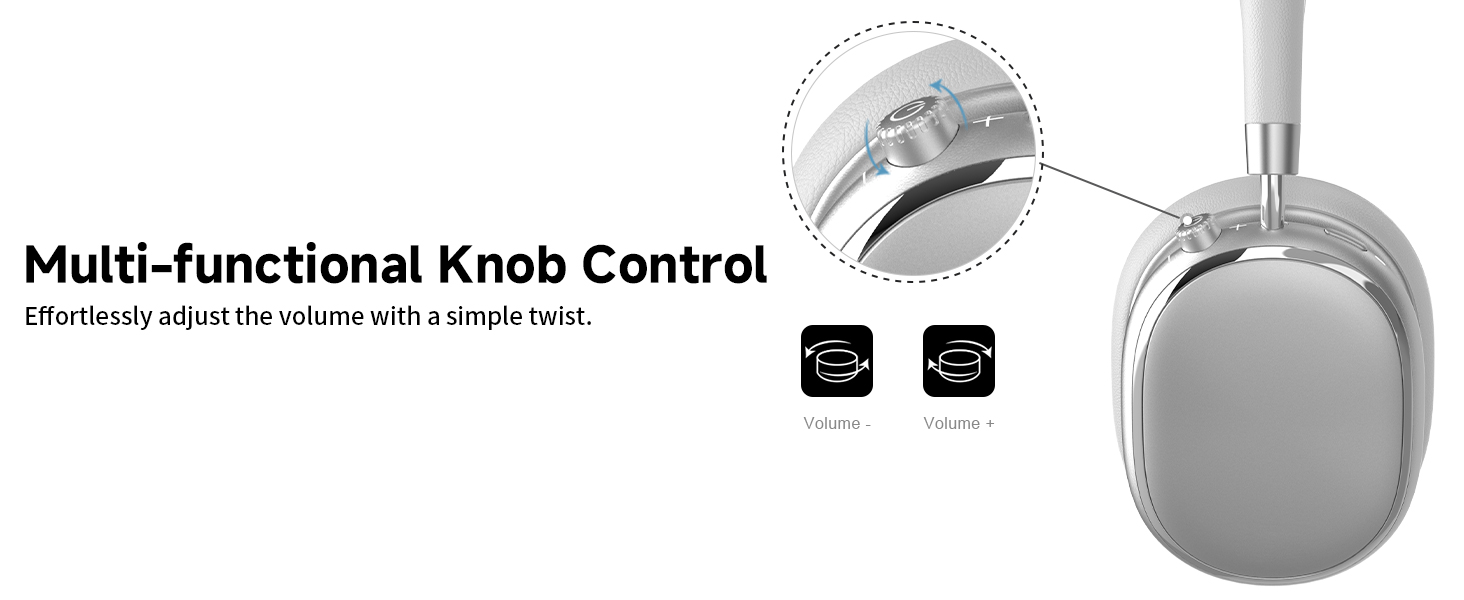
Image 5.5: Wired connection with 3.5mm audio cable.
5.5 Rêveberiya Bangan
When connected via Bluetooth, you can manage calls using the knob control.
- Bersiv/Dawiya Bangê: Carekê bişkokê bikirtînin.
- Bang red kirin: Bişkojka 2 saniyeyan pêl bike û bigire.

Image 5.6: Clear hands-free calls with built-in microphones.
6. Maintenance
6.1 Paqijkirin
- Guhguhkan bi qumaşek nerm û hişk paqij bikin.
- Kîmyewîyên hişk an maddeyên abrasive bikar neynin.
- Ji ketina nav devê şilbûnê dûr bisekinin.
6.2 Storage
- Store the headphones in the provided PU bag when not in use to protect them from dust and scratches.
- Ji hilanînê di germahiyên zêde an nemahiya zêde de dûr bixin.
6.3 Detachable Ear Cushions
The ear cushions are detachable for easy cleaning and replacement, ensuring long-term use.

Image 6.1: Detachable ear cushions for easy care.
7. Destpêkirin
If you encounter issues with your NC95 headphones, refer to the following common solutions:
| Pirsegirêk | Sedema gengaz | Çare |
|---|---|---|
| Guhguhk vêna nabin | Pîlê kêm | Serguhan bi tevahî bar bikin. |
| Bi rêya Bluetooth-ê nayê hevberkirin | Guhguhk di moda cotkirinê de nînin; Bluetooth-a cîhazê girtî ye; Destwerdan heye | Ensure headphones are in pairing mode (flashing LED). Turn device Bluetooth off and on. Move closer to the device. |
| Deng tune | Volume too low; Incorrect audio source; Loose wired connection | Increase volume on headphones and device. Check audio output settings on your device. Re-insert 3.5mm cable firmly. |
| ENKS bi bandor kar nake | ANC not activated; Environmental noise too high | Press the ANC button to cycle through modes. ANC is most effective against low-frequency noise. |
| Pirsgirêkên pêwendiya sepanê | Bluetooth not connected; App glitch | Ensure headphones are connected via Bluetooth. Restart the app or your phone. |
Heke pirsgirêk berdewam bike, ji kerema xwe bi piştgiriya xerîdar re têkilî daynin.
8. Specifications
| Taybetî | Hûrî |
|---|---|
| Navê Model | NC95 |
| Noise Control | Betalkirina Dengê Hîbrîd |
| Bersiva Frequency | 20 Hz - 20 KHz |
| Hisê nazik | 105 dB |
| Impedance | 32 Ohm |
| Headphones Jack | 3.5 mm Jack |
| Teknolojiya Girêdanê | Wireless (Bluetooth), Wired |
| Teknolojiya Ragihandinê ya Wireless | Bluetooth 5.3 |
| Rêzeya Bluetooth | 15 Metre |
| Latentiya Audio | 50 Mîlysekonda |
| Mezinahiya ajokara Audio | 40 Mîlîmetre |
| Tîpa Kontrolê | App Control, Push Button, Knob |
| Battery Life | Up to 65 Hours (ANC playback) |
| Time Charging | 2.5 Saet |
| Asta Berxwedana Avê | Ne Berxwedana Avê ye |
| Babetê Weight | 1.28 lîre |
| Çêker | FOFUN |
9. Garantî û Piştgirî
9.1 Agahî Garantî
For detailed warranty information, please refer to the documentation included with your purchase or contact FOFUN customer service directly. Warranty terms may vary by region and retailer.
9.2 Piştgiriya Mişterî
If you require further assistance or have questions not covered in this manual, please contact FOFUN customer support through their official channels. You can also visit the T-Fun Store on Amazon ji bo çavkaniyên zêde.