
Pêşkêş
This manual provides detailed instructions for the Netac US9 Portable External USB 3.2 Solid State Drive. It covers product features, setup, operation, maintenance, troubleshooting, and technical specifications to ensure safe and efficient use of your device.
The Netac US9 is a high-speed portable SSD designed for reliable data storage and transfer across various devices, featuring both USB-A and USB-C interfaces.
Product Overview
The Netac US9 Portable SSD offers a compact and durable solution for expanding storage and transferring large files quickly. Key features include:
- Veguheztina Daneyên Leza Bilind: Supports read speeds up to 1000MB/s and write speeds up to 920MB/s, utilizing USB 3.2 Gen 2 technology. Actual speeds may vary based on host device and usage.
- Dual Interface Connectivity: Features both USB Type-C and USB 3.2 (Type-A) connectors for broad compatibility with various devices.
- Avakirina Dorable: Encased in a high-quality zinc alloy for enhanced resistance to physical impact and scratches.
- Parastina Navrûyê: A double-sided metal flip cover design protects the USB interfaces from damage.
- Tevhev û sivik: Designed for portability, with dimensions of approximately 78x23x9.65 mm and a weight of about 50g.
- File Encryption Support: Compatible with operating system-level file encryption features for data security.
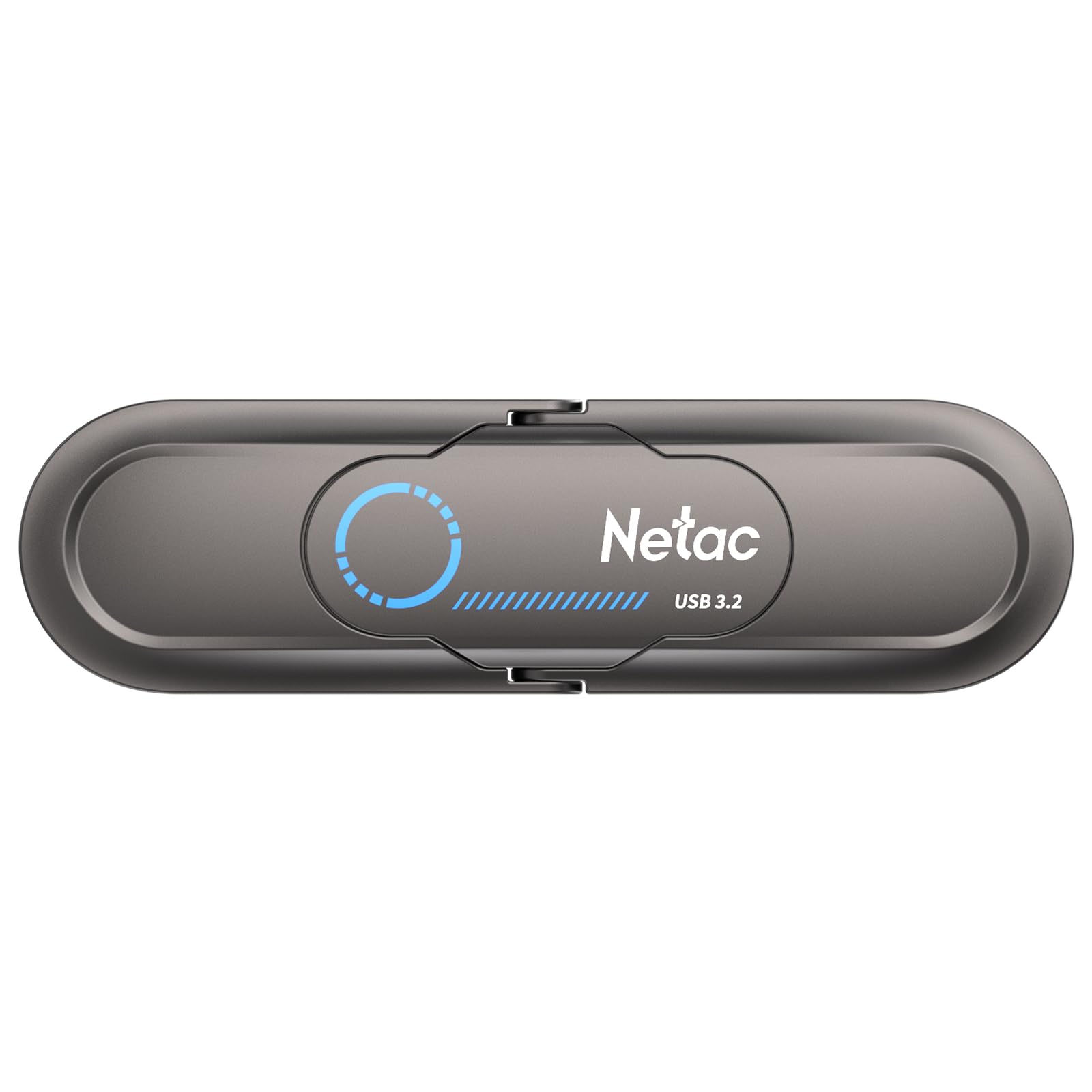
Image: The Netac US9 Portable SSD showcasing its dual USB-A and USB-C interfaces with a protective flip cover.

Image: The Netac US9 Portable SSD with both USB-A and USB-C connectors extended, illustrating its versatile connectivity.
Damezirandin
- Amûrê ji pakkirinê vekin: Carefully remove the Netac US9 SSD from its packaging.
- Identify the Correct Port: Determine whether your host device (computer, game console, smartphone) has a USB-A or USB-C port.
- SSD-ê girêbide:
- For USB-A: Flip open the metal cover to expose the USB-A connector and insert it into an available USB-A port on your device.
- For USB-C: Flip open the metal cover to expose the USB-C connector and insert it into an available USB-C port on your device.
- Naskirina Amûrê: Your operating system should automatically detect the Netac US9 SSD. It may appear as a new drive letter (e.g., E:, F:) on Windows, or as an external volume on macOS/Linux.
- Initial Formatting (Optional): The drive comes pre-formatted. If you wish to reformat it for a specific file system (e.g., NTFS for Windows, HFS+ for macOS, exFAT for cross-platform compatibility), refer to your operating system's disk management tools. Reformatting will erase all data on the drive.

Image: The Netac US9 Portable SSD connected to a laptop via its USB-A interface and to a smartphone via its USB-C interface, demonstrating dual connectivity.
Telîmatên Operating
Veguheztina daneyan
- Gihîştina Drive: Once recognized, open File Explorer (Windows) or Finder (macOS) and navigate to the Netac US9 drive.
- Kopî Files: Kaş bikin û bavêjin files or folders from your computer to the Netac US9 drive, or vice versa. You can also use copy-paste functions.
- Monitor Transfer: A progress bar will indicate the status of your data transfer. For optimal speed, ensure you are connected to a USB 3.2 Gen 2 compatible port.

Image: The Netac US9 Portable SSD positioned on a laptop keyboard, with a graphic indicating a read speed of up to 1000MB/s, highlighting its high-speed data transfer capability.
Safe Rakirina
Always safely eject the drive before disconnecting it to prevent data corruption.
- Windows: Click the "Safely Remove Hardware and Eject Media" icon in the system tray, then select the Netac US9 drive.
- macOS: Drag the drive icon from your desktop to the Trash, or right-click (Control-click) the drive icon and select "Eject".
File Encryption (If Supported by OS)
The Netac US9 supports file encryption to protect your data. This feature is typically managed through your operating system's built-in encryption tools (e.g., BitLocker for Windows, FileVault for macOS). Consult your OS documentation for specific instructions on enabling drive encryption.

Image: The Netac US9 Portable SSD connected to a laptop, with a graphic overlay showing a shield icon containing a locked folder, representing the device's support for file şîfreyê.
Lênerrînî
- Lênihêrîna Fizîkî: Keep the drive clean and free from dust. Use a soft, dry cloth for cleaning. Avoid exposing the drive to extreme temperatures, direct sunlight, or moisture.
- Parastina Girêdanan: Always use the integrated metal flip cover to protect the USB-A and USB-C connectors when not in use.
- Ji dilopan dûr bixin: Dema ku alloy zincê casing offers durability, avoid dropping the drive to prevent potential internal damage.
- Kopiyên Parastinê yên Birêkûpêk: Periodically back up important data stored on the SSD to another location to prevent data loss from unforeseen circumstances.

Image: The Netac US9 Portable SSD with an arrow illustrating the movement of its protective metal flip cover, emphasizing the interface protection design.
Çareserkirina pirsgirêkan
- Ajokar Nayê Naskirin:
- Piştrast bike ku ajokar bi tevahî ketiye porta USB-yê.
- Li ser cîhaza xwe porta USB-ya cûda biceribînin.
- Try connecting to a different computer or device to rule out port issues.
- Check your operating system's Disk Management (Windows) or Disk Utility (macOS) to see if the drive is detected but uninitialized or unformatted.
- Lezên Veguhestina Hêdî:
- Ensure you are connected to a USB 3.2 Gen 2 compatible port for maximum performance. Older USB 2.0 or 3.0 ports will result in lower speeds.
- Piştrast bike ku ajokarên komputera te ji bo portên USB-ê nûve ne.
- Hejmareke mezin a piçûk files transfer slower than fewer large files.
- Other background processes on your computer can affect transfer speeds.
- Drive Gets Warm During Use:
It is normal for the drive to become warm during extended high-speed data transfers due to the nature of SSD technology and the metal casing acting as a heat sink. This does not indicate a malfunction.
Specifications
| Taybetî | Hûrî |
|---|---|
| Nîşan | Netac |
| Navê Model | US9 |
| Kapasîteya Storage Memory | 512 GB |
| Teknolojiya Girêdanê | USB |
| Navrûya Alavê | USB Type C, USB 3.2 Gen 2 |
| Leza Xwendinê (Herî Zêde) | 1000 MB/s |
| Leza Nivîsandinê (Herî Zêde) | 920 MB/s |
| Mal | Zinc Alloy |
| Dimensions | 78 x 23 x 9.65 mm (nêzîkî) |
| Babetê Weight | Approximately 50g (1.76 ounces) |
| Pergalên Piştevanî | Windows, macOS, Linux, Android, HarmonyOS, iOS |
| Taybetmendiya Taybet | Encrypted (OS-dependent) |

Image: A detailed specification table for the Netac US9 Portable SSD, listing features such as brand, model, interface, capacity, size, material, color, supported systems, and warranty.
Garantî û Piştgirî
The Netac US9 Portable External USB 3.2 Solid State Drive comes with a Garantiya 5 salan bê xem. For technical assistance, product inquiries, or warranty claims, please contact Netac customer service.
Refer to the official Netac website or the contact information provided with your product packaging for the most up-to-date support channels.