
AJAZZ AKP03
Rêbernameya Bikarhêner a Kontrolkera Herikînê ya AJAZZ AKP03
Model: AKP03
1. Destpêk
This manual provides detailed instructions for the setup, operation, and maintenance of your AJAZZ AKP03 Stream Controller. Please read this manual thoroughly before using the device to ensure proper functionality and to maximize your user experience. Keep this manual for future reference.
2. Hilbera Serîview
The AJAZZ AKP03 is a versatile stream controller designed to enhance desktop productivity and control. It features customizable buttons, knobs, and an LCD screen for efficient management of applications, streaming, and system monitoring.
2.1 Naveroka pakêtê
- AJAZZ AKP03 Stream Controller
- Tîpa C Cable USB
- Destûra Rêvekirinê (ev belge)
2.2 Components Device
The AKP03 Stream Controller includes the following key components:
- 6 Visual Buttons: Customizable buttons with LCD displays for various functions.
- 3 Metal Knobs: For precise control over settings like volume or scrolling.
- 3 Switch Buttons: Additional programmable buttons.
- Navrûya Type-C: Ji bo girêdana bi komputera xwe.
- Detachable 40° Anti-Slip Stand: Provides an ergonomic viewing and operating angle.

Wêne 1: Ser view of the AJAZZ AKP03 Stream Controller, showing the 6 visual buttons, 3 metal knobs, and 3 switch buttons.
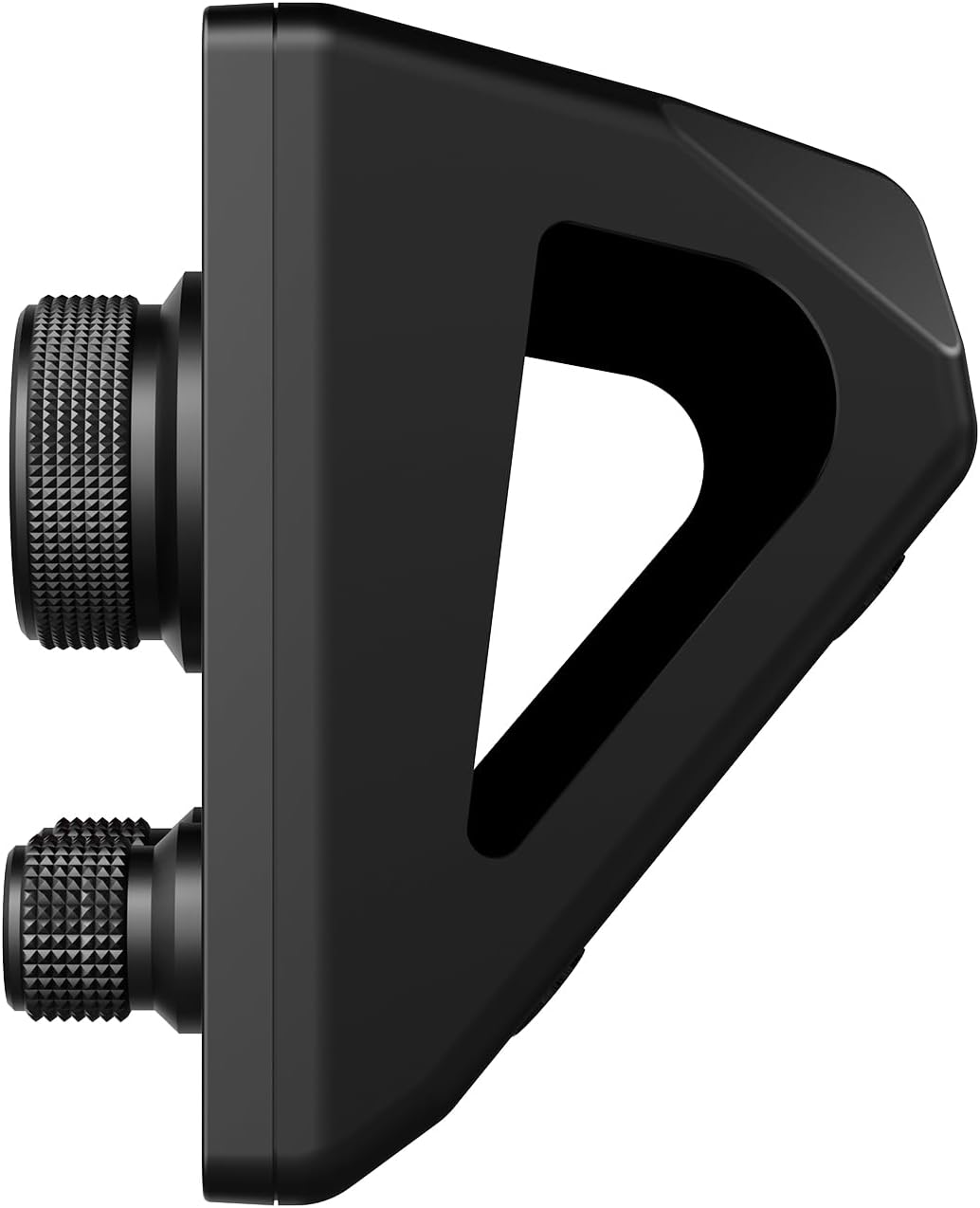
Wêne 2: Alî view of the AJAZZ AKP03 Stream Controller, illustrating the detachable 40-degree anti-slip stand and the profile of the knobs.
3. Sazkirin
3.1 Pêdiviyên Sîstemê
- Windows 7 an jor
- macOS 10.13 an jor
- Porta USB 3.0 ya berdest (ji bo performansa çêtirîn tê pêşniyar kirin)
3.2 Amûrê bi hev ve girêdide
- Connect one end of the provided Type-C USB cable to the Type-C port on the AJAZZ AKP03 Stream Controller.
- Connect the other end of the USB cable to an available USB port on your computer. For best results, use a USB 3.0 port (often identified by a blue interior).
- The device should be recognized by your operating system.
3.3 Girêdana standê
The detachable 40° anti-slip stand can be easily attached to the controller. Align the stand with the slots on the bottom of the controller and gently push until it snaps securely into place. This provides an ergonomic angle for use.
3.4 Sazkirina Software
To fully customize and utilize the features of the AKP03 Stream Controller, dedicated software is required. Please visit the official AJAZZ website to download the latest version of the control software compatible with your operating system. Follow the on-screen instructions for installation.
Note: Ensure you download software only from the official AJAZZ webmalperê da ku ji pirsgirêkên lihevhatinê an xetereyên ewlehiyê dûr bikevin.
4. Telîmatên Operating
Once the software is installed and the device is connected, you can begin customizing and operating your AKP03 Stream Controller.
4.1 Customizing Buttons and Knobs
- Launch the AJAZZ control software on your computer.
- Within the software interface, you will find options to assign functions to the 6 visual buttons, 3 metal knobs, and 3 switch buttons.
- Visual Buttons: These buttons can be programmed for various actions such as launching applications, triggering macros, controlling streaming software, or executing editing shortcuts in programs like Adobe Photoshop. Customizable icons can be assigned for visual identification.
- Metal Knobs: The knobs can be configured for functions such as media control (play/pause, next/previous track), master Windows volume adjustment, or assigning hotkeys.
- Switch Buttons: These provide additional programmable inputs for quick actions.
4.2 LCD Side Screen Functions
The integrated LCD side screen can display real-time information about your computer's performance, such as CPU utilization and memory usage. This feature helps you monitor your system's health during intensive tasks.
4.3 Enhancing Productivity
The AKP03 Stream Controller is designed to streamline workflows in various applications, including:
- Managing desktop applications and websites.
- Controlling streaming media and chat platforms.
- Executing editing shortcuts in photo and video editing software.
- Assisting in game production, medical imaging, and music production.
5. Maintenance
To ensure the longevity and optimal performance of your AJAZZ AKP03 Stream Controller, follow these maintenance guidelines:
- Paqijî: Use a soft, dry cloth to wipe the surface of the device. For stubborn dirt, a slightly damp cloth with mild soap can be used, ensuring no liquid enters the device. Avoid abrasive cleaners or solvents.
- Embarkirinî: When not in use, store the controller in a clean, dry environment away from direct sunlight and extreme temperatures.
- Lênêrîna Kabloyê: Handle the Type-C USB cable gently. Avoid bending or twisting it excessively to prevent damage.
6. Destpêkirin
If you encounter issues with your AKP03 Stream Controller, refer to the following troubleshooting steps:
6.1 Amûr Bersivê Nade
- Têkiliya USB-ê kontrol bikin: Ensure the Type-C USB cable is securely connected to both the controller and your computer. Try a different USB port, preferably a USB 3.0 port.
- Komputerê ji nû ve bidin destpêkirin: Carinan ji nû ve destpêkirina komputerê ya hêsan dikare pirsgirêkên pêwendiyê çareser bike.
- Kabloyê kontrol bikin: Try using a different Type-C USB cable to rule out a faulty cable.
6.2 Software Issues
- Nermalavê ji nû ve saz bike: If the software is not functioning correctly, uninstall it and download the latest version from the official AJAZZ website, then reinstall.
- Lihevhatî: Verify that your operating system meets the minimum requirements (Windows 7+ / macOS 10.13+).
- Administrator Privileges: Ensure the software is run with administrator privileges during installation and operation if necessary.
6.3 Knobs Not Performing Desired Functions
- Veavakirina Nermalavê: Confirm that the knobs are correctly configured within the AJAZZ control software for the desired actions (e.g., media control, master volume, hotkeys).
- Fokusa Serlêdanê: Ensure the target application is in focus when attempting to use knob functions that interact with specific software.
If problems persist after attempting these steps, please contact AJAZZ customer support for further assistance.
7. Specifications
| Cins | AKP03 |
| Mezinahiya Hilberê | 130 x 80 x 60 mm (5.12 x 3.15 x 2.36 înç) |
| Babetê Weight | 160 g (5.64 onsan) |
| Hejmara Bişkokên | 6 Visual buttons + 3 Metal knobs + 3 Switch buttons |
| Interface | USB-Type-C |
| Compatibility System | Windows 7 û jor, macOS 10.13 û jor |
| Mal | Pîlastîk |
| Reng | Reş |
| Taybetmendiyên Taybet | Customizable Display Keys, Macro Keys, LCD Side Screen |
8. Garantî û Piştgirî
8.1 Agahî Garantî
AJAZZ provides a 12-month service guarantee for the AKP03 Stream Controller from the date of purchase. This warranty covers manufacturing defects under normal use. It does not cover damage caused by misuse, accidents, unauthorized modifications, or improper installation.
8.2 Piştgiriya Mişterî
If you have any questions, require technical assistance, or experience issues not covered in the troubleshooting section, please contact AJAZZ customer support. Refer to the official AJAZZ webmalper ji bo agahdariyên têkiliyê û çavkaniyên piştgiriyê.
Ask a question about this manual
Ask about setup, troubleshooting, compatibility, parts, safety, or missing instructions. Manuals+ will review the question and use this page’s manual context to help answer it.