
1. Hilbera Serîview
The iJoy Mini Projector is a compact and portable device designed for versatile entertainment. It supports Full HD 1080P video quality and offers various connectivity options, making it suitable for home cinema, outdoor movie nights, or enhancing room decor. The projector features a built-in HiFi speaker and supports expandable storage via a micro SD card.

Figure 1.1: The iJoy Mini Projector, showing its compact design, included remote control, and USB cables.
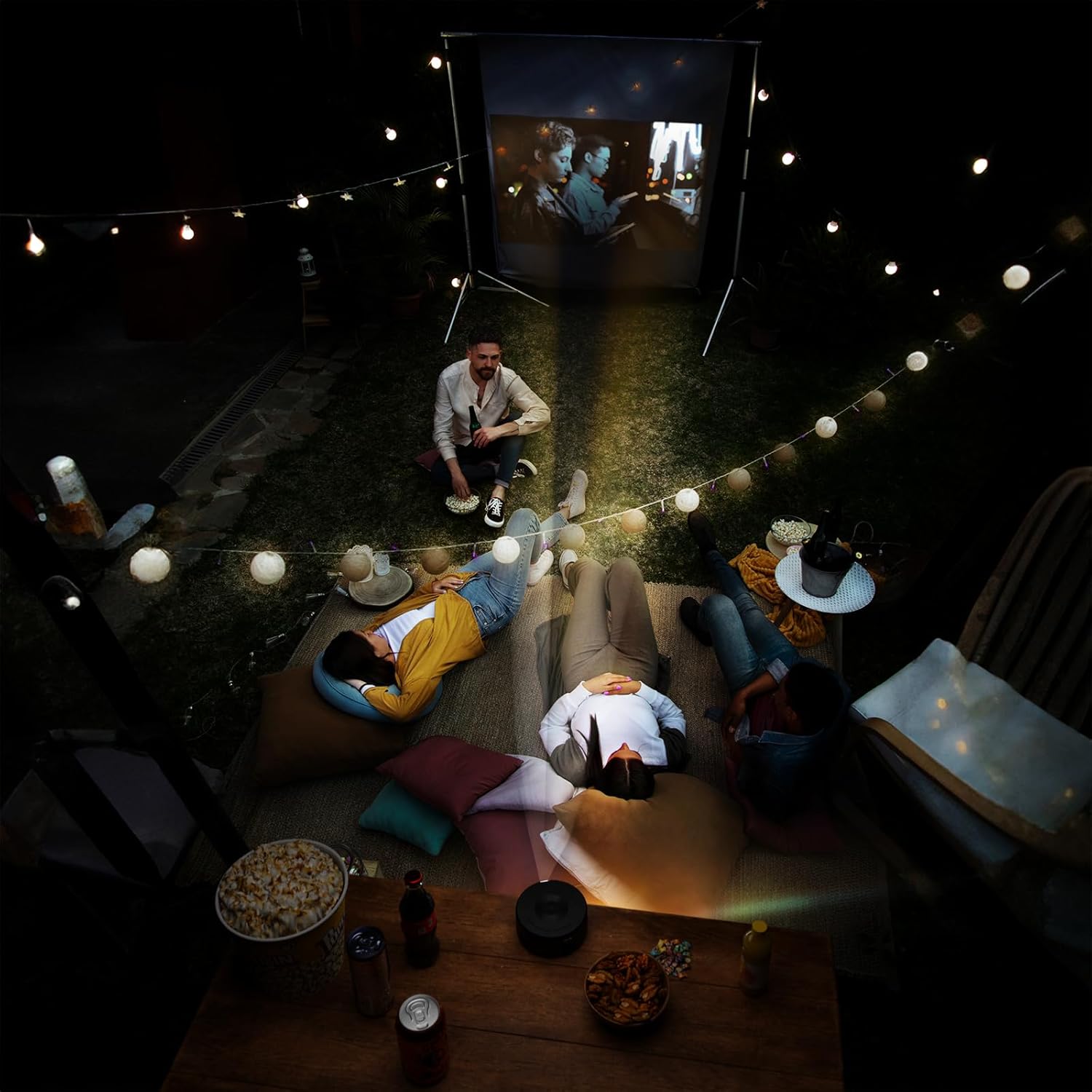
Figure 1.2: Dimensions of the iJoy Mini Projector, measuring 4.5 inches across and 2 inches tall, highlighting its compact size.
2. Naveroka pakêtê
Dema vekirina pakêtê, pê ewle bin ku hemî tiştên jêrîn li ber destan in:
- iJoy Mini Projector
- Manual Bikarhêner (ev belge)
- Power Adapter
- Remote Control
- USB Cables (Type-A to Type-C)
- Mini Tripod (if included with your specific model)
3. Guide Setup
3.1 Girêdana Hêzê
- Connect the provided power adaptor to the projector's power input port.
- Plug the power adaptor into a standard electrical outlet.
- The projector will typically indicate power status with an LED light.
3.2 Placement and Positioning
Ji bo çêtirîn viewing, place the projector on a stable, flat surface. The included mini tripod can be used to adjust the angle and height. Ensure there are no obstructions in front of the lens or around the ventilation openings.
- Dûrahiya projekirinê: Adjust the distance between the projector and the projection surface (wall or screen) to achieve the desired screen size.
- Rêzkirina Focus: Use the focus wheel on the projector to sharpen the image until it is clear.

Figure 3.1: The projector in use, demonstrating its ability to project high-quality video with an adjustable screen size, suitable for various environments.
4. Telîmatên Operating
4.1 Girêdana Amûrên
The iJoy Mini Projector offers multiple ways to connect your devices:
- iOS Devices (iPhone/iPad): Connect directly using a compatible USB cable (e.g., Lightning to USB). The projector supports plug-and-play functionality for iOS.
- Amûrên Android: Connect using a compatible USB cable (e.g., USB-C to USB). An app may be required for screen mirroring on some Android devices. Refer to your device's instructions for specific mirroring requirements.
- Depoya USB: Insert a USB flash drive into the projector's USB port to play media filerasterast.
- Karta Micro SD: Insert a micro SD card into the designated slot to access media files.
- Bluetooth: The projector features Bluetooth connectivity. This is primarily for connecting to external audio devices like Bluetooth speakers. To pair, navigate to the Bluetooth settings on the projector's menu and select your desired device.

Figure 4.1: Demonstrates the projector's compatibility with iPhone devices, allowing for direct plug-and-play connection.

Figure 4.2: Illustrates the projector's support for Android devices, which may require an app download for full functionality.
4.2 Operasyona bingehîn
- Power On / Off: Ji bo vekirina an girtina cîhazê, bişkoja hêzê ya li ser projektorê an jî li ser dûrbînê bikirtînin.
- Hilbijartina Çavkaniya Ketinê: Use the remote control or the projector's buttons to navigate the menu and select the desired input source (e.g., USB, Micro SD, Phone).
- Rêserbirinî: Use the arrow keys and OK/Enter button on the remote or projector to navigate menus and confirm selections.
- Kontrolkirina Volume: Adjust the volume using the dedicated volume buttons on the remote control. The projector has a built-in HiFi speaker.
5. Maintenance
Proper maintenance ensures the longevity and optimal performance of your iJoy Mini Projector.
- Paqijkirina Lensê: Lensa projektorê bi qumaşek nerm û bê lîf ku bi taybetî ji bo rûberên optîkî hatiye çêkirin bi nermî paqij bikin. Paqijkerên aşınker an jî hêza zêde bikar neynin.
- Rakirina tozê: Keep the projector free from dust. Use a soft brush or compressed air (held upright) to clean ventilation openings.
- Embarkirinî: When not in use, store the projector in a cool, dry place, away from direct sunlight and extreme temperatures. Use the original packaging or a protective case to prevent damage.
- Bi rêkûpêk vekêşanê: Her tim projektorê bi bişkoja hêzê ya diyarkirî vemirînin û berî ku hûn projektorê ji elektrîkê veqetînin an jî biguhezînin, bihêlin sar bibe.
6. Destpêkirin
If you encounter issues with your iJoy Mini Projector, refer to the following common problems and solutions:
| Pirsegirêk | Sedema gengaz | Çare |
|---|---|---|
| Wêneyek nehatiye pêşandan |
|
|
| Wêne nezelal e an jî ji fokusê derketiye |
|
|
| Deng tune |
|
|
| Device not connecting via USB |
|
|
7. Specifications
| Taybetî | Hûrî |
|---|---|
| Nîşan | iJoy |
| Hejmara Model | B0D6GVWNK2 |
| Babetê Weight | 13.1 onsan |
| Mezinahiyên pakêtê | 7 x 6.5 x 3 inches |
| Batteries | 1 Battery Lithium Ion (tevî) |
| Reng | Reş |
| Taybetmendiyên Taybet | Cîtêgûherr |
| Bikaranîna Pêşniyar kirin | Sînemaya Malê |
| Teknolojiya Girêdanê | Bluetooth, USB |
| Resolution Display | 1024 x 768 (Xwemalî) |
| Dîroka Yekem Berdest | 7 Hezîran 2024 |
8. Garantî û Piştgirî
For detailed warranty information, please refer to the warranty card included with your product or visit the official iJoy website. If you require technical support or have questions not covered in this manual, please contact iJoy customer service through their official channels.
You can often find support contact information on the product packaging or the brand's official webmalper. Rapora kirîna xwe wekî delîla kirînê ji bo îdîayên garantiyê biparêzin.


