
1. Destpêk
Thank you for choosing the CHiQ 22F650 22-inch FHD Monitor. This manual provides essential information for setting up, operating, and maintaining your monitor. Please read it thoroughly before use to ensure optimal performance and safety.
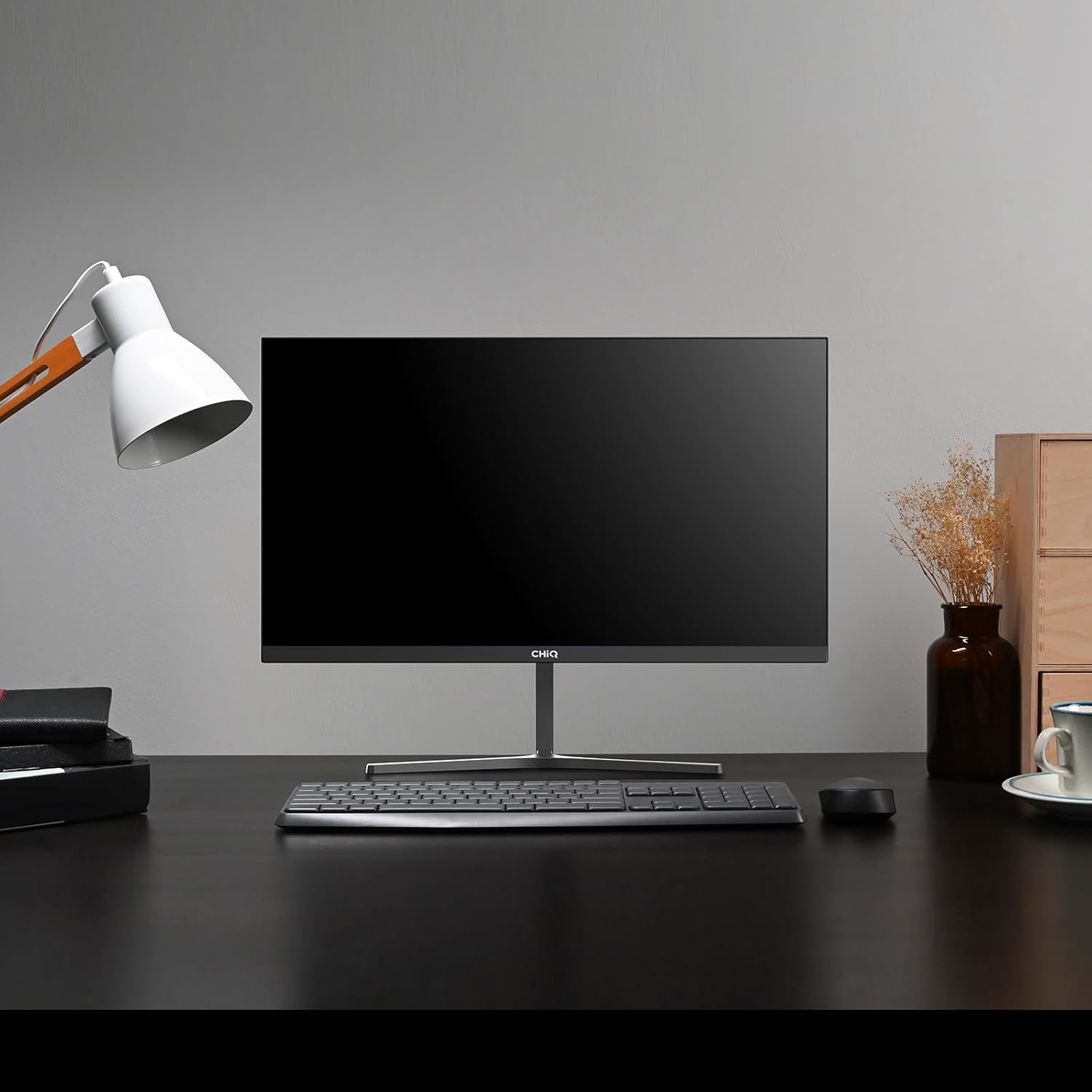
Image 1.1: The CHiQ 22F650 monitor set up on a desk.
The CHiQ 22F650 monitor features a 22-inch Full HD (1920 x 1080) display with a 100Hz refresh rate and AMD FreeSync technology for smooth visuals. Its ultra-thin, borderless design offers an immersive viewing experience, complemented by 100% sRGB color gamut and DC dimming for eye comfort.
2. Agahiyên Ewlekariyê
Please observe the following safety precautions to prevent damage to the monitor and ensure your safety:
- Monîtorê li ber baran, şilbûn, an germahiyên zêde nehêlin.
- Li dora monîtorê hewakirineke guncaw peyda bikin. Deriyên hewakirinê negirin.
- Use only the power adapter and cables provided or recommended by the manufacturer.
- Ji danîna tiştên giran li ser kabloya elektrîkê dûr bixin.
- Ger monîtor ji bo demek dirêj neyê bikaranîn, pêveka elektrîkê ji prizê veqetînin.
- Hewl nedin ku monîtorê bi xwe tamîr bikin. Hemû xizmetên xizmetguzariyê ji karmendên pispor re bişînin.
3. Naveroka pakêtê
Piştrast bike ku hemî tişt di pakêta te de hene:
- CHiQ 22F650 Monitor
- Standê Monîtorê (Bingeh û Stû)
- Adapter û Cable Power
- Cable HDMI
- Manual Bikarhêner (ev belge)
4. Civîn û Setup
4.1 Civîna Stand
- Monîtorê bi baldarî ji pakêta wê derxin, ekranê biparêzin.
- Attach the stand neck to the monitor panel.
- Bi karanîna pêça peydakirî, bingeha stendê bi stûyê stendê ve girêdin.
The monitor features a quick detachable Y-shaped metal stand for easy assembly.
4.2 Girêdana Monitor
Connect the monitor to your computer or other devices using the available ports:
- HDMI: Kabloyek HDMI ji derana HDMI ya komputerê xwe bi têketina HDMI ya monitorê ve girêbide.
- VGA: Kabloyek VGA ji derana VGA ya komputerê xwe bi têketina VGA ya monîtorê ve girêbide.
- Deng: Connect headphones or external speakers to the 3.5mm headphone output jack.
- Erk: Connect the power adapter to the monitor's DC input and then plug it into a power outlet.

Image 4.1: Monitor connectivity ports (HDMI, VGA, Headphone Output).
4.3 Adjusting the Monitor Angle
The monitor's stand allows for tilt adjustment from +5° to -15° to achieve an optimal viewAngle.

Image 4.2: Monitor tilt adjustment and VESA mount points.
4.4 VESA Wall Mounting
The monitor is compatible with VESA 75x75mm wall mounts. To mount the monitor on a wall, remove the stand and attach a compatible VESA bracket (sold separately) to the mounting holes on the back of the monitor.
5. Telîmatên Operating
5.1 Power On / Off
Ji bo vemirandin an vekirinê, bişkoja hêzê ya li pişta monîtorê bikirtînin.
5.2 Menûya Nîşandana Li Ser Ekranê (OSD)
The monitor features joystick-type buttons on the rear for navigating the OSD menu. Use these buttons to adjust various display settings:
- Ronahî/Berevajî: Ronahîya giştî û cudahiya di navbera deverên ronahî û tarî de eyar bike.
- Mîhengên Rengê: Germahiya reng, gama, û nirxên RGB yên takekesî biguherîne.
- Çavkaniya Ketinê: Di navbera têketinên HDMI û VGA de bi destî hilbijêre.
- Moda Wêne: Ji modên nîşandanê yên pêşwextkirî hilbijêre (mînak, Standard, Lîstik, Fîlm).
- Deng: Adjust volume for the headphone output.

Image 5.1: Visual features of the CHiQ 22F650 monitor, including 100% sRGB and DC Dimming.
5.3 Teknolojiya FreeSync
The CHiQ 22F650 monitor supports AMD FreeSync technology, which synchronizes the monitor's refresh rate with your graphics card's frame rate. This helps eliminate screen tearing and stuttering, providing a smoother gaming and viewing experience. FreeSync is typically enabled automatically when connected to a compatible AMD graphics card.
Video 5.1: This video demonstrates the smooth performance of the CHiQ 22F650 monitor, highlighting features like 100Hz refresh rate and FreeSync technology, and its ultra-thin design.
6. Maintenance
6.1 Paqijkirina Monitor
- Berî paqijkirinê, her tim monîtorê ji priza elektrîkê veqetînin.
- Bi sivikî qumaşekî nerm û bê perz bi kar bînin dampbi avê an jî bi paqijkerek nerm û neaşêrîn a ekranê were paqijkirin.
- Paqijker rasterast li ser ekranê nerijînin.
- Ji bo rakirina toz û lekeyan ekranê bi nermî paqij bikin.
- Ji bo monîtorê casing, qumaşek nerm û hişk bikar bînin.
6.2 Storage
If storing the monitor for an extended period, place it in its original packaging in a dry, cool environment to protect it from dust and damage.
7. Destpêkirin
Heke hûn bi çavdêriya xwe re rastî pirsgirêkan werin, li pirsgirêk û çareseriyên hevpar ên jêrîn binêrin:
| Pirsegirêk | Sedema gengaz | Çare |
|---|---|---|
| Li ser dîmenderê wêneyek tune | Power cable disconnected, video cable loose/disconnected, incorrect input source selected. | Check power and video cable connections. Ensure the correct input source (HDMI/VGA) is selected in the OSD menu. |
| Wêne nezelal an jî tehrîkkirî ye | Incorrect resolution, faulty video cable. | Set the display resolution to 1920 x 1080. Try a different video cable. |
| Reng ne rast in | Color settings in OSD, faulty video cable. | Adjust color settings in the OSD menu. Try a different video cable. |
| Screen fickering | Refresh rate mismatch, FreeSync issue, faulty cable. | Ensure your graphics card output matches the monitor's 100Hz refresh rate. Check FreeSync settings. Try a different video cable. |
| No audio from headphone output | Volume too low, incorrect audio output selected on computer. | Adjust volume in OSD. Ensure the monitor is selected as the audio output device on your computer. |
8. Specifications
Detailed technical specifications for the CHiQ 22F650 monitor:
| Taybetî | Specification |
|---|---|
| Nîşan | CHiQ |
| Hejmara Model | 22F650 |
| Çêker | Changhong |
| Mezinahiya Screen | 22 Inches |
| Resolution | FHD 1080p (1920 x 1080 Pîksel) |
| Aspect Ratio | 16:9 |
| Rûyê Ekranê | Anti-glare / Anti-slip |
| Rêjeya Berevajî | 3000:1 |
| Dema bersivê | 6 millisecond |
| Refresh Rate | 100 Hz |
| Syncê Adaptive | FreeSync |
| Type Display | LCD |
| Viewing Angle | 178 Dereceyan |
| Brightness | 250 candelas per square meter |
| Zêdekirina Wêne | DC Dimming, Anti-glare coating |
| Mezinahî (D x W x H) | 13.9 x 49.3 x 37.7 cm |
| Pîvan | 1.92 Kîlo |
| Têkilî | 1x HDMI, 1x VGA, 1x Headphone Output |
| Çiyayê VESA | Wall mount (75x75mm) |
| Voltage | 220 Volt |
| Reng | Reş |
Image 8.1: Product Information Sheet with technical data. For more details, visit the Databaza EPREL.
Image 8.2: EU Energy Label for the CHiQ 22F650 monitor. For more details, visit the Databaza EPREL.
9. Garantî û Piştgirî
9.1 Agahî Garantî
CHiQ monitors are protected by a Garantiya 3-salîJi kerema xwe delîla kirînê ji bo îdiayên garantiyê biparêzin.
9.2 Piştgiriya Mişterî
If you encounter any problems or have questions regarding your CHiQ 22F650 monitor, please do not hesitate to contact CHiQ customer service. An online hotline managed by professional staff is available on weekdays to assist you.
For further assistance, please visit the official CHiQ website or refer to the contact information provided with your product documentation.