
Pêşkêş
Thank you for choosing the VTech ES2051 Digital Cordless Phone. This manual provides comprehensive instructions for setting up, operating, and maintaining your new phone system. The ES2051 is designed for ease of use, featuring a digital answering machine, call blocking capabilities, volume amplification, and an antibacterial plastic construction for enhanced hygiene.
Please read this manual thoroughly before using your phone to ensure proper operation and to take full advantage ji taybetmendiyên wê.
Agahiyên Ewlekariyê
Dema ku hûn vê hilberê bikar tînin, her gav tedbîrên ewlehiyê yên bingehîn bişopînin da ku xetera agir, şoka elektrîkê û birîndarbûna mirovan kêm bikin.
- Vê hilberê li nêzî avê an dema ku hûn şil in bikar neynin.
- Avoid using the phone during a thunderstorm. There may be a remote risk of electric shock from lightning.
- Vê hilberê bikar neynin ku raporek gazê li dora lehiyê ragihînin.
- Use only the power adapter and batteries provided with this product.
- Do not dispose of batteries in a fire. They may explode. Check with local codes for special disposal instructions.
- Berî paqijkirinê vê hilberê ji derya dîwarê veqetînin. Paqijkerên şilek an aerosol bikar neynin. Reklamê bikar bîninamp qumaşê ji bo paqijkirinê.
Naveroka pakêtê
Piştrast bike ku hemî tişt di pakêta te de hene:
- Main Base Unit with Digital Answering Machine
- Cordless Handset(s) (typically two for this model)
- Handset Charger(s) (for additional handsets)
- Power Adapter(s)
- Cord Line Telefon
- NiMH AAA Rechargeable Batteries (4 included)
- Manual Bikarhêner (ev belge)
Damezirandin
1. Girêdana Yekîneya Bingehîn
- Serê biçûk ê adaptora hêzê bi jaka hêzê ya li pişta yekîneya bingehîn ve girêdin.
- Plug the large end of the power adapter into a wall outlet not controlled by a wall switch.
- Plug one end of the telephone line cord into the telephone jack on the back of the base unit.
- Serê din ê kabloya telefonê bi priza dîwarê telefonê ve girêdin.
2. Installing and Charging Batteries
- Li ser pişta têlefonê qapaxa beşa pîlê vekin.
- Insert the supplied NiMH AAA batteries, observing the correct polarity (+ and -).
- Qepaxa beşa pîlê bigire.
- Place the handset in the base unit or charger to charge. The handset will beep, indicating it is charging.
- Berî bikaranîna pêşîn, bihêlin ku telefon bi kêmî ve 16 demjimêran şarj bibe. Ji bo performansa çêtirîn a bateriyê, dema ku hûn telefonê bikar naynin, di şarjkerê de bihêlin.

Image: The VTech ES2051 Digital Cordless Phone system, showing the main base with one handset and a charging cradle for the second handset, ready for setup.
Telîmatên Operating
Çêkirin û wergirtina bangan
- Ji bo Bangek: Rojnamevanî TALK / FLASH or GOTEVAN, paşê jimareya telefonê bigerîne.
- Ji bo Bersiva Bangek: Rojnamevanî TALK / FLASH or GOTEVAN dema telefon lêdixe.
- Ji bo Dawîkirina Bangek: Rojnamevanî GIRTÎ / PAKÎ or place the handset back in the base/charger.
Makîneya Bersîva Dîjîtal
The integrated digital answering machine can record up to 30 minutes of messages. It automatically answers calls when you are unavailable.
- Peyamên Lîstinê: Rojnamevanî LÊZÎN/STOP li ser yekîneya bingehîn.
- Jêbirina peyaman: Rojnamevanî JÊBIRIN di dema playback message.
- Recording an Announcement: Follow the instructions in the full manual for custom outgoing message recording.

Image: A woman interacting with the VTech ES2051 phone, highlighting the digital message counter on the base unit, which indicates the number of new messages.
Call Blocker
The selective call blocking feature allows you to block up to 100 unwanted numbers, preventing them from ringing your phone.
- To Block a Number: During a call or from the Caller ID log, press the BLOCK BIKIRIN button (often represented by a specific icon) and follow the on-screen prompts to add the number to the blacklist.
- Managing Blocked Numbers: Access the call block list through the handset menu to review or remove blocked numbers.

Image: A visual representation of the call blocker feature, showing a family in a kitchen setting with an icon indicating unwanted calls are being blocked.
Bend Amplifier
Volume amplification feature enhances incoming sounds and voices, improving clarity and volume in the handset earpiece. This is particularly useful for users with hearing impairments or those who prefer a louder audio experience.
- Activating/Adjusting: During a call, press the dedicated ZÊDEKIRINA DENGÊ button (often indicated by a speaker icon with a plus sign) or use the volume up/down keys to increase the earpiece volume.
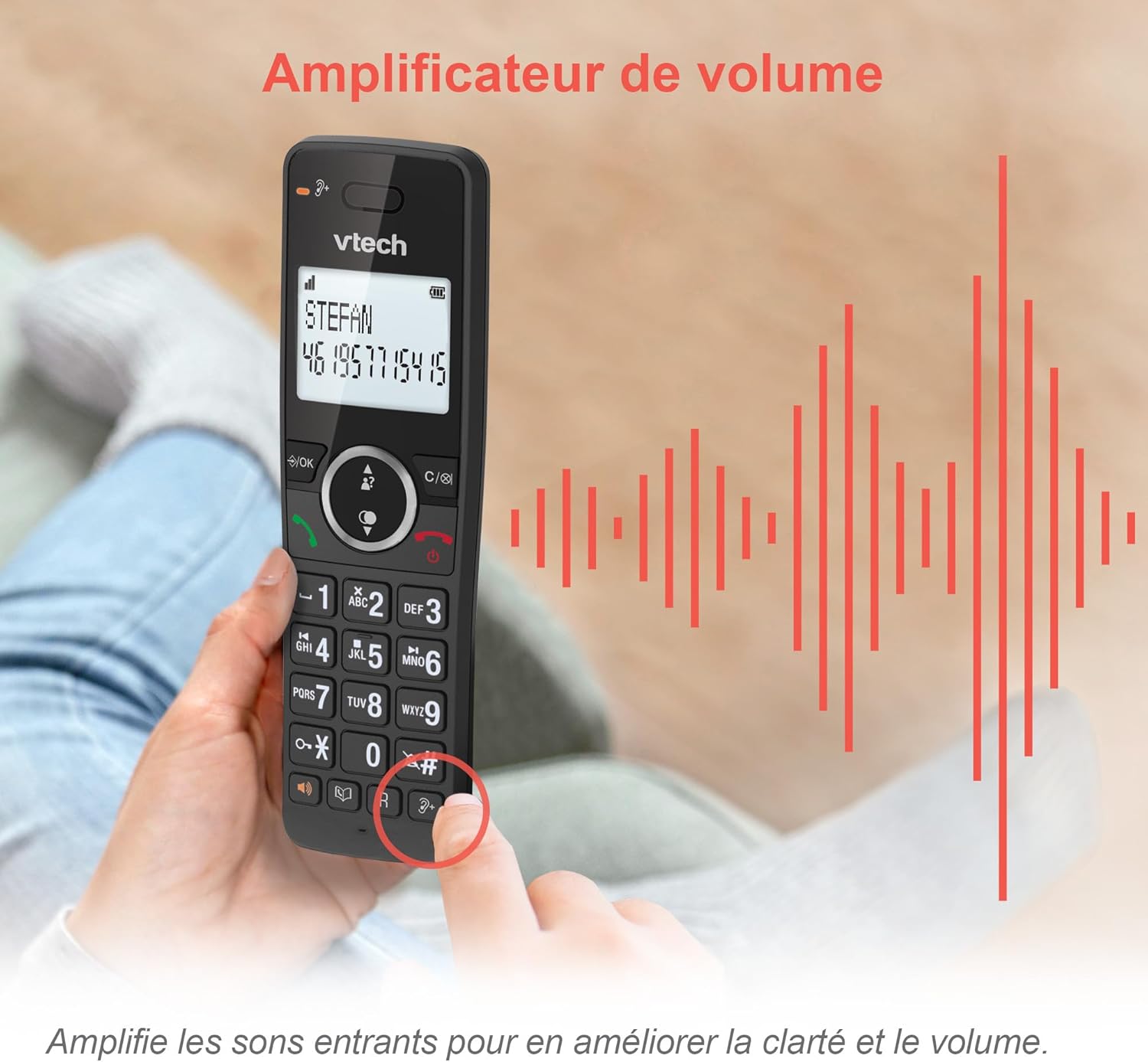
Image: A hand holding the VTech ES2051 handset, with graphic sound waves emanating from the earpiece, illustrating the volume amptaybetmendiya diyarkirinê.
Conference Function
The conference function allows multiple users to participate in a single conversation. You can set up a three-way conference call with two internal callers (handsets) and one external caller.
- Destpêkirina Bangewaziya Konferansê: Refer to the detailed instructions in the full manual for specific steps on how to add a third party to an ongoing call.

Image: Three people engaged in a conversation, visually representing the three-way conference call capability of the VTech ES2051 phone system.
Fonksiyona Intercom
The intercom feature allows you to communicate between handsets within your home without using the landline. This is useful for calling family members in different rooms.
- Bikaranîna Intercom: Bitikîne ALTA AXAFTINÊ button (if available) or access the intercom function through the handset menu, then select the desired handset to call.
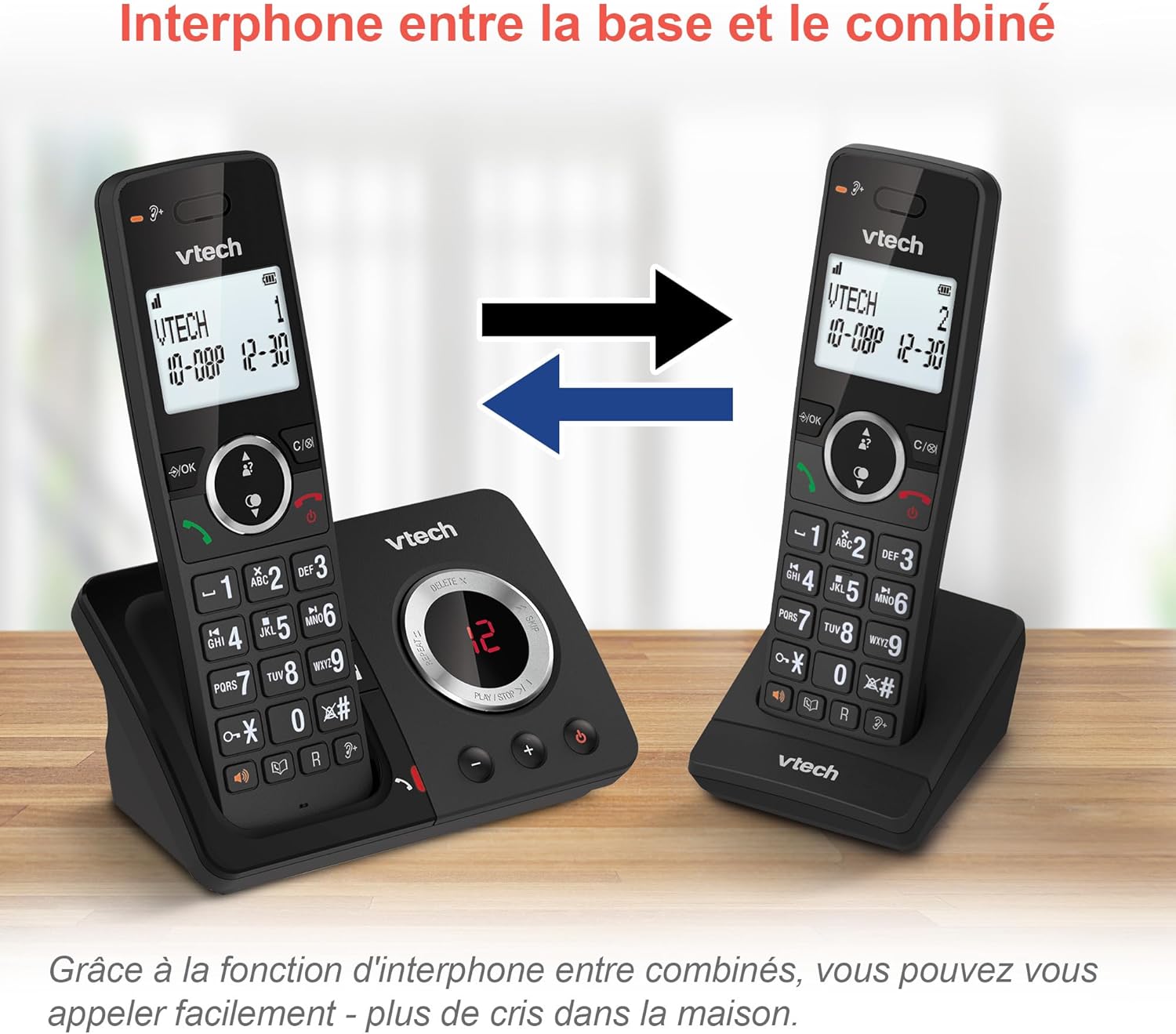
Image: A diagram showing two VTech ES2051 handsets with arrows indicating communication between them, illustrating the intercom feature.
Phonebook and Call Features
The phone includes a 100-name and number phonebook, 8 speed dial keys, and a backlit screen and keypad for easy visibility.
- Storing Contacts: Navigate to the phonebook menu to add, edit, or delete contacts.
- Zêde Dial: Assign frequently called numbers to the 8 speed dial keys for quick access.
- Tomara Nasnameya Bangker: Review the last 20 incoming calls with Caller ID information.
- Dûbare: Access the list of the last 10 dialed numbers for quick redialing.

Image: A collage of images showcasing various VTech ES2051 phone features, including the 100-entry phonebook, call display, redial function, and an 18-hour talk time battery life indicator.
Moda ECO
The ECO mode automatically adjusts and minimizes the radio frequency power based on the distance between the handset and the base unit. This feature helps conserve energy and reduce power consumption.
Lênerrînî
Paqijkirina Telefonê
The VTech ES2051 is made with antibacterial plastic and features a seamless, easy-to-clean design. To clean your phone:
- Unplug the base unit from the wall outlet and telephone line.
- Wipe the phone surfaces with a soft, damp çît. Paqijkerên şilek an aerosolê bikar neynin.
- Ensure the phone is completely dry before plugging it back in.
Lênêrîna Pîl
- Use only the supplied rechargeable NiMH AAA batteries.
- Pîl di nav agir de nehêlin.
- Ger telefon demek dirêj neyê bikaranîn, ji bo rêgirtina li rijandinê pîlan derxînin.
Çareserkirina pirsgirêkan
If you experience any issues with your VTech ES2051 phone, try the following troubleshooting steps:
| Pirsegirêk | Çare |
|---|---|
| Dengê dialê tune | Ensure the telephone line cord is securely plugged into both the base unit and the wall jack. Check if other phones on the same line are working. |
| Nikare bangan bike an werbigire | Check the power connection to the base unit. Ensure the handset batteries are charged. If using a DSL service, you may need a DSL filter. |
| Handset displays "Out of Range" or "No Power at Base" | Move the handset closer to the base unit. Ensure the base unit's power adapter is securely plugged in. |
| Makîneya bersivdayînê peyaman tomar nake | Check if the answering machine is turned ON. Ensure there is enough recording time available (max 30 minutes). |
| Poor audio quality or static | Telefonê nêzîkî yekîneya bingehîn bikin. Yekîneya bingehîn nêzîkî cîhazên din ên elektronîkî (mînak, mîkropêl, routerên Wi-Fi) yên ku dikarin bibin sedema destwerdanê, nehêlin. |
If the problem persists after trying these steps, please refer to the VTech support webmalperê an jî ji bo alîkariya bêtir bi karûbarê xerîdar re têkilî daynin.
Specifications
| Taybetî | Hûrî |
|---|---|
| Nîşan | VTech |
| Hejmara Model | ES2051 |
| Reng | reş |
| Tîpa Telefonê | Cordless |
| Cureyê Pergala Bersivkirinê | Digital |
| Demjimêra Tomarkirina Makîneya Bersivdanê | Heta 30 hûrdem |
| Amûrên Lihevhatî | Landlines, Answering Machine |
| Batteries | 4 AAA - included |
| Pêkhatina Pîl | NiMH |
| Çavkaniya Hêzê | Battery Powered |
| Mal | Plastic (Antibacterial) |
| Tîpa Dialer | Klavyeya Sade |
| Mezinahiya Babetê (L x W x H) | 18.3 x 13.5 x 11 santîmetre |
| Welatê Origin | çîn |
Garantî û Piştgirî
VTech products are manufactured to high-quality standards. For information regarding warranty coverage, please refer to the warranty card included with your product or visit the official VTech webmalpera ji bo herêma xwe.
For technical support, frequently asked questions, or to download the full user manual, please visit the VTech support section online or contact their customer service helpline. Contact details can typically be found on the VTech webli ser malperê an jî li ser pakkirina hilberê.


