
Pêşkêş
This manual provides essential instructions for the safe and efficient operation of your Carrera RC Storm One 2.4 GHz Helicopter. Featuring digital proportional control, an aluminum fuselage, and a high-quality coaxial rotor system with a gyroscope, this 18 cm (7.1 inch) RC helicopter offers stable and precise flight. Please read this manual thoroughly before first use to ensure proper function and to maximize your flying experience.

Image: The Carrera RC Storm One helicopter shown alongside its remote control.
Di Box çi ye
Piştrast bike ku hemî pêkhate di pakêtê de hene:
- Carrera RC Storm One Helicopter
- Remote Control
- Rêbernameya Berhemê (ev belge)
- Cable Charging USB
- Spare Rotor Blades (if included)
- Screwdriver (if included)
- AAA Batteries (2, for remote control)

Image: The Carrera RC Storm One helicopter in its retail packaging.
Damezirandin
1. Barkirina Pîlê Helîkopterê
Connect the provided USB charging cable to the helicopter's charging port and to a USB power source (e.g., computer, USB wall adapter). The charging indicator light will show the charging status. Ensure the helicopter is fully charged before its first flight.

Image: The Carrera RC Storm One helicopter connected to its USB charging cable.
2. Sazkirina Batteries Remote Control
Open the battery compartment on the back of the remote control. Insert 2 AAA batteries, ensuring correct polarity. Close the battery compartment securely.

Image: The remote control for the Carrera RC Storm One helicopter.
3. Hevgirêdana Helîkopter û Kontrola Ji Dûr
- Helîkopterê vekin.
- Kontrola dûr vekin.
- Move the throttle stick (left joystick) fully up, then fully down. The indicator light on the remote control will stop flashing, indicating successful pairing.
Telîmatên Operating
Kontrolên bingehîn
- Gaz (Çîçika Çepê Jor/Jêr): Bilindahî kontrol dike.
- Direction (Left Stick Left/Right): Rotates the helicopter left or right.
- Pêş/Paş (Çîçeka Rastê Jor/Jêr): Moves the helicopter forward or backward.
- Sideways Flight (Right Stick Left/Right): Moves the helicopter left or right.
The integrated gyroscope system ensures stable flight, making it easier to control. The coaxial rotor design provides additional stability.
Automatic Take-off and Landing
The Carrera RC Storm One features an automatic take-off and landing function for ease of use. Press the dedicated button on the remote control for the helicopter to automatically lift off or land gently.
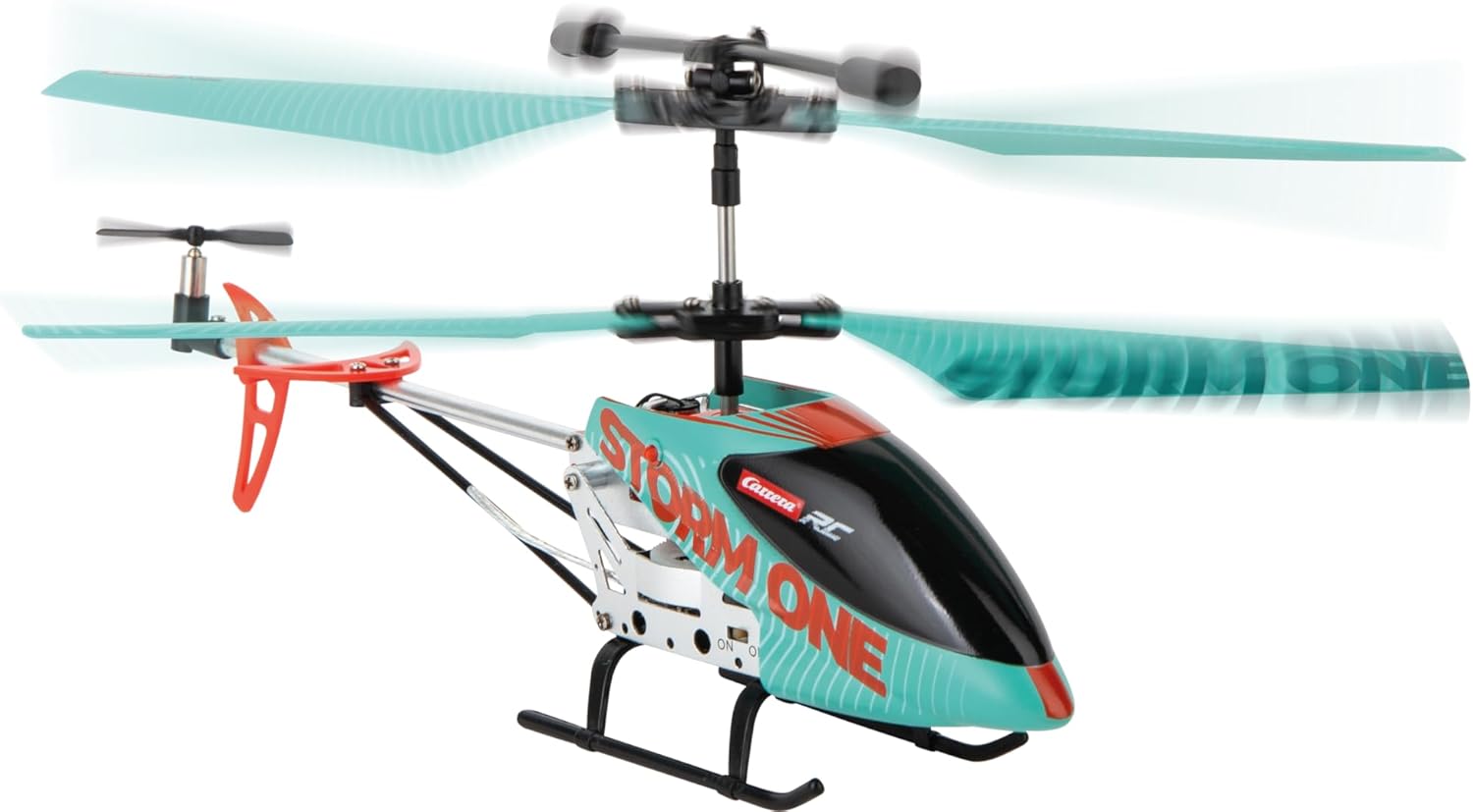
Image: The Carrera RC Storm One helicopter maintaining a stable hover during flight.
Demonstration Video: Take-off and Flight Capabilities
Video: This video demonstrates the one-touch take-off, various speed settings, sideways flight, obstacle avoidance, and one-touch landing features of a similar RC helicopter.
Video: This video illustrates two methods for helicopter take-off: manual and one-touch automatic.
Lênerrînî
Paqijî
Gently wipe the helicopter with a soft, dry cloth after each use to remove dust and debris. Avoid using water or chemical cleaners, as these can damage electronic components.
Replacement Blade
In case of damage to the rotor blades, replace them with genuine Carrera spare parts. Refer to the included screwdriver (if applicable) for assistance. Ensure blades are securely attached before flying.
Embarkirinî
Store the helicopter and remote control in a cool, dry place away from direct sunlight and extreme temperatures. Remove batteries from the remote control if storing for extended periods.
Çareserkirina pirsgirêkan
- Helîkopter bersivê nade: Piştrast bike ku hem helîkopter û hem jî dûrdesteya kontrolê vekirî ne û bi serkeftî hatine hevber kirin. Pîlên dûrdesteyê kontrol bike.
- Firîna nearam: The integrated gyroscope system helps maintain stability. If flight is consistently unstable, ensure blades are undamaged and properly installed. Recalibrate the gyroscope if necessary (refer to specific instructions in the full product manual if available).
- Demê firîna kurt: Ensure the helicopter battery is fully charged. Battery performance may decrease over time with repeated use.
- Helicopter not lifting off: Check for obstructions around the rotors. Ensure the battery is fully charged.
Specifications
| Taybetî | Hûrî |
|---|---|
| Hejmara Model | 370501053 |
| Nîşan | Carrera |
| Mezinahiya Hilberê | 34.3 x 9 x 18.6 cm |
| Pîvan | 179 g |
| Mal | Elemyûn |
| Çavkaniya Hêzê | Battery (Helicopter), 2 AAA (Remote) |
| Temenê Pêşniyarkirî | 8 - 99 sal |
| Taybetmendiyên Taybet | Robust aluminum fuselage, high-quality coaxial rotor control, gyroscope system, automatic flight altitude assistant with start and landing function, ergonomic 3-channel controller. |
| Languages (Manual) | German, Spanish, French, English, Italian |
Agahiyên Ewlekariyê
This product is ready to use out of the box. Always follow the instructions in the product manual for safe operation. Not suitable for children under 3 years due to small parts. Adult supervision is recommended during operation. Keep hands, hair, and loose clothing away from moving parts. Do not fly near people, animals, or obstacles. Fly in open, clear areas. Do not modify the product. Use only original spare parts and accessories.
Libersekînîn
This product comes with a 2-year manufacturer's warranty. Please retain your proof of purchase for warranty claims. The warranty covers manufacturing defects but does not cover damage caused by misuse, accidents, or unauthorized modifications.
Alîkarî
For further assistance, technical support, or to purchase spare parts, please visit the official Carrera webmalperê an jî bi karûbarê xerîdaran re têkilî daynin. Her wiha hûn dikarin serdana Carrera Brand Store on Amazon.