
VTech VG131-11
VTech VG131-11 DECT 6.0 Cordless Phone User Manual
Model: VG131-11
1. Destpêk
The VTech VG131-11 DECT 6.0 Cordless Phone offers reliable and clear communication with advanced features. Enjoy hands-free conversations with Bluetooth connectivity, superior range with DECT 6.0 technology, and enhanced visibility with its backlit display and large buttons. This manual provides comprehensive instructions for setting up, operating, and maintaining your new cordless phone.

Image: The VTech VG131-11 DECT 6.0 Cordless Phone handset resting in its black base unit. The handset features a blue-white display and large, green-backlit buttons.
2. Çi di Qutîkê de ye
Piştrast bike ku hemî tişt di pakêta te de hene:
- Yekîneya Bingehê
- Destana Cordless
- AC Adapter
- Battery Pack
- Cord Line Telefon
3. Sazkirin
3.1. Sazkirina Destpêkê
- Connect the AC adapter to the base unit and plug it into a power outlet.
- Connect the telephone line cord to the base unit and plug the other end into a telephone wall jack.
3.2. Sazkirina Pîl
- Li ser pişta têlefonê qapaxa beşa pîlê vekin.
- Pêveka pakêta bateriyê bi ewlehî bi jack-a di hundurê beşê de ve girêdin.
- Place the battery pack with the label UP and tuck the wires neatly inside the compartment.
- Qepaxa beşa pîlê bigire.
3.3. Barkirina Destê
Place the handset face forward in the base unit. The CHARGE light on the base unit will illuminate, indicating proper charging. Allow the handset to charge for at least 16 hours before initial use for optimal battery performance.
4. Telîmatên Operating
4.1. Çêkirin û wergirtina bangan
- To make a call: Press AXAFTIN, paşê jimareya telefonê bigerîne.
- To receive a call: Press AXAFTIN or any dialing key (0-9, #, *).
- Dawîkirina bangekê: Çape JI.
4.2. Bikaranîna Speakerphone
The phone features a full-duplex speakerphone, allowing both parties to speak and be heard simultaneously for more natural conversations.
- Di dema bangekê de, pêl pê bikin GOTEVAN bişkojk ji bo çalakkirina hoparlêrê.
- Bitikîne GOTEVAN button again to switch back to handset mode.
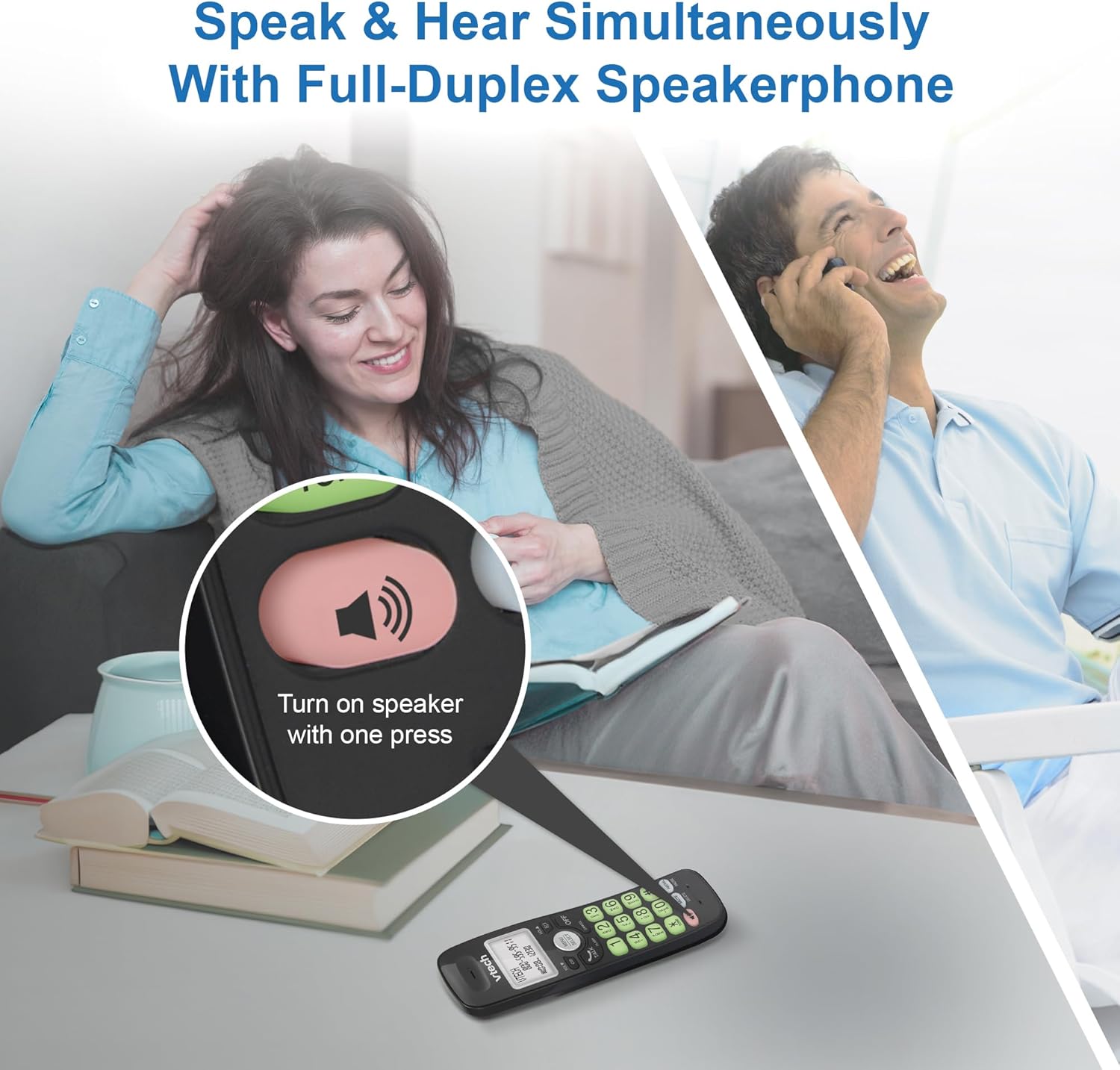
Image: A close-up of the VTech cordless phone handset showing the speakerphone button highlighted, with a person talking on the phone in the background, demonstrating the full-duplex speakerphone feature.
4.3. Volume Control and Mute
- To adjust earpiece or speakerphone volume during a call, press VOL ▼ or VOL ▲.
- To mute the microphone during a call, press BÊDENG. The other party cannot hear you, but you can still hear them. Press BÊDENG dîsa to unmute.

Wêne: Berfireh view of the VTech cordless phone handset, highlighting the 'MUTE' button, indicating its function for silencing the microphone during a call.
4.4. Caller ID and Phonebook
The handset displays the name, number, time, and date of incoming calls. The phone also includes a 30-name and number phonebook directory.
- Ji nû veview Caller ID history, press CID.
- To access the phonebook, press MENU/HILBIJARTIN, then navigate to the Phonebook option.

Image: A person smiling while holding the VTech cordless phone, with an overlay showing a digital phonebook display with contact names and icons, illustrating the Caller ID and phonebook features.
5. Taybetmendî
5.1. Girêdana Bluetooth
By pairing a Bluetooth headset, earbuds, or conference speakerphone to the system, you can enjoy a wireless calling experience. This feature is perfect for multitasking around your home or office.

Image: A woman in a kitchen pouring a drink while wearing wireless earbuds, with the VTech cordless phone and its base unit visible on the counter, demonstrating hands-free calling via Bluetooth connection.
Bihevkirina Amûrek Bluetooth:
- Ensure your Bluetooth headset/earbuds are in pairing mode (refer to your device's manual).
- On the VTech phone, navigate to the Bluetooth menu (usually via MENU/HILBIJARTIN).
- Select 'Pair Device' or similar option.
- The phone will search for available Bluetooth devices. Select your device from the list.
- Ji bo ku pêvajoya hevberdanê temam bikin, şîretên li ser ekranê bişopînin.
5.2. DECT 6.0 Technology
Trusted by families worldwide for decades, VTech's cordless telephone transmits secure signals via the DECT 6.0 channel. This ensures crystal clear sounds, interference-free communication, and a stable operation range of up to 1000 ft outdoors, allowing you to move freely while on a call.

Image: A woman working on a laptop at a table, with the VTech cordless phone and its base unit nearby, and a graphic indicating DECT 6.0 digital technology, highlighting its superior range and clarity.
5.3. Backlit Display and Big Buttons
The phone features a blue-white backlit display and green backlit keypad for easier viewing and dialing in dim light conditions. The large buttons enhance usability, especially for those with visual impairments.

Wêne: Nêzîkbûn view of the VTech cordless phone handset, emphasizing its backlit LCD screen and large, clearly visible buttons, designed for better visibility and ease of use.
5.4. Easy Wall Mount
The base unit is designed for easy wall mounting, fitting all standard wall mount plates without the need for additional brackets. Simply slide the base unit into the mounting plate using the built-in mounting holes for convenient placement.

Image: The VTech cordless phone base unit shown mounted on a wall, highlighting its built-in mounting holes on the back of the base for easy installation.
5.5. Hearing Aid Compatible
This phone is designed to be compatible with hearing aids, providing a clearer audio experience for users with hearing devices.

Image: A woman with a hearing aid talking on the VTech cordless phone, illustrating the phone's hearing aid compatibility feature.
5.6. Hilbera Serîview Video
Vîdeo: Kurteya hilberêview of the VTech VG131-11 DECT 6.0 Cordless Phone, showcasing its key features and ease of use.
6. Maintenance
To ensure the longevity and optimal performance of your VTech cordless phone, follow these maintenance guidelines:
- Paqijî: Telefon û yekîneya bingehîn bi nermî paqij bikin.amp qumaş. Spreyên paqijkirinê an kîmyewiyên dijwar bikar neynin.
- Lênêrîna Pîl: Avoid exposing the battery to extreme temperatures. If the phone will not be used for an extended period, remove the battery from the handset.
- Cihkirin: Keep the phone away from heat sources, direct sunlight, and moisture.
7. Destpêkirin
If you experience any issues with your VTech cordless phone, please refer to the following common problems and solutions:
| Pirsegirêk | Çare |
|---|---|
| Dengê dialê tune. | Ensure the telephone line cord is securely plugged into both the base unit and the wall jack. Check if the AC adapter is properly connected to the base unit and a working power outlet. |
| Telefona destan nayê şarjkirin. | Make sure the handset is correctly placed in the base unit. Clean the charging contacts on both the handset and the base unit with a dry cloth. Verify the AC adapter is plugged in. |
| Qalîteya dengî nebaş an jî dengê statîk. | Move closer to the base unit. Other electronic devices (Wi-Fi routers, microwaves) may cause interference; try relocating the base unit. Ensure the handset battery is fully charged. |
| Cannot connect to Bluetooth headset. | Ensure both the phone and the Bluetooth headset are in pairing mode. Make sure the headset is within range of the phone's base unit. Try restarting both devices and attempting the pairing process again. Confirm the headset is compatible with the phone's Bluetooth version. |
| Nîşandan vala ye an jî nayê xwendin. | Ensure the handset battery is charged. If the display is dim, check if the backlight setting is enabled or adjust the contrast if available. |
8. Specifications
| Taybetî | Hûrî |
|---|---|
| Hejmara Model | VG131-11 |
| Mezinahiya Hilberê | 3.8 x 4.09 x 7.17 inches |
| Babetê Weight | 14.9 ons (0.42 Kilogram) |
| Batteries | 1 Berhema Pîlê Taybet (tevî) |
| Tîpa Telefonê | Cordless |
| Mal | Pîlastîk |
| Çavkaniya Hêzê | Corded Electric |
| Teknolojiya DECT | DECT 6.0 |
| Bluetooth | Erê |
| Caller ID / Call Waiting | Erê |
| Axaftvana Dualî ya Tevahî | Erê |
| Backlit Display & Keypad | Yes (Blue-white display, green keypad) |
| Wall Mountable | Erê |
| Kapasîteya pirtûka têlefonê | 30 nav û hejmar |
| Dirêjahî | Up to 1000 ft outdoor |
9. Garantî û Piştgirî
For warranty information, technical support, or to purchase accessories, please visit the official VTech webmalperê an jî bi beşa karûbarê xerîdar re têkilî daynin. Rapora kirîna xwe wekî delîla kirînê ji bo îdîayên garantiyê biparêzin.
VTech Customer Service: www.vtechphones.com/support
Belgeyên Têkildar - VG131-11
 |
Telefona Bêkabloyî ya VTech VG131 Series: Rêbernameya Bikarhêner a Kurtkirî Ev rêbernameya bikarhêner a kurtkirî agahdariya girîng ji bo sazkirin û xebitandina telefona we ya bêkabloyî VTech VG131, VG131-11, an VG131-21 peyda dike, tevî sazkirin, taybetmendî, rêbernameyên ewlehiyê û çareserkirina pirsgirêkan. |
 |
VTech SN5127 Amplified Cordless Answering System Quick Start Guide Get started quickly with the VTech SN5127 Amplified Cordless Answering System. This guide provides essential setup and operation instructions for your new phone, featuring big buttons and display. |
 |
Rêbernameya Bikarhêner a Kurte ya Telefona Bêkablo ya VTech VG134/VG134-11 Ev rêbernameya bikarhêner a kurtkirî agahdariyên girîng ji bo sazkirin, xebitandin û parastina pergalên telefona bêkabloyî yên VTech VG134 û VG134-11 peyda dike. Ew sazkirin, fonksiyonên bingehîn, tedbîrên ewlehiyê û çareserkirina pirsgirêkan vedihewîne. |
 |
VTech SN5147 AmpRêbernameya Destpêkirina Bilez a Pergala Bersivdana Bi Kabloyî/Bê Kabloyî ya lified Bi VTech SN5147-a xwe dest pê bikin AmpSîstema Bersivdana Telefonê ya Bi Kablo/Bê Kablo ya sîgortekirî. Ev rêber sazkirin, sazkirin û xebitandina bingehîn a vê telefona dewlemend bi taybetmendiyan vedihewîne. |
 |
VTech SN5147 Amplified Corded/Cordless Answering System User Guide This user guide provides setup, operation, and safety instructions for the VTech SN5147 Amplified Corded/Cordless Answering System with Big Buttons and Display. Learn how to connect, install, and use features like caller ID, answering system, and Bluetooth. |
 |
VTech SN5147 Amplified Corded/Cordless Answering System User Guide User guide for the VTech SN5147 Amplified Corded/Cordless Answering System. Learn about its features including big buttons, large display, answering system, call blocking, and setup instructions. Visit vtechphones.com for support. |
Ask a question about this manual
Ask about setup, troubleshooting, compatibility, parts, safety, or missing instructions. Manuals+ will review the question and use this page’s manual context to help answer it.