
1. Destpêk
Thank you for choosing the BINNUNE 2.4GHz Wireless Gaming Headset. This manual provides detailed instructions to help you set up, operate, and maintain your headset for an optimal gaming and audio experience across various platforms including PS5, PS4, PC, Mac, and mobile devices via Bluetooth.
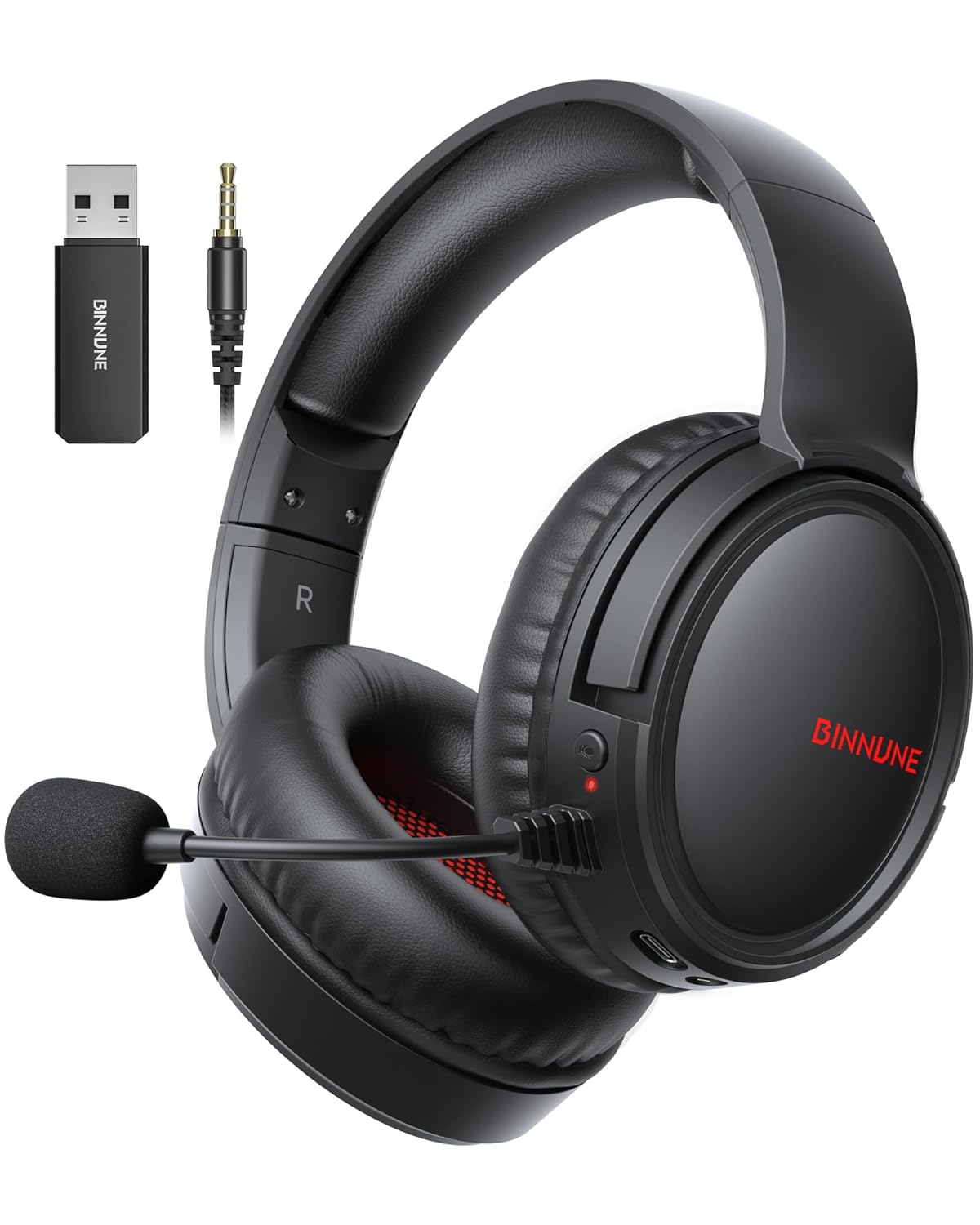
Figure 1: BINNUNE Wireless Gaming Headset (Model BW02-BT) with included accessories.
2. Çi di Qutîkê de ye
- BINNUNE Wireless Gaming Headset (BW02-BT)
- 2.4GHz Dongle USB
- Cable Audio 3.5mm
- Kabloya barkirinê ya USB-C
- Manual Bikarhêner

Figure 2: All components included with your BINNUNE Gaming Headset.
3. Hilbera Serîview û Controls
Familiarize yourself with the headset's controls and ports for seamless operation.
- Mîkrofon: Dual beamforming microphones with rotatable design for clear communication. Features ENC noise-canceling technology.
- Porta USB-C: Ji bo şarjkirina headset.
- Jack Audio 3.5mm: For wired connection to compatible devices.
- Nîşana LED: Displays power status, charging status, and connection mode.
- Bişkojka Hêzê: Çapemenî û bigire ji bo ku hêz li ser / off.
- Wheel Volume: Dengê deng eyar dike.
- Bişkojka Bêdeng: Mîkrofonê bêdeng dike/vedike.
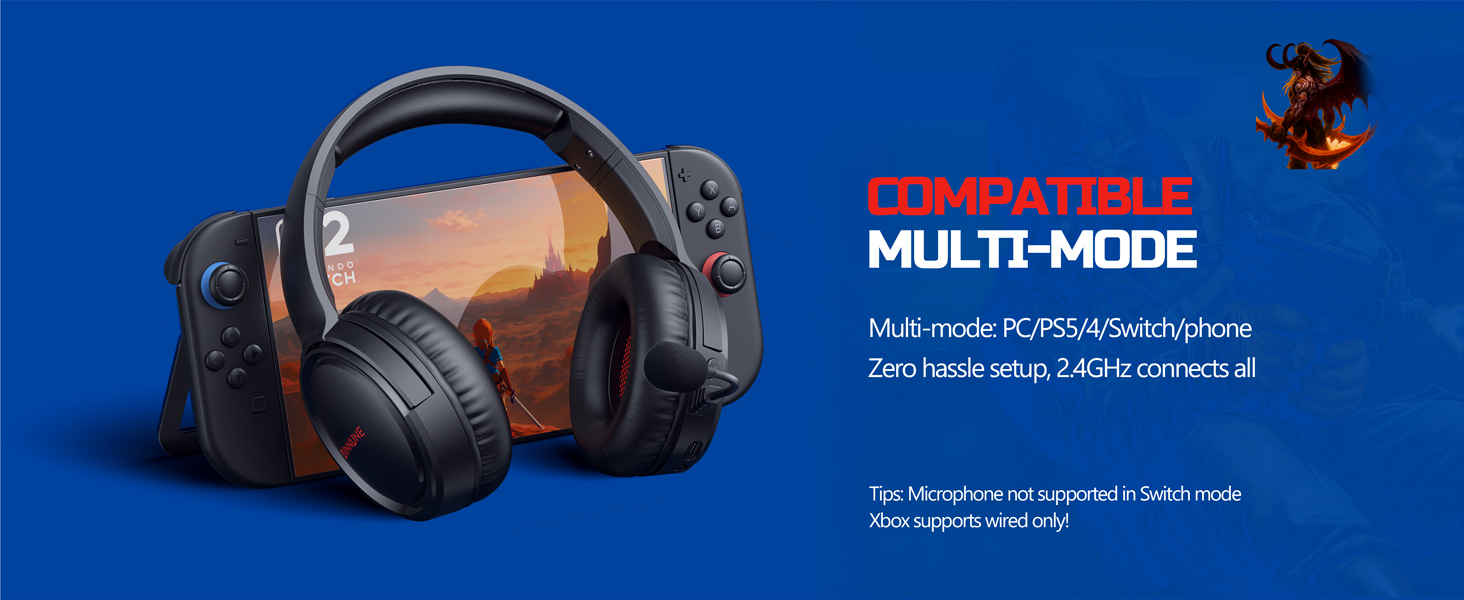
Figure 3: Key controls and ports on the BINNUNE Wireless Gaming Headset.
Video 1: A quick overview of the BINNUNE Gaming Headset's features and controls.
4. Setup û Girêdana
4.1 Barkirina Destpêk
Before first use, fully charge your headset. Connect the USB-C charging cable to the headset's USB-C port and the other end to a USB power source. The LED indicator will show charging status and turn off when fully charged. A full charge takes approximately 6 hours.

Figure 4: The headset offers up to 40 hours of battery life on a single charge.
4.2 2.4GHz Wireless Connection (USB Dongle)
This mode provides ultra-low latency audio (≤38ms) for gaming on PS5, PS4, PC, and Mac.
- Plug the 2.4GHz USB dongle into an available USB port on your PS5/4, PC, or Mac.
- Power on your BINNUNE headset by pressing and holding the power button.
- The headset will automatically connect to the dongle. The LED indicator will show a stable light when connected.
Not: The microphone is not available when connected to Nintendo Switch in 2.4GHz mode. Not compatible with XBOX.

Figure 5: The 2.4GHz USB dongle ensures a fast and stable connection.
4.3 Girêdana Bluetooth
Use Bluetooth mode for mobile phones, tablets, iPads, and other smart devices.
- Piştrast bike ku headset li ser e.
- Li ser cîhaza xwe, biçin mîhengên Bluetooth-ê û Bluetooth-ê çalak bike.
- Select "BINNUNE BW02-BT" from the list of available devices to pair.
- The LED indicator will flash during pairing and show a stable light once connected.
Not: Bluetooth mode is not compatible with PS5/4. The microphone is not available when connected to Nintendo Switch in Bluetooth mode.
4.4 Wired Connection (3.5mm Audio Cable)
For devices that do not support wireless connectivity or when battery is low.
- Serê kabloya dengî ya 3.5 mm bi jacka dengî ya 3.5 mm ya guhdarokê ve girêdin.
- Connect the other end to the 3.5mm audio port on your gaming device (e.g., PS5/4 controller, PC, phone).
Not: The microphone may not be available on some devices when using the wired connection.

Figure 6: Multiplatform compatibility of the BINNUNE headset across 2.4G, Bluetooth, and Wired modes.
Video 2: Demonstrating the multi-mode connectivity of BINNUNE Gaming Headsets for PS4/PS5/PC.
5. Telîmatên Operating
5.1 Power On / Off
Press and hold the Power Button for 3 seconds to turn the headset on or off. The LED indicator will light up or turn off accordingly.
5.2 Control Volume
Rotate the Volume Wheel up (+) to increase volume or down (-) to decrease volume.
5.3 Bikaranîna Mîkrofonê
The headset features a rotatable microphone. Flip the microphone down to use it. Press the Mute Button to toggle microphone mute on or off. The ENC noise-canceling technology helps ensure clear voice transmission.
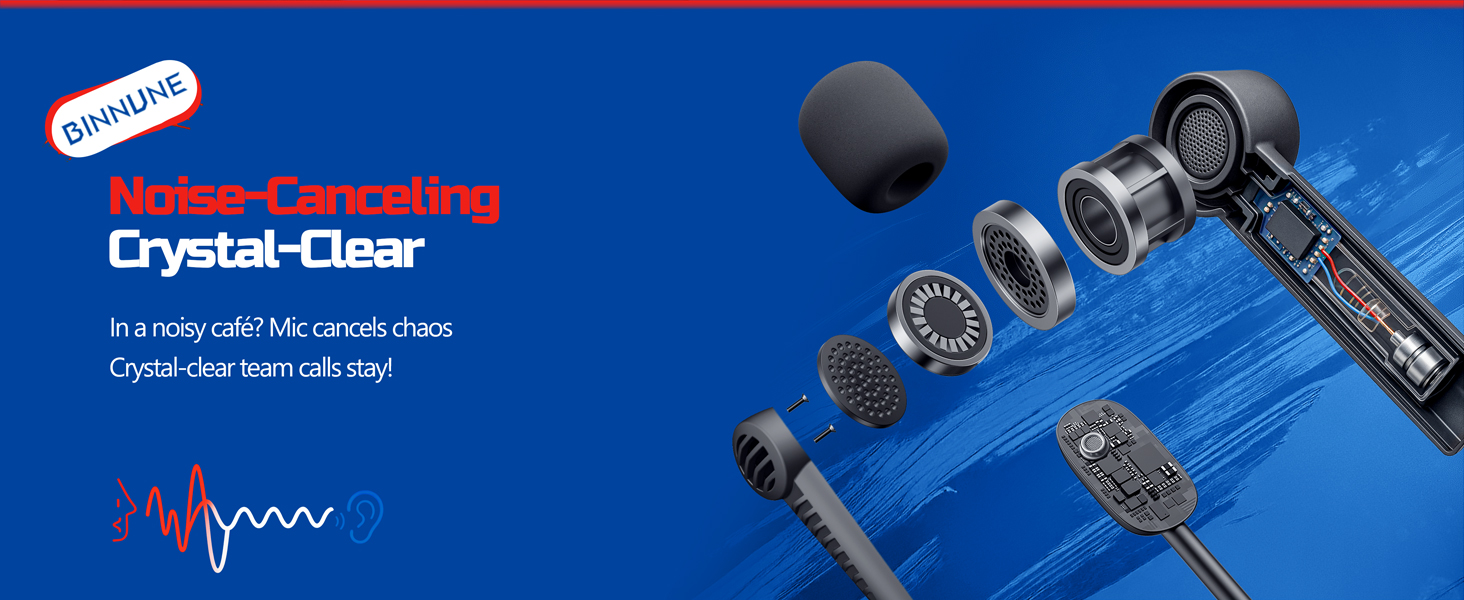
Figure 7: The noise-canceling microphone ensures crystal-clear voice calls by reducing background noise.
5.4 Switching Between Modes
The headset supports seamless switching between 2.4GHz and Bluetooth modes. Refer to section 4 for specific connection steps for each mode. The headset prioritizes the 2.4GHz connection when the dongle is active.
6. Maintenance
- Paqijî: Use a soft, dry cloth to clean the headset. Avoid using abrasive cleaners or solvents.
- Embarkirinî: Guhdastokê li cîhekî sar û hişk, dûr ji tîrêjên rojê yên rasterast û germahiyên zêde hilînin.
- Lênêrîna Pîl: Ji bo dirêjkirina temenê bateriyê, ji valakirina pir caran a guhdarokê dûr bisekinin. Bi rêkûpêk şarj bikin, her çend ji bo demek dirêj neyê bikar anîn jî.
7. Destpêkirin
| Pirsegirêk | Sedema gengaz | Çare |
|---|---|---|
| Deng ji destikê nayê. | Headset not powered on, low battery, incorrect connection mode, volume too low. | Ensure headset is on and charged. Check connection mode (2.4GHz/Bluetooth/Wired). Increase volume. |
| Mîkrofon naxebite. | Microphone muted, incorrect input device selected on computer/console, compatibility issue in certain modes. | Unmute microphone. Check audio settings on your device to ensure BINNUNE headset is selected as input. Note mode limitations (e.g., Switch, some wired connections). |
| Cannot connect via 2.4GHz dongle. | Dongle not properly inserted, interference, headset too far from dongle. | Ensure dongle is fully inserted. Move closer to the dongle. Try a different USB port. |
| Bi rêya Bluetooth-ê ve girêdayî nabe. | Headset not in pairing mode, device Bluetooth off, already connected to another device. | Ensure headset is discoverable. Turn Bluetooth on your device. Disconnect from other devices. |
8. Specifications
| Taybetî | Hûrî |
|---|---|
| Navê Model | BW02-BT |
| Teknolojiya Girêdanê | Wireless (2.4GHz, Bluetooth 5.3), Wired (3.5mm Jack) |
| Mezinahiya ajokara Audio | 50 mm |
| Bersiva Frequency | 20 Hz - 20,000 Hz |
| Hisê nazik | 96 dB |
| Audio Latency (2.4GHz) | 32 Milliseconds (≤38ms advertised) |
| Battery Life | Heta 40 saetan |
| Time Charging | 6 Saet |
| Mîkrofon | Dual Beamforming with ENC Noise-Canceling |
| Mal | Plastic (Headset), Leather (Ear Cushions) |
| Pîvan | 13.4 onsan |
| Amûrên Lihevhatî | Gaming Consoles (PS4, PS5), PC, Mac, Telephones, Laptops, Desktops |
9. Garantî û Piştgirî
BINNUNE products are manufactured with high-quality standards. For any product-related inquiries, technical support, or warranty claims, please refer to the official BINNUNE store or contact their customer service directly.
Serdan bikin BINNUNE Store on Amazon ji bo bêtir agahdarî û piştgirî.