
1. Destpêk
This manual provides instructions for the VINABTY MB2199 replacement remote control, designed for use with TREVI LTV 4008 Smart TVs. This remote offers a dedicated replacement solution, ensuring full compatibility and ease of use without the need for complex programming.
2. Sazkirin
2.1 Sazkirina Pîl
The remote control requires two AAA 1.5V batteries (not included). Follow these steps to install the batteries:
- Li ser pişta kontrolê ya ji dûr ve qapa beşa pîlê bibînin.
- Ji bo vekirina beşê, li ser pedê bikirtînin û bergê ber bi jêr ve bihejînin.
- Du pîlên AAA têxinê, piştrast bikin ku termînalên erênî (+) û neyînî (-) bi nîşanên di hundurê beşê de bi rêkûpêk li hev tên.
- Qapaxa beşa bateriyê heta ku bi ewlehî bitikîne, vegerînin cihê xwe.

Image: Back of the remote control with the battery compartment open, illustrating the correct insertion of two AAA 1.5V batteries.
2.2 Bikaranîna Destpêk
No programming or configuration is required for this replacement remote control. Once the batteries are correctly installed, the remote is ready for immediate use with your TREVI LTV 4008 Smart TV.
3. Telîmatên Operating
The VINABTY MB2199 remote control features an ergonomic design for comfortable handling and intuitive button layout for easy operation of your television. The transmission distance is approximately 10 meters.

Wêne: Pêşî view of the VINABTY remote control, displaying the layout of all function buttons.
3.1 Fonksiyonên Sereke li Serview
- Bişkojka Hêzê (●): Televizyonê vedike an qut dike.
- Bişkokên Hejmarê (0-9): Kanalên rasterast hilbijêrin.
- VOL +/-: Asta dengdanê eyar dike.
- CH +/-: Kanalan bi rêzê diguherîne.
- Bişkoka Bêdeng (🔇): Dengê TV-yê bêdeng dike an jî vedike.
- Bişkojka menu: Digihîje menuyê sereke yê TV-yê.
- Bişkokên Navîgasyonê (Jor, Jêr, Çep, Rast, ENTER): Di nav menuyan de bigerin û hilbijartinan piştrast bikin.
- Bişkoka DERKETIN: Ji menu an fonksiyona heyî derdikeve.
- Bişkojka Çavkaniyê: Çavkaniyên têketinê hildibijêre (HDMI, AV, hwd.).
- Colored Buttons (Red, Green, Yellow, Cyan): Access specific functions depending on the TV's current mode or application.
- Other buttons provide access to features like Sleep, List, P.Mode, S.Mode, Aspect, Info, Guide, Index, TTX (Teletext), Sub.Pg (Subpage), Reveal, Mix, Cancel, Hold/Refresh, Size/Mouse, Fav (Favorites), Cap (Caption), Subtitle, TV/Radio.
4. Maintenance
4.1 Paqijkirin
Ji bo paqijkirina dûrdesteyê, qumaşek nerm û hişk bikar bînin. Paqijkerên şile, spreyan, an materyalên aşınker bikar neynin, ji ber ku ev dikarin zirarê bidin rûyê dûrdesteyê an jî pêkhateyên hundirîn.
4.2 Guhertina Pîl
Replace batteries when the remote control's response becomes sluggish or stops working. Always replace both batteries at the same time with new AAA 1.5V batteries. Do not mix old and new batteries or different types of batteries.
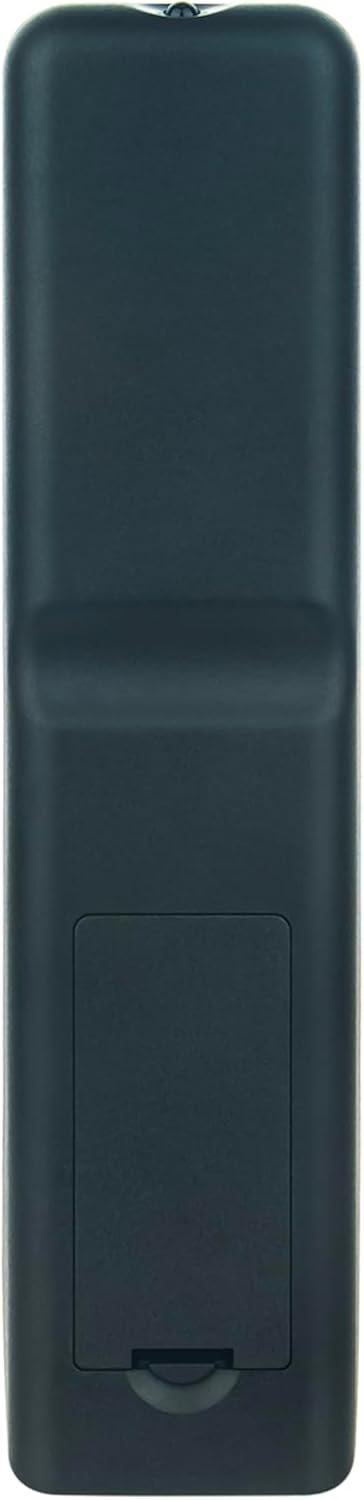
Image: Back of the remote control with the battery compartment closed, showing its sleek design.
5. Destpêkirin
- Dûr bersiv nade:
- Piştrast bikin ku pîl bi polarîteya rast bi rêkûpêk hatine sazkirin.
- Pîlên kevin bi pîlên nû yên AAA 1.5V biguherînin.
- Di navbera dûrkontrolê û wergirê înfrared ê TV-yê de astengiyan kontrol bike.
- Ensure you are within the effective operating range (approximately 10 meters) and pointing the remote directly at the TV.
- Rêjeya xebitandinê ya bi sînor:
- Pîl bi yên teze veguherînin.
- Piştrast bike ku tu çavkaniyên ronahiyê yên bihêz (wek tîrêjên rojê yên rasterast an roniyên floresan ên geş) mudaxeleyî sînyala înfrared nakin.
6. Specifications
| Nîşan | VINABTY |
| Hejmara Model | MB2199 |
| Modelên Lihevhatî | TREVI LTV 4008 Smart Fernbedienung |
| Teknolojiya Girêdanê | Infrared |
| Rêzeya herî zêde | 10 Metre |
| Hejmara Bişkokên | 20 |
| Amûrên Piştgirî | Television (up to 18 devices supported, though this remote is dedicated to one TV model) |
| Cureyê Pîl | 2 x AAA 1.5V (ne tê de) |
| Mal | ABS |
| Reng | Reş |
| Taybetmendiya Taybet | Design Ergonomic |
7. Garantî û Piştgirî
For any questions or issues regarding your VINABTY replacement remote control, please contact the seller or manufacturer directly. Refer to your purchase documentation for specific warranty details and customer service contact information.