
1. Destpêk
The BOOX Note Air3 is a 10.3-inch monochrome ePaper tablet designed for an enhanced reading and note-taking experience. It features a high-resolution E-ink display, a flexible Android 12 operating system, and a suite of tools to support creative and productive tasks. This device aims to provide a paper-like feel while offering the versatility of a modern tablet.
The 227 PPI HD screen resolution ensures clear and sharp visuals for all content, with exceptional contrast. The device is equipped with a G-Sensor for automatic screen rotation and supports Wi-Fi connectivity.
The BOOX Note Air3 comes with one BOOX Pen Plus stylus and a USB cable. No other accessories are included.
2. Sazkirin
2.1 Barkirina Destpêk
Before first use, fully charge your BOOX Note Air3 using the provided USB cable and a compatible power adapter. The charging indicator will show the charging status.
2.2 Hêzdarkirin/Off
- Hêzdarkirin: Bişkoka hêzê ya li kêleka cîhazê bigire heta ku logoya BOOX xuya bibe.
- Ji bo Veqetandinê: Press and hold the power button, then select 'Power Off' from the options that appear on the screen.
- Ji nû ve destpêkirinê: Bişkoka hêzê bigire û bigire, paşê ji vebijarkan 'Ji Nû Ve Dest Pê Bike' hilbijêre.
2.3 Girêdana bi Wi-Fi
- Biçe Settings ji pêşeka sereke.
- Neqandin Tor & Înternet.
- Toggle Wi-Fi to 'On'.
- Ji navnîşê tora Wi-Fi ya xwestî hilbijêrin.
- Ger tê xwestin şîfreyê binivîse û bitikîne Bihevgirêdan.
2.4 Stylus (BOOX Pen Plus) Usage
The BOOX Pen Plus stylus is included for precise input. It does not require pairing or charging. Simply use it directly on the screen for writing, drawing, and navigation. The stylus offers pressure sensitivity for varied line thickness.
2.5 Setup Hesabê
For cloud synchronization and access to additional features, you may set up a BOOX account. This typically involves registering through the device's settings or a dedicated BOOX application.
3. Telîmatên Operating
3.1 Navîgasyon
The Note Air3 features a responsive touchscreen. Use finger gestures for navigation:
- Dîk: Select items, open applications.
- Bişo: Scroll through pages, lists, or content.
- Biçipîne bo zoomkirinê: Adjust text or image size in supported applications.
3.2 Note-Taking Features
The Note Air3 excels in note-taking with its dedicated Notes application. The BOOX Pen Plus allows for a natural writing experience.

Image: The Note Air3 displaying its note-taking interface, including options for layers, canvas, shapes, lasso, fill, sync, and various insert tools like images, attachments, and links.
Taybetmendiyên sereke hene:
- Qat: Organize complex notes with multiple layers.
- Canvas: Adjust canvas size and background templates.
- Shapes & Lasso: Draw perfect shapes and select/move content easily.
- Tijîkirin: Fill enclosed areas with color (monochrome shading).
- Hevdengkirin: Synchronize your notes with BOOX Cloud or other cloud services.
- Insert Options: Embed images, attachments, links to notes, files, an websites, and timestamps into your notes.

Image: A user writing a list of 'DATE IDEAS' on the BOOX Note Air3, demonstrating the natural handwriting experience with the stylus.
3.3 Taybetmendiyên Xwendinê
The Note Air3 supports various document formats for reading, including PDF and EPUB. The E-ink display minimizes eye strain.

Image: The Note Air3 showing a document open with a toolbar at the bottom, offering options like Undo, Text-to-Speech (TTS), Auto Page-Turn, Preview, Format, Contrast, and Split View.
Available reading tools:
- Nivîs-bo-Axaftin (TTS): Have the device read text aloud.
- Auto Page-Turn: Automatically advance pages at a set interval.
- Çap: Adjust font size, line spacing, and margins.
- Dijîtî: Optimize display contrast for different content types.
- Qelişandin View: View two documents or applications side-by-side for multitasking.

Image: The BOOX Note Air3 in split-screen mode, displaying a web page on the left and a document with handwritten annotations on the right, illustrating multitasking capabilities.
3.4 File Serekî
Xwe îdare bikin files efficiently on the Note Air3:
- Hilberîna Herêmî: Navketin files stored directly on the device's 64 GB internal memory.
- BOOX Drop: Use the BOOX Drop feature to easily transfer files between your Note Air3 and other devices like laptops or smartphones.
- Cloud Storage: Utilize the 10 GB of free cloud storage provided by BOOX for backup and synchronization.

Image: The BOOX Note Air3 positioned next to a laptop displaying the 'BOOX Drop' interface, showing files being transferred between the tablet and the computer.
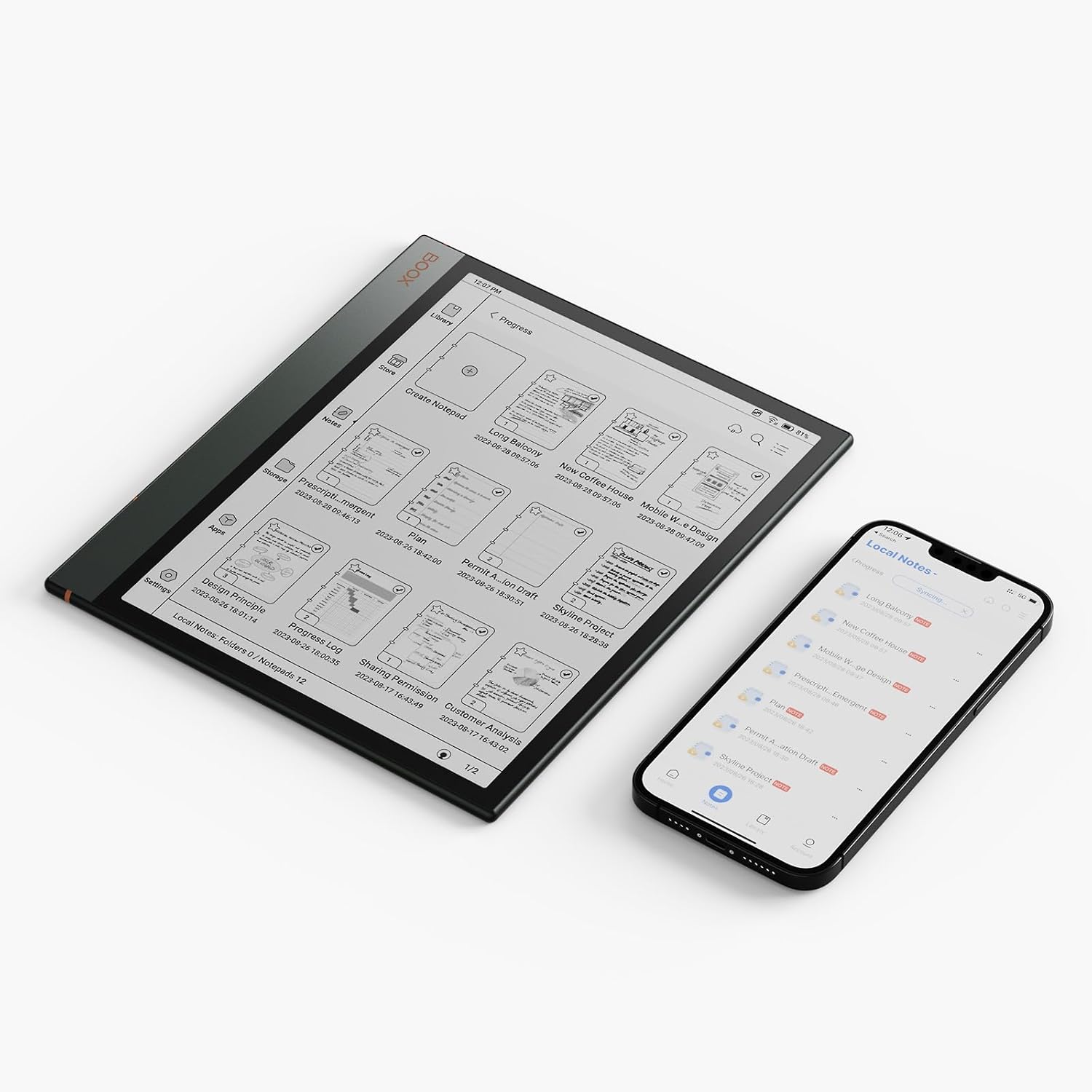
Image: The BOOX Note Air3 displaying a list of notes, positioned next to a smartphone showing a similar list, indicating synchronization capabilities between devices.
3.5 Sîstema Xebitandinê ya Android 12
The Note Air3 runs on Android 12, allowing you to install compatible third-party applications from the app store. This expands the functionality beyond reading and note-taking.
4. Maintenance
4.1 Paqijkirina Ekranê
To clean the ePaper screen, use a soft, lint-free cloth. For stubborn smudges, slightly dampen the cloth with water or a screen-cleaning solution specifically designed for electronic displays. Avoid harsh chemicals or abrasive materials.
4.2 Lênêrîna Pîl
The Note Air3 is equipped with a 3700 mAh Lithium Polymer battery, offering approximately 2 weeks of battery life under typical usage. To prolong battery lifespan:
- Ji germên zêde dûr bixin.
- Amûrê ji bo demek dirêj bi tevahî bêkar nehêlin.
- Charge the device regularly, but avoid overcharging.
4.3 Nûvekirinên Nermalavê
BOOX provides at least 3 years of firmware updates for each product. Regularly check for and install software updates to ensure optimal performance, security, and access to new features. Updates can typically be found in the device's settings under 'System Update'.
4.4 Management Storage
The device has 64 GB of internal storage. Periodically review û yên nehewce jê bibin files to free up space. Utilize the 10 GB of BOOX cloud storage for important documents and backups.
5. Destpêkirin
5.1 Amûr Bersivê Nade
If the device becomes unresponsive, try a forced restart by pressing and holding the power button for approximately 10-15 seconds until the device powers off and then restarts.
5.2 Pirsgirêkên Girêdana Wi-Fi
- Piştrast bike ku Wi-Fi di mîhengan de çalak e.
- Piştrast bike ku şîfreya Wi-Fi rast e.
- Routera Wi-Fi-ya xwe ji nû ve bidin destpêkirin.
- Try connecting to a different Wi-Fi network to rule out network-specific issues.
5.3 Stylus Not Working
The BOOX Pen Plus does not require charging or pairing. If it is not responding, ensure the nib is properly seated. If issues persist, contact customer support.
5.4 Pirsgirêkên Nîşandana Ekranê
E-ink screens may occasionally show ghosting or residual images. A full screen refresh (often triggered automatically or manually via settings) can resolve this. If the screen is damaged, contact customer support.
6. Specifications
| Taybetî | Hûrî |
|---|---|
| Navê Model | Note Air3 |
| Dimensions | 22.6 x 19.3 x 0.6 cm |
| Pîvan | 430 g |
| Mezinahiya Screen | 10.3 inches |
| Type Display | Electronic Ink (E-ink) |
| Çareseriya Screen Max | 1872 x 1404 Pixels (227 PPI) |
| Operating System | Android 12 |
| Storage Navxweyî | 64 GB |
| BERAN | 4 GB |
| Processor | Qualcomm Snapdragon 888, 2.4 GHz |
| Cureyê Pîl | Lithium Polymer |
| Kapasîteya Pîl | 3700 mAh |
| Average Battery Life | 2 Weeks |
| Têkilî | Wi-Fi (802.11ac), Bluetooth 5, USB-C |
| Sensor | G-Sensor |
| Accessories Tevlî | BOOX Pen Plus, USB Cable |
7. Agahdariya Garantiyê
All BOOX tablets, including the Note Air3, come with an official 2-year customer service warranty. This warranty covers manufacturing defects and ensures support for issues arising from normal use.
8. Piştgirî
For any problems or inquiries regarding your BOOX Note Air3 tablet, please visit the official BOOX Help Center. You can submit a support request there for assistance. BOOX is committed to providing timely responses, typically within 24 hours.
For further information and resources, you may visit the BOOX Brand Store.