
Pêşkêş
Welcome to your new ieGeek ZY-C1 5MP AI Recognition Outdoor Solar Security Camera. This manual provides detailed instructions for setup, operation, maintenance, and troubleshooting to ensure optimal performance and security for your property. Please read this manual thoroughly before using the product.
Product Overview
The ieGeek ZY-C1 is a high-performance 5-megapixel wireless security camera designed for outdoor use. It is powered by an integrated solar panel and an 8000mAh battery, offering continuous operation. Key features include advanced AI human detection, color night vision, two-way audio, and compatibility with Alexa for smart home integration.
Vîdyo: Bi kurtî li serview of the ieGeek ZY-C1 camera's features and capabilities.
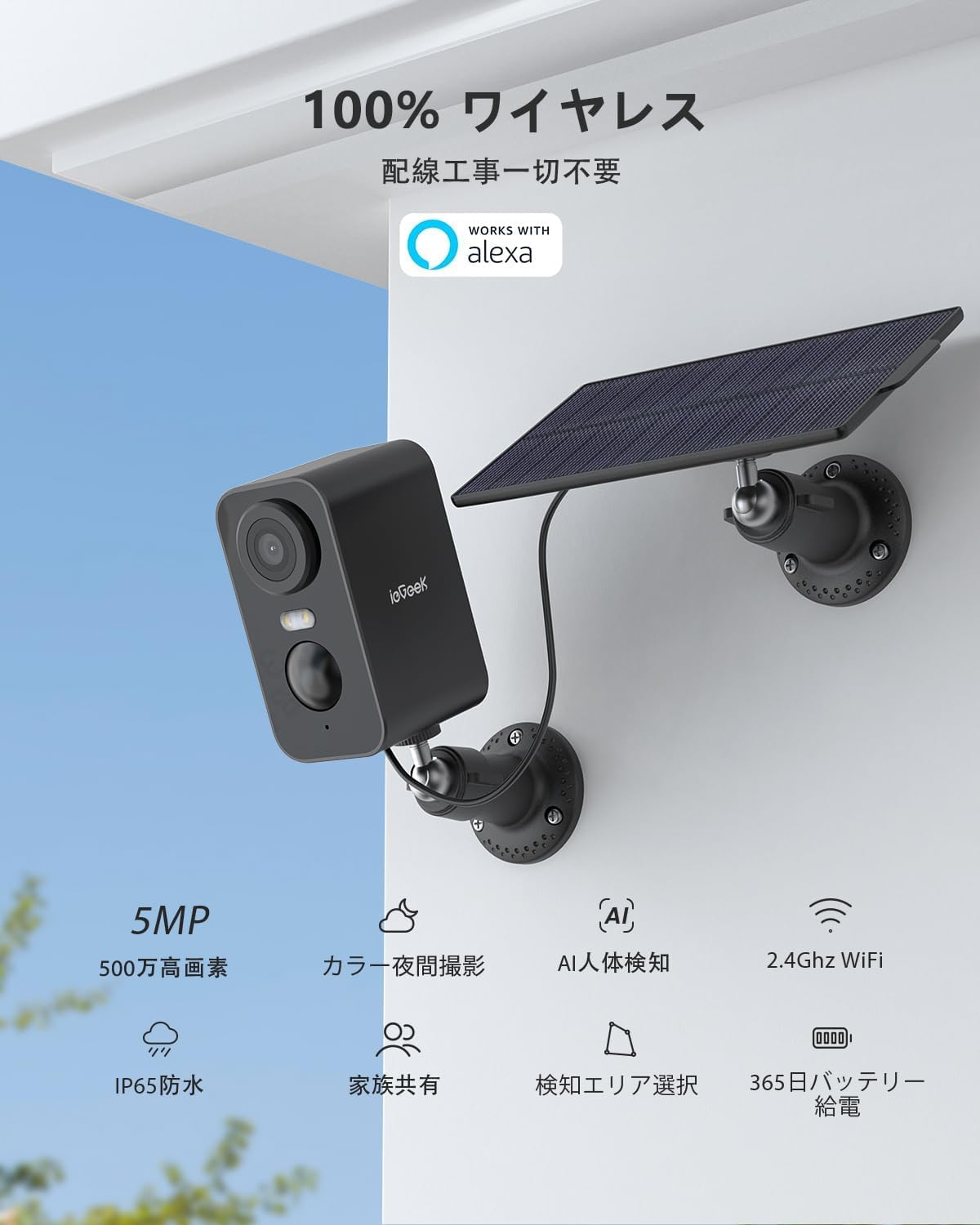
Wêne: The ieGeek ZY-C1 security camera with its accompanying solar panel, ready for outdoor installation.
Naveroka pakêtê
Ji kerema xwe pakêtê kontrol bikin da ku hûn pê ewle bibin ku hemî pêkhate li wir hene:
- Panela Rojê x 1
- Pişk x 6
- Anker x 6
- Bişkojkên Mountkirinê x 2
- Battery Security Camera x 1
- Kabloya hêzê x 1
Damezirandin
1. Download the ieGeek Cam App
To begin, download the official ieGeek Cam bikaranînî. Search for "ieGeek Cam" on the Apple App Store (for iOS devices) or Google Play Store (for Android devices) and install it on your smartphone or tablet.

Wêne: Step 1 of the connection process, illustrating the download of the ieGeek Cam app.
2. Vekirin û Girêdana Wi-Fi
Ensure your camera is sufficiently charged. Follow the step-by-step instructions provided within the ieGeek Cam app to connect your camera to your 2.4GHz Wi-Fi network. A stable Wi-Fi connection is crucial for optimal performance.
Wêne: Step 2 of the connection process, showing the camera connecting to a 2.4GHz Wi-Fi network.
3. Sazkirin
The ieGeek ZY-C1 camera is suitable for both outdoor and indoor environments. Select a mounting location that provides a clear view, good Wi-Fi signal strength, and ample direct sunlight for the solar panel. Use the included screws and anchors to securely mount the camera and solar panel. Ensure the solar panel cable is properly connected to the camera.
Wêne: The ieGeek ZY-C1 camera and solar panel installed on an exterior wall, demonstrating a typical outdoor setup.
Emelî
Jîyan View
Access the ieGeek Cam app on your device to view the live video feed from your camera. This allows for real-time monitoring of your designated areas.

Wêne: A smartphone displaying the live feed from the ieGeek Cam app, showing real-time home surveillance.
Dengê Du-Awayê
Utilize the camera's built-in microphone and speaker for two-way communication. This feature allows you to speak with visitors or deter unwanted guests directly through the app.

Wêne: A delivery person interacting with the camera via two-way audio, demonstrating its communication capabilities.
Tespîtkirina Motion û Alerts
The camera features advanced AI human detection to significantly reduce false alarms caused by minor movements. It can also identify pets, vehicles, and packages (note: some advanced AI image analysis features may require a paid subscription). Upon detecting motion, you will receive instant push notifications on your smartphone.

Wêne: The camera's AI detection system identifying and highlighting a person, pet, vehicle, and package within its field of view.
Siren and Strobe Light
For enhanced security, the camera can automatically activate a loud siren and bright strobe light when suspicious activity is detected, effectively deterring potential intruders.

Wêne: The camera's motion detection triggering a light and siren, startling a person in the dark.
Dîtina Şevê Reng
The camera provides clear and detailed color night vision up to 15 meters (approximately 49 feet), allowing you to identify objects and individuals even in very low-light conditions.

Wêne: A clear color image captured by the camera at night, highlighting its night vision capabilities.
Vebijêrkên Storage
Recordings can be stored locally on a microSD card (up to 128GB, not included) or securely in the cloud. A 7-day free cloud recording service is available for 6-second event clips.

Wêne: Visual representation of the camera's support for both local microSD card storage and cloud storage.
Yekbûna Alexa
The ieGeek ZY-C1 camera is compatible with Amazon Alexa. You can use voice commands to view your camera's live feed on compatible Alexa-enabled smart displays. For example, say "Alexa, show me the front door" to see what's happening outside.

Wêne: An Alexa-enabled smart display showing the live feed from the ieGeek camera, illustrating voice control functionality.
Lênerrînî
Battery and Solar Charging
The camera's 8000mAh battery is continuously recharged by the high-efficiency solar panel, allowing for year-round, maintenance-free operation. Ensure the solar panel is positioned in an area that receives maximum direct sunlight throughout the day to maintain optimal battery levels.

Wêne: The camera and solar panel installed on a wooden surface, showcasing the solar charging mechanism.
Berxwedana hewayê
With an IP65 waterproof rating, the ieGeek ZY-C1 camera is built to withstand various harsh weather conditions, including heavy rain, snow, and strong winds, ensuring reliable performance year-round.

Wêne: The camera and solar panel enduring rainfall, highlighting its IP65 weather resistance.
Çareserkirina pirsgirêkan
- No Power/Camera Offline:
Check the solar panel connection and ensure it receives adequate sunlight. Verify that the camera's battery is charged. Confirm your Wi-Fi router is powered on and the camera is within range of a strong 2.4GHz Wi-Fi signal. - Qalîteya wêneyê nebaş:
Gently clean the camera lens with a soft cloth. Ensure the camera has a strong Wi-Fi connection for optimal video streaming. - Alarmên Derewîn ên Pircar:
Adjust the motion detection sensitivity settings within the ieGeek Cam app. Utilize the custom detection zone feature to focus monitoring on specific areas and exclude irrelevant ones. - Pirsgirêkên Dengê Du-Alî:
Check the microphone and speaker settings in the app. Ensure your network connectivity is stable for clear audio transmission.
Specifications
| Taybetî | Hûrî |
|---|---|
| Hejmara Model | ZY-C1 |
| Resolution | 5 Megapîksel (2560x1920) |
| Qada ji View | 130 ° Wide Angle |
| Kapasîteya Pîl | 8000 mAh |
| Rêjeya Waterproof | IP65 |
| Frequency Wi-Fi | 2.4 GHz |
| Vebijêrkên Storage | Karta MicroSD (heta 128GB), Hilanîna Ewr |
| AI Detection | Human, Pet, Vehicle, Package (some features paid) |
| Nêrîna Şevê | Color Night Vision (up to 15m) |
| Dengê Du-Awayê | Erê |
| Amûrên Lihevhatî | Smartphones, Tablets, Alexa-enabled devices |
| Pîvan (LxWxH) | 8.6 x 4.8 x 5.2 cm |
| Pîvan | 0.32 kg |
| Reng | Reş |
Garantî û Piştgirî
ieGeek provides a Garantiya 24 mehan from the date of purchase. If you encounter any issues or have questions regarding your product, please contact ieGeek customer service. You can typically reach support through your Amazon order history by navigating to "Order History" > "Purchase History" > "Ask a Question". Responses are usually provided within 1 business day.
For additional information and products, please visit the official ieGeek store: ieGeek Store.