
1. Destpêk
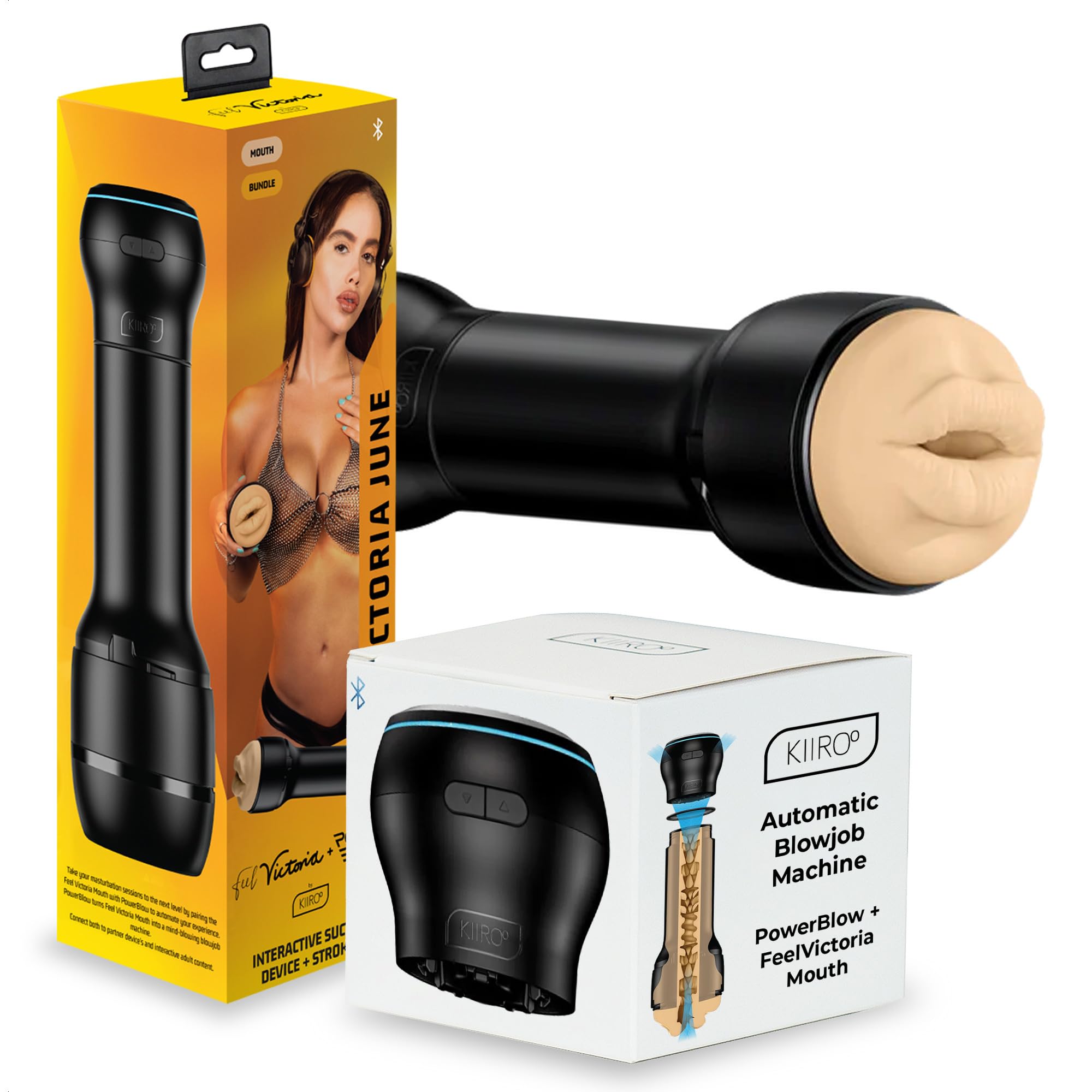
The KIIROO PowerBlow is an automatic male masturbator designed to provide an interactive and customizable experience. This device is compatible with various Feel Stroker sleeves, including the Feel Victoria Mouth Sleeve, and can connect to interactive content online via the FeelConnect app.
Taybetmendiyên sereke hene:
- Automatic Suction: Provides lifelike sensations.
- Interactive Connectivity: Connects with 2D/VR content, webcam performers, and partner devices via the FeelConnect app.
- Intensity Guherbar: Customize suction power and patterns through the app.
- Sêwirana Modular: Compatible with KIIROO Feel Stroker sleeves and the KIIROO KEON for enhanced experiences.
2. Çi di Qutîkê de ye
Your KIIROO PowerBlow package includes the following components:
- FeelVictoria Mouth Stroker by Kiiroo
- PowerBlow by Kiiroo
- Ring Silicone
- Stroker Cup
- Replacement Absorbent Foam Ring
- Kabloya barkirinê ya USB-C
- Rêbernameya Destpêka Zû
- Voucher Leaflet

3. Sazkirin
3.1. Civîn
- Berî kombûnê pê ewle bin ku hemî pêkhate paqij û hişk in.
- Insert the Feel Victoria Mouth Sleeve into the Stroker Cup.
- Attach the PowerBlow unit to the assembled Stroker Cup by screwing it on securely. Ensure a tight fit to prevent air leaks, which can affect suction performance.

3.2. Barkirin
Before first use, fully charge the PowerBlow unit using the provided USB-C charging cable. Connect the cable to the charging port on the device and a compatible USB power source. The indicator light will show charging status.
3.3. FeelConnect App Installation and Connection
The FeelConnect app is essential for unlocking the full interactive capabilities of your PowerBlow device. Follow these steps to connect:
- Serlêdanê dakêşin: Download the FeelConnect app from your smartphone's app store (iOS or Android).
- Amûra Hêzdar: Turn on your PowerBlow device by pressing and holding the power button until the indicator light illuminates.
- Bluetooth çalak bike: Piştrast bikin ku Bluetooth li ser smartphone we çalak e.
- Create/Login Account: Open the FeelConnect app and either create a new account or log in to an existing one.
- Amûra Têkilî: Within the app, navigate to the device connection section. Your PowerBlow should appear in the list of available devices. Select it and follow any on-screen prompts to complete the pairing process.
For a visual guide on connecting your device to the FeelConnect app, please watch the video below:
4. Telîmatên Operating
4.1. Bikaranîna bingehîn
Once assembled and connected to the FeelConnect app, you can begin using your PowerBlow. The device operates by creating suction around the Feel Stroker sleeve, simulating oral sensations.
4.2. Intensity Control
The FeelConnect app allows for precise control over the PowerBlow's suction intensity and patterns. You can adjust parameters such as suction power, suction time, vacuum hold, and pause time to customize your experience. Experiment with different settings to find your preferred sensations.

4.3. Interactive Content
The PowerBlow is designed for immersive interactive experiences. You can connect it to:
- Interactive Videos & VR: Sync your device with compatible 2D or VR content for synchronized sensations.
- Webcam Performers: Interact with live performers who can control your device remotely.
- Partner Devices: Connect with a partner's device for long-distance shared experiences.
To connect to interactive content on a desktop or mobile device, use the FeelConnect app's 'Website' option. This typically involves scanning a QR code displayed on the interactive content platform to establish a connection.

4.4. KEON Compatibility
For an even more intense and automatic experience, the PowerBlow can be combined with the KIIROO KEON (sold separately). The KEON provides automatic stroking motion, which, when paired with the PowerBlow's suction, amplifies the sensations.

Watch this video to see the PowerBlow in action:
5. Maintenance
5.1. Paqijkirin
Proper cleaning is crucial for hygiene and longevity of your device:
- Jihevxistin: Carefully detach the Feel Stroker sleeve from the PowerBlow unit.
- Clean Sleeve: Remove the silicone sleeve from the Stroker Cup. Wash the silicone sleeve thoroughly with warm water and a mild, toy-safe soap. Rinse completely and allow to air dry.
- Clean PowerBlow Unit: Wipe the exterior of the PowerBlow unit with a damp çît. Do not submerge the PowerBlow unit in water. Be careful to prevent fluids from entering the vacuum section, as the unit is not designed to be fully waterproof in this area.
- Bi tevahî hişk bike: Berî ku ji nû ve berhev bikin an hilînin, pê ewle bibin ku hemî beş bi tevahî zuwa ne.
5.2. Storage
Store your PowerBlow and Feel Stroker sleeve in a clean, dry place away from direct sunlight and extreme temperatures. Keep it separate from other toys to prevent material degradation or damage.
6. Destpêkirin
If you encounter any issues with your KIIROO PowerBlow, please refer to the following common troubleshooting tips:
- Cîhaz Venedibe: Ensure the device is fully charged. Connect it to the USB-C charger and wait for the charging indicator to confirm power.
- Veqetandina Bluetooth: If the device frequently disconnects from the FeelConnect app, try re-pairing the device. Ensure your phone's Bluetooth is active and there are no obstructions between your phone and the PowerBlow.
- Weak or No Suction: Check that the Feel Stroker sleeve is correctly and securely attached to the PowerBlow unit. Ensure there are no gaps or leaks in the assembly. Verify that the silicone ring is properly seated.
- Bişkokên bêbersiv: If buttons are not responding, ensure the device is charged. A soft reset (powering off and on) may resolve minor software glitches.
- Loud Noise/Squealing: Some operational noise is normal, especially at higher suction settings. If the device produces excessive squealing, ensure the sleeve is properly lubricated and correctly inserted, as friction can cause noise.
- Liquid Leaking: If liquid leaks from the bottom, ensure the sleeve is properly seated and that the absorbent foam ring is in place. Avoid getting fluids into the vacuum section of the PowerBlow unit.
If these steps do not resolve the issue, please contact KIIROO customer support for further assistance.
7. Specifications
| Taybetî | Hûrî |
|---|---|
| Mezinahiya Hilberê | 3.94 x 1.97 x 0.5 inches; 1.19 Pound |
| Hejmara Modela Babetê | 54031700000 |
| Batteries | 1 pîlê Lithium Ion hewce ye |
| Asta Berxwedana Avê | Waterproof (for the sleeve, not the main unit's vacuum section) |
| Têkilî | Bluetooth |
8. Garantî û Piştgirî
KIIROO products are manufactured to high-quality standards. For specific warranty information regarding your PowerBlow device, please refer to the warranty card included in your product packaging or visit the official KIIROO webmalper. Delîla kirîna xwe ji bo îdiayên garantiyê biparêzin.
For technical support, troubleshooting assistance, or any other inquiries, please contact KIIROO customer service. Contact details can typically be found on the KIIROO webmalper an di Rêbernameya Destpêkirina Bilez de ku bi hilbera we re tê peyda kirin.