
1. Destpêk
Thank you for choosing the SILENTWARE Air 1000 Black ATX Midi Tower PC Case. This manual provides essential information for the proper installation, operation, and maintenance of your new PC case. Please read this manual thoroughly before beginning the assembly process to ensure a smooth and successful build.
2. Agahiyên Ewlekariyê
- Berî sazkirin an rakirina ti pêkhateyên di hundurê qutiya PC-yê de, her gav dabînkirina elektrîkê ji priza dîwar veqetînin.
- Ji bo ku hûn ji ber rijandina elektrostatîk (ESD) zirar nebînin, bi baldarî bi pêkhateyan re tevbigerin. Bifikirin ku hûn kemberek destan a antîstatîk bikar bînin.
- Li qiraxên tûj ên di hundirê qutîkê de baldar bin.
- Hewl nedin ku qutiyê an pêkhateyên wê biguherînin, ji ber ku ev dikare garantiya we betal bike û xetereyên ewlehiyê çêbike.
- Keep the case away from water, moisture, and extreme temperatures.
3. Naveroka pakêtê
Ji kerema xwe piştrast bikin ku hemî tişt di pakêta we de hene:
- SILENTWARE Air 1000 Black ATX Midi Tower PC Case
- Pre-installed 4x 120mm ARGB Fans
- Accessory box (screws, cable ties, standoffs, etc.)
- Manual Bikarhêner (ev belge)
4. Hilbera Serîview
The SILENTWARE Air 1000 is an ATX Midi Tower PC case designed for optimal airflow and component compatibility. It features a mesh front panel for maximum ventilation and a tempered glass side panel to showcase your build.


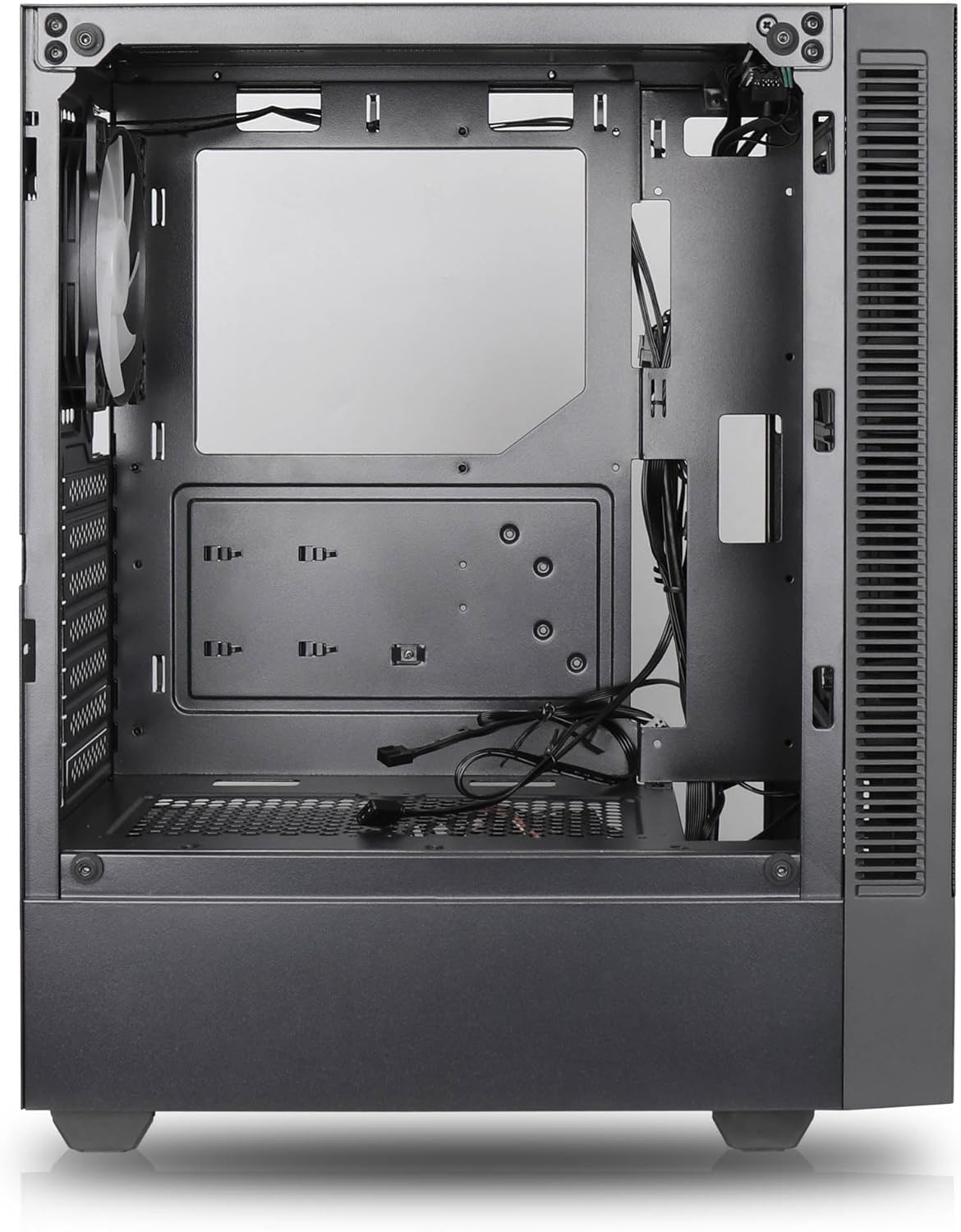

Taybetmendiyên sereke:
- Herikîna hewayê ya herî zêde: Large mesh front panel and four pre-installed 140mm A-RGB fans with hydraulic bearings ensure excellent ventilation.
- Easy PC Building: Thoughtful design with daisy-chain connections simplifies installation, eliminating the need for additional adapters or controllers.
- Sêwirana Kalîteya Bilind: Genuine tempered glass side panel showcases installed components and provides a minimalist, premium aesthetic.
- Flexible Lighting and Control: 3-pin A-RGB fans and 4-pin fan control allow for impressive lighting effects and easy adjustment of fan speed and curves directly from the motherboard.
- Powerful Component Compatibility: Supports GPUs up to 400mm long, radiators up to 360mm (front and top) and 140mm (rear), and space for up to 4 fans.
- Compact Case with Ample Space: Midi tower format accommodates E-ATX, ATX, mATX, and ITX motherboards, up to two 2.5" SSDs, two 3.5" HDDs, and ATX power supplies.
5. Rêbernameya Sazkirinê
Follow these steps for component installation. Refer to your individual component manuals for specific instructions.
5.1. Amadekirina Dozê
- Qutîkê li ser rûyek sabît û dûz deynin.
- Carefully remove the tempered glass side panel by unscrewing the thumb screws and gently pulling it away. Set it aside on a soft, non-abrasive surface.
- Remove the solid right side panel by unscrewing the thumb screws and sliding it backward.
5.2. Sazkirina Motherboard
- Mertala I/O li vebûna paşîn a qutiyê saz bike.
- Ensure the correct standoffs are installed for your motherboard form factor (E-ATX, ATX, mATX, ITX). Adjust or add standoffs as needed.
- Bi baldarî motherboarda xwe li ser standoffan deynin, kunên pêçan hevrêz bikin.
- Dayikê bi pêçên hatine dayîn ewle bikin. Zêde teng nekin.
5.3. Sazkirina Yekîneya Dabînkirina Hêzê (PSU)
- PSU-yê di beşa taybetî ya li pişta jêrîn a qutiyê de bi cih bikin.
- Ensure the PSU fan faces downwards (if the case has a bottom vent) or upwards, depending on your cooling preference.
- PSU-yê bi pêçên ku ji pişt ve hatine dayîn bi qutîkê ve girêdin.
5.4. Sazkirina Ajokera Depokirinê
SSD-yên 2.5 înç:
- Locate the 2.5" drive mounts (typically behind the motherboard tray).
- Secure the SSDs using the provided screws.
HDDên 3.5 înç:
- Locate the 3.5" drive cages (usually near the PSU shroud).
- Slide the HDDs into the drive trays and secure them with screws or tool-less mechanisms if available.
5.5. Sazkirina Karta Grafîkê (GPU)
- Qapaxên hêlînên PCIe yên pêwîst ji pişta qutiyê derxînin.
- Align your GPU with the PCIe slot on the motherboard and press firmly until it clicks into place.
- Secure the GPU to the case with screws.
5.6. Birêvebirina kabloyê
Ji bo birêvebirina kabloyan, qutkirinên rêça kabloyan û xalên girêdanê yên li pişt tepsiya motherboardê bikar bînin. Ev yek herikîna hewayê û estetîkê baştir dike.
6. Operasyon
6.1. Hêzdarkirin
After all components are installed and cables are connected, reattach the side panels. Connect the power cable to the PSU and a wall outlet, then press the power button on the top I/O panel of the case.
6.2. Kontrola Fanê ya ARGB
The pre-installed ARGB fans feature 3-pin ARGB connectors for lighting control and 4-pin connectors for fan speed control. These can be connected directly to compatible headers on your motherboard. Use your motherboard's software or BIOS settings to customize lighting effects and fan curves.
7. Maintenance
7.1. Paqijkirin
- Regularly clean dust filters (if present) to maintain optimal airflow.
- Use a can of compressed air to remove dust from inside the case and components.
- Rûyên derve bi nermî paqij bikin, damp çît. Ji kîmyewiyên dijwar dûr bixin.
- For the tempered glass panel, use a glass cleaner and a microfiber cloth.
8. Destpêkirin
- PC not powering on: Check all power connections, including the 24-pin motherboard power, 8-pin CPU power, and GPU power cables. Ensure the PSU switch is in the 'ON' position.
- Fans not spinning/RGB not working: Verify that fan and ARGB headers are correctly connected to the motherboard. Check motherboard software for fan speed and lighting control settings.
- Zêde germbûn: Ensure proper airflow by checking fan orientation and cleaning dust filters. Verify CPU cooler and GPU cooler are properly seated.
- Nîşan nîne: Confirm the monitor cable is connected to the graphics card (not the motherboard integrated graphics, unless you are using integrated graphics). Reseat the graphics card and RAM modules.
9. Specifications
| Taybetî | Specification |
|---|---|
| Nîşan | SILENTWARE |
| Navê Model | Silentware Flow 100 ARGB |
| Hejmara Modela Babetê | FLOW100 |
| ASIN | B0CB8CZ5GF |
| Reng | Reş |
| Tîpa dozê | Mid Tower |
| Mal | Tempered Glass |
| Compatibility Motherboard | ATX, Mîkro ATX, Mini ITX |
| Amûrên Lihevhatî | ATX, mATX, ITX motherboards, GPUs up to 325mm, radiators up to 360mm, 2.5" and 3.5" storage drives |
| Bikaranîna Pêşniyar kirin | Gaming |
| Cooling Method | Hewa |
| Fansên pêş-sazkirî | 4x 120mm ARGB Fans |
| Mezinahiya Fan | 140 Millimeters (Note: Product description mentions 140mm fans, while pre-installed are 120mm. Please verify with product packaging.) |
| Cureyê Montajkirina Dabînkirina Hêzê | Çiyayê jêrîn |
| Dirêjahiya GPU ya herî zêde | 400mm |
| Radiator Support (Front/Top) | Heta 360 mm |
| Piştgiriya Radyatorê (Paş) | Heta 140 mm |
| 2.5" Drive Bays | Heta 2 |
| 3.5" Drive Bays | Heta 2 |
10. Garantî û Piştgirî
For warranty information and technical support, please refer to the official SILENTWARE website or contact your retailer. Specific details regarding spare parts availability and software updates are not available in the provided product information.