
Pêşkêş
Welcome to your VTech VT680 Cordless Phone. This manual provides essential information for setting up, operating, and maintaining your new phone. The VTech VT680 is a DECT 6.0 cordless phone designed for reliable fixed-line communication.
Key features include Caller ID, a log of the last 10 received calls, a reminder alarm, and a 20-contact phonebook.

Image: VTech VT680 Cordless Phone handset and base unit positioned on a desk in a home office environment, alongside office supplies.
Naveroka pakêtê
Ji kerema xwe piştrast bikin ku pakêta we tiştên jêrîn dihewîne:
- VTech VT680 Cordless Handset
- Charging Base
- Power Adapter
- Cord Line Telefon
- 2 AAA Rechargeable Batteries
- Manual Bikarhêner (ev belge)
Damezirandin
1. Sazkirina Pîl
Gav 1: Cihê beşa pîlê li ser pişta destikê.
Gav 2: Insert the two AAA rechargeable batteries, observing the correct polarity (+ and -) as indicated inside the compartment.
Gav 3: Qapaxa beşa pîlê bi ewlehî bigire.

Wêne: Paş view of the VTech VT680 cordless phone handset, showing the battery compartment area.
2. Girêdana Yekîneya Bingehîn
Gav 1: Serê kabloya telefonê bi jaka TEL LINE ya li pişta bingeha şarjkirinê ve girêdin.
Gav 2: Serê din ê kabloya telefonê bi priza dîwarê telefona xwe ve girêde.
Gav 3: Connect the small end of the power adapter to the POWER jack on the back of the charging base.
Gav 4: Serê mezin ê adaptora hêzê bi prizek elektrîkê ya standard ve girêdin.

Wêne: Alîyê profesyonelfile of the VTech VT680 cordless phone handset docked in its charging base, illustrating its compact design.
3. Barkirina Destpêkê
Place the handset on the charging base. The handset display will show a charging indicator. Allow the handset to charge for at least 12 hours before initial use to ensure optimal battery performance and longevity.

Wêne: Pêşî view of the VTech VT680 cordless phone handset docked in its charging base, displaying the screen and keypad.
Telîmatên Operating
Making A Call
- Destê xwe hildin an pêl pê bikin PHONE pişkov.
- Bi karanîna klavyeyê jimareya têlefonê ya xwestî bikirtînin.
- Bitikîne PHONE dîsa bişkojka ku bangê biqedîne.
Bersiva Bangek
Dema ku telefon lê da, destavê rake an jî bişkojka (bişkojka) PHONE pişkov.
Using Caller ID
When a call comes in, the caller's name and number will appear on the handset display (requires subscription to Caller ID service from your telephone provider).
Ji nû veview the call log, press the LOG BANG BIKIN pişkov. Bi kar tînin UP û JÊR arrow buttons to scroll through the last 10 received calls.
Phonebook
The phonebook can store up to 20 contacts.
Zêdekirina Têkiliyek
- Bitikîne QERTA XÛREKÊ pişkov.
- Navigate to "Phonebook" and select "Add New Entry".
- Enter the contact's name and phone number using the keypad.
- Rojnamevanî RIZGARKIRIN ji bo tomarkirina têketinê.
Making a Call from Phonebook
- Bitikîne P PHNOOTEKE pişkov.
- Bi kar tînin UP û JÊR arrow buttons to find the desired contact.
- Bitikîne PHONE button to dial the contact.
Setting a Reminder Alarm
- Bitikîne QERTA XÛREKÊ pişkov.
- Navigate to "Alarm" or "Reminders" in the menu.
- Set the desired time and activate the alarm function.
- Rojnamevanî RIZGARKIRIN piştrast kirin.
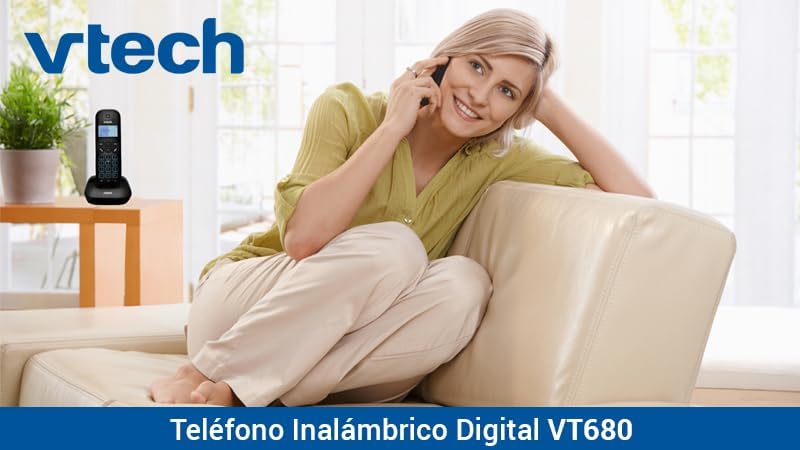
Image: A woman comfortably seated on a couch, engaged in a phone conversation using the VTech VT680 cordless phone.
Lênerrînî
Paqijî
Wipe the handset and base unit with a soft, slightly damp cloth. Do not use harsh cleaning agents, abrasive materials, or excessive liquid, as these can damage the device.
Lênêrîna Pîl
Use only the specified AAA rechargeable batteries. Replace batteries when they no longer hold a charge effectively or if you notice a significant decrease in talk time.
Çareserkirina pirsgirêkan
If you encounter any issues with your VTech VT680 Cordless Phone, please refer to the table below for common problems and their solutions.
| Pirsegirêk | Çare |
|---|---|
| Dengê dialê tune | Ensure the telephone line cord is securely connected to both the base unit and the telephone wall jack. Verify the power adapter is properly connected to the base unit and a working electrical outlet. |
| Telefon nayê şarjkirin | Ensure the handset is correctly seated in the charging cradle. Verify the power adapter is plugged in. Clean the charging contacts on both the handset and base unit with a dry cloth. |
| Poor call quality or static | Move closer to the base unit. Check for interference from other electronic devices (e.g., Wi-Fi routers, microwaves). Try relocating the base unit. |
| Caller ID not working | Ensure you are subscribed to Caller ID service from your telephone service provider. Contact your provider to confirm the service is active. |
Specifications
Taybetmendiyên Teknîkî
- Nîşan: VTech
- Cins: VT680
- Tîpa Telefonê: Cordless, DECT 6.0 Technology
- Reng: Reş
- Mal: Pîlastîk
- Çavkaniya hêzê: Battery operated (2 AAA rechargeable batteries included)
- Dimensions (Handset on Base): Nêzîkî 16.8 x 7.8 x 15.8 cm
- Pîvan: Nêzîkî 680 g
- Taybetmendî: Caller ID, 10-call log, Reminder Alarm, 20-contact Phonebook
- Line Operation: Operasyona yek-xetê
Garantî û Piştgirî
For detailed warranty information, technical support, or to register your product, please visit the official VTech website or contact VTech customer service. Specific warranty terms and support options may vary by region.