
Alarm.com V724X
Alarm.com ADC-V724X Outdoor Wi-Fi Camera User Manual
Model: V724X
Pêşkêş
The Alarm.com ADC-V724X is an advanced outdoor Wi-Fi camera designed to enhance the security of your property. It features High Dynamic Range (HDR) for clear imaging, two-way audio for communication, 1080p resolution, and a wide 117-degree field of view. Equipped with Video Analytics and IR Night Vision, it provides intelligent detection and monitoring capabilities. The camera also includes a MicroSD card slot for local storage and boasts an IP66 ingress protection rating, ensuring durability in various outdoor conditions.
Agahiyên Ewlekariyê
- Ensure the camera is installed by a qualified professional or with proper safety precautions.
- Use only the specified 12VDC power supply.
- Kamerayê li derveyî rêjeya xebitandinê ya wê, li germahiyên zêde nexin.
- Avoid direct exposure of the lens to strong light sources for extended periods.
- Berî ku hûn her tamîrkirin an paqijkirinê bikin, elektrîkê veqetînin.
- Dûr negihêjin zarokan.
Naveroka pakêtê
Piştrast bike ku hemî tişt di pakêtê de hene:
- Alarm.com ADC-V724X Outdoor Wi-Fi Camera
- Amûrên Montajê (vîs, leqeb)
- Installation Guide
- Power Adapter (12VDC)
Damezirandin
1. Sazkirina Fîzîkî
The ADC-V724X camera is designed for outdoor wall mounting. Choose a location that provides the desired field of view and is within range of your Wi-Fi network.
- Rûyê Mountkirinê amade bikin: Use the included mounting template (if provided) or the camera base to mark drill holes.
- Çalên kolandinê: Drill pilot holes for the mounting screws. Insert wall anchors if mounting into drywall or masonry.
- Çiyê ewle bike: Attach the camera's mounting base securely to the surface using the provided screws.
- Kamerayê girêdin: Connect the camera body to the mounted base. Adjust the camera angle for optimal coverage.

Wêne 1: Pêşî view of the ADC-V724X camera, highlighting its compact design and lens.
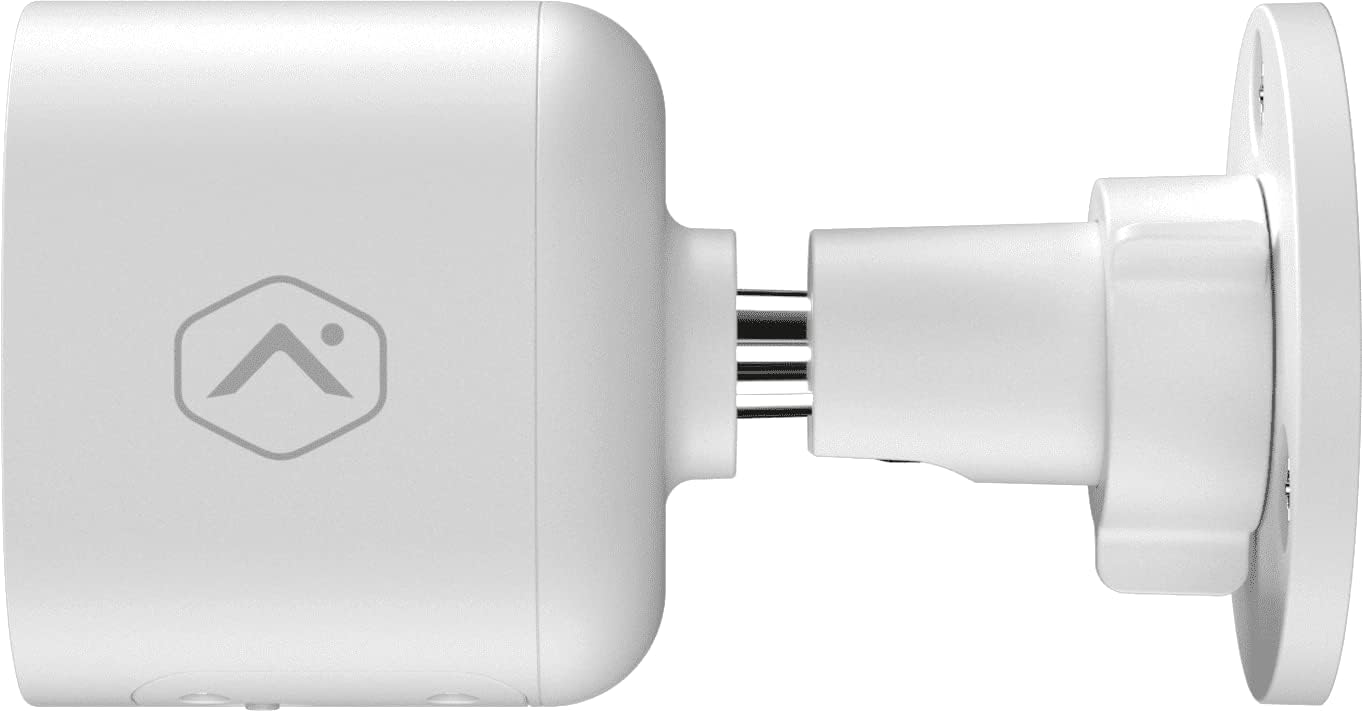
Wêne 2: Alîkarê profesyonelfile of the camera, illustrating how it connects to the wall mount.

Wêne 3: Bişkavkirî view of the camera, demonstrating its adjustable mounting capabilities.
2. Girêdana Hêzê
Connect the provided 12VDC power adapter to the camera's power input. Ensure the connection is secure and protected from weather elements if applicable.
3. Girêdana Torê (Wi-Fi)
The ADC-V724X connects to your network via Wi-Fi (2.4 or 5 GHz). Integration with your Alarm.com system typically requires activation through your Alarm.com service provider.
- Hêzdarkirin: Plug in the camera. The LED indicator will show its status (refer to LED status guide in your Alarm.com app or provider's documentation).
- Add to System: Contact your Alarm.com service provider to add the camera to your existing security system. They will guide you through the process, which often involves scanning a QR code on the camera or entering its MAC address.
- Wi-Fi mîheng bike: Your service provider will assist in connecting the camera to your home Wi-Fi network through the Alarm.com app or website.

Wêne 4: Paş view of the camera, displaying the QR code and product information essential for system integration.
Kamera xebitîne
Once installed and connected, the ADC-V724X camera operates primarily through the Alarm.com Customer Webmalper û Mobile App.
Jîyan View û Tomarkirin
- Gihîştina Xwarina Zindî: Open the Alarm.com app or website, navigate to the camera section, and select the ADC-V724X to view weşana wê ya zindî.
- Onboard Recording (Smart View): The camera supports local recording to a MicroSD card (sold separately, up to 512 GB). This allows for continuous, encrypted recordings that can be viewed from anywhere via the Alarm.com platform.
- Tomarkirina Cloud: Depending on your Alarm.com service plan, video clips triggered by events (e.g., motion) will be uploaded to the cloud for secure storage and access.
Dengê Du-Awayê
The camera features a built-in microphone and speaker, enabling two-way communication.
- Danûstandinê Dest Pê Bike: Ji zindî view in the Alarm.com app, tap the microphone icon to speak through the camera's speaker. Release the icon to listen.
- Audio in Recorded Clips: Audio is included in recorded video clips, providing additional context for events.
Video Analytics and Alerts
Configure Video Analytics rules through your Alarm.com account to receive smarter, more relevant alerts.
- Herêmên Tespîtkirinê: Define specific areas within the camera's field of view ji bo tespîtkirina tevgerê.
- Object Classification: The camera can differentiate between people, animals, and vehicles, reducing false alerts.
- Mîhengên Hişyariyê: Customize notifications (e.g., push notifications, email) for specific events detected by Video Analytics.
Dîtina Şevê (IR)
The camera automatically switches to infrared (IR) night vision in low-light conditions, providing clear black-and-white video.
- Çalakkirina otomatîkî: The camera's built-in light sensor detects ambient light levels and activates IR LEDs as needed.
- Performansa Optimal: Ensure no obstructions are blocking the IR illuminators on the camera's front.
Lênerrînî
Paqijkirina Kamera
- Nîsk: Gently wipe the camera lens with a soft, clean, lint-free cloth. If necessary, use a small amount of lens cleaning solution. Avoid abrasive cleaners.
- Beden: Laşê kamerayê bi reklamê paqij bikeamp çît. Kîmyewîyên hişk an solvanan bikar neynin.
- Pircarînî: Clean the camera periodically, especially if installed in dusty or high-traffic areas, to ensure optimal image quality.
Rêveberiya Karta MicroSD
The camera supports a MicroSD card for local storage. The slot is located on the bottom of the camera, protected by a cover.
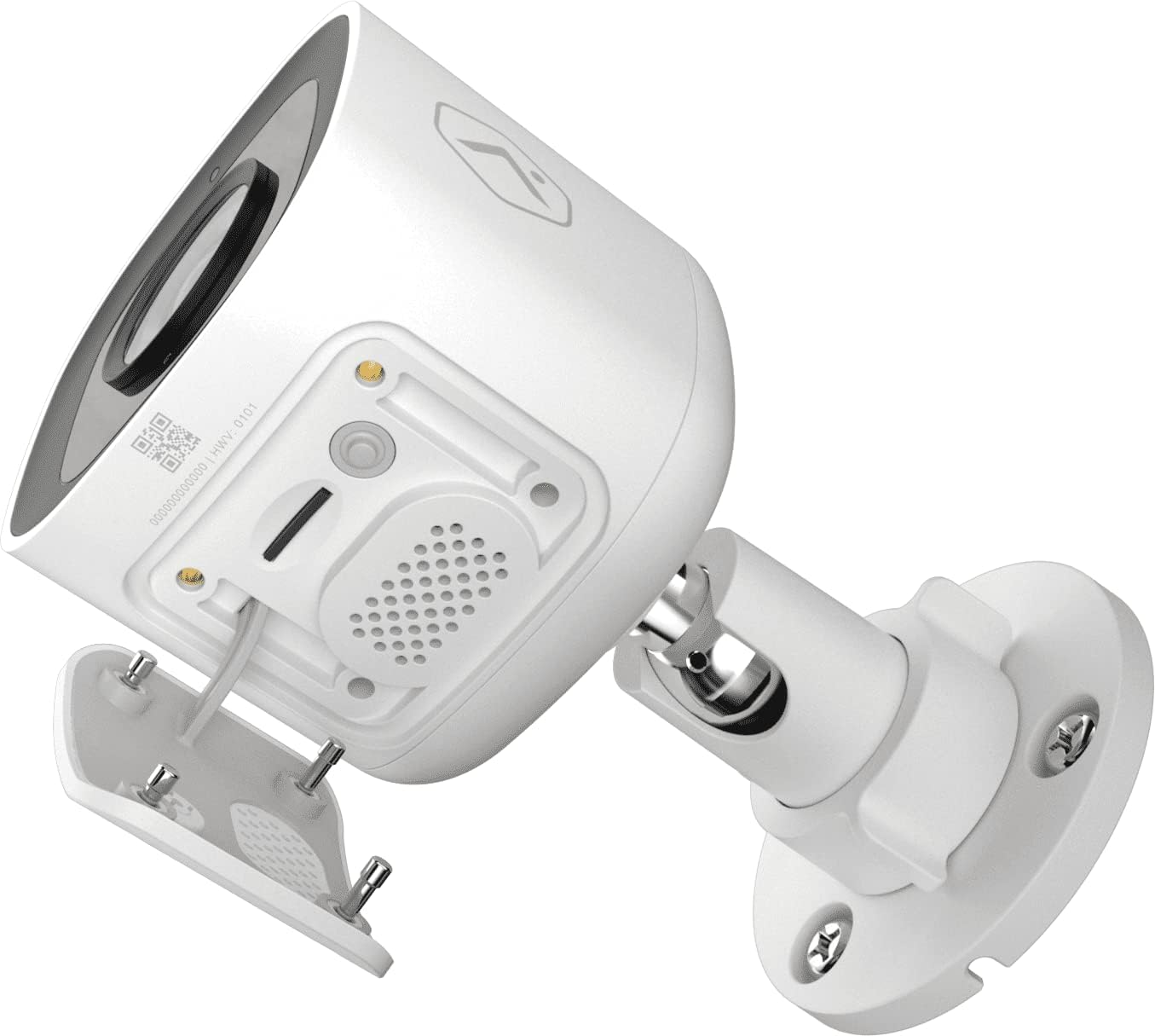
Wêne 5: Binî view of the camera showing the access panel for the MicroSD card slot.
- Lêkirinî: Carefully insert a compatible MicroSD card (up to 512 GB) into the slot until it clicks into place. Ensure the camera is powered off before insertion or removal.
- Formatkirin: The Alarm.com system may prompt you to format the card upon first use.
- Diber: If the card becomes full or corrupted, replace it with a new one. Data on the card can be managed through the Alarm.com platform.
Çareserkirina pirsgirêkan
| Pirsegirêk | Sedema gengaz | Çare |
|---|---|---|
| Kamera çalak nabe | Elektrîk tune, adapter xirab e, pêwendiya sist e. | Check power outlet, ensure adapter is securely connected to camera and power source. |
| Nikare bi Wi-Fi ve were girêdan | Incorrect Wi-Fi password, camera too far from router, network interference. | Verify Wi-Fi password. Move camera closer to router or use a Wi-Fi extender. Reduce interference from other devices. Contact your Alarm.com provider for assistance with network setup. |
| Qalîteya wêneyê nebaş | Dirty lens, low light, network bandwidth issues. | Clean the camera lens. Ensure adequate lighting or check night vision settings. Verify stable internet connection. |
| Dengê du-alî naxebite | Microphone/speaker blocked, volume too low, app settings. | Ensure nothing is obstructing the microphone or speaker. Check volume settings in the Alarm.com app. |
| No local recording | No MicroSD card, incompatible card, card full/corrupted. | Insert a compatible MicroSD card. Format the card via the Alarm.com app. Replace the card if corrupted. |
For further assistance, please contact your Alarm.com service provider.
Specifications
| Taybetî | Hûrî |
|---|---|
| Hejmara Model | V724X |
| Effective Camera Resolution | 2MP |
| Çareseriya Vîdyoyê ya herî zêde | 1920 x 1080 (1080p Full HD) |
| Qada ji View (FOV) | 117-pile |
| Audio | 2-Way Audio (Microphone and Speaker) |
| Tîpa Dîtina Şevê | IR (Infrared) |
| Têkilî | Wi-Fi (2.4 or 5 GHz) |
| Storage Herêmî | MicroSD Card Slot (up to 512 GB, sold separately) |
| Rêjeya Parastina Têketinê | IP66 |
| Navê min | 12VDC |
| Pîvan (L x W x H) | 2.5 x 2.5 x 4.5 inches |
| Pîvan | 1.46 pound (0.66 Kîlogram) |
| Taybetmendiyên Taybet | HDR, Video Analytics, Motion Sensor |
Garantî û Piştgirî
For warranty information and technical support, please refer to the documentation provided by your Alarm.com service provider or visit the official Alarm.com website. Support for the ADC-V724X camera is typically handled through your authorized Alarm.com dealer or installer.
Çavkaniyên Serhêl:
Belgeyên Têkildar - V724X
 |
Alarm.com ADC-V523 1080p Indoor Wi-Fi HDR Video Camera - Specifications and Features Detailed specifications, features, and LED guide for the Alarm.com ADC-V523 1080p Indoor Wi-Fi Video Camera with High Dynamic Range (HDR). Learn about its capabilities, requirements, and included accessories. |
 |
1080p Outdoor Wi-Fi Camera with Two-Way Audio (ADC-V724/724X) Installation Guide | Alarm.com Comprehensive installation guide for the Alarm.com 1080p Outdoor Wi-Fi Camera with Two-Way Audio (ADC-V724/724X). Learn how to set up, connect, and mount your camera. |
 |
Alarm.com ADC-V724/724X LED Status Guide Understand the LED indicator lights on your Alarm.com ADC-V724 and ADC-V724X outdoor Wi-Fi cameras. This guide explains each LED pattern for power, network connection, and operational status. |
 |
Alarm.com ADC-VDB755P PoE Video Door Station Data Sheet | Features, Specs, Requirements Detailed data sheet for the Alarm.com ADC-VDB755P PoE Video Door Station, covering its features, specifications, included accessories, requirements, and status light guide. Learn about its 2MP resolution, 150° FOV, People Detection, and PoE connectivity. |
 |
Pirs û Bersîvên Pir tên Pirsîn ên Tomarvana Vîdyoya Herikbar a Alarm.com (ADC-SVR100) Pirsên ku pir caran têne pirsîn derbarê Tomarvana Vîdyoya Herikîna Alarm.com (ADC-SVR100) de, ku lihevhatina kamerayê, pêdiviyên torê, girêdana înternetê, lîstina vîdyoyê, hilanîn û veavakirina dîska hişk vedihewîne. |
 |
Alarm.com ADC-V723 1080p Outdoor Wi-Fi Camera Quick Start Guide Quick start guide for the Alarm.com ADC-V723 1080p Outdoor Wi-Fi Camera, detailing pre-installation requirements, setup via AP or WPS modes, LED indicator meanings, and troubleshooting tips. |