

1. Destpêk
The Noorio Hub is designed to enhance your home security system by providing local storage, expanding WiFi coverage, and integrating various Noorio devices into a cohesive network. This manual provides essential information for setting up, operating, and maintaining your Noorio Hub.

Image: Noorio Hub placed on a coffee table in a modern living room, illustrating its discreet design.
2. Çi di Qutîkê de ye
Berî ku hûn bi sazkirinê re berdewam bikin, piştrast bikin ku hemî hêman hene:
- Noorio Smart HUB
- 3.28 Feet Charging Cable
- Charging Plug
- Manual Bikarhêner
- 4.92 Feet Wi-Fi Cable
3. Hilbera Serîview & Taybetmendî
The Noorio Hub offers several key features to enhance your security system:
- Enhanced Security System: Compatible with Noorio Devices, including Camera Models (B200, B210, B211, B310, B311) and Doorbells (D110). Note: Not compatible with B200SE, CL200, CS201, T-series. Integrate your cameras and doorbells into a well-coordinated security network for advanced protection. Supports connection of up to 4 cameras.
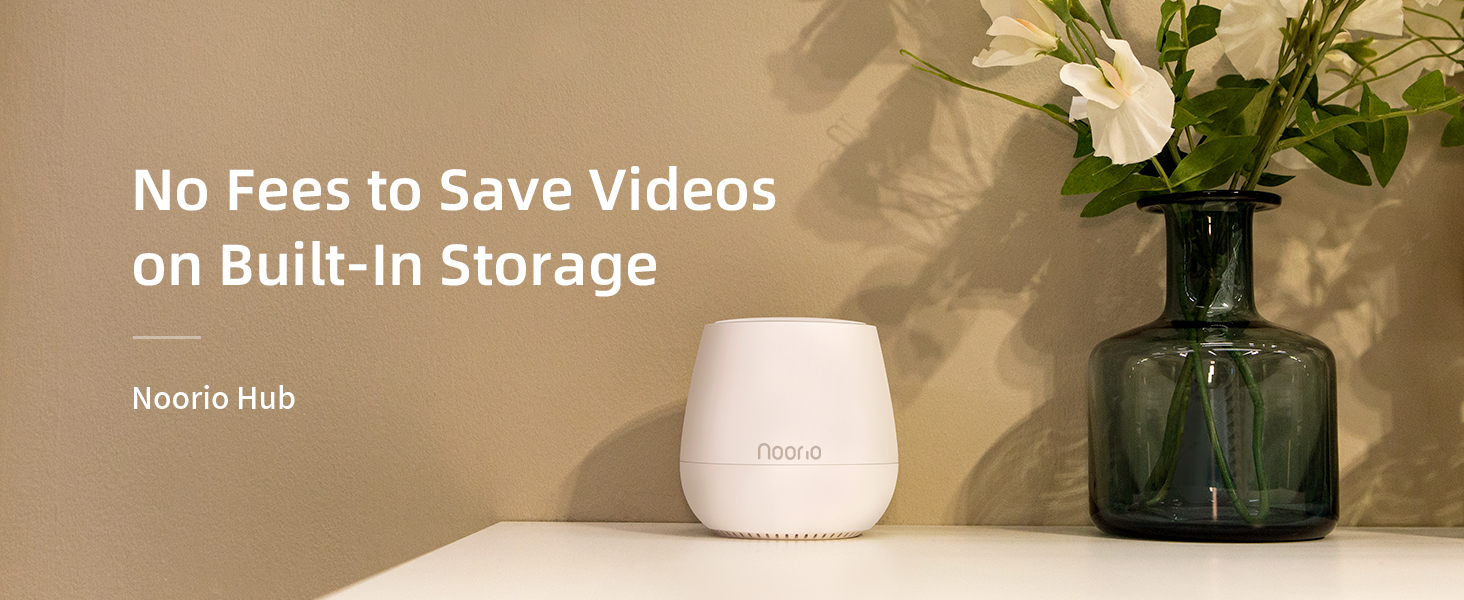
- No Hidden Costs & Large Capacity: Noorio Hub offers 32GB of inbuilt storage, allowing you to save all critical footage without any additional cloud storage fees, providing ample space for all your security needs at zero monthly cost.
- Privacy First: The hub allows you to safely store recorded data in the comfort of your home. No third-party access, ensuring added peace of mind.
- Expanded WiFi Coverage: Our hub increases your WiFi coverage, providing a stable connection for your Noorio security cameras and reducing battery drain.
Compatibility

Image: Diagram showing Noorio Hub compatibility with B200/B210/B211 cameras, B310 cameras, and D110 doorbells.
Nakokîbûn
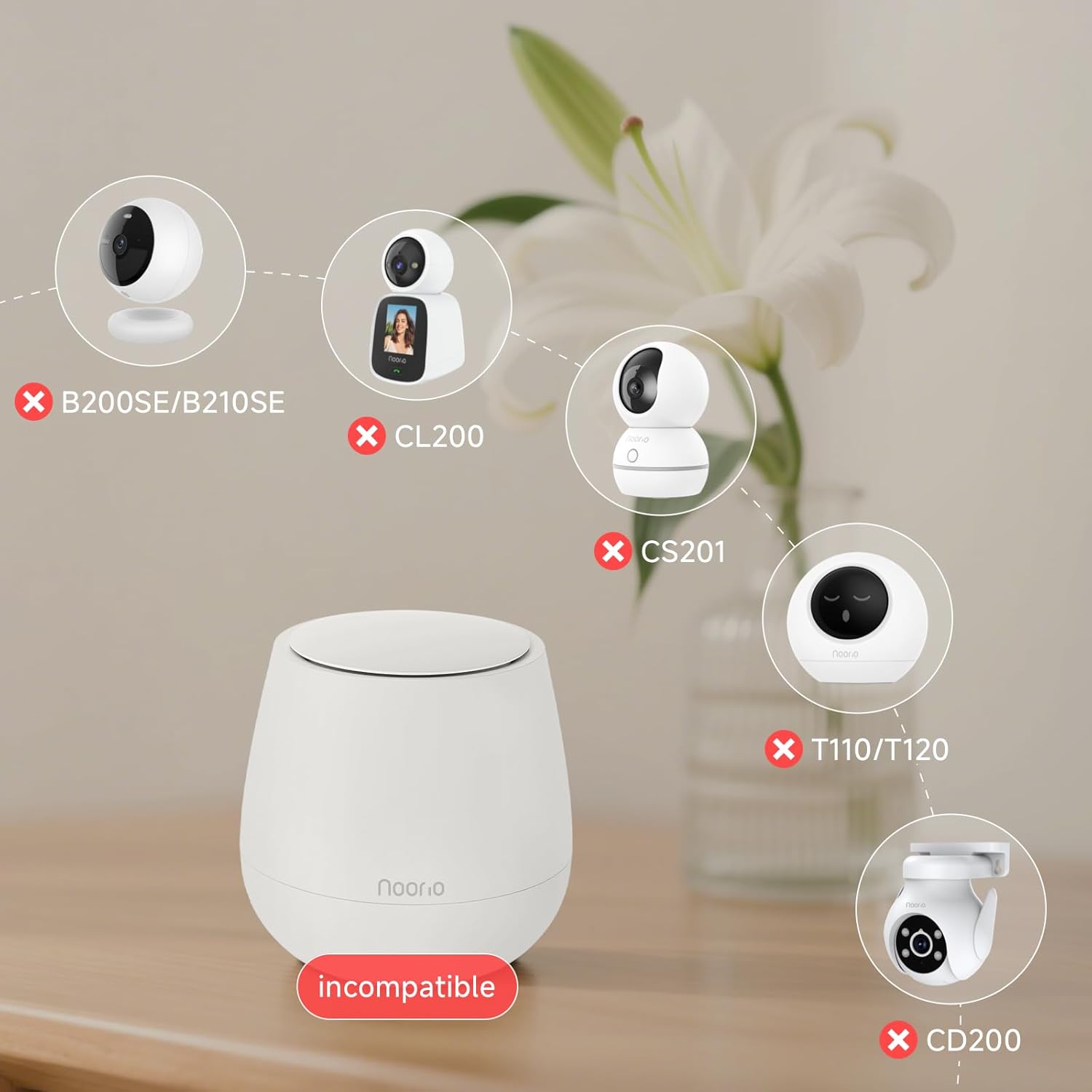
Image: Diagram showing Noorio Hub incompatibility with B200SE/B210SE, CL200, CS201, T110/T120, and CD200 devices.
4. Guide Setup
Follow these steps to set up your Noorio Hub and connect your devices:
- Hêzdarkirin: Plug the Noorio Hub into a power outlet.
- Girêdana Routerê: Connect the Hub to your router using an Ethernet cable.
- Dakêşanê Dakêşînin: Download the Noorio app from your device's app store.
- Add Hub to Account: Open the app and follow the on-screen instructions to add the Hub to your account.
- Kamerayan lê zêde bike: Once the Hub is connected, add your cameras to the app. During the camera setup process, select the Hub as the WiFi network. This will enable the Hub to seamlessly connect and manage your cameras.
5. Telîmatên Operating
Local Storage Management
The Noorio Hub comes with 32GB of built-in local storage, eliminating the need for monthly cloud storage fees. All recorded footage is stored directly on the hub, ensuring your data remains private and secure within your home.

Image: A microchip with '32GB' indicating the hub's local storage capacity.
Expanded WiFi Coverage
The hub acts as a WiFi extender, providing a more stable and reliable connection for your Noorio security cameras. This helps reduce battery drain on your cameras by ensuring they have a strong signal.
Wêne: Serî view of a living room with circular waves emanating from the Noorio Hub, illustrating expanded WiFi coverage.
Taybetmendiyên Nepenîtiyê
Your data is protected and stored locally, ensuring no third-party access to your recorded information. This design prioritizes your privacy and peace of mind.

Image: Icons representing privacy protection and local storage, with a lock icon over the hub.
6. Maintenance
To ensure optimal performance of your Noorio Hub and connected devices, consider the following maintenance tips:
- Navê min: Ensure the hub remains connected to a stable power source.
- Têkiliya torê: Verify the Ethernet cable connection to your router is secure.
- Barkirina Amûrê: For battery-powered Noorio devices, monitor battery levels via the app and recharge as needed. Consider using compatible solar panels (sold separately) to minimize manual recharging.
- Nûvekirinên Nermalavê: Regularly check the Noorio app for firmware updates for the hub and connected devices to ensure you have the latest features and security enhancements.
7. Destpêkirin
If you encounter issues with your Noorio Hub, try the following common troubleshooting steps:
- Têkilî tune: If the hub is offline, check the power supply and Ethernet cable connection. Restart the hub and your router.
- Device Pairing Issues: Ensure your devices are compatible with the hub (refer to compatibility section). Try resetting the device and re-pairing through the app.
- Poor WiFi Signal: Relocate the hub to a more central location or closer to devices experiencing weak signals.
- Depo Tijî ye: If storage is full, review and delete old footage from the app to free up space.
Ji bo pirsgirêkên berdewam, ji kerema xwe bi piştgiriya xerîdar re têkilî daynin.
8. Specifications
| Mezinahiya Hilberê | 4.09 x 4.09 x 4.09 inches |
| Babetê Weight | 1.25 lîre |
| Hejmara Modela Babetê | Smart Hub |
| Nîşan | Noorio |
| Reng | Spî |
| Navrûya Alavê | USB |
| Taybetmendiya Taybet | Powered |
| Amûrên Lihevhatî | Kamerayên dîjîtal |
9. Garantî & Piştgirî
For technical assistance, warranty information, or any other inquiries, please contact Noorio Customer Service:
- Telefon: 800-642-5905 (9 AM - 6 PM ET, Business Day)
- Email: support@nooriolife.com
You can also verify product authenticity by scanning the unique Transparency code on the packaging using the Transparency app for genuine Noorio products.

Image: Smartphone scanning a Transparency code on product packaging.