
1. Destpêk
Thank you for choosing the LDNIO SCW1050 WiFi Smart Plug. This manual provides essential information for the safe and efficient use of your smart plug. Please read it thoroughly before installation and operation, and retain it for future reference.
2. Hilbera Serîview
The LDNIO SCW1050 is a smart electric plug designed to integrate seamlessly into your smart home ecosystem. It features WiFi connectivity for remote control, a timing function for scheduled operations, and multiple safety protections. Its fire-resistant polycarbonate structure ensures durability and safety.
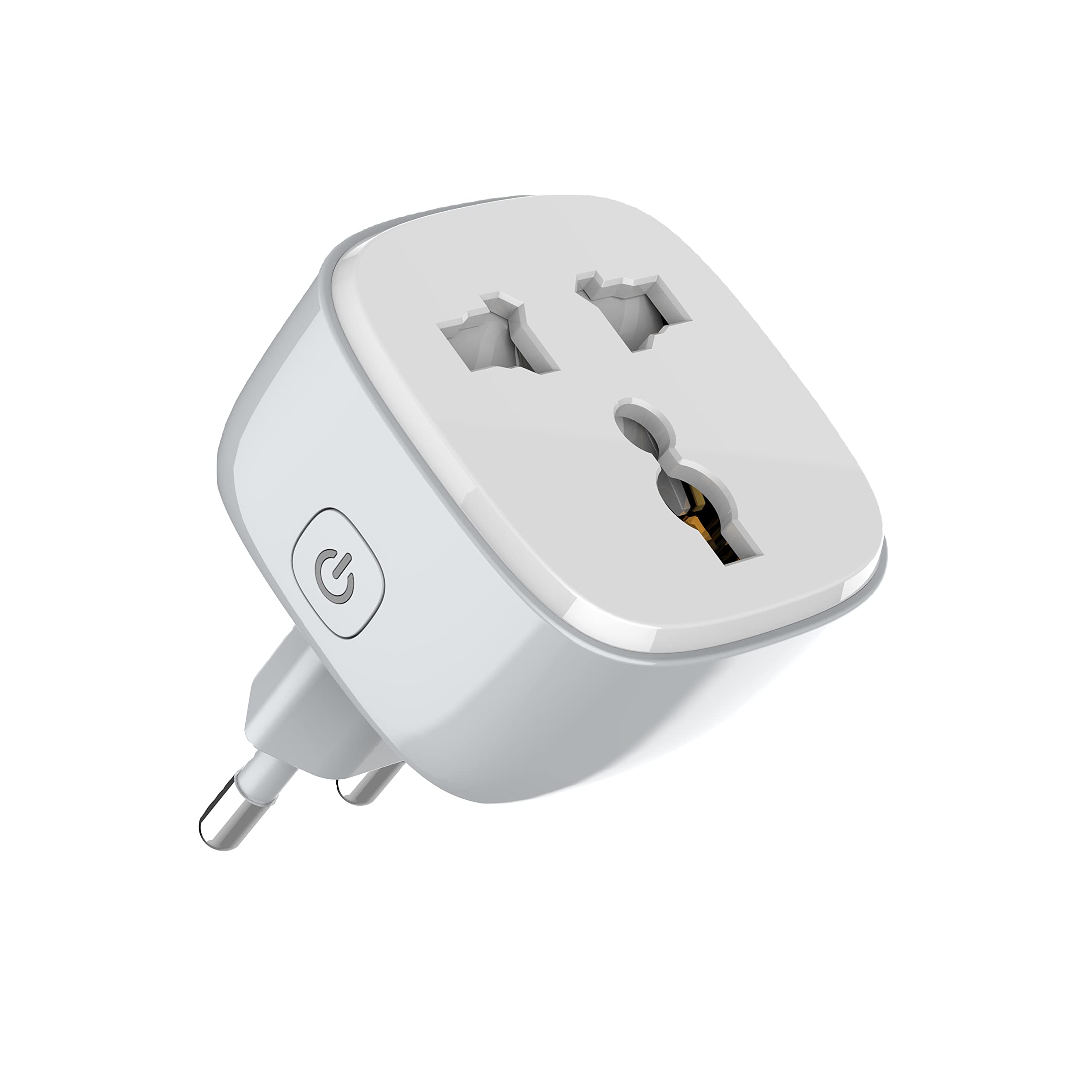
Wêne 1: Pêşî view of the LDNIO SCW1050 WiFi Smart Plug.

Wêne 2: Bişkavkirî view of the LDNIO SCW1050 WiFi Smart Plug, highlighting its compact design.
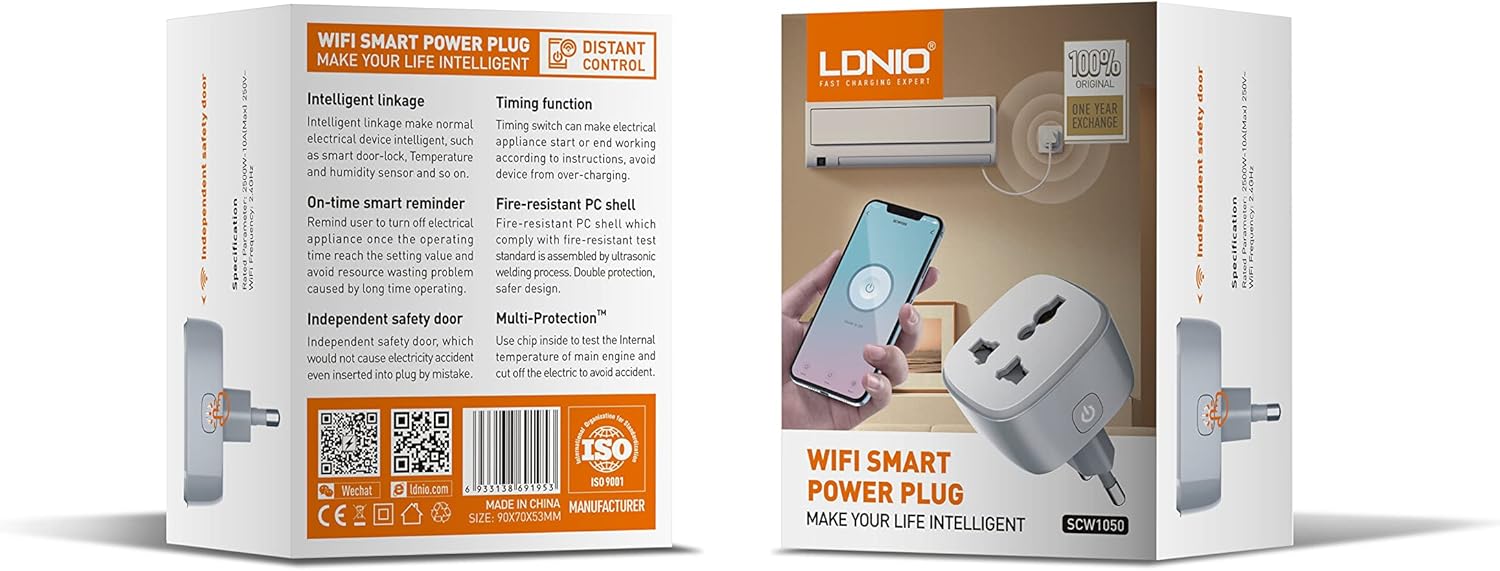
Figure 3: Product packaging illustrating key features such as intelligent linkage, timing function, on-time smart reminder, independent safety door, fire-resistant PC shell, and multi-protection. For more information, visit www.siyoteam.com.
3. Agahiyên Ewlekariyê
- Amûrê ji hev dernexin û neguherînin.
- Piştrast bike ku fîşê bi tevahî ketiye nav priza dîwêr.
- Do not overload the smart plug beyond its rated capacity (2500W, 10A).
- Amûrê ji av, şilbûn û germahiyên bilind dûr bigirin.
- Ev hilber tenê ji bo karanîna hundurîn e.
- Ger amûr xera bibe, tavilê karanîna wê rawestînin û bi piştgiriyê re têkilî daynin.
4. Sazkirin
4.1 Girêdana Destpêkê
- Plug the LDNIO SCW1050 Smart Plug into a standard wall outlet.
- Ensure the indicator light on the smart plug is blinking, indicating it is in pairing mode. If not, press and hold the power button for 5-10 seconds until it blinks rapidly.
4.2 Sazkirin û Cotkirina Serlêdanê
- Download the compatible smart home application (e.g., Tuya Smart or Smart Life app) from your mobile device's app store.
- Têkeve hesabê xwe di hundirê sepanê de an jî qeyd bike.
- Ji bo destpêkirina pêvajoya cotkirinê li ser îkona "+" an jî "Amûrê Zêde Bike" bikirtînin.
- Select "Electrical Outlet" or "Smart Plug" from the device list.
- Follow the on-screen instructions to connect the smart plug to your 2.4GHz WiFi network. Ensure your phone is connected to the same 2.4GHz network during setup.
- Once successfully paired, you can rename the device and assign it to a room.

Figure 4: Remote control of the smart plug using a mobile application.
5. Telîmatên Operating
5.1 Kontrola Manual
Press the power button on the smart plug to manually turn the connected appliance on or off.
5.2 Kontrola App
- On/Off: Tap the power icon next to the device in the app to toggle power.
- Fonksiyona Demjimêr: Set schedules for the smart plug to turn on or off automatically at specific times. This is useful for managing lighting or other appliances.
- Bîrxistinên Jîr: Configure smart reminders within the app to receive notifications or automate actions based on usage patterns or set conditions.
- Girêdana aqilmend: Connect your smart plug with other smart devices or sensors to create automated scenarios (e.g., turn on a lamp when a motion sensor is triggered).
6. Maintenance
- To clean the smart plug, disconnect it from the power outlet and wipe it with a dry, soft cloth.
- Paqijkerên şilek an aerosolê bikar neynin.
- Bi rêkûpêk ji bo nîşanên zirarê an cilê kontrol bikin.
7. Destpêkirin
- Amûr bi WiFi ve girêdayî nabe: Ensure your WiFi network is 2.4GHz. Check that the smart plug is within range of your router. Restart the smart plug and your router, then try pairing again.
- Kontrola sepanê naxebite: Verify your phone has an active internet connection. Ensure the smart plug is connected to WiFi and its indicator light is solid. Update the app to the latest version.
- Appliance not turning on/off: Check if the appliance is properly plugged into the smart plug and if the appliance itself is functional. Ensure the smart plug is receiving power.
- Indicator light behavior:
- Çêkirina bilez: Ji bo hevberdanê amade ye.
- Hêdî dibiriqîn: Disconnected from WiFi.
- Liserxwe: Connected to WiFi and operating normally.
8. Specifications
| Taybetî | Specification |
|---|---|
| Hejmara Model | SCW1050 |
| Hêza Nirxkirî | 2500W |
| Rated Current | 10A (Max) |
| Rated Voltage | 250V~ |
| Frequency WiFi | 2.4 GHz |
| Mezinahiya Hilberê | 7.62 x 5.08 x 5.08 cm |
| Giraniya hilberê | 70 gram |
| Shell Material | Fire-resistant Polycarbonate |
9. Garantî û Piştgirî
LDNIO offers a One Year Exchange warranty for this product, as indicated on the packaging. For technical support, warranty claims, or further inquiries, please visit the official LDNIO website li www.siyoteam.com an bi belavkerê xweya herêmî re têkilî daynin.
You may also find additional resources and community support through the WeChat platform by scanning the QR code found on the product packaging (refer to Figure 3).