
Pêşkêş
Thank you for choosing the Colesma Smart Watch. This manual provides detailed instructions on how to set up, operate, and maintain your new smartwatch. Please read this manual thoroughly before using the device to ensure optimal performance and longevity.
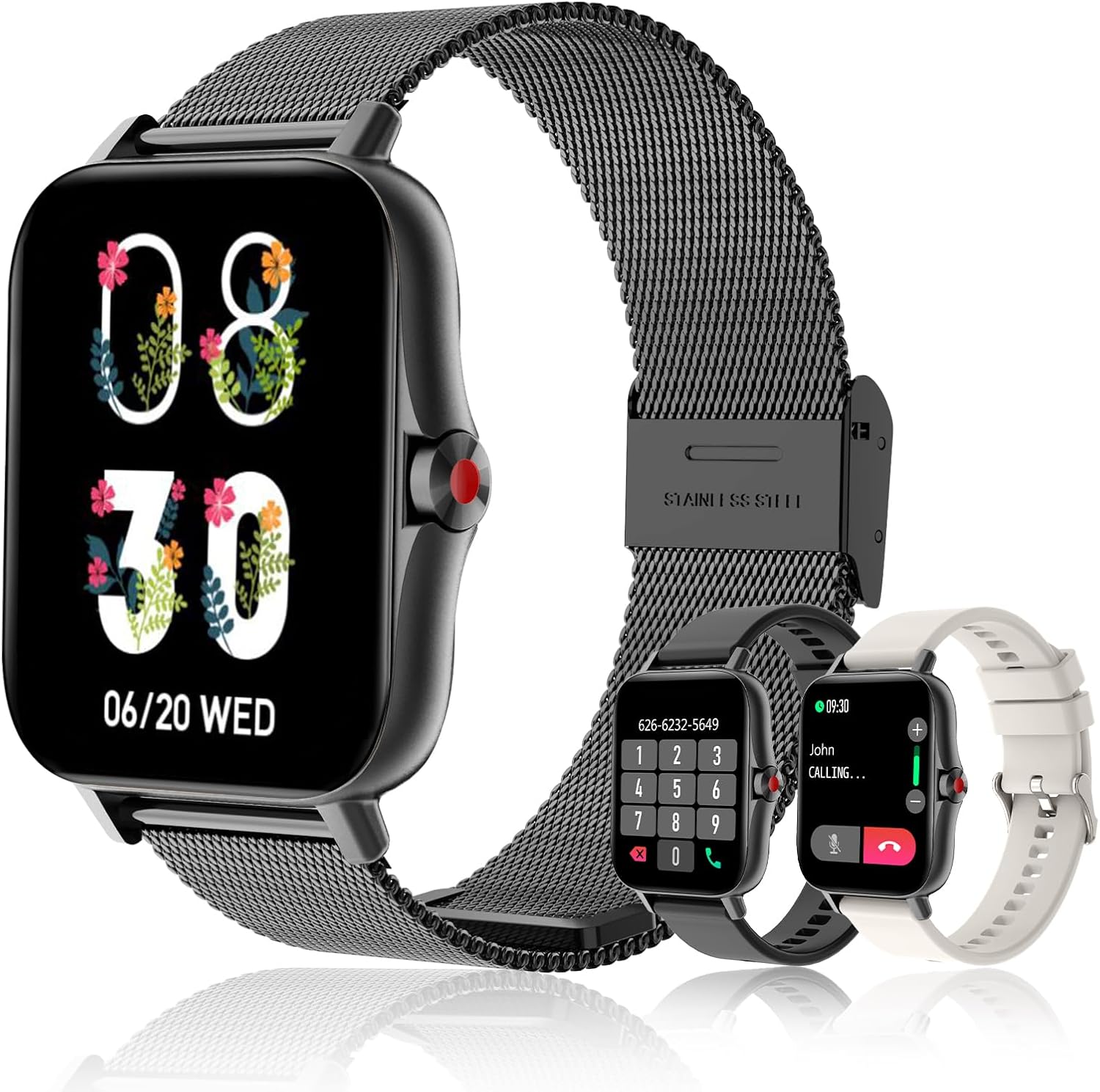
The Colesma Smart Watch, featuring a sleek black design with a mesh band, and including two additional interchangeable bands for versatile styling.
Di Box çi ye
- Smart Watch Body x 1
- Smartwatch Bands x 2 (one pre-installed, one additional)
- Smart Watch Charging Cable x 1
- Manual Bikarhêner x 1
Setup Guide
1. Barkirina Destpêkê
Before first use, fully charge your smartwatch. Connect the magnetic charging cable to the charging points on the back of the watch and plug the USB end into a compatible power adapter (not included).
2. Sazkirin û Cotkirina Serlêdanê
The Colesma Smart Watch requires the "Da Fit" app for full functionality and pairing with your smartphone.
- Serlêdanê dakêşin: Scan the QR code in the included user manual or search for "Da Fit" in the Google Play Store (for Android) or Apple App Store (for iOS).
- Bluetooth çalak bike: On your smartphone, go to Settings and ensure Bluetooth is turned on.
- Serlêdana Da Fit veke: Sepana "Da Fit" vekin û rêwerzên li ser ekranê bişopînin da ku hesabek çêbikin an têkevinê.
- Amûrek zêde bikin: In the app, navigate to the "Add Device" section. The app will search for nearby devices. Select "i18" or the corresponding device name to connect.
- Hevberdanê piştrast bike: A pairing request may appear on your watch and phone. Confirm the pairing on both devices.

Visual guide for connecting your Colesma Smart Watch to the Da Fit application on your mobile device.
3. Enabling Bluetooth Call Function
To use the call answering and making features, an additional Bluetooth connection is required:
- Li ser çavdêriyê: Swipe down from the watch face to access the quick settings. Tap the "Phone ON" icon to enable the call function.
- On the Phone: Go to your phone's Bluetooth settings. Look for a device named "i18" (or similar, often with a headphone icon) and connect to it.
- Once connected, you can use your watch to answer and make calls.
Video demonstrating how to pair your Colesma Smart Watch for call functionality.
A guide to establishing the Bluetooth connection for your smartwatch.
Telîmatên Operating
Navîgasyon bingehîn
- Swipe down: Access quick settings (Brightness, Phone ON/OFF, Do Not Disturb, etc.).
- Swipe Up: View notifications.
- Çep/Rast bihejînin: Navigate through main functions (Activity, Heart Rate, Sleep, Weather, Music, etc.).
- Bişkojka Alî Bikirtînin: Return to the watch face or access the app menu.
Taybetmendiyên sereke
Bluetooth Call & Message Reminder
Once paired, your smartwatch allows you to answer/make calls directly and receive notifications from various apps (WhatsApp, Facebook, Twitter, etc.). Note: Message replies are not supported.

The smartwatch showing its Bluetooth call and message reminder capabilities, allowing convenient communication directly from your wrist.
Demonstration of the call and answer fitness tracker features for Android and iOS.
A video illustrating the smart watch's message reminder function.
Health Monitoring (HR, BP, SpO2, Sleep)
The smartwatch continuously monitors your heart rate, blood pressure, blood oxygen (SpO2), and sleep patterns. View detailed data in the Da Fit app.

The smartwatch's interface showing real-time blood oxygen levels and sleep monitoring graphs, providing comprehensive health insights.

The smartwatch offers 24/7 health monitoring, including heart rate and sleep quality tracking, to help you understand and improve your well-being.
Modes Sports
Choose from 8 built-in sports modes to track your workouts, including walking, running, cycling, skipping, badminton, basketball, football, and swimming. Data is synced to the app.
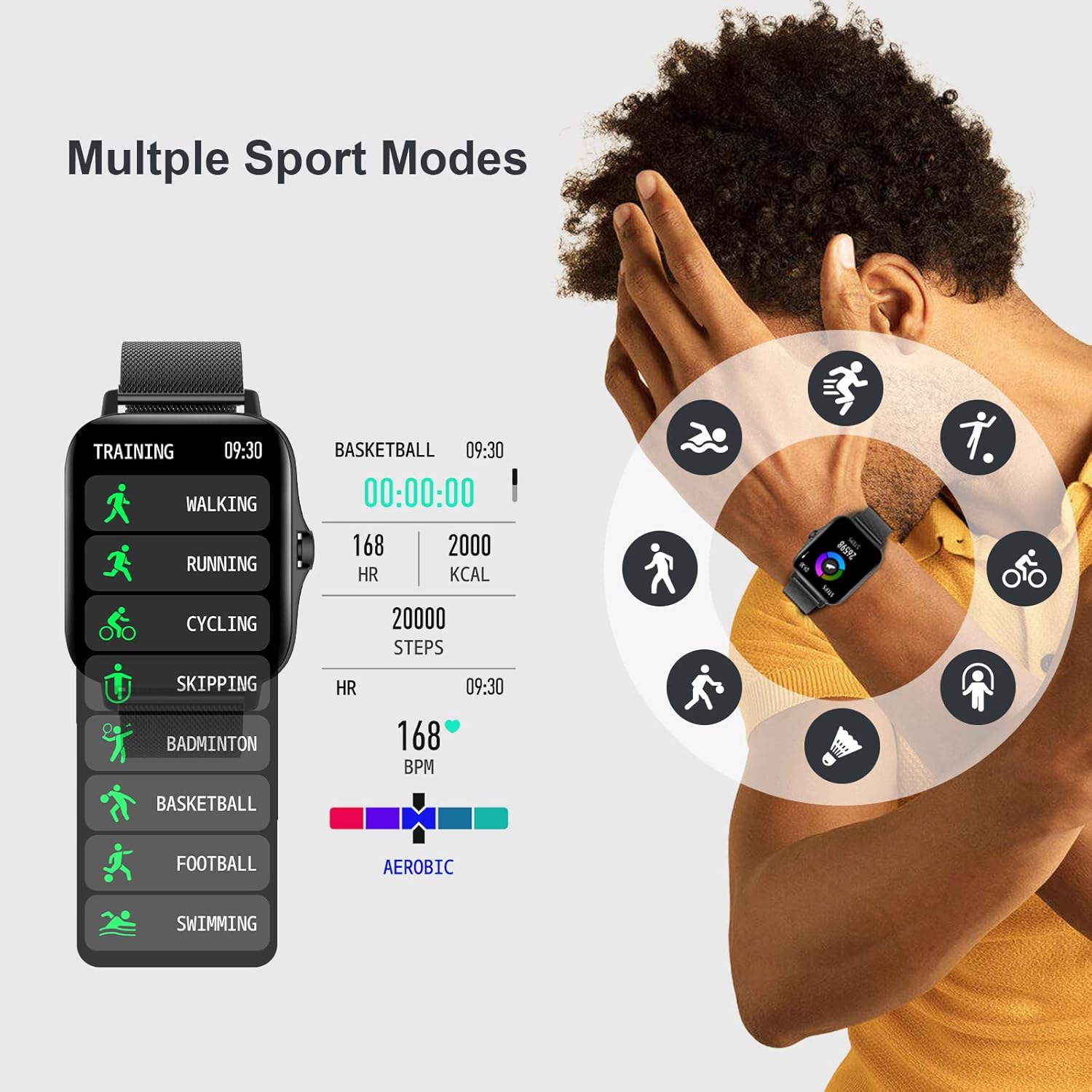
The smartwatch features multiple sport modes, allowing you to accurately track various physical activities and monitor your performance.

Comprehensive sports and health monitoring features, including heart rate zones, sleep quality, steps, blood pressure, and SpO2, to support your active lifestyle.
DIY Watch Face
Personalize your watch face with over 100 options available in the Da Fit app, or upload your own photos.

Customize your smartwatch with over 100 watch faces or create your own DIY designs on the 1.7-inch HD large full-touch colorful screen.
A video demonstrating how to customize your watch screen with various dials and personal photos.
Kontrola Kamera Dûr
Enter the mobile phone app's photo interface, then swing your arm to remotely trigger your phone's camera and capture moments.

The smartwatch enables easy remote control photography, allowing you to capture wonderful moments by simply swinging your arm.
Lênerrînî
Paqijkirina Saeta Xwe ya Zîrek
- Wipe the watch body and straps regularly with a soft, damp çît.
- Ji karanîna kîmyewî an materyalên hişk dûr bixin.
- Berî şarjkirinê, piştrast bikin ku têkiliyên şarjkirinê paqij û hişk in.
Replacement Strap
The Colesma Smart Watch features quick-release pins for easy strap replacement. To remove a strap, pull the pin inwards and gently detach the strap. To attach a new strap, align the pin with the lug hole and release the pin to secure it.
Video tutorial on how to remove and install the watch strap.
Berxwedana avê
The watch is IP67 waterproof, meaning it can withstand splashes, rain, and brief immersion in water. It is not suitable for hot showers, diving, or prolonged submersion.
Çareserkirina pirsgirêkan
| Pirsegirêk | Sedema gengaz | Çare |
|---|---|---|
| Temaşe neke ku venebe | Pîlê kêm | Charge the watch for at least 2 hours. |
| Nikare bi telefonê re were hevber kirin | Bluetooth off, app not running, watch too far | Ensure phone Bluetooth is on, open Da Fit app, keep watch close to phone. Restart both devices. |
| Agahdarî tune ne | App permissions not granted, notification settings off | Check Da Fit app notification settings and phone's app permissions. Ensure watch is connected. |
| Fonksiyona bangê naxebite | Second Bluetooth connection not established | Follow steps in "Enabling Bluetooth Call Function" section to connect the second Bluetooth profile. |
| Agahiyên tenduristiyê yên nerast | Watch fit too loose/tight, sensor dirty | Ensure watch is worn snugly but comfortably. Clean the sensor on the back of the watch. |
Specifications
| Taybetî | Hûrî |
|---|---|
| Hejmara Model | i18-Black |
| Mezinahiya Screen | 1.69 inches (1.59 inches listed in specs, using 1.69 from title for consistency) |
| Mezinahiya Hilberê | 1.73 x 1.73 x 0.39 inches |
| Babetê Weight | 6.4 onsan |
| Kapasîteya Pîl | 230 Milîamp Hours |
| Operating System | Android & iOS compatible |
| Têkilî | Bluetooth |
| Berxwedana avê | IP67 |
Garantî û Piştgirî
For warranty information and customer support, please refer to the contact details provided on the product packaging or visit the official Colesma webmalper. Ji bo her îdîaya garantiyê, wergirtina kirîna xwe wekî delîla kirînê biparêzin.
Çêker: Colesma
Yekem Berdest: 5 Tîrmeh 2022
For further assistance, you may also refer to the official user guides available online: