
Breville LAD308WHT
Breville the Smart Dry Plus Connect Dehumidifier
Model: LAD308WHT
1. Parastinên Girîng
Always read all instructions before operating the appliance and save them for future reference. This dehumidifier is designed for household use only. Improper use can result in electric shock, fire, or serious injury.
- Ensure the power cord is fully inserted into a grounded power outlet.
- Amûrê bi têl an fîşa xerabûyî nexebitînin.
- Amûrê ji çavkaniyên germê û tîrêja tavê ya rasterast dûr bigirin.
- Deriyên hewayê negirin. Li dora cîhazê herî kêm 20 cm valahî bihêlin.
- Berî paqijkirin an jî lênêrînê, her tim cîhazê vemirînin û ji ceryanê derxînin.
- Ev amûr ne ji bo karanîna kesên (zarok jî di nav de) yên kêmbûna kapasîteyên laşî, hestî an derûnî, an kêmbûna ezmûn û zanînê ne, heya ku çavdêrî an rêwerzek derbarê karanîna amûrê ji hêla kesek berpirsiyarê ewlehiya wan ve neyê dayîn.
2. Destpêkirin: Sazkirin
Before first use, carefully unpack the dehumidifier and ensure all components are present and undamaged. Place the unit on a firm, level surface in the desired location, ensuring adequate clearance for air circulation.

Wêne 2.1: Pêşî view of the Breville Smart Dry Plus Connect Dehumidifier, showing its sleek white design and top control panel.
2.1 Cihgirtina Destpêkê
Position the dehumidifier in a central location within the room you wish to dehumidify. For optimal performance, avoid placing it directly against walls or furniture. Ensure the air intake and outlet grilles are unobstructed.
2.2 Girêdana Hêzê
Plug the power cord into a standard 220-240V AC grounded electrical outlet. The unit will enter standby mode, and the display will illuminate.
2.3 Wi-Fi Setup with Breville Home Connect App
The Smart Dry Plus Connect Dehumidifier features Wi-Fi connectivity, allowing remote control via the Breville Home Connect app. Download the app from your device's app store (iOS or Android).
- Piştrast bikin ku cîhaza weya desta bi tora Wi-Fi ya 2.4GHz ve girêdayî ye.
- Open the Breville Home Connect app and follow the on-screen instructions to create an account or log in.
- Select "Add Device" and choose your dehumidifier model from the list.
- Follow the in-app prompts to connect the dehumidifier to your home Wi-Fi network. This typically involves pressing a Wi-Fi button on the unit and entering your network password in the app.
- Once connected, you can control the dehumidifier from anywhere with an internet connection.
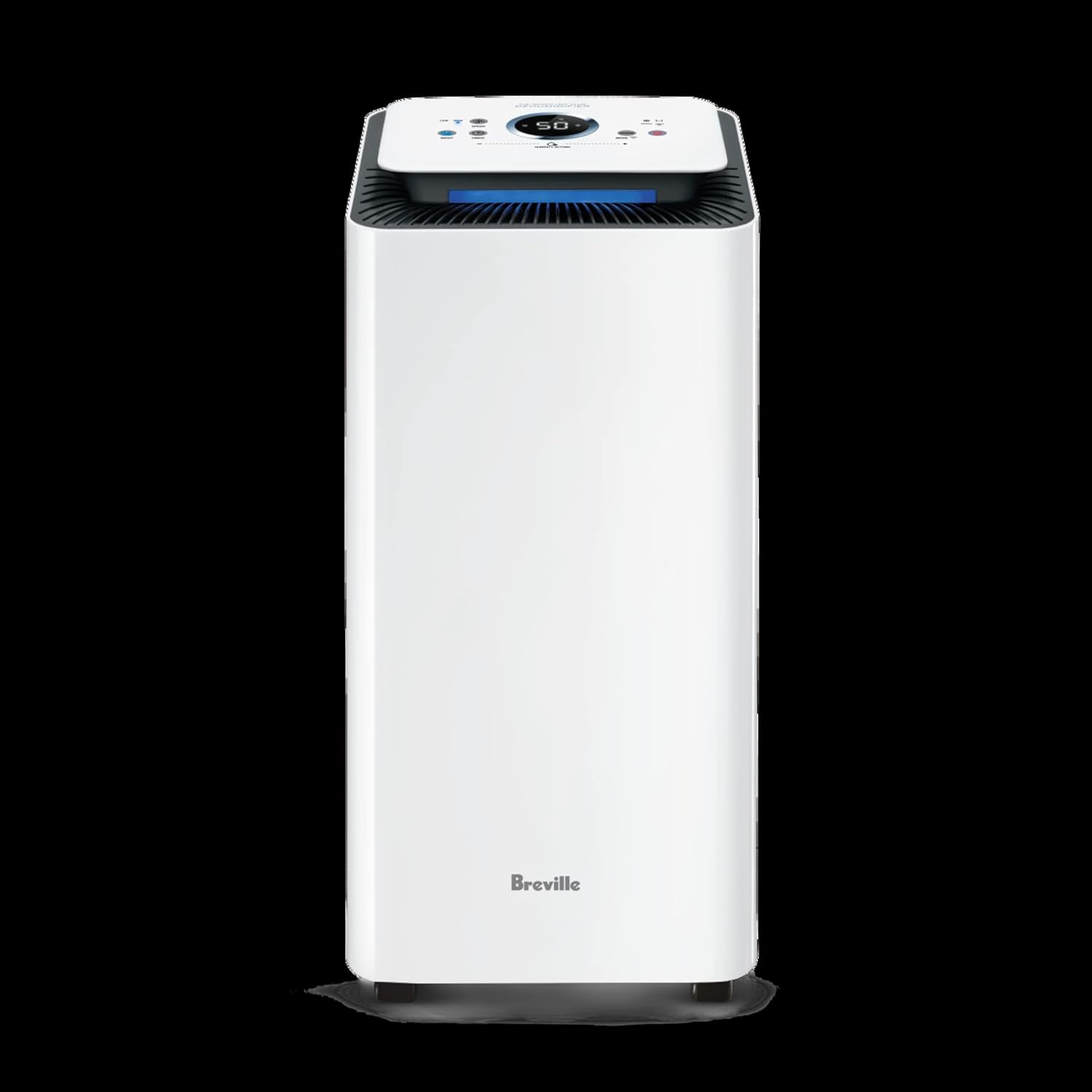
Figure 2.2: Screenshot of the Breville Home Connect app displaying humidity and temperature readings, along with control options for the dehumidifier.
3. Telîmatên Operating
The dehumidifier offers various modes and settings to optimize humidity control for your environment.
3.1 Panela Kontrolê Serview
The control panel on top of the unit features an LED display and touch-sensitive buttons for easy operation.
- Bişkojka Hêzê: Yekîneyê vedike an vedike.
- Bişkojka Modê: Cycles through operating modes (e.g., Auto, Continuous, Laundry).
- Bişkokên Mîhengkirina Şilbûnê (+/-): Adjusts the target humidity level in manual mode.
- Bişkoka Leza Fan: Leza fanosê hildibijêre (Nizm, Navîn, Bilind).
- Bişkojka Timer: Ji bo girtina otomatîkî demjimêrek destnîşan dike.
- Nîşana Wi-Fi: Rewşa girêdana Wi-Fi nîşan dide.
3.2 Modes Operating
- Modeya Xweser: The dehumidifier automatically adjusts its operation based on the current room humidity to maintain a comfortable level.
- Moda Berdewam: The unit operates continuously regardless of humidity levels, ideal for very damp şert û mercên zuwakirinê an jî zuwakirina cilşûştinê.
- Moda cilşûştinê: Optimized settings for drying clothes faster by extracting moisture from the air.
3.3 Danîna Şilbûna Xwestî
In manual mode, use the Humidity Setting buttons to set your desired humidity level, typically between 40% and 60% for optimal comfort and mold prevention. The unit will cycle on and off to maintain this level.
3.4 Entegrasyona Kontrola Deng
The Breville Smart Dry Plus Connect Dehumidifier is compatible with Amazon Alexa and Google Home/Assistant. Once connected via the Breville Home Connect app, you can use voice commands to control basic functions like turning the unit on/off or checking humidity levels.

Figure 3.1: The dehumidifier supports voice control through Amazon Alexa and Google Home/Assistant for convenient operation.
4. Maintenance
Parastina birêkûpêk temenê dirêj û xebata bi bandor a dehumidifierê we garantî dike.
4.1 Valakirina Depoya Avê
When the water tank is full, the unit will automatically shut off and an indicator light will illuminate. Carefully remove the water tank from the rear of the unit and empty the collected water. Reinsert the tank firmly until it clicks into place.
For continuous drainage, connect a suitable hose (not included) to the continuous drainage port at the back of the unit and direct it to a floor drain or larger container.
4.2 Paqijkirina Parzûna Hewayê
The air filter should be cleaned every two weeks or more frequently depending on usage and air quality. A dirty filter can reduce efficiency and airflow.
- Dehumidifier vekin û jê derxin.
- Locate and remove the air filter, typically found behind the front grille or on the side.
- Gently vacuum any dust from the filter. For heavier dirt, wash the filter with warm, soapy water.
- Rinse thoroughly and allow the filter to air dry completely before reinserting it into the unit.
4.3 Paqijkirina Derveyê Yekîneyê
Derveyê dehfdanê bi nermî paqij bike, damp qumaş. Paqijker an çareserkerên aşınker bikar neynin, ji ber ku ew dikarin zirarê bidin rûyê.
5. Destpêkirin
Refer to this section for common issues and their solutions. If the problem persists, contact Breville Customer Service.
| Pirsegirêk | Sedema gengaz | Çare |
|---|---|---|
| Dehumidifier vênanake. | No power; power cord not plugged in; power outage. | Piştrast bike ku cîhaz girêdayî ye; şikênera devreyê kontrol bike; prizek din biceribîne. |
| Av nayê berhevkirin an jî berhevkirina wê kêm e. | Humidity level too low; air filter clogged; room temperature too low; water tank full or not properly inserted. | Increase target humidity; clean air filter; ensure room temp is above 5°C; empty and reinsert water tank. |
| Unit bi deng e. | Unit not on a level surface; air filter clogged; internal components vibrating. | Place on a level surface; clean air filter; this may be normal operation noise. |
| Pirsgirêkên girêdana Wi-Fi. | Incorrect Wi-Fi password; unit too far from router; 5GHz network used; app issues. | Re-enter password; move unit closer to router; ensure 2.4GHz network; restart app/phone. |
6. Specifications
| Taybetî | Hûrî |
|---|---|
| Hejmara Model | LAD308WHT2IAN1 |
| Water Extraction Capacity | 20 Litres per day |
| Mezinahiya Odeya Pêşniyarkirî | Heta 50 m² |
| Hêz / Wattage | 308 watt |
| Babetê Weight | 15.7 kg |
| Pîvan (Pakêt) | 68.5 x 33 x 32.5 cm |
| Taybetmendiyên Taybet | Portable, Wi-Fi Control, Voice Control (Alexa/Google Home), SensAir Live Humidity Control |
7. Garantî û Piştgiriya Mişterî
Breville appliances come with a limited warranty. Please refer to the warranty card included with your product for specific terms and conditions, or visit the official Breville webmalpera ji bo agahdariya ermanî ya berfireh.
For technical assistance, troubleshooting not covered in this manual, or to inquire about replacement parts, please contact Breville Customer Service. Contact details can typically be found on the Breville webmalper an li ser pakkirina hilberê we.
Piştgiriya Serhêl: Serdan www.breville.com ji bo Pirsên Pir tên Pirsîn (FAQs), qeydkirina hilberê, û çavkaniyên piştgiriyê.
Ask a question about this manual
Ask about setup, troubleshooting, compatibility, parts, safety, or missing instructions. Manuals+ will review the question and use this page’s manual context to help answer it.