
1. Destpêk
Spas ji bo kirînêasing the Comix S360A Cross Cut Paper Shredder. This manual provides essential information for the safe and efficient operation, maintenance, and troubleshooting of your shredder. Please read these instructions carefully before use and retain them for future reference.
The Comix S360A is designed for secure disposal of sensitive documents, credit cards, and CDs. It features a cross-cut mechanism for enhanced security and includes a jam-proof system with reverse and forward functions to clear paper jams. An energy-saving mode ensures optimal efficiency during operation.
2. Telîmatên Ewlekariya Girîng
HIŞYARÎ: Neşopandina van rêwerzên ewlehiyê dibe ku bibe sedema agir, şoka elektrîkê, an birîndarî.
- Zarok û heywanên heywanan ji şedrê dûr bixin.
- Keep loose clothing, jewelry, hair, and ties away from the paper entry slot.
- Do not insert fingers or other body parts into the paper entry slot.
- Do not spray any flammable products or lubricants into the shredder.
- Do not shred metal objects, wet paper, or adhesive labels.
- Always unplug the shredder when not in use or before cleaning.
- Do not operate the shredder if the power cord is damaged. Contact customer support for assistance.
- Piştrast bike ku makîneya parçekirinê li ser rûyek asta û aram hatiye danîn.
- Do not overload the shredder beyond its specified sheet capacity.
3. Naveroka pakêtê
Ji kerema xwe pakêtê ji bo tiştên jêrîn kontrol bikin:
- Comix S360A Shredder Head
- Waste Bin (13 Liter capacity)
- Destûra Rêvekirinê (ev belge)
4. Sazkirin
- Pakêta Shredderê veke: Bi baldarî hemî pêkhatan ji pakêtê derxînin.
- Place the Waste Bin: Position the waste bin on a flat, stable surface.
- Mount the Shredder Head: Carefully place the shredder head onto the top of the waste bin, ensuring it is securely seated. The shredder will not operate if the head is not correctly positioned.
- Hêza girêdanê: Kabloya elektrîkê têxin nav dergehek elektrîkê ya standard.
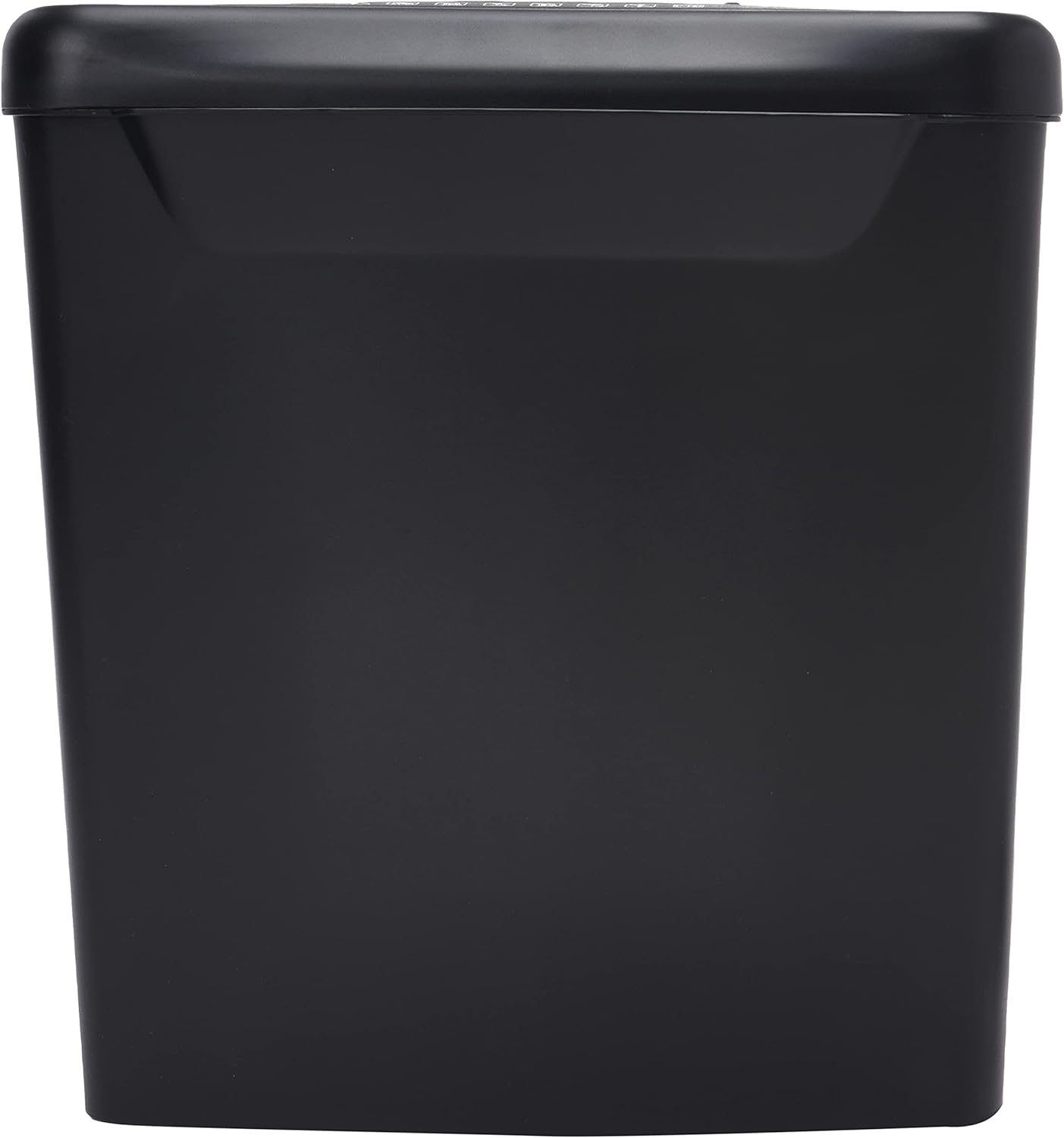
Wêne: Alî view of the Comix S360A shredder bin, showing its black exterior and compact design. The shredder head is not visible in this image.
5. Telîmatên Operating
5.1 Guhestina Control
The shredder features a slide switch with three positions:
- TRIMBÊL: The shredder will automatically start when paper is inserted and stop when shredding is complete. This is the normal operating mode.
- JI: The shredder is powered off. Always set the switch to OFF when emptying the bin or when the shredder is not in use.
- ZIVIRÎN (Paşve): This position reverses the shredder blades to help clear paper jams.

Wêne: Jor view of the shredder head, highlighting the paper entry slot, the three-position control switch (Rev, OFF, Auto), and various safety warning icons.
5.2 Belgeyan Parçe Bikin
- Ensure the shredder head is securely placed on the waste bin.
- Kabloya elektrîkê têxin hêlîneke elektrîkê.
- Set the control switch to AUTO.
- Insert up to 8 sheets of 70gsm A4 paper into the paper entry slot. The shredder will start automatically.
- For credit cards or CDs, use the dedicated slot if available (refer to product specifications for capability).
- The shredder will stop automatically once the shredding process is complete.
5.3 Duty Cycle
The Comix S360A has a continuous run time of minutes 2, followed by a rest time of minutes 40. Exceeding the run time may cause the shredder to overheat and automatically shut off. Allow the shredder to cool down for the specified rest time before resuming operation.
6. Maintenance
6.1 Valakirina Çopê
- Set the control switch to JI.
- Alava parçekirinê ji priza elektrîkê veqetînin.
- Serê parçekerê ji qutiya çopê rakin.
- Dispose of the shredded paper.
- Replace the shredder head securely onto the waste bin.
- Makîneya parçekirinê dîsa bi priza elektrîkê ve girêbide.
6.2 Oiling the Shredder Blades
Regular oiling of the shredder blades is recommended to maintain optimal performance and extend the life of your shredder. Use shredder oil specifically designed for paper shredders.
- Xêzek zirav ji rûnê perçekerê li ser qulika ketina kaxezê bidin.
- Set the control switch to AUTO.
- Insert a sheet of paper to distribute the oil evenly across the blades.
- Repeat this process periodically, especially after emptying a full waste bin or if the shredder's performance decreases.
6.3 Paqijkirin
Wipe the exterior of the shredder with a soft, dry cloth. Do not use abrasive cleaners or solvents. Ensure the shredder is unplugged before cleaning.
7. Destpêkirin
| Pirsegirêk | Sedema gengaz | Çare |
|---|---|---|
| Shredder does not start. |
|
|
| Paper jam. |
|
|
| Shredder di dema xebitandinê de radiweste. |
|
|
8. Specifications
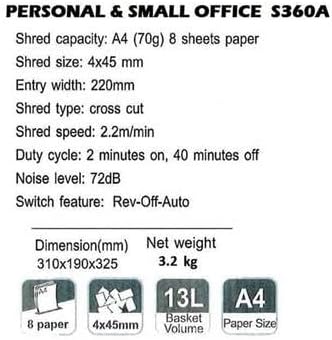
Image: Technical specifications sheet for the Comix S360A, detailing performance metrics and physical attributes.
- Cins: S360A
- Tîpa perçekirinê: Cross Cut
- Mezinahiya Perçeyê: 4 x 45 mm
- Shred Capacity (A4, 70g): 8 pel
- Firehiya têketinê: 220 mm
- Leza Parçekirinê: 2.2 m/min
- Kapasîteya Çopê: 13 Litre
- Duty Cycle: 2 hûrdem On / 40 hûrdem Off
- Asta Deng: 72 dB
- Switch Feature: Rev-Off-Auto
- Mezinahiyên hilberê: 310 x 190 x 325 mm (L x W x B)
- Giraniya Net: 3.2 kg
- Taybetmendiyên Taybet: Energy Saving Mode, Jam Pro, Quiet Operation
9. Garantî û Piştgirî
For warranty information or technical support, please refer to the warranty card included with your product or contact Comix customer service through their official website or the retailer where the product was purchased. Please have your model number (S360A) and purchase date available when contacting support.