
VTech CS2051
Pirtûka Bikarhêner a Telefona Bêkabloyî ya VTech CS2051
Model: CS2051 | Brand: VTech
Pêşkêş
This user manual provides comprehensive instructions for the setup, operation, maintenance, and troubleshooting of your VTech CS2051 Cordless Phone system. Please read this manual thoroughly before using your new phone to ensure proper functionality and to take full advantage ji taybetmendiyên wê.
The VTech CS2051 is a DECT cordless phone system designed for home and office use, featuring two handsets and an integrated answering machine. It offers advanced features such as call blocking, ECO mode for energy efficiency, and a clear backlit display.
Damezirandin
Naveroka pakêtê
Piştrast bike ku hemî tişt di pakêtê de hene:
- 1 x Yekîneya Bingehîn
- 2 x Destên Bêkabloyî
- 2 x Handset Chargers (for additional handsets)
- 2 x Pîlên NiMH yên ji nû ve şarjkirî
- 1 x Power Adapter for Base Unit
- 1 x Kabloya Xeta Telefonê
- Manual Bikarhêner (ev belge)

Image: The VTech CS2051 cordless phone system, showing the main base unit with one handset docked, and a second standalone handset with its charger.
Sazkirina Pîlê
- Qapaxa beşê pîlê li pişta her destan vekin.
- Insert the supplied NiMH rechargeable battery, observing the correct polarity (+ and -).
- Qepaxa beşa pîlê bigire.
Girêdana Yekîneya Bingehê
- Connect one end of the telephone line cord to the TEL LINE jack on the base unit.
- Serê din ê kabloya telefonê bi priza dîwarê telefona xwe ve girêde.
- Connect the small end of the power adapter to the POWER jack on the base unit.
- Serê mezin ê adaptora hêzê bi prizek elektrîkê ya standard ve girêdin.
- Place the main handset on the base unit to charge.
Connecting Additional Handset Chargers
- Connect the power adapter for each additional charger to the POWER jack on the charger.
- Adaptera elektrîkê têxin nav dergehek elektrîkê ya standard.
- Place the additional handset(s) on their respective chargers to charge.
Allow the handsets to charge for at least 16 hours before initial use to ensure optimal battery performance.
Telîmatên Operating
Çêkirin û wergirtina bangan
- Ji bo Bangek: Pick up a handset, dial the number, and press the Bang pişkov.
- Ji bo wergirtina telefonê: Dema ku telefon lê da, pêl bişkoka Bang pişkov.
- Hands-Free (Speakerphone): Di dema bangekê de, pêl pê bikin Gotevan bişkojk ji bo çalakkirina hoparlêrê.

Image: A VTech CS2051 handset with a speech bubble indicating hands-free communication, demonstrating the ease of making or receiving calls without holding the handset.
Adjusting Volume and Ringtones
You can adjust the handset's earpiece volume during a call using the navigation buttons. Ringtone volume and melody can be customized through the handset's menu settings.

Image: A VTech CS2051 handset on its base, with a visual representation of sound waves emanating from it, indicating adjustable ringtone volume and melody settings.
Call Blocking
The VTech CS2051 allows you to block unwanted and intimidating calls. You can block up to 30 numbers by adding them to a blacklist. Refer to the handset menu for instructions on adding numbers to the call block list.
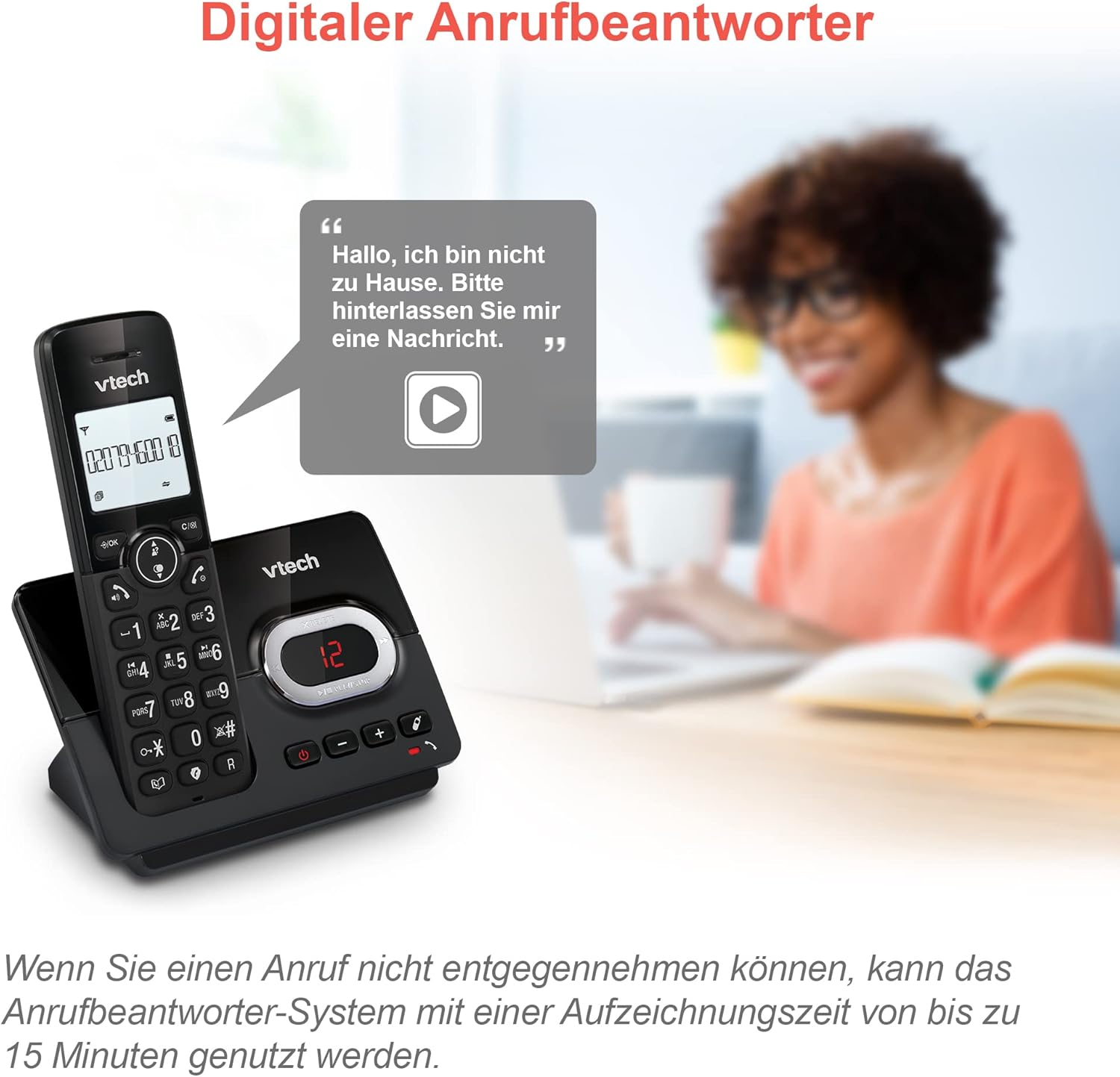
Image: A VTech CS2051 handset next to a television screen, with a "No Entry" symbol over a phone icon, illustrating the call blocking feature for unwanted and unknown calls.
Bersiva Machine
The integrated answering machine offers up to 15 minutes of recording time. It will automatically answer calls when you are unavailable. The digital message counter on the base unit indicates the number of new messages.
- Peyamên Lîstinê: Bitikîne LÊZÎN/STOP bişkoja li ser yekîneya bingehîn.
- Tomarkirina Peyama Derketî: Access the answering machine settings via the handset menu.

Image: A VTech CS2051 handset on its base, with a speech bubble showing a voicemail message, highlighting the digital answering machine function with up to 15 minutes of recording time.
Phonebook and Redial
- Pirtûka telefonê: Store up to 30 names and numbers in the integrated phonebook for quick dialing.
- Dûbare: Easily redial the last 10 numbers called by pressing the Redial button.
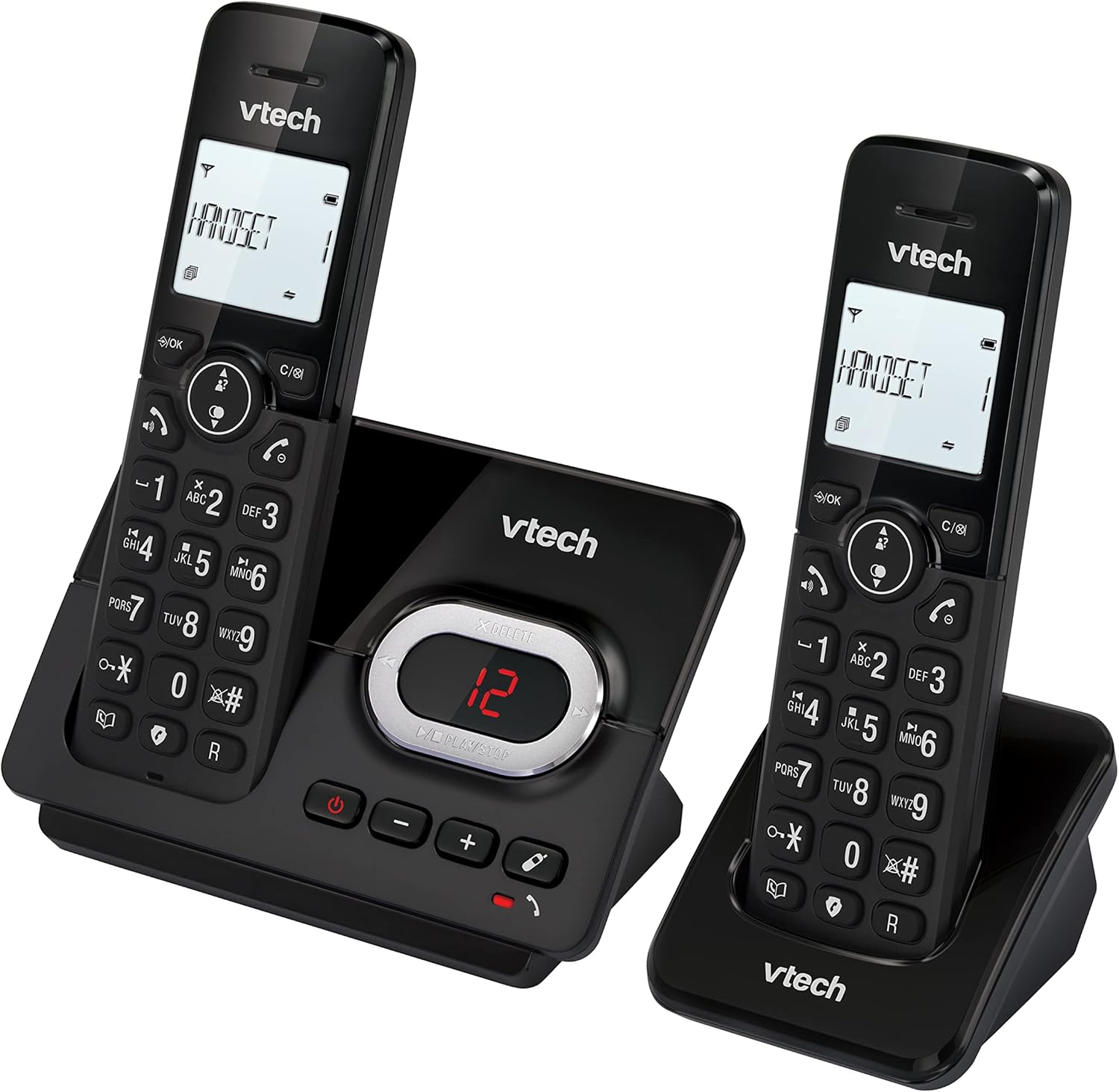
Image: A VTech CS2051 handset on its base, with an overlay showing a phonebook interface, indicating the ability to store up to 30 names and numbers.
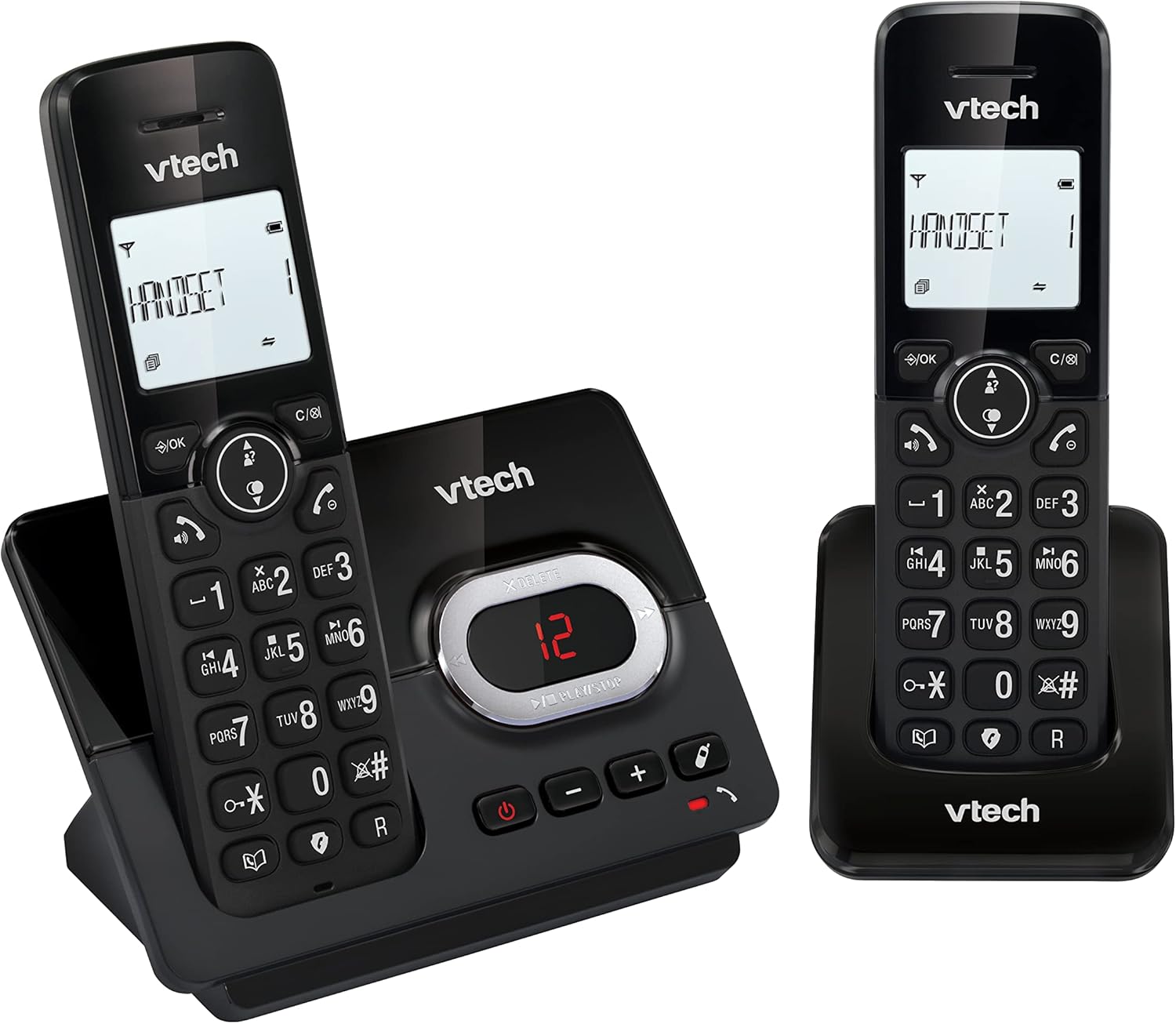
Image: A close-up of the VTech CS2051 handset's navigation buttons, with a circle highlighting the redial button, indicating the ability to redial the last 10 numbers.
Nasnameya Bangdêr û Hêviya Bangê
With Caller ID and Call Waiting features, you can see who is calling before you answer. The handset display shows the caller's name, number, time, and date of incoming calls.

Image: A VTech CS2051 handset on its base, with the screen displaying caller information, illustrating the Caller ID and Call Waiting features that show who is calling.
Moda ECO
The handset automatically adjusts the radio frequency power based on its distance from the base unit. In full ECO mode, there is no transmission power in standby mode, contributing to energy saving.
Lênerrînî
- Paqijî: Telefon û yekîneya bingehîn bi kaxezek nerm paqij bikin.amp qumaş. Spreyên paqijkirinê an kîmyewiyên dijwar bikar neynin.
- Lênêrîna Pîl: Use only the supplied rechargeable NiMH batteries. If the phone will not be used for an extended period, remove the batteries from the handsets.
- Cihkirin: Place the base unit and chargers in a dry, stable location away from direct sunlight, heat sources, and moisture. Ensure adequate ventilation.
Çareserkirina pirsgirêkan
| Pirsegirêk | Sedema gengaz / Çareserî |
|---|---|
| Dengê dialê tune |
|
| Telefon nayê şarjkirin |
|
| Kalîteya bangê nebaş / Statîk |
|
| Makîneya bersivdanê tomar nake |
|
Specifications
- Cins: CS2051
- Teknolocî: DECT 6.0
- Pêşkêşî: LCD-ya bi paşronahîkirî ya 1.8 înç
- Makîneya Bersîv: Digital, up to 15 minutes recording time
- Kapasîteya pirtûka têlefonê: 30 entries (names and numbers)
- Call Block Capacity: Heya 30 hejmar
- Bîra Nasnameya Caller: Stores last 20 calls
- Tîpa Pîl: NiMH rechargeable battery (included)
- Dirêjahî: Heta 300 metreyan (zeviyê vekirî)
- Reng: Reş
- Pîvan: 660 Grams (approximate, for the system)
- Amûrên Lihevhatî: Analog telephone networks, router with analog connection
Garantî û Piştgirî
VTech products are manufactured to high quality standards. For warranty information, please refer to the warranty card included in your product packaging or visit the official VTech webmalper ji bo herêma xwe. Fatura kirîna xwe wekî delîla kirînê biparêzin.
For technical support or service inquiries, please contact VTech customer support. Contact details can typically be found on the VTech webmalper an di pakêta hilberê de.
Çavkaniyên Serhêl: For the latest information, FAQs, and support, please visit the official VTech support website.
Ask a question about this manual
Ask about setup, troubleshooting, compatibility, parts, safety, or missing instructions. Manuals+ will review the question and use this page’s manual context to help answer it.