
Ansmann 1260-0006
ANSMANN AES4 Timer Switch User Manual
Model: 1260-0006
Brand: Ansmann
Product Overview
The ANSMANN AES4 Timer Switch is a digital weekly timer designed to automate the switching of electrical devices. It features a clear LCD display, 10 programmable switching times, a random function for simulating presence, and a summer time adjustment feature. This device helps in managing energy consumption and enhancing home security.

jimar 1: Pêşde view of the ANSMANN AES4 Timer Switch, showing the LCD display and control buttons.
Sazkirin û Mîhengkirina Destpêkê
Before first use, ensure the timer switch is fully charged by plugging it into a live socket for at least 30 minutes. This will activate the internal battery for memory retention.
1. Vesazkirina Amûra
To clear all previous settings and ensure a fresh start, locate the small RESET button (usually recessed) and press it with a pointed object (e.g., a pen tip). The display will show all segments, then reset to 00:00.
2. Danîna Dem û Roja Niha
- Bitikîne SEET carekê bişkojkê bikirtînin. Dîmender dê dema niha nîşan bide.
- Bitikîne HEFTE ji bo sazkirina roja niha (DUŞEM, SÊŞEM, ÇEM, PÊN, ÎR, ŞA, YEK) bişkojkê dubare bikin.
- Bitikîne SEET button repeatedly to set the current hour (0-23).
- Bitikîne DEQQE button repeatedly to set the current minute (0-59).
- To exit time setting mode, press any other button or wait approximately 30 seconds for the device to return to normal display.

jimar 2: Close-up of the LCD display, illustrating the day and time setting interface. Note the "SUMMER" indicator for summer time function.
3. 12/24 Hour Display Selection
While in normal clock mode, press the SEET bişkojka û paşê TIMER button simultaneously to toggle between 12-hour (with AM/PM indicator) and 24-hour display formats.
4. Summer Time Function
To activate or deactivate the summer time (Daylight Saving Time) function, press the SEET bişkojka û paşê ON / OTO / OFF button simultaneously. The display will show "SUMMER" when activated, and the time will advance by one hour.
Telîmatên Operating
The AES4 Timer Switch allows for up to 10 ON/OFF programs per day or week, along with manual control and a random function.
1. Programming ON/OFF Times
- Bitikîne TIMER button. The display will show "1 ON". This is the first ON program.
- Bikaranîn HEFTE, SEET, û DEQQE buttons to set the desired ON time and day(s) for this program. You can select specific days, weekdays, weekends, or all days.
- Bitikîne TIMER button again. The display will show "1 OFF". This is the first OFF program.
- Bikaranîn HEFTE, SEET, û DEQQE buttons to set the desired OFF time and day(s) for this program.
- Repeat steps 1-4 for up to 10 ON/OFF programs. Pressing TIMER will cycle through P1 ON, P1 OFF, P2 ON, P2 OFF, ..., P10 ON, P10 OFF.
- Ji bo derketina ji moda bernamekirinê, pêl pê bikin SEET bişkojka an jî li benda 30 seconds.

jimar 3: Example of the timer switch being used to automate Christmas lighting, turning lights on from 17:00 to 08:00.
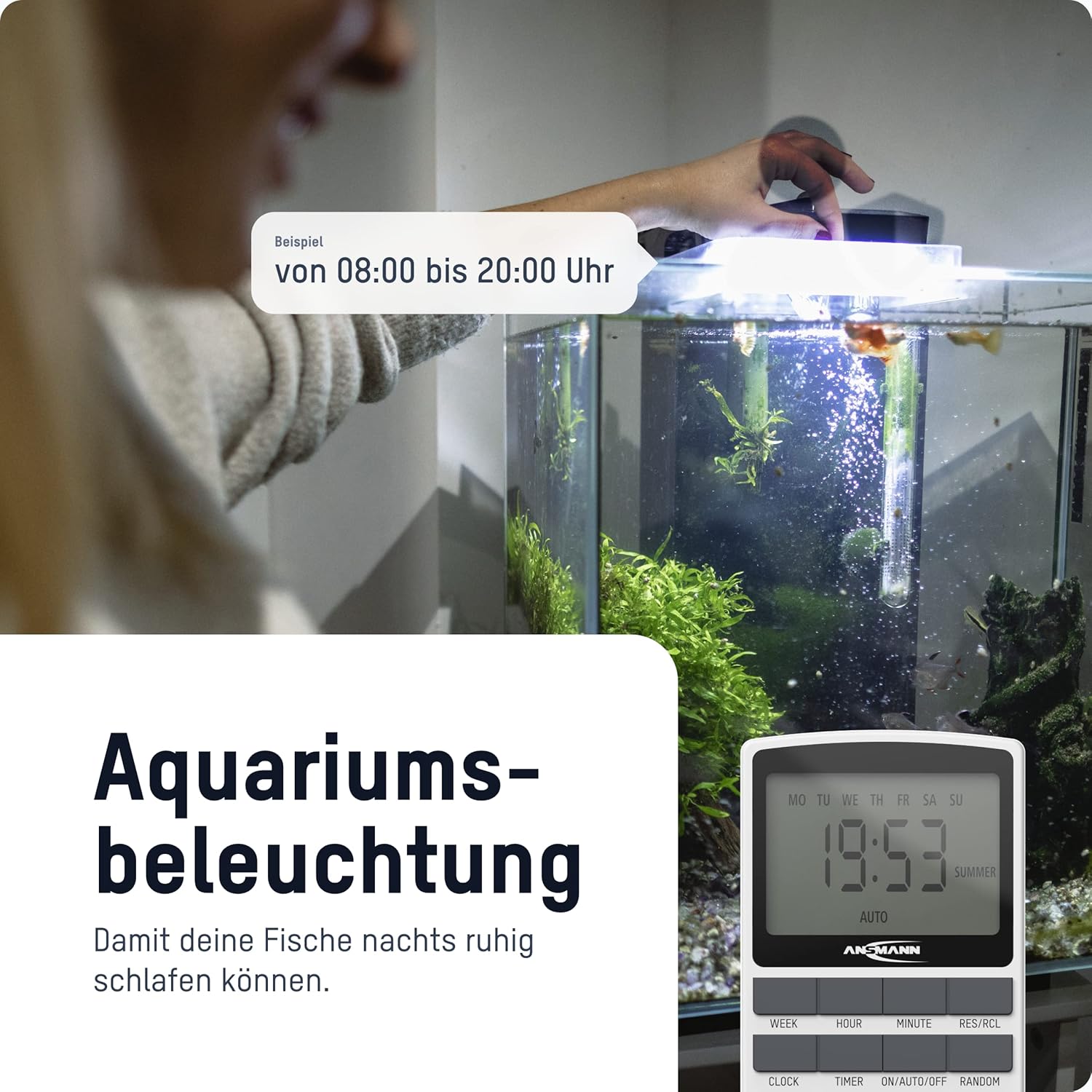
jimar 4: The timer switch automating aquarium lighting, ensuring fish have a regular light cycle, for example, ji 08:00 ber 20:00.
2. Manual ON/AUTO/OFF Mode
Bitikîne ON / OTO / OFF Bişkojk ji bo guheztina di navbera modên xebitandinê de:
- LI: The connected device is continuously ON, overriding all programs.
- TRIMBÊL: The connected device operates according to the programmed ON/OFF times. This is the standard operating mode for automated control.
- JI: The connected device is continuously OFF, overriding all programs.
3. Fonksiyon Random
The random function is designed to simulate presence in your home by randomly switching the connected device ON and OFF within a specific time window (e.g., 18:00 to 06:00). This can deter potential intruders.
To activate the random function, press the BÊPAYÎN button. "RANDOM" will appear on the display. Press it again to deactivate.
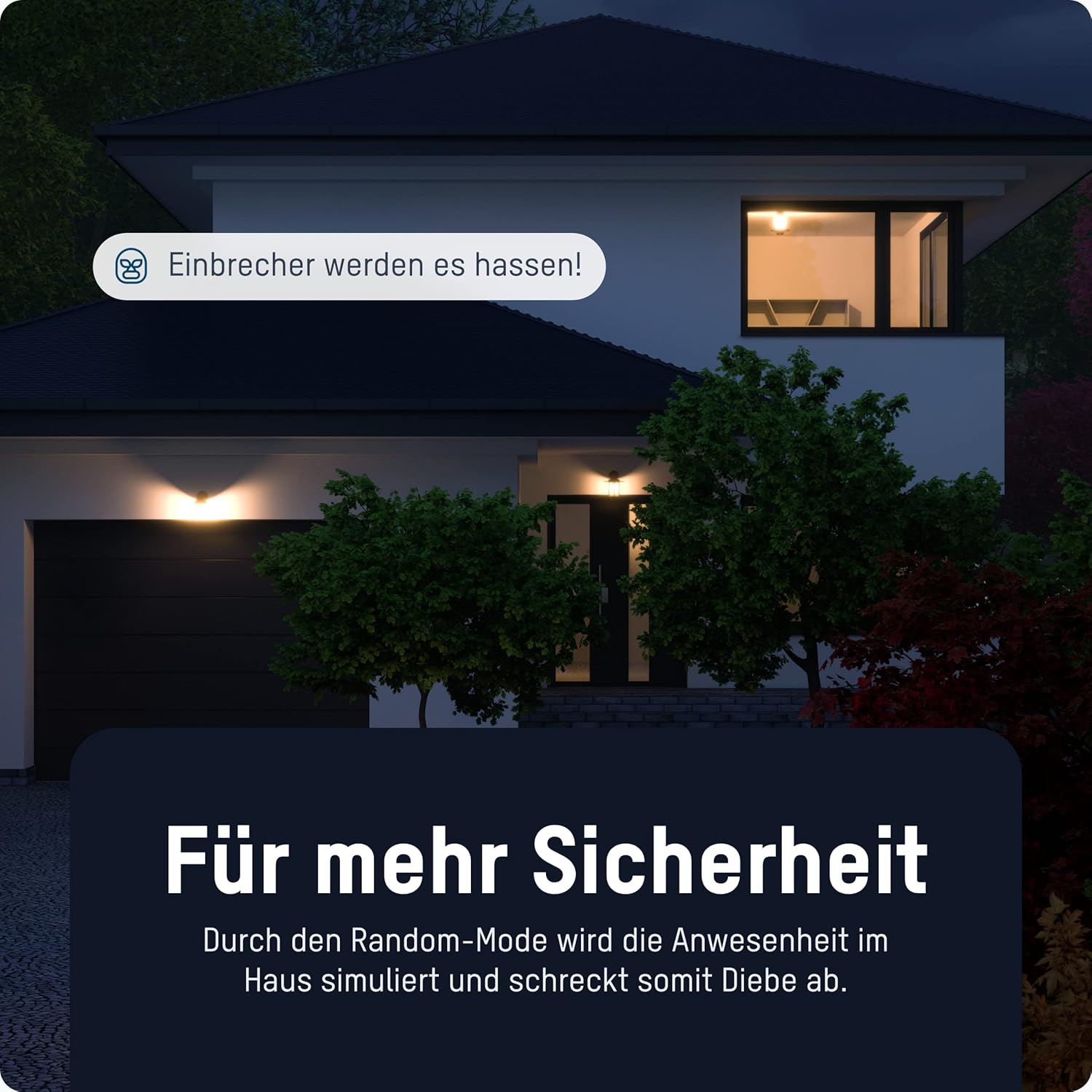
jimar 5: The timer switch utilizing its random mode to simulate occupancy, enhancing home security by randomly turning lights on and off.
Lênerrînî
The ANSMANN AES4 Timer Switch requires minimal maintenance.
- Paqijî: Amûrê bi qumaşek nerm û hişk paqij bike. Paqijker an çareserkerên aşındêr bikar neyne. Berî paqijkirinê piştrast bike ku amûr ji prizê hatiye derxistin.
- Embarkirinî: If storing the device for an extended period, ensure it is unplugged and kept in a dry, cool place.
- Pîl: The internal battery is designed for memory retention during power outages. It is not user-replaceable.
Çareserkirina pirsgirêkan
If you encounter issues with your ANSMANN AES4 Timer Switch, try the following steps:
- Display is blank or unresponsive: Ensure the timer is plugged into a live power outlet. If it has been unplugged for a long time, the internal battery might be depleted. Plug it in for at least 30 minutes to charge.
- Programs are not running:
- Check if the timer is in "AUTO" mode. If it's in "ON" or "OFF" mode, programs will be overridden.
- Verify that the current time and day are set correctly.
- Review your programmed ON/OFF times to ensure they are set as intended and do not conflict.
- Device connected to timer is not turning ON/OFF:
- Ensure the connected device is properly plugged into the timer switch.
- Check if the connected device itself is working by plugging it directly into a wall socket.
- Ensure the timer switch is receiving power.
- Fonksiyona rasthatî naxebite: Ensure the "RANDOM" indicator is visible on the display.
- Nerazîbûna gelemperî: Perform a full reset of the device by pressing the recessed RESET button. Note that this will erase all programmed settings.
Specifications
| Taybetî | Hûrî |
|---|---|
| Hejmara Model | 1260-0006 |
| Mezinahiya Hilberê | 2.36 x 2.35 x 5.31 inches |
| Babetê Weight | 5.4 ons (153 gram) |
| Mezinahiya Screen | 2.1 Inches |
| Max. Hêza Rating | 3680 W (as per product title/description) |
| Switching Times | Up to 10 ON/OFF programs per day/week |
| Functions | Digital Timer, Random Function, Summer Time, 12/24-hour display |
Garantî û Piştgirî
For detailed warranty information and technical support, please refer to the official Ansmann webmalperê an rasterast bi karûbarê xerîdar a wan re têkilî daynin. Fatûra kirîna xwe wekî delîla kirînê biparêzin.
Official Ansmann Webmalper: www.ansmann.de
Ask a question about this manual
Ask about setup, troubleshooting, compatibility, parts, safety, or missing instructions. Manuals+ will review the question and use this page’s manual context to help answer it.