
Pêşkêş
The Koss TWS250i True Wireless Earbuds offer a seamless audio experience with Bluetooth 5.0 connectivity, intuitive touch controls, and a portable USB-C charging case. This manual provides essential information for setting up, operating, maintaining, and troubleshooting your earbuds.
Product Overview
Your Koss TWS250i package includes the true wireless earbuds and a compact charging case. The earbuds are designed for comfort and secure fit, ensuring optimal sound delivery.

Image: Koss TWS250i True Wireless Earbuds and charging case on a wooden surface.
The charging case not only protects your earbuds but also provides additional battery life on the go. Inside the case, you'll find designated slots for each earbud (Left and Right).
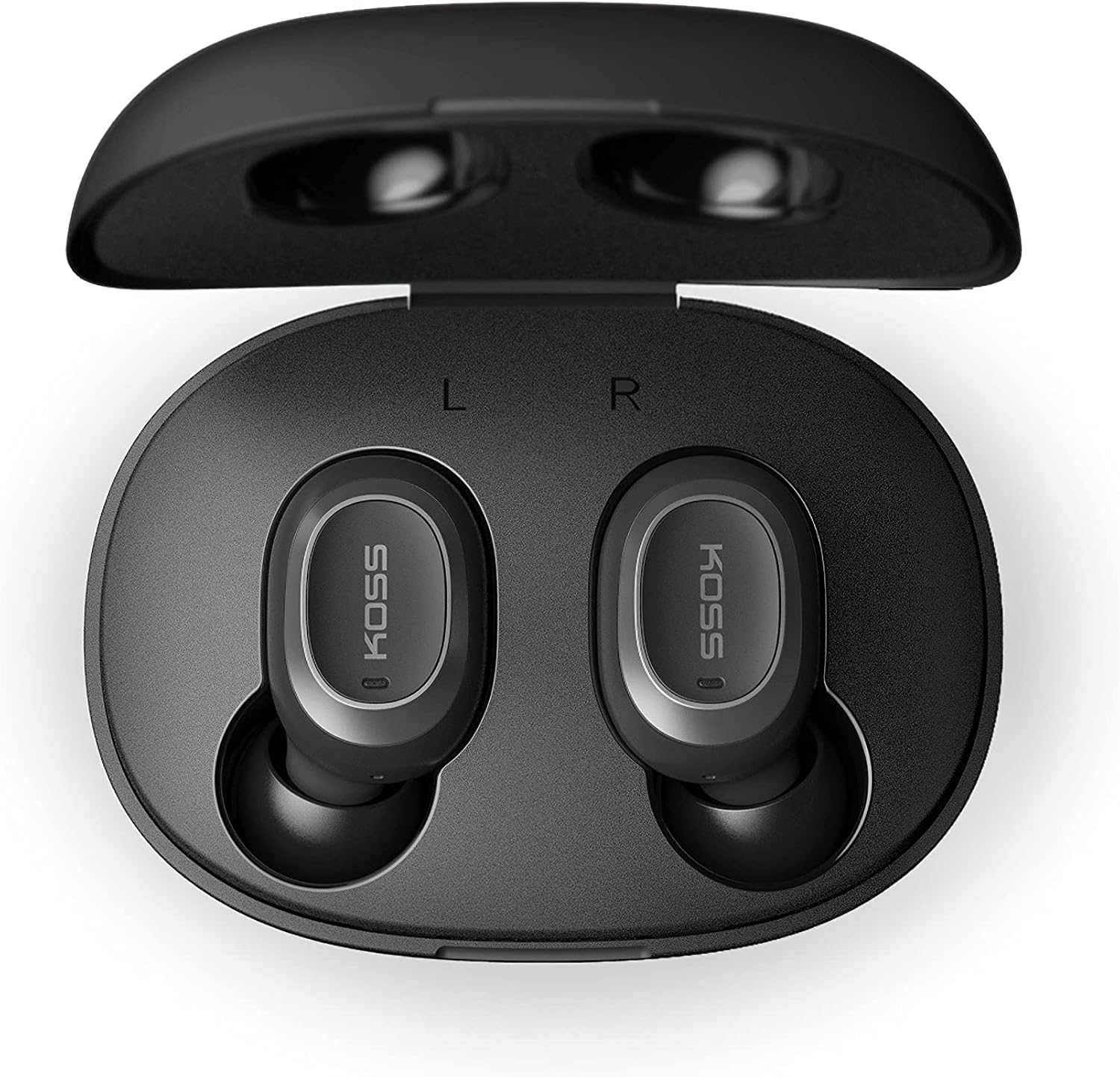
Image: Open Koss TWS250i charging case with both earbuds inside, showing L and R indicators.
To ensure the best fit and sound quality, the earbuds come with multiple sizes of silicone ear tips (Small, Medium, Large). Experiment with these to find the size that provides a comfortable and secure seal in your ear canal.

Image: Single Koss TWS250i earbud next to small, medium, and large silicone ear tips.
Damezirandin
1. Barkirin
Before initial use, ensure both the earbuds and the charging case are fully charged. Connect the provided USB-C cable to the charging port on the case and to a power source. LED indicators on the front of the case will illuminate to show the charging status. When earbuds are placed inside the case, they will automatically begin charging.
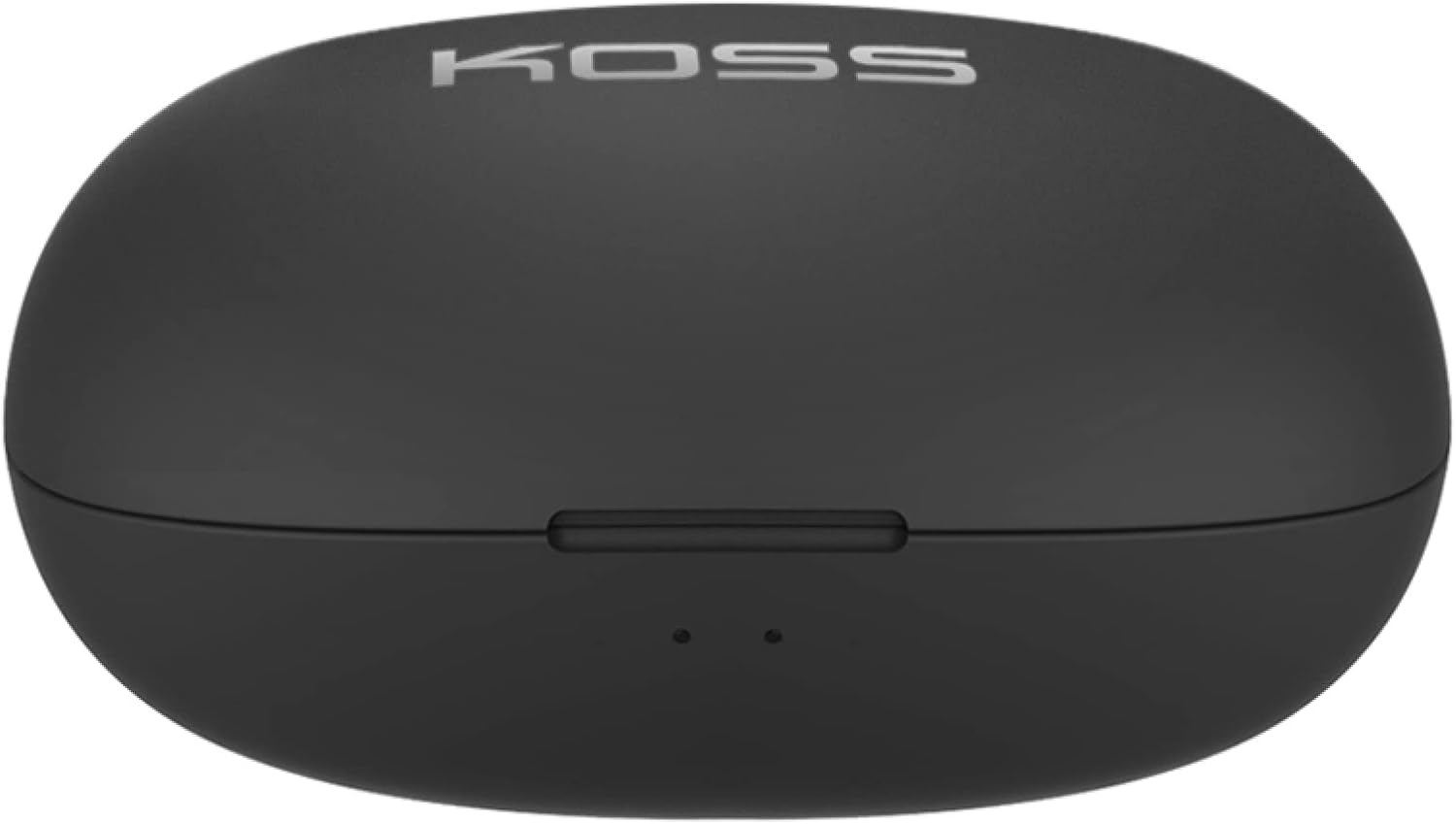
Image: Closed Koss TWS250i charging case, showing the USB-C charging port.
Video: Official product video demonstrating the Koss TWS250i True Wireless Earbuds, including their design, charging case, and basic features.
2. Pairing
- Remove both earbuds from the charging case. They will automatically enter pairing mode, indicated by a flashing red and blue light on one of the earbuds.
- Li ser smartphone, tablet, an cîhazek din a bi Bluetooth-çalakkirî, biçin mîhengên Bluetooth-ê.
- Select "Koss TWS250i" from the list of available devices to connect.
- Once successfully paired, the earbuds will connect automatically to your device whenever they are removed from the charging case.
3. Çêkirin
Choosing the correct ear tip size is essential for both comfort and sound performance. Experiment with the included Small, Medium, and Large silicone ear tips to find the best fit for your ears. A proper seal will enhance bass response and passive noise isolation.

Image: Man wearing a Koss TWS250i earbud, smiling and looking at his phone.
Telîmatên Operating
1. Controls Touch
The Koss TWS250i earbuds feature intuitive touch controls on their outer surface:
- Power On / Off: Long press the touch surface until the earbuds power on or off.
- Muzîk bileyizin/rawestînin: Li ser her guhê yek tikandinê.
- Bersiv/Dawiya Bangê: Li ser her guhê yek tikandinê.
- Volume Up: Bi tikandina yekcar li ser Rast earbud.
- Volume Down: Bi tikandina yekcar li ser Çep earbud.
- Şopa Pêşve Bişkînin: Longer touch on the Rast earbud.
- Skip Track Backward: Longer touch on the Çep earbud.
2. Dual Connect Functionality
The TWS250i earbuds support dual connect, allowing each earbud to function independently. This means you can use one earbud while the other charges, or share one earbud with a friend. Both earbuds have built-in microphones, ensuring clear communication regardless of whether you use one or both.
Lênerrînî
- Paqijî: Guhguh û qutiya şarjê bi rêkûpêk bi qumaşek nerm û hişk paqij bikin. Ji karanîna materyalên aşınker an kîmyewiyên dijwar dûr bisekinin.
- Embarkirinî: Dema ku hûn guhdarokan bikar naynin, her tim di qutiya şarjê de bihêlin da ku ew werin parastin û şarj kirin.
- Germî: Ji germahiyên zêde, tîrêjên rojê yên rasterast, an jî şilbûna zêde dûr bisekinin ku guhguhk û qutiya wan li ber xwe bidin.
Çareserkirina pirsgirêkan
- Deng tune an Kalîteya Dengê Xirab:
- Ensure earbuds are properly seated in your ears with a good seal. Try different ear tip sizes.
- Asta deng li ser cîhaza xwe ya girêdayî û guhguhkan kontrol bike.
- Verify that the earbuds are correctly paired and within the Bluetooth range of your device.
- Gûhûbar nayên hevkirin:
- Piştrast bikin ku guhên guh bi tevahî barkirî ne.
- Remove both earbuds from the case to activate pairing mode (indicated by flashing red/blue lights).
- Li ser amûrê xwe,