
Pêşkêş
The FreedConn T-COMVB Bluetooth Helmet Headset is designed to provide wireless communication for motorcyclists. This system allows for hands-free phone calls, music listening, FM radio, GPS voice prompts, and intercom communication between riders. It features Bluetooth 5.0 technology, noise cancellation, and a waterproof design for various riding conditions.
Di Box çi ye
Piştrast bike ku hemî pêkhate di pakêta te de hene:
- FreedConn T-COMVB Bluetooth Headset Unit (x2 for 2-pack)
- Axaftvan Stereo
- Boom Microphone (for open-face/modular helmets)
- Soft-Wire Microphone (for full-face helmets)
- Helmet Mount Bracket (clip-on and adhesive options)
- Cable Charging USB
- Manual Bikarhêner
- Pêlên Velcro ji bo Axaftvan û Mîkrofonê
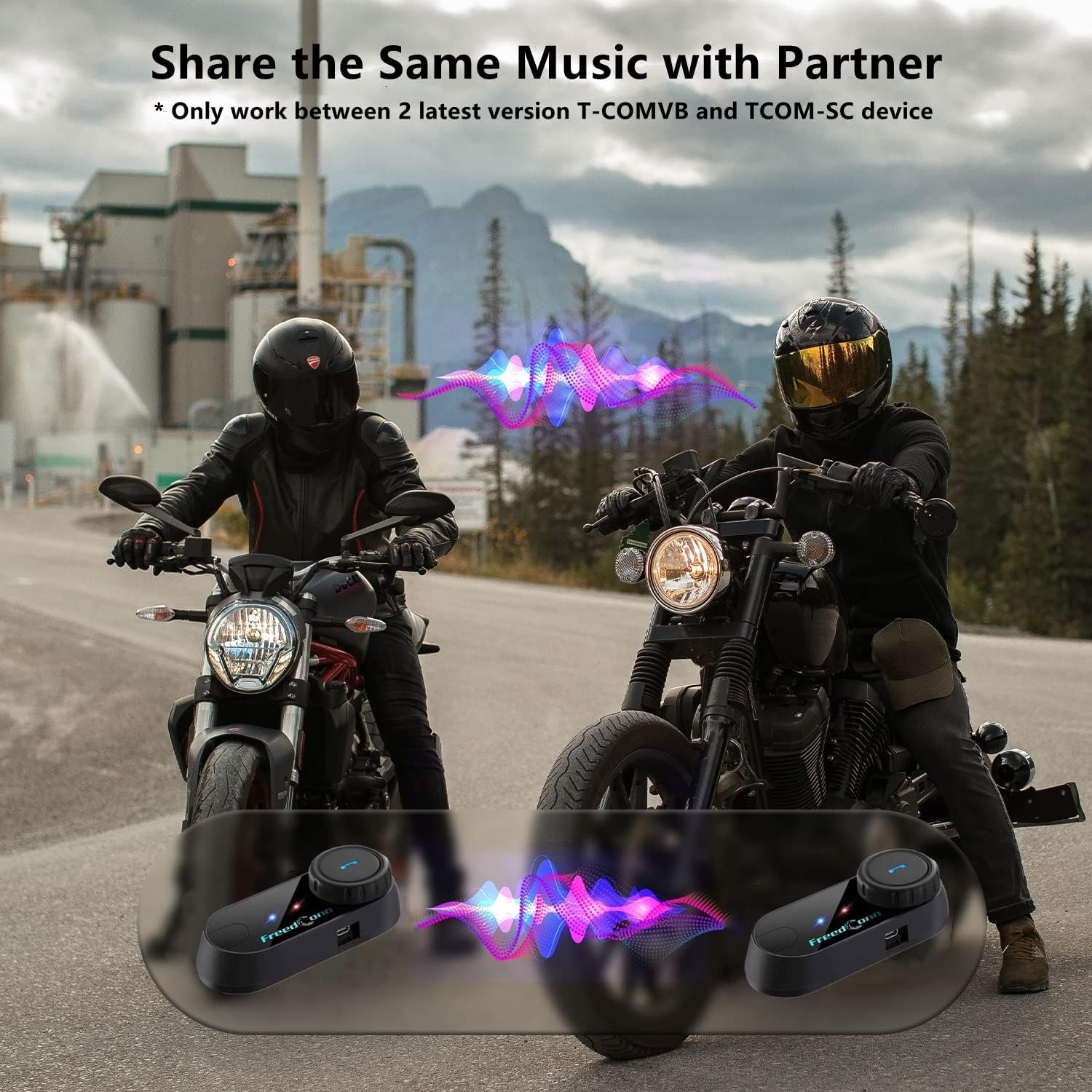
Image: Package contents for the FreedConn T-COMVB Bluetooth Helmet Headset 2-pack, showing all included accessories.
Damezirandin
1. Barkirina Amûrê
Before first use, fully charge the T-COMVB unit. Connect the USB charging cable to the headset's charging port and a USB power source. The indicator light will show charging status.
- Dema barkirinê: Nêzîkî 3-4 saetan.
- Jiyana Pîlê: Up to 7-8 hours of intercom, 10 hours of phone calls/music, 300 hours standby.

Image: Visual representation of the 400mAh battery capacity and estimated usage times for intercom, phone calls, and standby.
2. Microphone Selection
Choose the appropriate microphone for your helmet type:
- Mîkrofona Boomê: Recommended for open-face, half, and modular flip-up helmets.
- Mîkrofona Nerm-Têl: Recommended for full-face and off-road helmets.
Connect the chosen microphone and speakers to the corresponding ports on the headset unit.
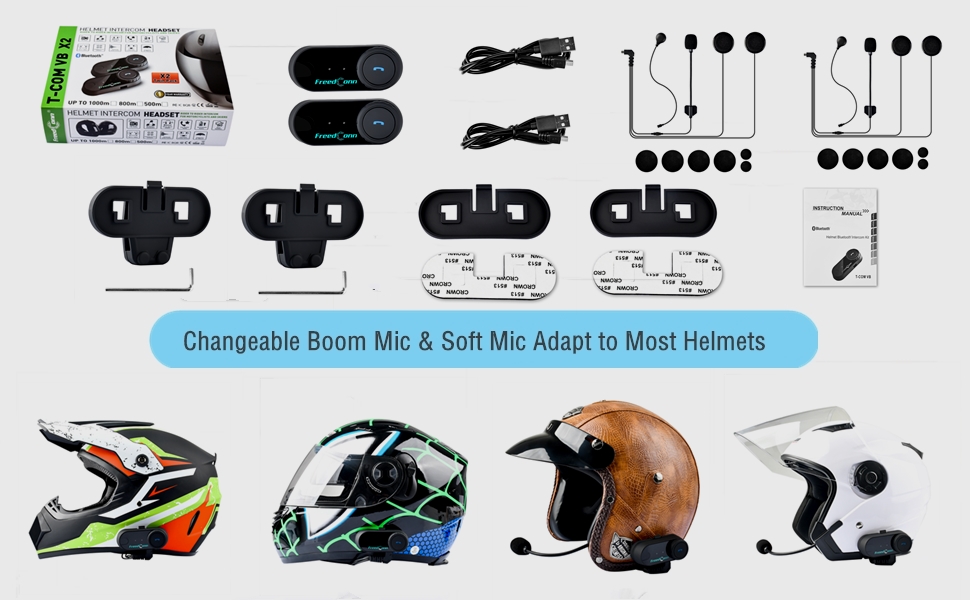
Image: Illustration demonstrating the compatibility of boom and soft-wire microphones with various helmet styles.
3. Sazkirina Kaskê
Mount the T-COMVB unit to the side of your helmet using either the clip-on bracket or the adhesive bracket. Ensure the unit is securely attached and the speakers are positioned correctly inside the helmet for optimal audio.

Image: A FreedConn T-COMVB unit securely installed on the exterior of a motorcycle helmet.
Telîmatên Operating
1. Power On / Off
- Hêzdarkirin: Bişkojka Hêzê bigire heta ku çiraya nîşanderê bibiriqe.
- Hêzdarkirin: Bişkojka Hêzê bigire heta ku çiraya nîşanderê vemire.
2. Bluetooth Pairing (with Phone/GPS)
To connect your T-COMVB to a Bluetooth-enabled device (phone, GPS):
- Ensure the T-COMVB is off.
- Bişkoja Hêzê bi qasî 5-7 saniyeyan bigire û bigire heta ku ronahiya nîşanderê bi dorê sor û şîn bibiriqe, ku moda cotkirinê nîşan dide.
- On your phone or GPS, enable Bluetooth and search for available devices.
- Select "FreedConn T-COMVB" from the list. If prompted, enter "0000" as the PIN.
- Piştî hevberkirinê, ronahiya nîşangir dê hêdî hêdî şîn bibiriqe.

Image: The T-COMVB headset demonstrating its Bluetooth 5.0 and universal connectivity with different devices and helmet types.
3. Intercom Communication (Rider to Rider)
The T-COMVB supports intercom communication with other T-COMVB or TCOM-SC units.
- Ensure both units are powered on and not connected to other Bluetooth devices.
- On one unit, press and hold the Intercom button until the indicator light flashes red and blue alternately.
- On the second unit, press the Intercom button once.
- Yekîneyên wê bixweber bigerin û hevber bikin. Piştî girêdanê, çirayên nîşanderê wê hêdî hêdî şîn bibiriqin.
- To initiate intercom, press the Intercom button once. To end, press it again.
4. Lêxistin û Parvekirina Muzîkê
Once paired with your phone, you can play music. Music sharing is supported between two latest version T-COMVB and TCOM-SC devices.
- Lîstik / Rawestandin: Bişkojka Pir-fonksiyonê carekê bikirtînin.
- Tracka Piştre: Rotate the Multi-function button clockwise.
- Traopa Berê: Rotate the Multi-function button counter-clockwise.
- Parvekirina Muzîkê: While music is playing, press and hold the Intercom button on both units to initiate music sharing.

Image: Two riders sharing music through their FreedConn T-COMVB headsets, highlighting the music sharing feature.
5. Radyoya FM
To activate the built-in FM radio:
- FMê veke: Carekê bişkoka FM-ê pêl bike.
- Kanalên Scan: Rotate the Multi-function button to scan for stations.
- FMê vemirîne: Press the FM button again.
6. Têlefonan
When paired with your phone, the T-COMVB allows for hands-free calls.
- Bersiva Bangê: Bişkojka Pir-fonksiyonê carekê bikirtînin.
- Banga Dawî: Di dema bangekê de carekê bişkoja Pir-fonksiyonê bikirtînin.
- Bang red kirin: Bişkojka Pir-fonksîyonê 2 çirkeyan pêl bike û bigire.
- Jimara dawîn ji nû ve bihejîne: Bişkojka Pir-fonksiyonê du caran bikirtînin.
- Voice Assistant (Siri/Google Voice): Press the Voice Assistant button to activate your phone's voice assistant.

Image: Icons representing voice assistant activation (Siri, Google Voice) for hands-free calling functionality.
Lênerrînî
- Paqijî: Nermek bikar bînin, damp cloth to clean the unit. Do not use harsh chemicals or solvents.
- Berxwedana avê: The unit is waterproof, but avoid submerging it in water. Ensure all ports are securely closed when exposed to rain.
- Lênêrîna Pîl: If the device is not used for an extended period, charge it at least once a month to preserve battery life.

Image: The FreedConn T-COMVB headset on a helmet, illustrating its waterproof feature in rainy conditions.
Çareserkirina pirsgirêkan
- Hêz tune: Ensure the unit is fully charged. Connect to a power source and check the charging indicator.
- Bluetooth nikare were girêdan: Ensure the unit is in pairing mode (red and blue flashing light). Make sure other Bluetooth devices are disconnected. Try restarting both the headset and your phone/GPS.
- Deng ji hoparlêran dernakeve: Check that the speakers are securely plugged into the headset unit. Ensure volume is not set to minimum.
- Interkom Girêdan Nayê Girêdan: Ensure both units are T-COMVB or TCOM-SC models and are in intercom pairing mode. Keep units within range (up to 800 meters).
- Poor Audio Quality/Noise: Ensure the microphone is positioned correctly, close to your mouth. The T-COMVB features advanced noise cancellation technology.

Image: A visual representation of the advanced noise cancellation technology, demonstrating its effect on sound quality.
Specifications
| Cins | T-COMVB |
| Guhertoya Bluetooth | 5.0 + EDR |
| Range Intercom | Heta 800 metreyan (2-3 siwar) |
| Kapasîteya Pîl | 400 mAh |
| Time Charging | 3-4 saetan |
| Dema Intercom | 7-8 saetan |
| Phone Call/Music Time | 10 saetan |
| Dema Rawestandinê | 300 saetan |
| Berxwedana avê | Waterproof |
| Rêbaza Kontrolê | Voice, Manual Buttons |
| Taybetmendiyên Taybet | Microphone Included, Noise Cancellation, FM Radio |
| Mal | Polymer |
| Babetê Weight | Approximately 1.15 pounds (for 2 units) |
Garantî û Piştgirî
For warranty information, technical support, or service inquiries, please refer to the contact details provided with your purchase or visit the official FreedConn webmalper. Delîla kirîna xwe ji bo îdiayên garantiyê biparêzin.