
1. Destpêk
Spas ji bo kirînêasing the SLENPET 6-inch USB Small Desk Fan. This manual provides essential information for the safe and efficient operation, maintenance, and troubleshooting of your new fan. Please read it thoroughly before use and retain it for future reference.
2. Taybetmendiyên Hilberê
- Adjustable Powerful 4 Speeds: Offers low, medium, high, and super wind speed levels for varied cooling needs. Note: Long press the button to activate Speed 4. Speed 4 requires an output current of up to 2A.
- VintagBingeha Metalî ya e: Heavy-duty metal base ensures stability on any surface.
- Operasyona Super Bêdeng: Noise level is less than 50dB even at high speed, suitable for work and sleep environments.
- USB Powered: Operates via a 4.9ft USB cable, compatible with computers, laptops, power banks, and USB wall chargers. Energy-saving and environmentally friendly.
- Rotatable & Easy to Clean: Fan head tilts 0 to 90 degrees for directed airflow. Removable front cover allows for easy cleaning of the fan blade.
- Kompakt lê bi hêz: Features a 5.5-inch blade within a 6.5-inch frame, delivering strong airflow despite its small size.

Figure 2.1: The SLENPET desk fan operating with ultra-quiet performance, ideal for not disturbing work or sleep.
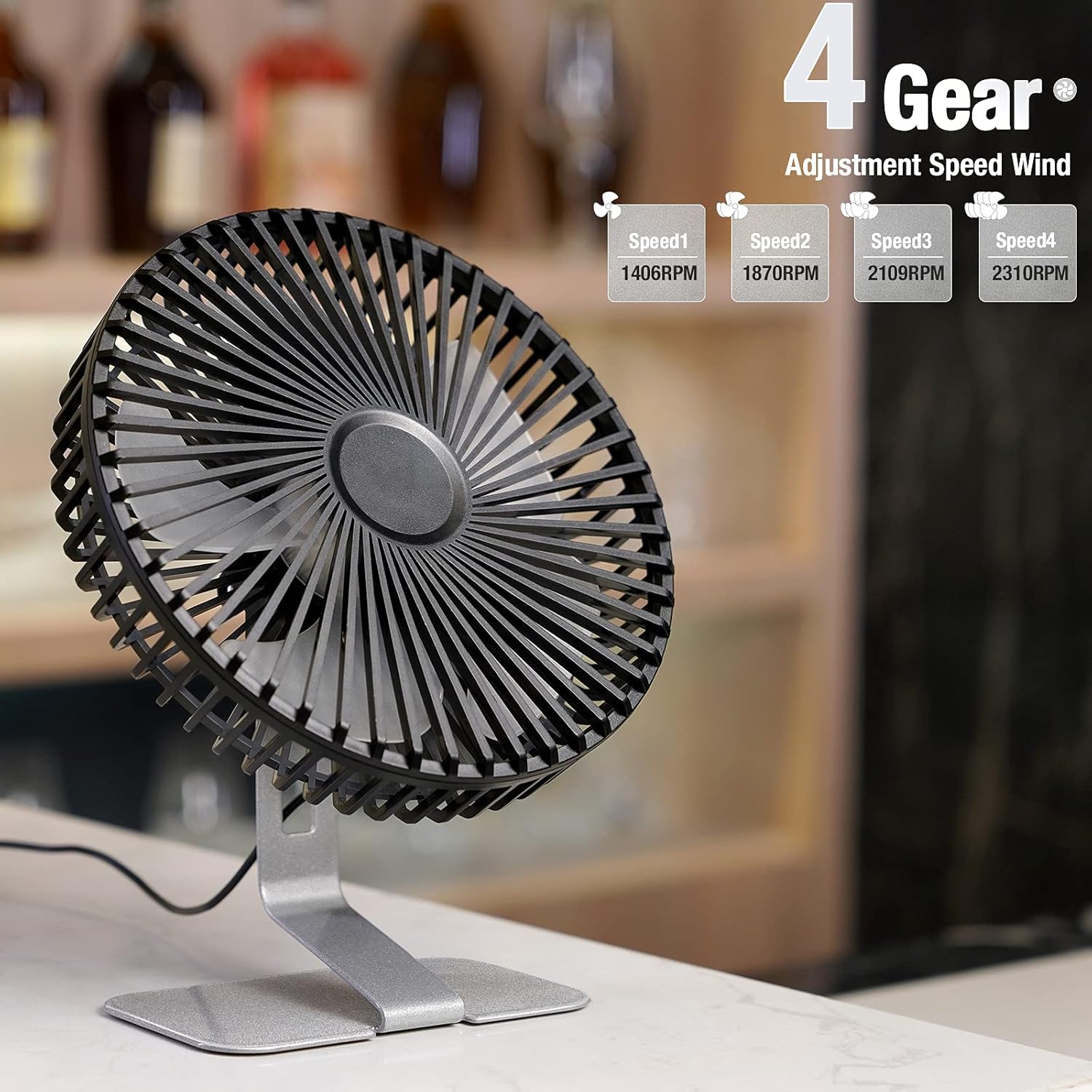
Figure 2.2: Visual representation of the fan's four speed settings, indicating RPM for each level.
3. Sazkirin û Sazkirin
- Vekirin: Carefully remove the fan from its packaging. Ensure all components are present: the fan unit with its metal base and integrated USB cable.
- Cihkirin: Place the fan on a stable, flat surface such as a desk, table, or nightstand. The heavy-duty metal base provides excellent stability.
- Têkiliya Hêzê: Insert the USB plug of the fan's 4.9ft cable into a compatible USB power source. This can be a computer, laptop, power bank, or a USB wall charger.
- Angle Eyar bikin: The fan head can be manually tilted from 0 to 90 degrees to direct airflow as desired.
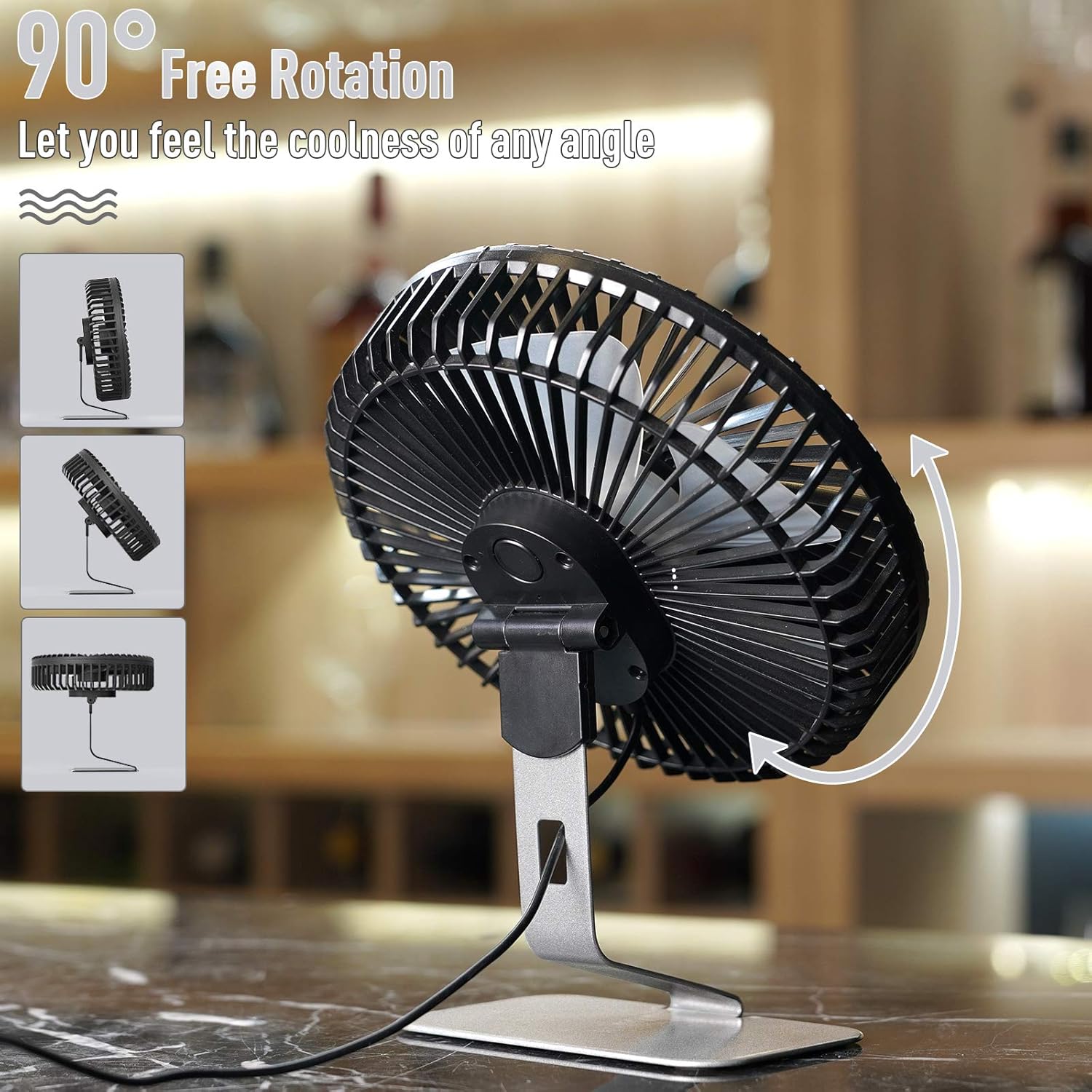
Figure 3.1: The fan head can be freely rotated up to 90 degrees to direct the cool air precisely where needed.
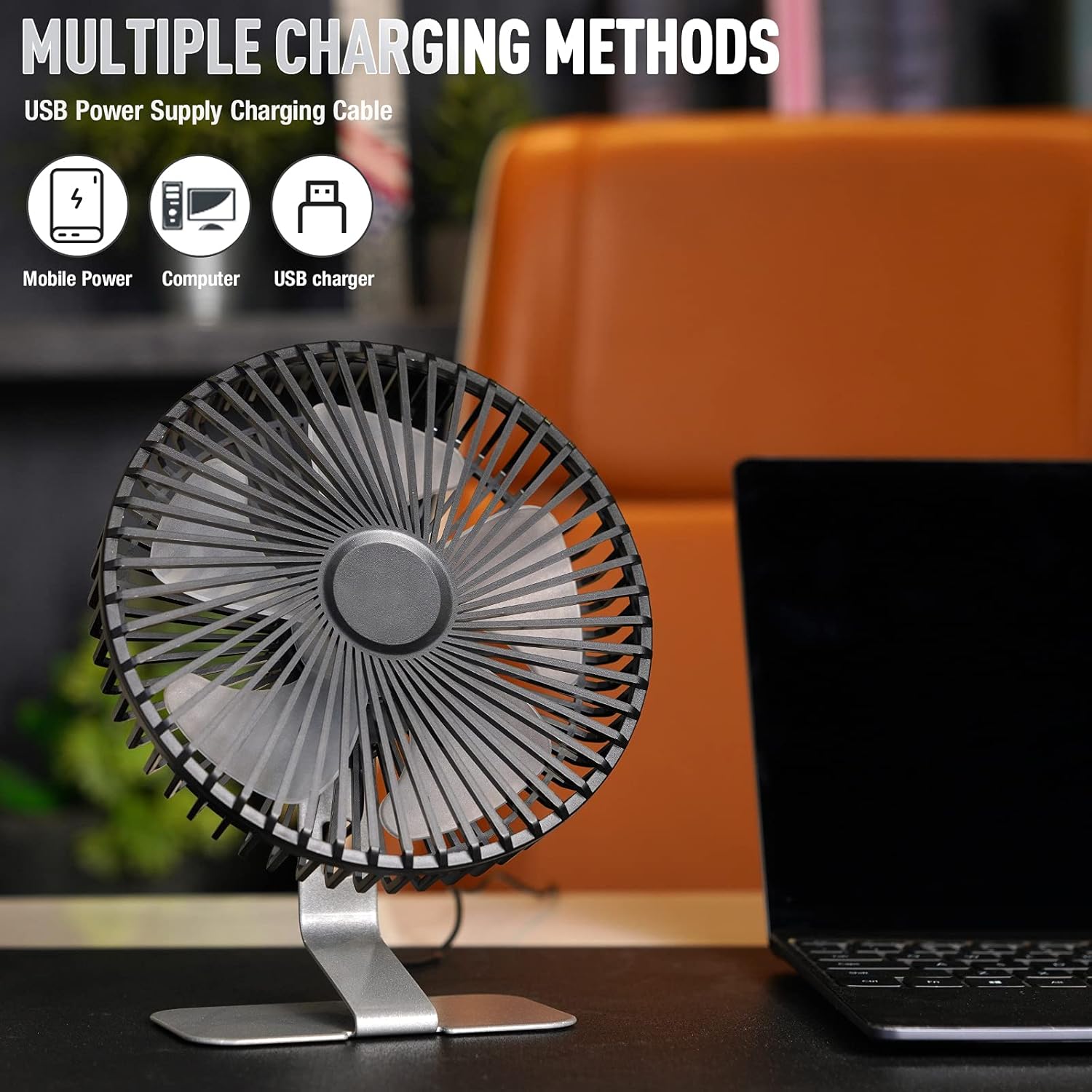
Figure 3.2: The fan is powered by a USB cable, allowing connection to various devices like mobile power banks, computers, or USB chargers.
4. Telîmatên Operating
- Power On / Off: Press the power button located on the back of the fan to turn it on or off.
- Leza eyarkirin: Each short press of the power button cycles through Speed 1 (low), Speed 2 (medium), and Speed 3 (high).
- Activating Super Wind (Speed 4): To engage the highest setting (Speed 4), press and hold the power button for approximately 2 seconds. This setting requires an output current of up to 2A from your USB power source.
- Directional Airflow: Manually adjust the fan head's tilt to direct the airflow to your preferred angle.
Video 4.1: Official SLENPET video demonstrating the 6-inch USB Desk Fan's 4 speeds and ultra-quiet operation.
5. Maintenance
- Cleaning the Fan Blades: To clean the fan blades, gently rotate the front cover counter-clockwise to remove it. Wipe the blades with a soft, damp cloth. Ensure the fan is unplugged before cleaning.
- Paqijkirina Derve: Wipe the exterior of the fan and its metal base with a soft, dry cloth. Avoid using abrasive cleaners or solvents.
- Embarkirinî: When not in use for extended periods, unplug the fan and store it in a cool, dry place away from direct sunlight.

Figure 5.1: The fan features a stylish and stable metal base, ensuring it remains securely in place.
6. Destpêkirin
| Pirsegirêk | Sedema gengaz | Çare |
|---|---|---|
| Fan vênake. | No dabînkirina hêzê an girêdana winda. | Ensure the USB cable is securely plugged into a working USB port or power adapter. Try a different USB port or power source. |
| Fan dixebite lê herikîna hewayê qels e. | Fan speed is too low or blades are dirty. | Increase the fan speed by pressing the power button. Clean the fan blades as described in the Maintenance section. |
| Fan bi deng e. | Obstruction or loose parts. | Ensure no objects are obstructing the fan blades. Check if the front cover is securely attached. If noise persists, contact customer support. |
| Speed 4 (Super Wind) does not activate. | USB power source does not provide sufficient current. | Ensure your USB power source can provide an output current of at least 2A. Some older USB ports or low-power chargers may not support this. |
7. Specifications
- Nîşan: SLENPET
- Navê Model: F1504
- Reng: Zîv
- Sêwirana Fanê Elektrîkî: Table Fan
- Çavkaniya hêzê: Corded Electric (USB)
- Mezinahiyên hilberê: 6.5"D x 7.5"W x 2.5"B
- Giraniya Babetê: 14.9 onsan
- Taybetmendiyên Taybet: 4 Speed Settings, Adjustable Tilt (90°), Energy Saving, Quiet Operation, Space Saving
- Asta Deng: < 50 Decibels
- Wattage: 5 watt
- Hejmara Bilbilan: 5
- Voltage: 5.0V
- Tîpa Guhestinê: Push Button
- Pêkhateyên Tevlî: Ben
- Bikaranîna hundur / Derveyî: Hundir, Derveyî
- Rêbaza Kontrolê: Pêbûn
- Kêrhatîya bicîanîn: Enerjî-bandor
- UPC: 798623426245
8. Garantî û Piştgirî
The SLENPET 6-inch USB Small Desk Fan comes with a Garantiya 1-salî from the date of purchase. This warranty covers manufacturing defects and workmanship under normal use. It does not cover damage caused by misuse, accidents, unauthorized modifications, or improper maintenance.
For warranty claims, technical support, or any questions regarding your product, please contact SLENPET customer service. Please have your purchase receipt and product model number (F1504) ready when contacting support.
Video 8.1: Official SLENPET video highlighting the fan's small size, quiet operation, and portability.
Video 8.2: Official SLENPET video showcasing the fan's suitability for office use, emphasizing its quiet performance.
Video 8.3: Official SLENPET video demonstrating the fan's vintage aesthetic and quiet operation.