
1. Destpêk
The COMPUTHERM T-32 room thermostat is designed for controlling most boilers and air conditioners available in the EU. It can be easily connected to any gas boiler with a two-wire thermostatic connection point, and to all air conditioning systems or electrical appliances, whether they have a 24V or 230V control circuit.
This digital thermostat allows for more precise temperature measurement and adjustment compared to traditional thermostats. It helps reduce energy costs while maintaining comfort by regulating the connected appliance (e.g., a gas boiler or pump) based on the measured and set temperatures.
Taybetmendiyên sereke:
- Kontrolkirina Germahiya Rast: Easily set desired temperature between 5°C and 30°C in 0.5°C increments.
- Constant Indoor Temperature: Switching sensitivity of ±0.2°C or 0.1°C ensures a uniform and stable room temperature.
- Lihevhatina Piralî: Suitable for boilers with a two-wire connection and various HVAC systems (24V or 230V).
- Modên Germkirin û Germkirinê: Supports both heating and cooling functions.
- Digital Display: Provides clear and accurate temperature readings.
2. Sazkirin û Sazkirin
Giring: Pêdivî ye ku amûr ji hêla kesek pispor ve were saz kirin.
2.1 Naveroka pakêtê
Piştrast bike ku hemî pêkhate li wir in:
- 1x COMPUTHERM T-32 Digital Room Thermostat
- 2x Batteries AAA
- Mounting hardware (screws and wall plugs)

Figure 1: Package contents including the thermostat, batteries, and mounting hardware.
2.2 Sazkirina Pîl
- Carefully remove the back cover of the thermostat.
- Herdu pîlên AAA têxin nav beşa pîlan, û piştrast bin ku polarîteya wan (+/-) rast e.
- Qapaxa paşîn veguherînin.
2.3 Çêkirin û Têlkirin
The thermostat is designed for wall mounting in a room. Choose a location away from direct sunlight, drafts, or heat sources that could affect temperature readings.
- Separate the front panel from the back plate.
- Cihê montajê yê xwestî li ser dîwêr nîşan bikin.
- Kunên qul bikin û pêvekên dîwêr têxin nav wan.
- Secure the back plate to the wall using the provided screws.
- Connect the two-wire control circuit from your boiler or HVAC system to the terminals on the back plate. Refer to the wiring diagram on the back of the thermostat for correct connections.
- Carefully reattach the front panel to the back plate.

jimar 2: Paş view of the thermostat with wiring terminals and battery compartment details.
3. Operasyon
3.1 Nîşandana Serview
The digital display shows the current room temperature and the set desired temperature. The thermostat features three control buttons below the display.

Wêne 3: Pêşî view of the COMPUTHERM T-32 thermostat with its digital display and three control buttons.
3.2 Setting the Desired Temperature
Use the temperature control buttons (typically marked with up and down arrows or similar symbols) to adjust the desired temperature. Each press changes the temperature by 0.5°C within a range of 5°C to 30°C.
- Bitikîne Up Arrow button to increase the desired temperature.
- Bitikîne Down Arrow button to decrease the desired temperature.
The thermostat will automatically regulate the connected heating or cooling appliance to maintain the set temperature within its switching sensitivity of ±0.2°C.
3.3 Heating Mode Operation
In heating mode, if the measured room temperature falls below the set temperature minus the switching sensitivity (e.g., 22°C - 0.2°C = 21.8°C), the thermostat will activate the heating appliance. It will deactivate the heating when the room temperature rises above the set temperature plus the switching sensitivity (e.g., 22°C + 0.2°C = 22.2°C).
3.4 Cooling Mode Operation
In cooling mode, the operation is reversed. If the measured room temperature rises above the set temperature plus the switching sensitivity, the thermostat will activate the cooling appliance. It will deactivate cooling when the room temperature falls below the set temperature minus the switching sensitivity.
Note: After a temperature change using the thermostat's adjustment buttons, the switching sensitivity is temporarily not considered, allowing the thermostat to react to a difference of ±0.1°C for immediate response.
4. Maintenance
- Paqijî: Wipe the thermostat with a soft, dry cloth. Do not use abrasive cleaners or solvents.
- Guhertina Pîl: Replace batteries when the low battery indicator appears on the display. Always use new AAA alkaline batteries.
- Ji astengiyan dûr bixin: Ensure no objects block the thermostat's ventilation slots or sensor, as this can affect temperature accuracy.
5. Destpêkirin
| Pirsegirêk | Sedema gengaz | Çare |
|---|---|---|
| Dîmendera termostatê vala ye. | Pîlên mirî an jî bi şaşî hatine sazkirin. | Pîlan biguherînin, û piştrast bikin ku polarîteya wan rast e. |
| Sîstema germkirin/sarkirinê bersivê nade. | Incorrect wiring; system power off; thermostat in wrong mode. | Check wiring connections (consult a professional); ensure system power is on; verify thermostat is set to appropriate mode (heating/cooling). |
| Xwendina germahiya nerast. | Thermostat located near heat source/draft; sensor obstructed. | Relocate thermostat if possible; ensure no obstructions around the sensor. |
| Temperature fluctuates too much. | High switching sensitivity setting (not applicable for T-32 as it's fixed). | The T-32 has a fixed sensitivity of ±0.2°C. Ensure proper placement and insulation of the room. |
6. Specifications
- Cins: T32
- Çavkaniya hêzê: 2x AAA 1.5V Alkaline Batteries (included)
- Control Voltage: 24V AC an 230V AC
- Kapasîteya barkirinê: 8 Amperes
- Rêjeya Pîvana Germahiya: 5°C heta 30°C
- Rêzeya Sazkirina Germahiya: 5°C heta 30°C
- Temperature Setting Increment: 0.5°C
- Hesasiyeta Guhertinê: ±0.2°C (or ±0.1°C after manual adjustment)
- Pîvan (L x W x H): 8.5 x 8.5 x 2.8 cm
- Pîvan: 160 gram
- Têkilî: Wired
- Reng: Spî


Figure 4: Dimensions of the COMPUTHERM T-32 thermostat.
7. Garantî
The COMPUTHERM T-32 Digital Room Thermostat comes with a Garantiya çêker a 5 salîJi kerema xwe delîla kirînê ji bo îdîayên garantiyê biparêzin. Garantî kêmasiyên materyal û karîgeriyê di bin karanîna normal de vedihewîne.
8. Piştgirî
For further assistance or if you encounter issues not covered in this manual, please refer to the official COMPUTHERM website or contact your retailer. Always ensure that any electrical work is performed by a qualified professional.
For more information, you may visit the manufacturer's webmalper: www.calorsol.de
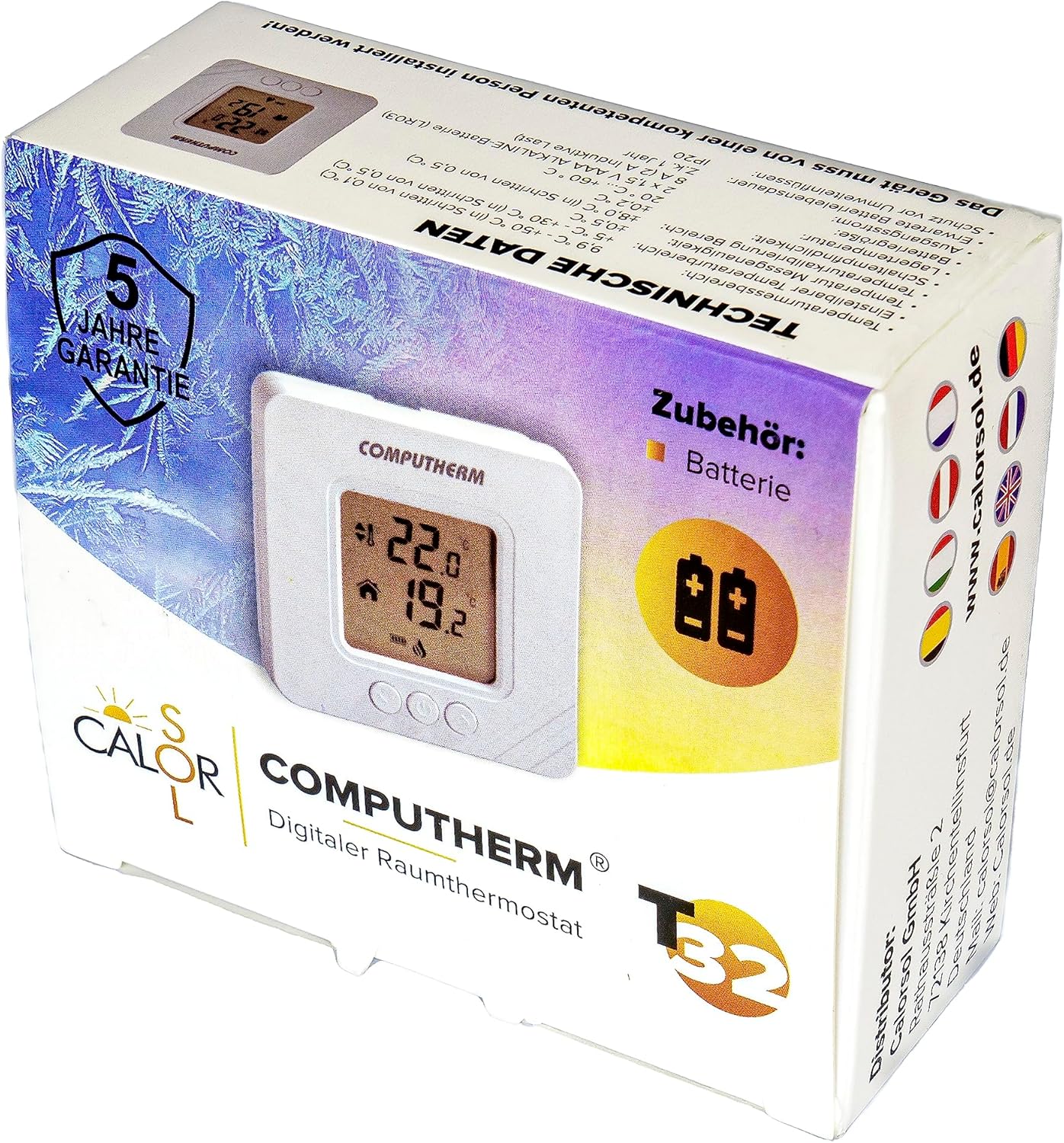
Figure 5: Product packaging displaying warranty information and technical data.