
1. Destpêk
The Carrera RC Mario Kart Yoshi Quad (Model 370200997X) is a remote-controlled vehicle designed for users aged 6 and up. This manual provides essential information for the safe and optimal use of your RC Yoshi Quad, ensuring an enjoyable experience. Please read all instructions carefully before operating the product.
2. Çi di Qutîkê de ye
Hemû pêkhateyan bi baldarî ji pakêtê vekin û piştrast bikin ku tiştên jêrîn tê de ne:
- Carrera RC Yoshi Quad Vehicle
- Remote Control
- 3.2V 700 mAh LiFePo4 Battery (for vehicle)
- Cable Charging USB
- Manual Instruction

Image: The Carrera RC Mario Kart Yoshi Quad shown in its original retail packaging, indicating included components.
3. Sazkirin
3.1. Barkirina Bateriya Wesayîtê
Before first use, fully charge the vehicle's 3.2V 700 mAh LiFePo4 battery. The charging process typically takes approximately 50 minutes.
- Kabloya şarjê ya USB-ê bi porta şarjê ya wesayîtê ve girêdin.
- Plug the other end of the USB cable into a compatible USB power source (e.g., computer, USB wall adapter, power bank).
- The charging indicator light on the vehicle or cable will show the charging status (refer to specific indicator behavior in the quick start guide if available).
- Once charging is complete, disconnect the cable.

Image: The Yoshi Quad vehicle, ready for battery charging via its USB cable.
3.2. Sazkirina Pîlê Control Remote
The remote control requires batteries for operation. Please ensure you use the correct type and polarity.
- Cihê beşa pîlê li ser pişta kontrolê ji dûr ve.
- Berga beşa pîlê vekin.
- Insert the required batteries (e.g., AA or AAA, typically 2x) according to the polarity markings (+/-).
- Qapaxa beşa pîlê bi ewlehî bigire.
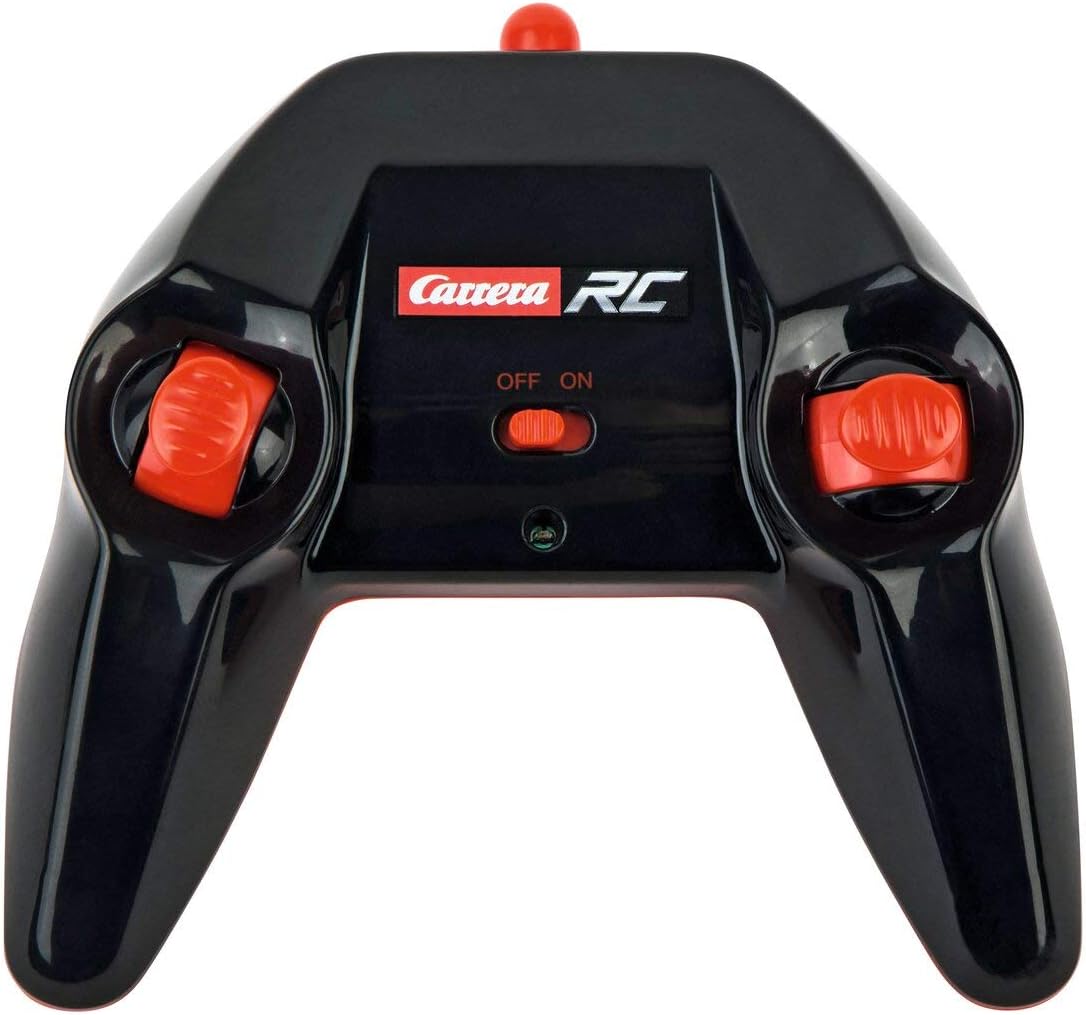
Image: The Carrera RC remote control, showing its design and controls.
3.3. Hevgirêdana Wesayît û Kontrola Ji Dûr
To establish a connection between the vehicle and the remote control, follow these steps:
- Ensure both the vehicle and the remote control have fresh or fully charged batteries.
- Bi karanîna guhêrbarê hêzê wesayîtê vekin.
- Kontrola dûr bi karanîna guhêrbara hêzê vekin.
- The vehicle and remote control should automatically pair. A successful connection is usually indicated by a solid light on both devices (refer to your quick start guide for specific light indicators).
Video: This video demonstrates the unboxing, battery installation, and initial pairing process for the Carrera RC Mario Kart Yoshi Quad.
4. Telîmatên Operating
Once paired, you can begin operating your Carrera RC Yoshi Quad.
- Pêş / Paşve Use the throttle trigger or joystick on the remote control to move the vehicle forward or backward.
- Hefsar: Use the steering wheel or directional controls on the remote control to turn the vehicle left or right.
- Zûbûnî: The Yoshi Quad can reach speeds of up to 9 km/h. Adjust your control input for desired speed.
- Dirêjahî: Operate the vehicle within the specified range of the remote control to maintain connection and avoid loss of control.
Tedbîrên Ewlekariyê:
- Always operate in open areas, away from people, pets, and obstacles.
- Do not operate near water or in wet conditions.
- Avoid operating on public roads or near traffic.
- Supervise younger children during operation.
5. Maintenance
5.1. Paqijkirin
To maintain the appearance and functionality of your RC Yoshi Quad:
- Wipe the vehicle and remote control with a soft, dry cloth after each use.
- Do not use harsh chemicals or solvents, as these can damage the plastic.
- Ji ketina avê nav pêkhateyên elektronîkî dûr bisekinin.
5.2. Lênêrîn û Hilanîna Pîlê
- Always remove batteries from the remote control if not in use for extended periods.
- Store the vehicle's LiFePo4 battery in a cool, dry place, away from direct sunlight and extreme temperatures.
- Pîlê zêde şarj nekin an jî bi tevahî vala nekin.
6. Destpêkirin
If you encounter issues with your RC Yoshi Quad, refer to the following common problems and solutions:
| Pirsegirêk | Sedema gengaz | Çare |
|---|---|---|
| Wesayît naçe. | Low or uncharged vehicle battery. Pîlên kontrola dûr xilas bûne an jî bi şaşî hatine sazkirin. Vehicle and remote not paired. | Pîlê wesayîtê şarj bike. Replace/install remote control batteries correctly. Re-pair vehicle and remote control. |
| Poor control range or intermittent connection. | Destwerdana ji cîhazên RC an elektronîkên din. Li derveyî rêjeya bi bandor dixebite. Pîl kêm. | Biçe cihekî cuda. Operate closer to the vehicle. Batteries şarj bikin / biguherînin. |
| Wesayît hêdî an jî bi rêkûpêk diçe. | Asta bataryaya wesayîtê kêm. Astengiya di teker/eksan de. | Pîlê wesayîtê şarj bike. Check and clear any obstructions. |
7. Specifications
| Nîşan | Carrera |
| Navê Model | 370200997X |
| Şexsîyet | Yoshi |
| Type Vehicle | Quad |
| Mal | Pîlastîk |
| Reng | Multicolor (predominantly Green) |
| Rêjeya Temenî (Vegotin) | 6+ sal |
| Max Speed | 9 Kilometers per hour |
| Çavkaniya Hêzê | Battery Powered |
| Cureyê Bateriya Wesayîtê | 1 Lithium-ion (3.2V 700 mAh LiFePo4) - included |
| Time Charging | Approx. 50 deqîqe |
| Dema xebitandinê | Heta 30 hûrdem |
| Type Control Remote | Radio Control (2.4 GHz) |
| Pîvan (Belge) | 36.5 x 20.5 x 23 santîmetre |
| Giranî (Berhem) | 1.06 Kîlo |
| Taybetmendiya Taybet | Ronahiya Çiqok |
| Welatê Origin | çîn |
8. Garantî û Piştgirî
8.1. Garantiya Hilberîner
This Carrera RC product is covered by a Garantiya çêker a 2 salîJi kerema xwe delîla kirînê ji bo her îdîayên garantiyê biparêzin. Garantî kêmasiyên materyal û karîgeriyê di bin karanîna normal de vedihewîne.
8.2. Piştgiriya Mişterî
For technical assistance, spare parts, or warranty inquiries, please contact Carrera customer support. Refer to the contact information provided on the product packaging or the official Carrera website.