
Pêşkêş
This manual provides essential information for the safe and effective use of your BODYTONE DS25 Indoor Fitness Bike. Please read it thoroughly before assembly and operation to ensure proper function and user safety. Keep this manual for future reference.
Agahiyên Ewlekariyê
Adhering to these safety guidelines is crucial for preventing injury and ensuring the longevity of your fitness bike.
- Berî ku hûn dest bi bernameyeke werzîşê ya nû bikin, bi bijîşkekî re şêwir bikin, nemaze heke ji berê ve rewşên tenduristiyê yên we hebin.
- Ensure all bolts, nuts, and moving parts are securely fastened before each use. Regularly check for loose components.
- Keep children and pets away from the equipment during operation to prevent accidents.
- Place the bike on a flat, stable surface with adequate clearance around it (at least 0.6 meters or 2 feet).
- Ji giraniya bikarhêner a herî zêde 140 kg (308 lbs) derbas nebe.
- Always wear appropriate athletic footwear and clothing while using the bike. Avoid loose clothing that could get caught in moving parts.
- Stop exercising immediately if you feel faint, dizzy, or experience any pain or discomfort.
Labelên Ewlekariya Girîng
Familiarize yourself with all warning and instructional labels affixed to the bike. Do not remove them.
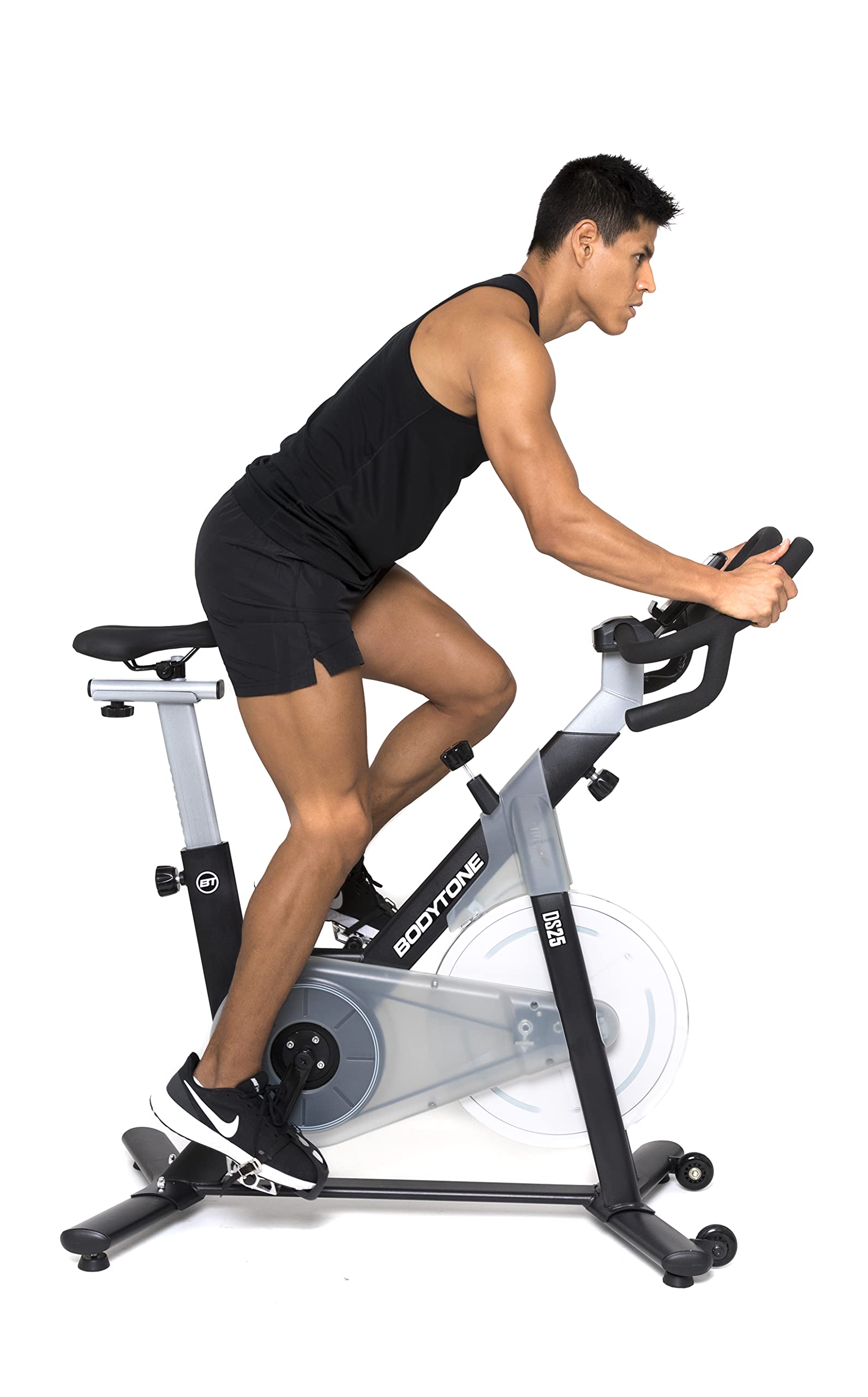
Image: The BODYTONE DS25 Indoor Fitness Bike, illustrating its overall design and potential locations for safety labels.
Naveroka pakêtê
Before beginning assembly, carefully unpack all components and verify that you have received all the items listed below. If any parts are missing or damaged, please contact customer support immediately.
- Meclîsa Çarçoveya Sereke
- Meclîsa Handlebar
- Meclîsa Saddle
- Pedalên Çep û Rast
- Stabilizerên pêş û paş
- Hardware Kit (includes bolts, washers, nuts, and basic assembly tools)
- Manual Bikarhêner
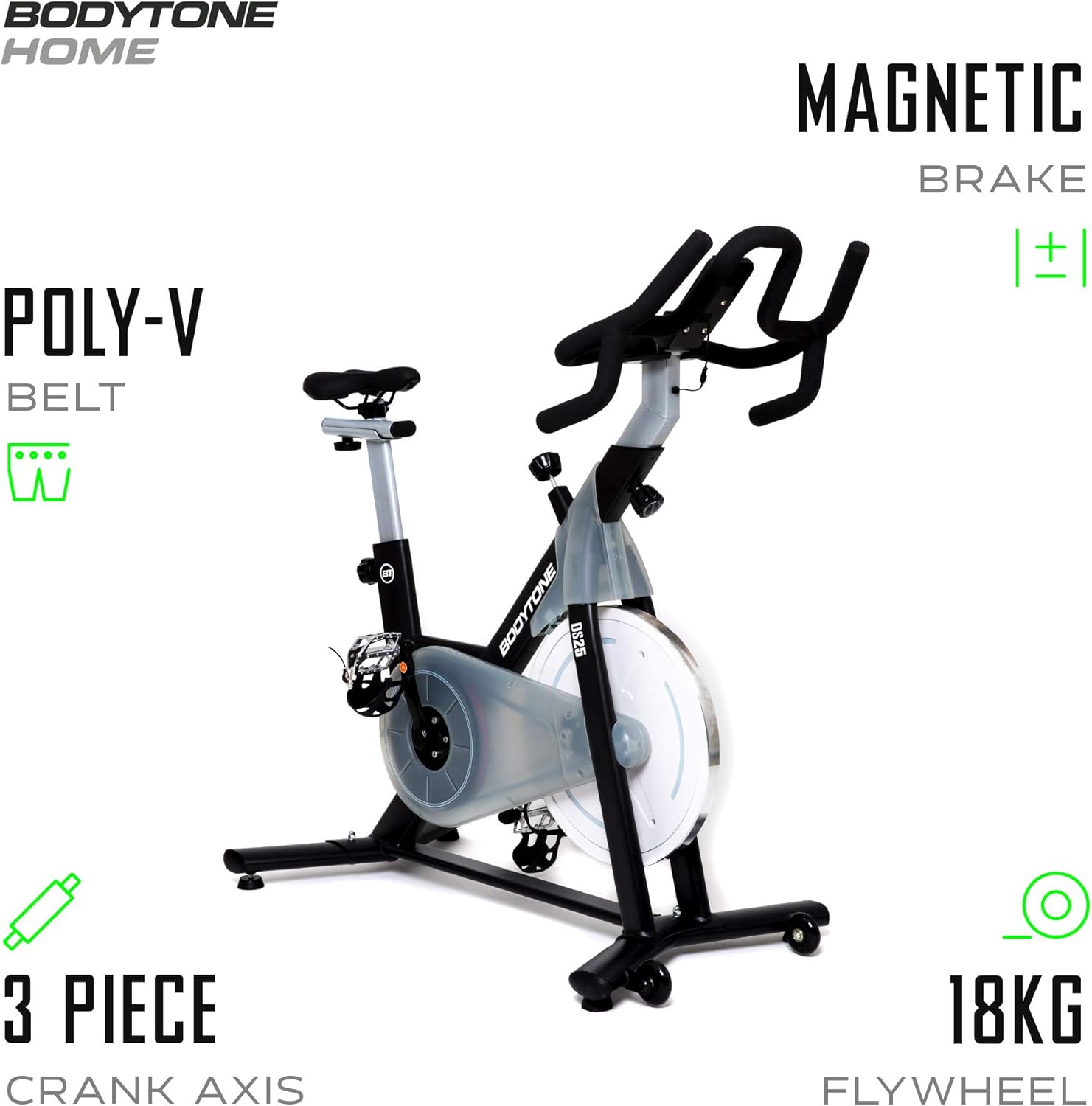
Image: An illustration of the BODYTONE DS25 bike highlighting key internal components such as the Poly-V belt, magnetic brake system, 3-piece crank axis, and the 18kg flywheel.
Setup û Meclîsa
Follow these step-by-step instructions to assemble your DS25 Indoor Fitness Bike. It is recommended to have two people for assembly to ensure safety and ease.
Gav 1: Stabîlîzatoran ve girêdin
Secure the front and rear stabilizers to the main frame using the provided bolts and washers. Ensure all fasteners are tightened firmly to provide a stable base for the bike.
Gav 2: Pedalan saz bikin
Identify the left (L) and right (R) pedals. The left pedal tightens counter-clockwise, and the right pedal tightens clockwise. Thread them carefully into the crank arms by hand first, then tighten with the provided wrench.
Step 3: Mount Saddle
Insert the saddle post into the frame and adjust to your desired height. Secure it firmly with the adjustment knob. Attach the saddle to the post, ensuring it is level and comfortable.
Gav 4: Handlebar ve girêdin
Insert the handlebar post into the frame and adjust to your preferred height. Secure it with the adjustment knob. Attach the handlebar assembly, ensuring all connections are tight.

Image: The BODYTONE DS25 Indoor Fitness Bike with its overall dimensions (94cm height, 55cm width, 118cm length) and indicating a "Plug & Play" setup for ease of use.
Telîmatên Operating
Proper adjustment and operation will enhance your workout experience and ensure safety.
Adjusting Seat and Handlebar
For optimal comfort and performance, adjust the seat height, fore/aft position, and handlebar height to suit your body. The seat post features CP treatment for anti-corrosion properties, ensuring smooth adjustments over time.

Image: A user demonstrating the correct riding posture on the BODYTONE DS25, emphasizing the recommended training time of 10 hours per week and the maximum user weight capacity of 140 kg.
Eyarkirina Berxwedanê
The DS25 features a magnetic resistance system for smooth and quiet operation. Turn the graduated adjustment knob clockwise to increase resistance, making pedaling harder. Turn it counter-clockwise to decrease resistance, making pedaling easier.

Wêne: Berfireh view of the resistance adjustment knob on the BODYTONE DS25, which also functions as an emergency stop button.
Rawestandina Awarte
To stop the flywheel quickly in an emergency or at the end of your workout, press down firmly on the resistance adjustment knob. This will engage the emergency brake.
Using the Workout Display
The integrated workout display provides real-time feedback on your exercise session. It typically shows metrics such as time, distance, speed, and calories burned. Refer to the display's specific instructions (usually found on the display itself or in a separate mini-manual) for navigation and mode selection.

Image: A close-up of the triathlon-style handlebar and the integrated workout display on the BODYTONE DS25.
Lênerrînî
Regular maintenance ensures the longevity and optimal performance of your BODYTONE DS25.
Paqijkirina bi rêkûpêk: After each use, wipe down the bike with a damp cloth to remove sweat and dust. Avoid using abrasive cleaners or solvents, which can damage the finish.
Têkiliyan kontrol bikin: Periodically inspect all bolts, nuts, and moving parts for tightness. Tighten any loose fasteners as necessary to maintain structural integrity.
Rûnkirin: The magnetic resistance system is generally maintenance-free and does not require lubrication. If you notice any unusual noises from moving parts, contact customer support.
Kontrola kemberê: Annually, or if you notice any issues, inspect the Poly-V belt for signs of wear, cracks, or damage. Belt replacement should be performed by a qualified technician.
Embarkirinî: Store the bike in a dry, cool place away from direct sunlight, extreme temperatures, and high humidity to prevent corrosion and material degradation.

Image: A close-up shot of the "BODYTONE DS25" branding on the bike's frame, highlighting the product's design and model identification.
Çareserkirina pirsgirêkan
This section addresses common issues you might encounter with your DS25 Indoor Fitness Bike.
Squeaking/Unusual Noise: Check for any loose bolts or parts, especially around the pedals, crank arms, and stabilizers. Ensure the bike is placed on a completely level surface. If the noise persists after checking all connections, contact customer support.
Pirsgirêkên Berxwedanê: If the resistance feels inconsistent or does not change when adjusting the knob, ensure the adjustment knob is functioning correctly and not obstructed. Verify that no foreign objects are interfering with the flywheel or the magnetic resistance mechanism.
Workout Display Not Working: Check the battery compartment for proper battery insertion and ensure the batteries have sufficient charge. Replace batteries if necessary. If the display still does not function, contact support.
Pedals Feel Loose: Re-tighten the pedals firmly. Remember that the left pedal is reverse-threaded (tightens counter-clockwise), while the right pedal tightens clockwise.
For issues not listed here, or if troubleshooting steps do not resolve the problem, please contact BODYTONE customer support for assistance.
Specifications
Detailed technical specifications for the BODYTONE DS25 Indoor Fitness Bike.
| Taybetî | Specification |
|---|---|
| Nîşan | BODYTONE |
| Cins | DS25 |
| Tîpa Berxwedanê | Magnetic |
| Weight Flywheel | 18 kg |
| Herî zêde giraniya bikarhêner | 140 kg |
| Babetê Weight | 29.5 kg |
| Pîvan (L x W x H) | 118 cm x 55 cm x 94 cm |
| Çavkaniya Hêzê | Battery Powered (for display) |
| Taybetmendiya Taybet | Avakirina Karê Giran |
| Reng | Gewr |
Garantî û Piştgirî
Your BODYTONE DS25 Indoor Fitness Bike is backed by a manufacturer's warranty to ensure your peace of mind.
Serdema Garantiyê: The product comes with a manufacturer's warranty of 2 years from the date of purchase.
Têkiliya Piştgiriyê: For warranty claims, technical assistance, troubleshooting guidance, or to order replacement parts, please contact BODYTONE customer service. You can find the most up-to-date contact information on the official BODYTONE website.
Çavkaniyên Serhêl: For additional information, product registration, or frequently asked questions, please visit the official BODYTONE webmalper: