
1. Destpêk
The AUVON Dual Channel TENS EMS Unit is a versatile device designed for both pain relief and muscle stimulation. TENS (Transcutaneous Electrical Nerve Stimulation) therapy provides a safe, non-invasive, and drug-free method for pain management by delivering gentle electrical impulses. EMS (Electrical Muscle Stimulation) or PMS (Powered Muscle Stimulator) activates muscles through electrical impulses, aiding in muscle contraction, strength, and endurance, making it a valuable tool for rehabilitation and strength training.
This manual provides detailed instructions for the proper setup, operation, and maintenance of your AUVON TENS EMS Unit to ensure safe and effective use.
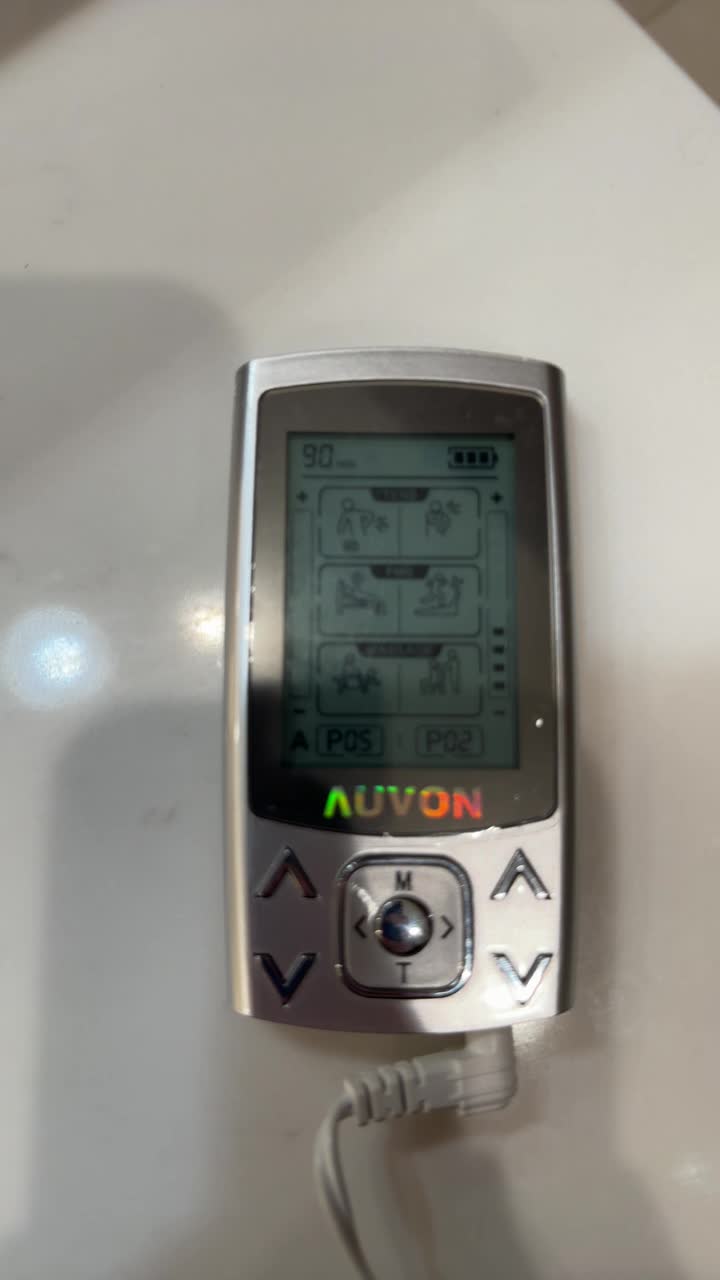
Image: The AUVON Dual Channel TENS EMS Unit with its included pads and accessories.
Image: Visual representation of various body parts where the TENS EMS unit can be applied for pain relief, including shoulders, back, knees, and hands.
2. Important Safety Information & Legal Disclaimer
This product is not suitable for individuals with certain medical conditions or circumstances. Please read the following points carefully before using this product.
- Do not use this product if you have an implanted defibrillator, cardiac pacemaker, or any other implanted metallic or electronic device.
- Do not use this product if you have heart rhythm problems, epilepsy, brain diseases, or neurological disorders.
- Do not use this product if you have undiagnosed chronic pain.
- Do not use this product if you are pregnant or in labor.
- Do not use this product if you have cancer.
- Do not use this product if you are sensitive to electrotherapy.
- Do not use this product excessively.
- Do not use this product above the neck, especially on the head or neck area.
- Do not use this product if you are under 22 years of age.
Individual symptoms, situations, circumstances, and results may vary. The information provided is not intended to be used for medical diagnosis or treatment or as a substitute for professional medical advice. Please consult your physician or qualified health care provider regarding your condition and appropriate medical treatment.
3. Naveroka pakêtê
Upon opening your AUVON Dual Channel TENS EMS Unit package, you should find the following items:
- 1 x AUVON Dual Channel TENS Machine
- 12pcs 5cm x 5cm Electrode Pads
- 2 x Têlên Serê (1/2 Têl)
- 1 x kabloya USB
- 1 x Pouch
- 1 x Professional User Manual
- 1 x ABS Pads Holder

Image: A visual display of all items included in the AUVON Dual Channel TENS EMS Unit package, such as the device, electrode pads, lead wires, USB cable, pouch, user manual, and pads holder.
4. Sazkirin
4.1 Barkirina Amûrê
Before first use, fully charge your AUVON TENS EMS Unit. Connect the provided USB cable to the charging port on the device and plug the other end into a compatible USB power source (e.g., computer, USB wall adapter). The device features a built-in powerful rechargeable lithium battery, providing up to 10 hours of continuous use on a full charge.
4.2 Connecting Electrode Pads
The AUVON TENS EMS Unit uses standard 2mm pin connector lead wires and electrodes. Ensure the device is turned off before connecting or disconnecting pads.
- Insert the pin connectors of the lead wires into the electrode pads.
- Plug the other end of the lead wires into the Channel A and/or Channel B ports on the top of the TENS EMS Unit.
- Carefully peel the electrode pads from their protective film. Avoid touching the adhesive gel as much as possible to maintain stickiness.
- Apply the pads to clean, dry skin on the desired treatment area. Ensure good contact for optimal conductivity.

Image: A detailed diagram illustrating the layers of the medical-grade electrode pads, including the super soft fabric, conductive wire-end layer, high-quality carbon film, and 3rd Gen American Gel, highlighting good stickiness and conductivity.
5. Telîmatên Operating
The AUVON Dual Channel TENS EMS Unit features 24 preprogrammed massage modes and 20 levels of intensity, allowing for customized therapy.
5.1 Power On / Off
To turn the device ON or OFF, slide the power switch located on the top of the unit.
5.2 Independent Dual Channel Operation
This unit features independent dual channels (A and B), allowing you to select different modes and intensity levels for each channel simultaneously. For example, you can apply a TENS mode to your shoulder via Channel A and an EMS mode to your back via Channel B, each with its own intensity setting.
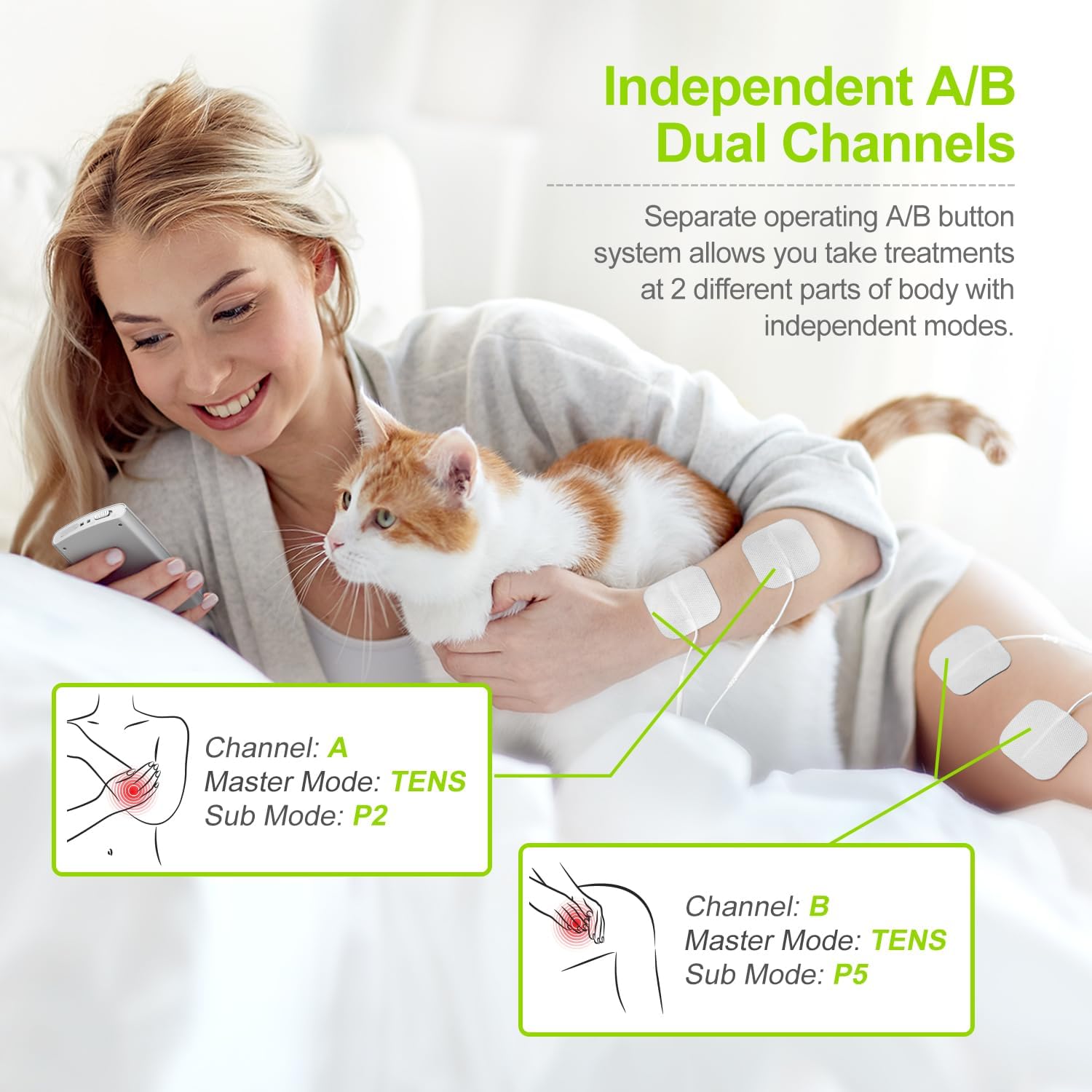
Image: An illustration demonstrating the independent A/B dual channel system, allowing for different modes and intensity levels to be applied to two separate body parts simultaneously.
5.3 Mode Selection (24 Modes)
The device offers 24 preprogrammed modes categorized into TENS (P01-P08 for pain relief), PMS/EMS (P09-P16 for muscle conditioning), and Massage (P17-P24 for relaxation).
- Press the 'M' button to cycle through the main categories (TENS, PMS/EMS, Massage).
- Use the left/right arrow buttons to select a specific sub-mode (P01-P24) within the chosen category.

Image: A visual guide to the device's screen, showing the distinct sections for TENS (Pain Relief), PMS/EMS (Muscle Conditioning), and Massage (Relaxing Body) modes, each with their respective program ranges.

Image: A diagram illustrating recommended electrode pad placements for different body areas, including the neck, shoulder, back, arm, and knee, for effective TENS, EMS, and massage therapy.
5.4 Adjusting Intensity (20 Levels)
Use the up/down arrow buttons on the left side of the device to adjust the intensity for Channel A, and the up/down arrow buttons on the right side for Channel B. Start with a low intensity and gradually increase it until you feel a comfortable, yet effective, sensation.
5.5 Sazkirina Demjimêr
Press the 'T' button to adjust the treatment time. The time can be set for a maximum of 90 minutes.
5.6 Lock/Unlock Function
To lock the screen and prevent accidental changes during therapy, long-press the round center button for 3 seconds. Repeat the action to unlock.

Image: A step-by-step visual guide on how to set the main mode, sub-mode, intensity for channels A and B, and the timer, including how to lock the device.
5.7 Official Product Video: Operation Guide
Video: An official demonstration video from AUVON Inc. showcasing the features and operation of the Dual Channel TENS EMS Unit, including mode selection, intensity adjustment, and dual-channel functionality.
6. Maintenance
6.1 Electrode Pad Care
The upgraded low-impedance solid gel pads are designed for extended lifespan and premium self-stick performance. To maximize their lifespan:
- After each use, lift a corner of the electrode and slowly peel it away from the skin. Avoid pulling by the wire.
- Avoid touching the gel as much as possible.
- Place the electrodes back onto the provided ABS pads holder or their protective film after use.
- If pads lose stickiness, gently clean the adhesive surface with a damp cloth and let them air dry. Do not use harsh chemicals.
- Replace pads when they no longer adhere well to the skin (typically after 45 uses, depending on skin type and care).
6.2 Paqijkirina Device
Amûrê bi qumaşek nerm û hişk paqij bikin. Paqijkerên aşınker bikar neynin û amûrê nexin nav avê.
7. Destpêkirin
If you experience issues with your AUVON TENS EMS Unit, please refer to the following common solutions:
- Bê hest/Hesteke lawaz:
- Ensure the device is powered ON.
- Check that lead wires are securely connected to both the device and the electrode pads.
- Verify that electrode pads are making full contact with clean, dry skin.
- Increase the intensity level gradually.
- Replace old or worn-out electrode pads.
- Cîhaz Venedibe:
- Piştrast bike ku pîl şarj bûye. Amûrê bi karanîna kabloya USB-ê bi çavkaniyek hêzê ve girêbide.
- Cihê guhêrbarê hêzê kontrol bikin.
- Irregular Sensation:
- Check for loose connections of lead wires or pads.
- Ensure pads are evenly applied and not wrinkled.
- Try a different mode or adjust the intensity.
If the issue persists after trying these steps, please contact AUVON customer service for further assistance.
8. Specifications
| Taybetî | Terîf |
|---|---|
| Mezinahiya Hilberê | 5.79 x 3.66 x 2.83 inches |
| Pîvan | 10.93 onsan |
| Cureyê Pîl | 1 Battery Lithium Ion (tevî) |
| Modes | 24 Preprogrammed Modes (TENS, PMS/EMS, Massage) |
| Asta Zehmetiyê | 20 Asta |
| Channels | Dual Independent Channels (A & B) |
| Max Usage Time | Up to 10 hours (on full charge) |
| Timer Adjustable | Yes (up to 90 minutes) |
9. Garantî & Piştgirî
AUVON provides 12-Month Warranty Support for your Dual Channel TENS EMS Unit. For any questions, concerns, or technical assistance, please do not hesitate to contact our friendly customer service team. Refer to the contact information provided in your product packaging or on the official AUVON website.


